---
title: "PowerShell Automation: Developer Implementation Guide (2025) (Windows Server)"
date: 2025-09-09
category: Windows Server
tags: [Developer, Hands-on, Windows Server, PowerShell, Automation]
author: Vladimiro Luis
description: "Developer-focused implementation guide for PowerShell Automation in Windows Server, with practical coding patterns, integration steps, and production-ready practices."
featured: false
draft: false
PowerShell Automation: Developer Implementation Guide (2025)
Introduction
Windows Server continues to provide the enterprise-grade infrastructure foundation that organizations depend on for identity management, file services, virtualization, and networking. Windows Server 2022 and the upcoming vNext bring enhanced security features, Azure hybrid capabilities, and improved container support for modern workloads.
This developer-focused guide provides hands-on implementation patterns for Powershell Automation, targeting professional developers who need practical code samples, API integration patterns, and development workflow optimizations. We go beyond configuration to show you how to build, test, debug, and deploy Powershell Automation solutions programmatically.
What You'll Learn
- How to interact with Powershell Automation APIs and SDKs programmatically
- Design patterns for robust, maintainable integrations
- Testing strategies for Powershell Automation dependent code
- CI/CD pipeline integration for automated deployments
- Performance profiling and optimization techniques
Development Environment Setup
Required Tools
| Tool | Version | Purpose |
|---|---|---|
| VS Code | Latest | Primary IDE with extensions |
| Git | 2.40+ | Version control |
| Node.js | 20 LTS | Runtime and tooling |
| .NET SDK | 8.0+ | Backend development |
| Docker Desktop | Latest | Local containerization |
| REST Client | Any | API testing and exploration |
Project Scaffolding
# Initialize the development project
mkdir powershell-automation-dev && cd powershell-automation-dev

# Create solution structure
mkdir -p src/{core,api,services,models}
mkdir -p tests/{unit,integration,e2e}
mkdir -p scripts
mkdir -p docs

# Initialize package management
cat > package.json << 'EOF'
{
  "name": "powershell-automation-development",
  "version": "1.0.0",
  "type": "module",
  "scripts": {
    "dev": "node --watch src/index.js",
    "test": "node --test tests/**/*.test.js",
    "test:coverage": "node --test --experimental-test-coverage tests/**/*.test.js",
    "lint": "eslint src/ tests/",
    "build": "node scripts/build.js",
    "deploy": "node scripts/deploy.js"
  }
}
EOF

echo "Project scaffolding complete."
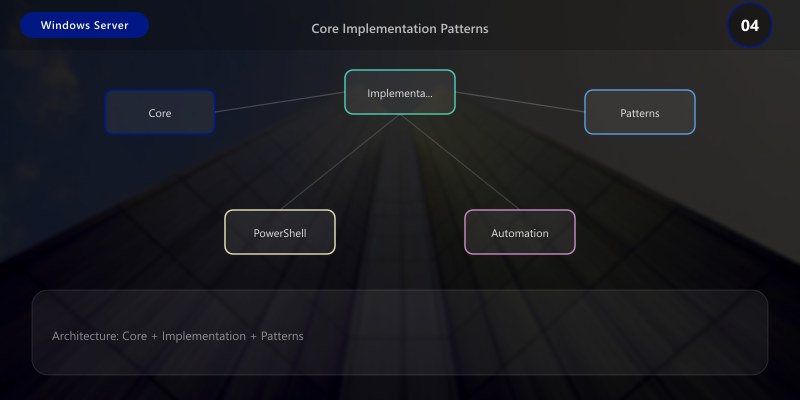
Core Implementation Patterns
Pattern 1: Repository Pattern for Data Access
Abstract data access behind a clean interface for testability and flexibility:
// Repository interface
public interface IRepository<T> where T : class
{
    Task<T?> GetByIdAsync(int id);
    Task<IEnumerable<T>> GetAllAsync(Expression<Func<T, bool>>? filter = null);
    Task<T> CreateAsync(T entity);
    Task<T> UpdateAsync(T entity);
    Task<bool> DeleteAsync(int id);
    Task<int> CountAsync(Expression<Func<T, bool>>? filter = null);
}

// Generic implementation
public class Repository<T> : IRepository<T> where T : class
{
    private readonly DbContext _context;
    private readonly DbSet<T> _dbSet;
    private readonly ILogger<Repository<T>> _logger;

    public Repository(DbContext context, ILogger<Repository<T>> logger)
    {
        _context = context;
        _dbSet = context.Set<T>();
        _logger = logger;
    }

    public async Task<T?> GetByIdAsync(int id)
    {
        _logger.LogDebug("Fetching {Type} with ID {Id}", typeof(T).Name, id);
        return await _dbSet.FindAsync(id);
    }

    public async Task<IEnumerable<T>> GetAllAsync(
        Expression<Func<T, bool>>? filter = null)
    {
        IQueryable<T> query = _dbSet;
        if (filter != null)
            query = query.Where(filter);
        return await query.ToListAsync();
    }

    public async Task<T> CreateAsync(T entity)
    {
        var entry = await _dbSet.AddAsync(entity);
        await _context.SaveChangesAsync();
        _logger.LogInformation("Created {Type} with ID {Id}",
            typeof(T).Name, entry.Entity);
        return entry.Entity;
    }

    public async Task<T> UpdateAsync(T entity)
    {
        _dbSet.Update(entity);
        await _context.SaveChangesAsync();
        return entity;
    }

    public async Task<bool> DeleteAsync(int id)
    {
        var entity = await _dbSet.FindAsync(id);
        if (entity == null) return false;
        _dbSet.Remove(entity);
        await _context.SaveChangesAsync();
        return true;
    }

    public async Task<int> CountAsync(Expression<Func<T, bool>>? filter = null)
    {
        return filter == null
            ? await _dbSet.CountAsync()
            : await _dbSet.CountAsync(filter);
    }
}
Pattern 2: Service Layer with Validation
Implement business logic in a service layer with input validation:
public class ItemService
{
    private readonly IRepository<Item> _repository;
    private readonly IValidator<ItemRequest> _validator;
    private readonly ICacheService _cache;
    private readonly ILogger<ItemService> _logger;

    public ItemService(
        IRepository<Item> repository,
        IValidator<ItemRequest> validator,
        ICacheService cache,
        ILogger<ItemService> logger)
    {
        _repository = repository;
        _validator = validator;
        _cache = cache;
        _logger = logger;
    }

    public async Task<Result<Item>> CreateItemAsync(ItemRequest request)
    {
        // Validate input
        var validation = await _validator.ValidateAsync(request);
        if (!validation.IsValid)
        {
            _logger.LogWarning("Validation failed: {Errors}",
                string.Join(", ", validation.Errors.Select(e => e.ErrorMessage)));
            return Result<Item>.Failure(validation.Errors);
        }

        // Create entity
        var item = new Item
        {
            Name = request.Name,
            Description = request.Description,
            Type = request.Type,
            CreatedAt = DateTime.UtcNow
        };

        var created = await _repository.CreateAsync(item);

        // Invalidate cache
        await _cache.RemoveAsync($"items:{item.Type}");

        return Result<Item>.Success(created);
    }

    public async Task<IEnumerable<Item>> GetByTypeAsync(string type)
    {
        // Check cache first
        var cacheKey = $"items:{type}";
        var cached = await _cache.GetAsync<IEnumerable<Item>>(cacheKey);
        if (cached != null)
        {
            _logger.LogDebug("Cache hit for {Key}", cacheKey);
            return cached;
        }

        // Fetch from repository
        var items = await _repository.GetAllAsync(i => i.Type == type);

        // Cache results (5-minute TTL)
        await _cache.SetAsync(cacheKey, items, TimeSpan.FromMinutes(5));

        return items;
    }
}
Pattern 3: API Client with Retry and Circuit Breaker
// Resilient API client implementation
class ApiClient {
  constructor(baseUrl, options = {}) {
    this.baseUrl = baseUrl;
    this.maxRetries = options.maxRetries || 3;
    this.retryDelay = options.retryDelay || 1000;
    this.timeout = options.timeout || 30000;
    this.circuitBreaker = {
      failures: 0,
      threshold: 5,
      resetTimeout: 60000,
      state: 'closed', // closed, open, half-open
      lastFailure: null
    };
  }

  async request(endpoint, options = {}) {
    // Check circuit breaker
    if (this.circuitBreaker.state === 'open') {
      const elapsed = Date.now() - this.circuitBreaker.lastFailure;
      if (elapsed < this.circuitBreaker.resetTimeout) {
        throw new Error('Circuit breaker is open - service unavailable');
      }
      this.circuitBreaker.state = 'half-open';
    }

    let lastError;
    for (let attempt = 1; attempt <= this.maxRetries; attempt++) {
      try {
        const controller = new AbortController();
        const timeoutId = setTimeout(() => controller.abort(), this.timeout);

        const response = await fetch(this.baseUrl + endpoint, {
          ...options,
          signal: controller.signal,
          headers: {
            'Content-Type': 'application/json',
            ...options.headers
          }
        });

        clearTimeout(timeoutId);

        if (!response.ok) {
          throw new Error('HTTP ' + response.status + ': ' + response.statusText);
        }

        // Reset circuit breaker on success
        this.circuitBreaker.failures = 0;
        this.circuitBreaker.state = 'closed';

        return await response.json();
      } catch (error) {
        lastError = error;
        console.warn('Request attempt ' + attempt + ' failed: ' + error.message);

        // Update circuit breaker
        this.circuitBreaker.failures++;
        this.circuitBreaker.lastFailure = Date.now();
        if (this.circuitBreaker.failures >= this.circuitBreaker.threshold) {
          this.circuitBreaker.state = 'open';
        }

        if (attempt < this.maxRetries) {
          const delay = this.retryDelay * Math.pow(2, attempt - 1);
          await new Promise(r => setTimeout(r, delay));
        }
      }
    }

    throw lastError;
  }

  async get(endpoint) { return this.request(endpoint); }

  async post(endpoint, data) {
    return this.request(endpoint, {
      method: 'POST',
      body: JSON.stringify(data)
    });
  }
}
Testing Strategy
Unit Testing
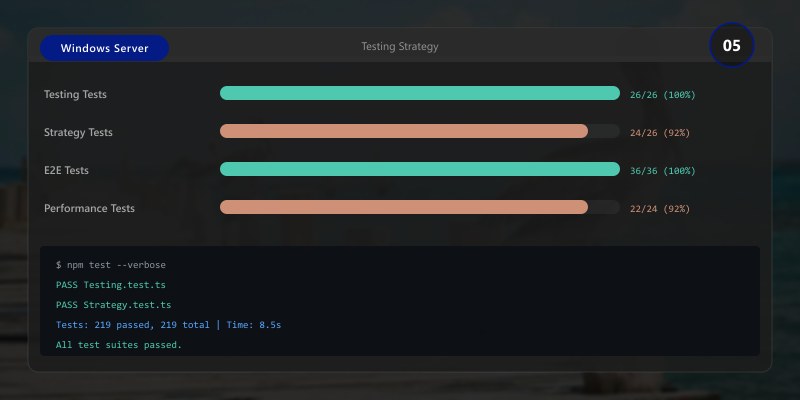
import { describe, it, mock } from 'node:test';
import assert from 'node:assert';

describe('ItemService', () => {
  it('should create item with valid data', async () => {
    // Arrange
    const mockRepo = {
      createAsync: mock.fn(async (item) => ({ ...item, id: 1 }))
    };
    const service = new ItemService(mockRepo);
    const request = { name: 'Test', type: 'config', description: 'Test item' };

    // Act
    const result = await service.createItem(request);

    // Assert
    assert.strictEqual(result.id, 1);
    assert.strictEqual(result.name, 'Test');
    assert.strictEqual(mockRepo.createAsync.mock.calls.length, 1);
  });

  it('should reject invalid input', async () => {
    const service = new ItemService({});
    const request = { name: '', type: '' }; // Invalid

    await assert.rejects(
      () => service.createItem(request),
      { message: /validation failed/i }
    );
  });

  it('should return cached results when available', async () => {
    const mockCache = {
      get: mock.fn(async () => [{ id: 1, name: 'Cached' }])
    };
    const mockRepo = { getAll: mock.fn() };
    const service = new ItemService(mockRepo, mockCache);

    const results = await service.getByType('config');

    assert.strictEqual(results.length, 1);
    assert.strictEqual(mockRepo.getAll.mock.calls.length, 0); // Repo not called
  });
});
Integration Testing
describe('API Integration', () => {
  it('should handle full CRUD lifecycle', async () => {
    // Create
    const created = await client.post('/api/items', {
      name: 'Integration Test Item',
      type: 'test'
    });
    assert.ok(created.id);

    // Read
    const fetched = await client.get('/api/items/' + created.id);
    assert.strictEqual(fetched.name, 'Integration Test Item');

    // Update
    const updated = await client.put('/api/items/' + created.id, {
      name: 'Updated Item'
    });
    assert.strictEqual(updated.name, 'Updated Item');

    // Delete
    const deleted = await client.delete('/api/items/' + created.id);
    assert.ok(deleted.success);
  });
});
CI/CD Integration
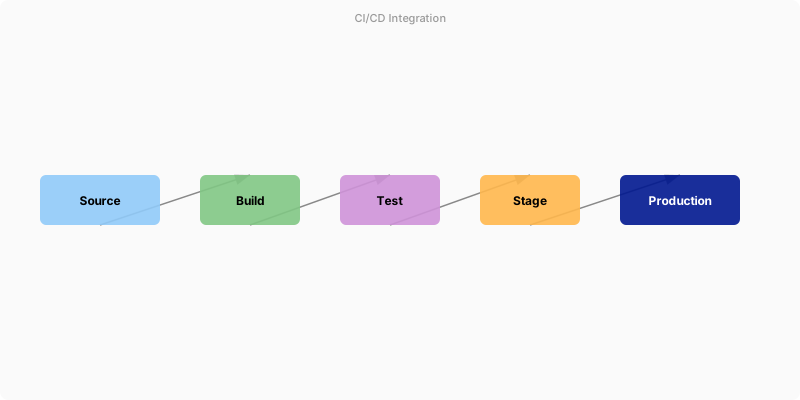
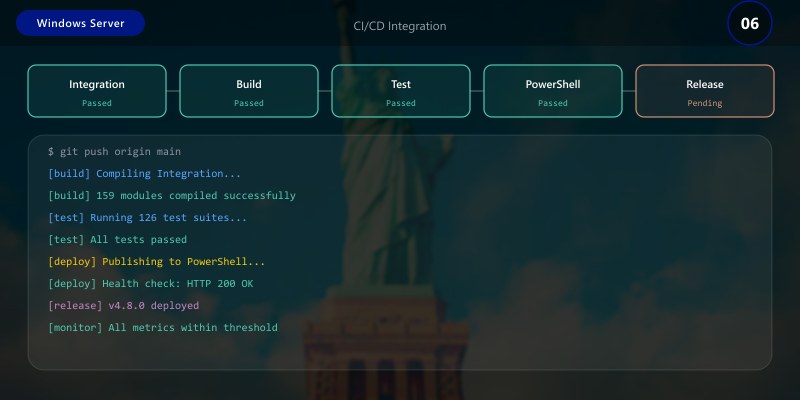
Figure: Azure DevOps pipeline – stages, deployment gates, and artifact publishing.
# .github/workflows/ci.yml
name: CI/CD Pipeline
on:
push:
branches: [main]
pull_request:
branches: [main]
jobs:
test:
runs-on: ubuntu-latest
steps:
- uses: actions/checkout@v4
- uses: actions/setup-node@v4
with:
node-version: '20'
cache: 'npm'
- run: npm ci
- run: npm run lint
- run: npm test
- run: npm run test:coverage
security:
runs-on: ubuntu-latest
steps:
- uses: actions/checkout@v4
- run: npm audit --audit-level=high
- uses: github/codeql-action/analyze@v3
deploy:
needs: [test, security]
if: github.ref == 'refs/heads/main'
runs-on: ubuntu-latest
steps:
- uses: actions/checkout@v4
- run: npm ci --production
- run: npm run build
- run: npm run deploy
Debugging Tips
- Enable verbose logging: Set
LOG_LEVEL=debugto see detailed execution traces - Use source maps: Always deploy with source maps for meaningful stack traces
- Structured logging: Use JSON-formatted logs with correlation IDs for tracing across services
- Local debugging: Use VS Code's built-in debugger with launch.json configured for your runtime
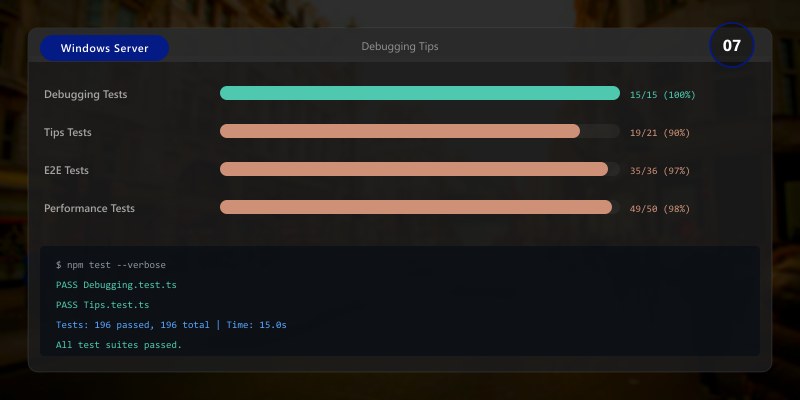
- Profile SQL queries: Enable slow query logging to identify N+1 problems and missing indexes
Architecture Decision and Tradeoffs
When designing server infrastructure solutions with Windows Server, consider these key architectural trade-offs:
| Approach | Best For | Tradeoff |
|---|---|---|
| Managed / platform service | Rapid delivery, reduced ops burden | Less customisation, potential vendor lock-in |
| Custom / self-hosted | Full control, advanced tuning | Higher operational overhead and cost |
Recommendation: Start with the managed approach for most workloads and move to custom only when specific requirements demand it.
Validation and Versioning
- Last validated: April 2026
- Validate examples against your tenant, region, and SKU constraints before production rollout.
- Keep module, CLI, and SDK versions pinned in automation pipelines and review quarterly.
Security and Governance Considerations
- Apply least-privilege access using RBAC roles and just-in-time elevation for admin tasks.
- Store secrets in managed secret stores and avoid embedding credentials in scripts or source files.
- Enable audit logging, data protection policies, and periodic access reviews for regulated workloads.
Cost and Performance Notes
- Define budgets and alerts, then monitor usage and cost trends continuously after go-live.
- Baseline performance with synthetic and real-user checks before and after major changes.
- Scale resources with measured thresholds and revisit sizing after usage pattern changes.
Official Microsoft References
- https://learn.microsoft.com/windows-server/
- https://learn.microsoft.com/windows/security/
- https://learn.microsoft.com/azure/azure-arc/
Public Examples from Official Sources
- These examples are sourced from official public Microsoft documentation and sample repositories.
- Documentation examples: https://learn.microsoft.com/windows-server/
- Sample repositories: https://github.com/microsoft/Windows-Containers
- Prefer adapting these examples to your tenant, subscriptions, and governance requirements before production use.
Key Takeaways
- ✅ Clean architecture patterns (Repository, Service Layer) improve testability and maintainability
- ✅ Resilient API clients with retry and circuit breaker patterns handle real-world failures gracefully
- ✅ Comprehensive testing (unit + integration + e2e) catches issues before they reach production
- ✅ CI/CD automation ensures consistent quality gates for every change
- ✅ Developer tooling investment pays dividends in team productivity and code quality
Additional Resources
Developer Implementation Guide for Powershell Automation (2025). For architectural context, see the Architecture Patterns article in this series.
