Enterprise Integration Platform: Azure API Management + Logic Apps + Service Bus + Event Grid
Introduction: The Integration Challenge
The average enterprise uses 200+ SaaS applications, maintains legacy on-premises systems, and builds custom solutions — all of which need to exchange data reliably. Point-to-point integrations create brittle spaghetti architectures. This deep dive builds a centralized integration platform on Azure that manages APIs, orchestrates complex workflows, reliably delivers messages, and reacts to events across the entire organization. The platform handles 50M+ API calls daily with 99.99% availability.
Prerequisites
- Azure subscription with Contributor access
- Azure API Management (Premium tier for multi-region)
- Azure Logic Apps (Standard for stateful workflows)
- Azure Service Bus (Premium for mission-critical messaging)
- Azure Event Grid (with system and custom topics)
- Familiarity with REST APIs, OAuth 2.0, and messaging patterns
Phase 1: API Management Gateway
APIM Infrastructure with Bicep
param location string = resourceGroup().location

resource apim 'Microsoft.ApiManagement/service@2023-09-01-preview' = {
  name: 'apim-integration-prod'
  location: location
  sku: {
    name: 'Premium'
    capacity: 2
  }
  identity: {
    type: 'SystemAssigned'
  }
  properties: {
    publisherEmail: 'api-team@contoso.com'
    publisherName: 'Contoso Integration Platform'
    virtualNetworkType: 'Internal'
    virtualNetworkConfiguration: {
      subnetResourceId: apimSubnet.id
    }
    certificates: [
      {
        storeName: 'Root'
        encodedCertificate: loadFileAsBase64('certs/root-ca.pfx')
      }
    ]
    customProperties: {
      'Microsoft.WindowsAzure.ApiManagement.Gateway.Security.Protocols.Tls11': 'false'
      'Microsoft.WindowsAzure.ApiManagement.Gateway.Security.Protocols.Tls10': 'false'
      'Microsoft.WindowsAzure.ApiManagement.Gateway.Security.Backend.Protocols.Tls11': 'false'
      'Microsoft.WindowsAzure.ApiManagement.Gateway.Security.Backend.Protocols.Tls10': 'false'
      'Microsoft.WindowsAzure.ApiManagement.Gateway.Security.Ciphers.TLS_ECDHE_RSA_WITH_AES_128_CBC_SHA': 'false'
    }
  }
}

// API versioning and revision management
resource ordersApi 'Microsoft.ApiManagement/service/apis@2023-09-01-preview' = {
  parent: apim
  name: 'orders-api'
  properties: {
    displayName: 'Orders API'
    path: 'orders'
    protocols: ['https']
    apiVersion: 'v2'
    apiVersionSetId: ordersVersionSet.id
    subscriptionRequired: true
    serviceUrl: 'https://orders-backend.azurewebsites.net'
    authenticationSettings: {
      oAuth2AuthenticationSettings: [
        {
          authorizationServerId: 'entra-id-oauth'
          scope: 'api://orders-api/.default'
        }
      ]
    }
  }
}

resource ordersVersionSet 'Microsoft.ApiManagement/service/apiVersionSets@2023-09-01-preview' = {
  parent: apim
  name: 'orders-version-set'
  properties: {
    displayName: 'Orders API'
    versioningScheme: 'Header'
    versionHeaderName: 'Api-Version'
  }
}
Advanced API Policies
<!-- Global policy: Rate limiting, JWT validation, logging -->
<policies>
    <inbound>
        <!-- Validate JWT token from Entra ID -->
        <validate-azure-ad-token tenant-id="{{tenantId}}"
            header-name="Authorization"
            failed-validation-httpcode="401"
            failed-validation-error-message="Unauthorized">
            <client-application-ids>
                <application-id>{{clientAppId1}}</application-id>
                <application-id>{{clientAppId2}}</application-id>
            </client-application-ids>
            <required-claims>
                <claim name="roles" match="any">
                    <value>Orders.Read</value>
                    <value>Orders.Write</value>
                </claim>
            </required-claims>
        </validate-azure-ad-token>

        <!-- Rate limiting by subscription -->
        <rate-limit-by-key calls="100"
            renewal-period="60"
            counter-key="@(context.Subscription?.Key ?? context.Request.IpAddress)"
            increment-condition="@(context.Response.StatusCode >= 200 && context.Response.StatusCode < 400)" />

        <!-- Quota by product tier -->
        <quota-by-key calls="10000"
            bandwidth="50000"
            renewal-period="86400"
            counter-key="@(context.Subscription.Key)" />

        <!-- Request correlation -->
        <set-header name="X-Correlation-Id" exists-action="skip">
            <value>@(Guid.NewGuid().ToString())</value>
        </set-header>

        <!-- Cache responses for GET requests -->
        <cache-lookup vary-by-developer="false"
            vary-by-developer-groups="false"
            caching-type="prefer-external"
            downstream-caching-type="none">
            <vary-by-header>Accept</vary-by-header>
            <vary-by-header>Api-Version</vary-by-header>
        </cache-lookup>

        <!-- Request transformation -->
        <set-body>@{
            var body = context.Request.Body.As<JObject>();
            body["_processedAt"] = DateTime.UtcNow.ToString("o");
            body["_apiVersion"] = context.Api.Version;
            body["_correlationId"] = context.Request.Headers
                .GetValueOrDefault("X-Correlation-Id", "");
            return body.ToString();
        }</set-body>
    </inbound>
    <backend>
        <!-- Circuit breaker pattern -->
        <retry condition="@(context.Response.StatusCode >= 500)"
            count="3" interval="1"
            max-interval="10"
            delta="2"
            first-fast-retry="true">
            <forward-request buffer-request-body="true"
                timeout="30"
                follow-redirects="false" />
        </retry>
    </backend>
    <outbound>
        <!-- Cache store -->
        <cache-store duration="300" />

        <!-- Response transformation: Remove internal headers -->
        <set-header name="X-Powered-By" exists-action="delete" />
        <set-header name="X-AspNet-Version" exists-action="delete" />
        <set-header name="Server" exists-action="delete" />

        <!-- Add security headers -->
        <set-header name="Strict-Transport-Security" exists-action="override">
            <value>max-age=31536000; includeSubDomains</value>
        </set-header>
        <set-header name="X-Content-Type-Options" exists-action="override">
            <value>nosniff</value>
        </set-header>
    </outbound>
    <on-error>
        <!-- Structured error response -->
        <set-body>@{
            var error = new JObject();
            error["error"] = new JObject();
            error["error"]["code"] = context.Response.StatusCode.ToString();
            error["error"]["message"] = context.LastError?.Message ?? "An unexpected error occurred";
            error["error"]["correlationId"] = context.Request.Headers
                .GetValueOrDefault("X-Correlation-Id", "unknown");
            error["error"]["timestamp"] = DateTime.UtcNow.ToString("o");
            return error.ToString();
        }</set-body>

        <!-- Log to Application Insights -->
        <trace source="APIM-Error" severity="error">
            <message>@($"API Error: {context.LastError?.Message}")</message>
            <metadata name="correlationId"
                value="@(context.Request.Headers.GetValueOrDefault("X-Correlation-Id",""))" />
            <metadata name="statusCode" value="@(context.Response.StatusCode.ToString())" />
        </trace>
    </on-error>
</policies>
Phase 2: Logic Apps Workflow Orchestration
Order-to-Cash Integration Workflow
{
  "definition": {
    "$schema": "https://schema.management.azure.com/providers/Microsoft.Logic/schemas/2016-06-01/workflowdefinition.json#",
    "triggers": {
      "When_new_order_received": {
        "type": "ServiceBus",
        "inputs": {
          "host": {
            "connection": { "name": "@parameters('$connections')['servicebus']['connectionId']" }
          },
          "method": "peeklock",
          "path": "/@{encodeURIComponent('new-orders')}/messages/head",
          "queries": { "sessionId": "None" }
        },
        "recurrence": { "frequency": "Second", "interval": 30 }
      }
    },
    "actions": {
      "Parse_order": {
        "type": "ParseJson",
        "inputs": {
          "content": "@{base64ToString(triggerBody()?['ContentData'])}",
          "schema": {
            "type": "object",
            "properties": {
              "orderId": { "type": "string" },
              "customerId": { "type": "string" },
              "items": { "type": "array" },
              "totalAmount": { "type": "number" },
              "currency": { "type": "string" }
            }
          }
        }
      },
      "Validate_customer_in_CRM": {
        "type": "ApiConnection",
        "runAfter": { "Parse_order": ["Succeeded"] },
        "inputs": {
          "host": { "connection": { "name": "@parameters('$connections')['dynamicscrm']['connectionId']" } },
          "method": "get",
          "path": "/v9.2/accounts",
          "queries": {
            "$filter": "accountnumber eq '@{body('Parse_order')?['customerId']}'",
            "$select": "accountid,name,creditlimit,creditonhold"
          }
        }
      },
      "Check_credit_limit": {
        "type": "If",
        "runAfter": { "Validate_customer_in_CRM": ["Succeeded"] },
        "expression": {
          "and": [
            { "equals": ["@body('Validate_customer_in_CRM')?['value']?[0]?['creditonhold']", false] },
            { "lessOrEquals": ["@body('Parse_order')?['totalAmount']", "@body('Validate_customer_in_CRM')?['value']?[0]?['creditlimit']"] }
          ]
        },
        "actions": {
          "Check_inventory_SAP": {
            "type": "Http",
            "inputs": {
              "method": "POST",
              "uri": "https://sap-gateway.contoso.com/sap/opu/odata/sap/ZMM_INVENTORY_SRV/CheckAvailability",
              "headers": {
                "Content-Type": "application/json",
                "Authorization": "Bearer @{body('Get_SAP_token')?['access_token']}"
              },
              "body": {
                "Items": "@body('Parse_order')?['items']",
                "Plant": "1000",
                "StorageLocation": "0001"
              }
            }
          },
          "Create_invoice_in_QuickBooks": {
            "type": "ApiConnection",
            "runAfter": { "Check_inventory_SAP": ["Succeeded"] },
            "inputs": {
              "host": { "connection": { "name": "@parameters('$connections')['quickbooks']['connectionId']" } },
              "method": "post",
              "path": "/v3/company/@{encodeURIComponent(parameters('qbCompanyId'))}/invoice",
              "body": {
                "CustomerRef": { "value": "@{body('Parse_order')?['customerId']}" },
                "Line": "@body('Parse_order')?['items']",
                "TotalAmt": "@body('Parse_order')?['totalAmount']",
                "CurrencyRef": { "value": "@body('Parse_order')?['currency']" }
              }
            }
          },
          "Send_order_confirmation": {
            "type": "ServiceBus",
            "runAfter": { "Create_invoice_in_QuickBooks": ["Succeeded"] },
            "inputs": {
              "host": { "connection": { "name": "@parameters('$connections')['servicebus']['connectionId']" } },
              "method": "send",
              "path": "/@{encodeURIComponent('order-confirmations')}/messages",
              "body": {
                "ContentData": "@{base64(json(concat('{\"orderId\":\"', body('Parse_order')?['orderId'], '\",\"status\":\"confirmed\",\"invoiceId\":\"', body('Create_invoice_in_QuickBooks')?['Id'], '\"}')))}",
                "ContentType": "application/json",
                "Label": "order-confirmed"
              }
            }
          }
        },
        "else": {
          "actions": {
            "Reject_order_credit_hold": {
              "type": "ServiceBus",
              "inputs": {
                "host": { "connection": { "name": "@parameters('$connections')['servicebus']['connectionId']" } },
                "method": "send",
                "path": "/@{encodeURIComponent('order-rejections')}/messages",
                "body": {
                  "ContentData": "@{base64(json(concat('{\"orderId\":\"', body('Parse_order')?['orderId'], '\",\"reason\":\"Credit limit exceeded or account on hold\"}')))}",
                  "ContentType": "application/json"
                }
              }
            }
          }
        }
      }
    }
  }
}
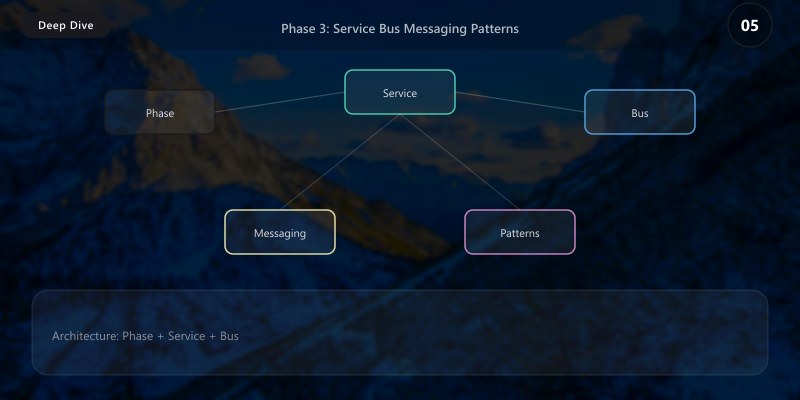
Phase 3: Service Bus Messaging Patterns
Topic/Subscription with Filters for Event Fan-Out
using Azure.Messaging.ServiceBus.Administration;

public class ServiceBusTopologyManager
{
    private readonly ServiceBusAdministrationClient _adminClient;

    public async Task CreateOrderProcessingTopologyAsync()
    {
        // Create topic for order events
        await _adminClient.CreateTopicAsync(new CreateTopicOptions("order-events")
        {
            MaxSizeInMegabytes = 5120,
            DefaultMessageTimeToLive = TimeSpan.FromDays(14),
            EnablePartitioning = true,
            RequiresDuplicateDetection = true,
            DuplicateDetectionHistoryTimeWindow = TimeSpan.FromMinutes(10)
        });

        // Subscription: Billing system (only confirmed orders > $1000)
        await _adminClient.CreateSubscriptionAsync(
            new CreateSubscriptionOptions("order-events", "billing-high-value")
            {
                MaxDeliveryCount = 10,
                LockDuration = TimeSpan.FromMinutes(5),
                DeadLetteringOnMessageExpiration = true,
                DefaultMessageTimeToLive = TimeSpan.FromDays(7)
            });

        await _adminClient.CreateRuleAsync("order-events", "billing-high-value",
            new CreateRuleOptions("HighValueOrders", new SqlRuleFilter(
                "status = 'confirmed' AND totalAmount > 1000"
            )));

        // Subscription: Warehouse (all confirmed orders)
        await _adminClient.CreateSubscriptionAsync(
            new CreateSubscriptionOptions("order-events", "warehouse-fulfillment")
            {
                MaxDeliveryCount = 15,
                LockDuration = TimeSpan.FromMinutes(2)
            });

        await _adminClient.CreateRuleAsync("order-events", "warehouse-fulfillment",
            new CreateRuleOptions("ConfirmedOrders", new SqlRuleFilter(
                "status = 'confirmed'"
            )));

        // Subscription: Analytics (all events, no filtering)
        await _adminClient.CreateSubscriptionAsync(
            new CreateSubscriptionOptions("order-events", "analytics-all")
            {
                MaxDeliveryCount = 3,
                DefaultMessageTimeToLive = TimeSpan.FromDays(1)
            });

        // Subscription: Notification service (with action to add routing info)
        await _adminClient.CreateSubscriptionAsync(
            new CreateSubscriptionOptions("order-events", "notifications")
            {
                MaxDeliveryCount = 5
            });

        await _adminClient.CreateRuleAsync("order-events", "notifications",
            new CreateRuleOptions("AddNotificationRouting",
                new SqlRuleFilter("status IN ('confirmed', 'shipped', 'delivered')"),
                new SqlRuleAction("SET notificationChannel = CASE WHEN totalAmount > 5000 THEN 'sms+email' ELSE 'email' END")
            ));
    }
}
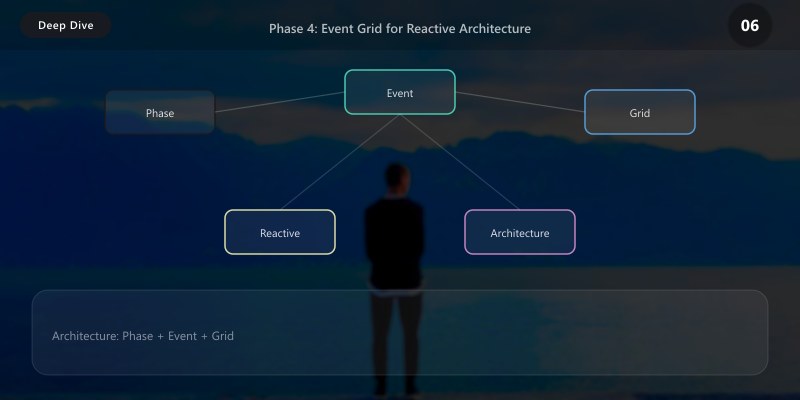
Phase 4: Event Grid for Reactive Architecture
Custom Event Grid Topics and Event Handlers
resource customTopic 'Microsoft.EventGrid/topics@2024-06-01-preview' = {
  name: 'evgt-business-events'
  location: location
  properties: {
    inputSchema: 'CloudEventSchemaV1_0'
    publicNetworkAccess: 'Disabled'
    inboundIpRules: []
  }
  identity: {
    type: 'SystemAssigned'
  }
}

// Event subscription: Route order events to Logic Apps
resource orderSubscription 'Microsoft.EventGrid/eventSubscriptions@2024-06-01-preview' = {
  scope: customTopic
  name: 'sub-order-processing'
  properties: {
    destination: {
      endpointType: 'AzureFunction'
      properties: {
        resourceId: '${functionApp.id}/functions/ProcessOrderEvent'
        maxEventsPerBatch: 10
        preferredBatchSizeInKilobytes: 64
      }
    }
    filter: {
      subjectBeginsWith: '/orders/'
      includedEventTypes: [
        'Contoso.Orders.Created'
        'Contoso.Orders.Updated'
        'Contoso.Orders.Cancelled'
      ]
      enableAdvancedFilteringOnArrays: true
      advancedFilters: [
        {
          operatorType: 'NumberGreaterThan'
          key: 'data.totalAmount'
          value: 0
        }
      ]
    }
    retryPolicy: {
      maxDeliveryAttempts: 30
      eventTimeToLiveInMinutes: 1440
    }
    deadLetterDestination: {
      endpointType: 'StorageBlob'
      properties: {
        resourceId: storageAccount.id
        blobContainerName: 'deadletter-events'
      }
    }
  }
}
Event Publisher with CloudEvents
using Azure.Messaging.EventGrid;
using CloudNative.CloudEvents;

public class BusinessEventPublisher
{
    private readonly EventGridPublisherClient _client;

    public async Task PublishOrderCreatedAsync(Order order)
    {
        var cloudEvent = new CloudEvent
        {
            Source = new Uri("https://contoso.com/orders"),
            Type = "Contoso.Orders.Created",
            Subject = $"/orders/{order.Id}",
            Data = BinaryData.FromObjectAsJson(new
            {
                orderId = order.Id,
                customerId = order.CustomerId,
                totalAmount = order.TotalAmount,
                currency = order.Currency,
                itemCount = order.Items.Count,
                region = order.ShippingRegion,
                priority = order.TotalAmount > 5000 ? "high" : "standard"
            }),
            DataContentType = "application/json",
            Time = DateTimeOffset.UtcNow
        };

        await _client.SendEventAsync(cloudEvent);
    }
}
Integration Pattern Decision Guide
| Pattern | Technology | When to Use |
|---|---|---|
| Request/Response | APIM + Backend | Synchronous API calls, real-time queries |
| Publish/Subscribe | Service Bus Topics | Fan-out events to multiple consumers |
| Queue Processing | Service Bus Queues | Load leveling, reliable async processing |
| Event Notification | Event Grid | React to Azure resource changes, lightweight events |
| Orchestration | Logic Apps | Multi-step workflows, SaaS-to-SaaS integration |
| Choreography | Event Grid + Functions | Loosely coupled microservice coordination |
| Saga | Service Bus + Logic Apps | Distributed transactions with compensation |
Best Practices
- API-first design: Define OpenAPI specs before implementation — APIM imports them directly
- Dead letter everything: Every queue, subscription, and event handler needs DLQ configuration
- Idempotency is mandatory: Messages will be delivered at-least-once — design handlers accordingly
- Use correlation IDs end-to-end: Pass X-Correlation-Id through APIM → Logic Apps → Service Bus → Functions
- Separate concerns: APIM for API governance, Service Bus for reliable messaging, Event Grid for reactive events
- Monitor integration health: Track message throughput, dead letter counts, and API latency as SLIs
Architecture Decision and Tradeoffs
When designing integrated solutions solutions with Azure + Power Platform, consider these key architectural trade-offs:
| Approach | Best For | Tradeoff |
|---|---|---|
| Managed / platform service | Rapid delivery, reduced ops burden | Less customisation, potential vendor lock-in |
| Custom / self-hosted | Full control, advanced tuning | Higher operational overhead and cost |
Recommendation: Start with the managed approach for most workloads and move to custom only when specific requirements demand it.
Validation and Versioning
- Last validated: April 2026
- Validate examples against your tenant, region, and SKU constraints before production rollout.
- Keep module, CLI, and SDK versions pinned in automation pipelines and review quarterly.
Security and Governance Considerations
- Apply least-privilege access using RBAC roles and just-in-time elevation for admin tasks.
- Store secrets in managed secret stores and avoid embedding credentials in scripts or source files.
- Enable audit logging, data protection policies, and periodic access reviews for regulated workloads.
Cost and Performance Notes
- Define budgets and alerts, then monitor usage and cost trends continuously after go-live.
- Baseline performance with synthetic and real-user checks before and after major changes.
- Scale resources with measured thresholds and revisit sizing after usage pattern changes.
Official Microsoft References
- https://learn.microsoft.com/azure/architecture/
- https://learn.microsoft.com/azure/well-architected/
- https://learn.microsoft.com/power-platform/guidance/
Public Examples from Official Sources
- These examples are sourced from official public Microsoft documentation and sample repositories.
- Documentation examples: https://learn.microsoft.com/azure/well-architected/
- Sample repositories: https://github.com/Azure/ArchitectureCenter
- Prefer adapting these examples to your tenant, subscriptions, and governance requirements before production use.
Key Takeaways
- An enterprise integration platform requires multiple complementary services, not a single tool
- API Management provides the governance, security, and observability layer for all API traffic
- Logic Apps excels at orchestrating multi-step integrations between SaaS and on-premises systems
- Service Bus ensures reliable message delivery with dead lettering and duplicate detection
- Event Grid enables reactive architectures that respond to changes across the entire Azure estate