SQL Server Backup and Recovery: Strategies for Business Continuity
Introduction
Database backup and recovery is the last line of defense against data loss. Whether facing hardware failure, ransomware, human error, or natural disaster, a well-designed backup strategy is the difference between a brief disruption and a catastrophic data loss event. SQL Server provides comprehensive backup capabilities that, when properly configured, deliver recovery point objectives (RPOs) measured in minutes and recovery time objectives (RTOs) measured in hours.
This guide covers backup types, recovery models, automated backup strategies, validation procedures, and disaster recovery planning for SQL Server environments.
Recovery Models
| Model | Transaction Log Behavior | RPO | Use Case |
|---|---|---|---|
| Simple | Auto-truncated | Last full/diff backup | Dev/test, read-only databases |
| Full | Retained until backed up | Minutes (with log backups) | Production OLTP systems |
| Bulk-Logged | Minimal logging for bulk ops | Minutes (with log backups) | ETL processing windows |
-- Set recovery model
ALTER DATABASE ProductionDB SET RECOVERY FULL;

-- Verify recovery model
SELECT name, recovery_model_desc
FROM sys.databases
WHERE name = 'ProductionDB';
Backup Strategy
Recommended Schedule for Production
-- Full backup: Daily at 2:00 AM
BACKUP DATABASE ProductionDB
TO DISK = 'D:\Backups\ProductionDB_Full.bak'
WITH COMPRESSION, CHECKSUM, INIT,
     NAME = 'ProductionDB Full Backup',
     STATS = 10;

-- Differential backup: Every 6 hours
BACKUP DATABASE ProductionDB
TO DISK = 'D:\Backups\ProductionDB_Diff.bak'
WITH DIFFERENTIAL, COMPRESSION, CHECKSUM, INIT,
     NAME = 'ProductionDB Differential',
     STATS = 10;

-- Transaction log backup: Every 15 minutes
BACKUP LOG ProductionDB
TO DISK = 'D:\Backups\ProductionDB_Log.trn'
WITH COMPRESSION, CHECKSUM, INIT,
     NAME = 'ProductionDB Log Backup',
     STATS = 10;
Automated Backup with SQL Agent
-- Create maintenance plan via T-SQL
-- Step 1: Full backup job
EXEC msdb.dbo.sp_add_job
    @job_name = N'Daily Full Backup - ProductionDB',


    @enabled = 1,
    @description = N'Daily full backup with compression and verification';

EXEC msdb.dbo.sp_add_jobstep
    @job_name = N'Daily Full Backup - ProductionDB',
    @step_name = N'Execute Full Backup',
    @subsystem = N'TSQL',
    @command = N'
        DECLARE @BackupFile NVARCHAR(500);
        SET @BackupFile = ''D:\Backups\ProductionDB_Full_''
            + FORMAT(GETDATE(), ''yyyyMMdd_HHmmss'') + ''.bak'';

        BACKUP DATABASE ProductionDB TO DISK = @BackupFile
        WITH COMPRESSION, CHECKSUM, STATS = 10;

        -- Verify backup integrity
        RESTORE VERIFYONLY FROM DISK = @BackupFile WITH CHECKSUM;
    ';

-- Schedule: Daily at 2:00 AM
EXEC msdb.dbo.sp_add_jobschedule
    @job_name = N'Daily Full Backup - ProductionDB',
    @name = N'Daily 2AM',
    @freq_type = 4,          -- Daily
    @active_start_time = 20000; -- 2:00 AM
Recovery Procedures
Point-in-Time Recovery
-- Restore to a specific point in time
-- Step 1: Restore full backup (NORECOVERY - keeps database restoring)
RESTORE DATABASE ProductionDB
FROM DISK = 'D:\Backups\ProductionDB_Full_20250301.bak'
WITH NORECOVERY, REPLACE;

-- Step 2: Restore latest differential (NORECOVERY)
RESTORE DATABASE ProductionDB
FROM DISK = 'D:\Backups\ProductionDB_Diff_20250301_120000.bak'
WITH NORECOVERY;

-- Step 3: Restore log backups up to target time (RECOVERY on last one)
RESTORE LOG ProductionDB
FROM DISK = 'D:\Backups\ProductionDB_Log_20250301_121500.trn'
WITH NORECOVERY;

RESTORE LOG ProductionDB
FROM DISK = 'D:\Backups\ProductionDB_Log_20250301_123000.trn'
WITH STOPAT = '2025-03-01T12:25:00', RECOVERY;
Backup Validation
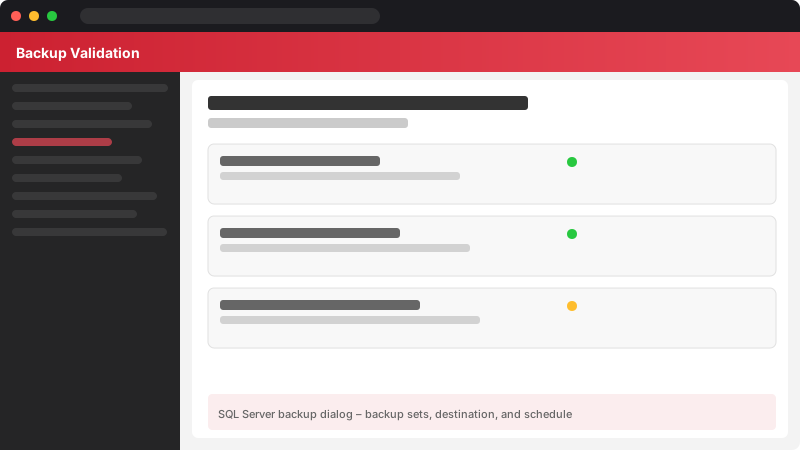
Figure: SQL Server backup dialog – backup sets, destination, and schedule.
-- Verify backup integrity
RESTORE VERIFYONLY
FROM DISK = 'D:\Backups\ProductionDB_Full.bak'
WITH CHECKSUM;
-- Check backup history
SELECT TOP 10
database_name,
backup_start_date,
backup_finish_date,
DATEDIFF(MINUTE, backup_start_date, backup_finish_date) AS DurationMinutes,
backup_size / 1024 / 1024 AS SizeMB,
compressed_backup_size / 1024 / 1024 AS CompressedMB,
type AS BackupType
FROM msdb.dbo.backupset
WHERE database_name = 'ProductionDB'
ORDER BY backup_start_date DESC;
Disaster Recovery Checklist
- Document the recovery process with step-by-step instructions anyone on the team can follow
- Test restores monthly in an isolated environment — untested backups are not backups
- Store backups off-site using Azure Blob Storage or another geo-redundant location
- Monitor backup jobs with alerts for failures — a missed backup window increases RPO
- Encrypt backup files for data protection during storage and transit
- Maintain a backup inventory tracking what's available and where it's stored
Architecture Decision and Tradeoffs
When designing data management solutions with SQL Server, consider these key architectural trade-offs:
| Approach | Best For | Tradeoff |
|---|---|---|
| Managed / platform service | Rapid delivery, reduced ops burden | Less customisation, potential vendor lock-in |
| Custom / self-hosted | Full control, advanced tuning | Higher operational overhead and cost |
Recommendation: Start with the managed approach for most workloads and move to custom only when specific requirements demand it.
Validation and Versioning
- Last validated: April 2026
- Validate examples against your tenant, region, and SKU constraints before production rollout.
- Keep module, CLI, and SDK versions pinned in automation pipelines and review quarterly.
Security and Governance Considerations
- Apply least-privilege access using RBAC roles and just-in-time elevation for admin tasks.
- Store secrets in managed secret stores and avoid embedding credentials in scripts or source files.
- Enable audit logging, data protection policies, and periodic access reviews for regulated workloads.
Cost and Performance Notes
- Define budgets and alerts, then monitor usage and cost trends continuously after go-live.
- Baseline performance with synthetic and real-user checks before and after major changes.
- Scale resources with measured thresholds and revisit sizing after usage pattern changes.
Official Microsoft References
- https://learn.microsoft.com/sql/
- https://learn.microsoft.com/azure/azure-sql/
- https://learn.microsoft.com/fabric/database/
Public Examples from Official Sources
- These examples are sourced from official public Microsoft documentation and sample repositories.
- Documentation examples: https://learn.microsoft.com/sql/
- Sample repositories: https://github.com/microsoft/sql-server-samples
- Prefer adapting these examples to your tenant, subscriptions, and governance requirements before production use.
Key Takeaways
- ✅ FULL recovery model with log backups enables point-in-time recovery to any second
- ✅ Compression reduces backup storage by 60-80% with minimal CPU overhead
- ✅ CHECKSUM verifies backup integrity at write time — always enable it
- ✅ Regular restore tests are the only way to confirm backups actually work
- ✅ Off-site backup copies protect against site-wide disasters