Modern SQL Server Features: JSON, Temporal Tables, and In-Memory OLTP
]';
SELECT *
FROM OPENJSON(@json)
WITH (
id INT '$.id',
name NVARCHAR(50) '$.name',
age INT '$.age'```
);

-- Parse nested JSON
DECLARE @nestedJson NVARCHAR(MAX) = N'{
```text
"customer": {
    "id": 1001,
    "name": "Contoso",
    "address": {
        "street": "123 Main St",
        "city": "Seattle",
        "zip": "98101"
    }
}```
}';

SELECT
```text
JSON_VALUE(@nestedJson, '$.customer.id') AS CustomerID,
JSON_VALUE(@nestedJson, '$.customer.name') AS CustomerName,
JSON_VALUE(@nestedJson, '$.customer.address.city') AS City;
### FOR JSON: Convert to JSON

```sql
-- FOR JSON AUTO: Automatic structure
SELECT
```text
c.CustomerID,
c.CustomerName,
o.OrderID,
o.OrderDate,
o.TotalAmount```
FROM dbo.Customers c
INNER JOIN dbo.Orders o ON c.CustomerID = o.CustomerID
WHERE c.CustomerID = 1001
FOR JSON AUTO;

-- Result: [{"CustomerID":1001,"CustomerName":"Contoso","o":[{"OrderID":100,"OrderDate":"2025-01-15","TotalAmount":299.99}]}]

-- FOR JSON PATH: Custom structure
SELECT
```text
CustomerID AS 'customer.id',
CustomerName AS 'customer.name',
Email AS 'customer.email',
OrderID AS 'orders.id',
OrderDate AS 'orders.date',
TotalAmount AS 'orders.total'```
FROM dbo.Customers c
INNER JOIN dbo.Orders o ON c.CustomerID = o.CustomerID
WHERE c.CustomerID = 1001
FOR JSON PATH, ROOT('data');

-- Result: {"data":[{"customer":{"id":1001,"name":"Contoso","email":"contact@contoso.com"},"orders":{"id":100,"date":"2025-01-15","total":299.99}}]}
Indexing JSON Data
-- Create computed column for JSON property
ALTER TABLE dbo.Products
ADD Brand AS JSON_VALUE(Attributes, '$.brand') PERSISTED;

-- Create index on computed column
CREATE INDEX IX_Products_Brand ON dbo.Products(Brand);

-- Query uses index
SELECT ProductID, ProductName, Brand
FROM dbo.Products
WHERE Brand = 'Dell';
REST API Integration Example
-- Stored procedure to return JSON for REST API
CREATE PROCEDURE dbo.GetProductsJSON
```text
@CategoryID INT = NULL```
AS
BEGIN
```sql
SET NOCOUNT ON;

SELECT
    ProductID AS id,
    ProductName AS name,
    Price AS price,
    JSON_QUERY(Attributes) AS attributes
FROM dbo.Products
WHERE @CategoryID IS NULL OR CategoryID = @CategoryID
FOR JSON PATH;```
END;
GO

-- Call from application
-- HTTP GET /api/products?categoryId=5
-- Returns: [{"id":1,"name":"Laptop","price":1299.99,"attributes":{"brand":"Dell",...}}]
XML Support
Storing and Querying XML
-- Create table with XML column
CREATE TABLE dbo.ProductsXML (
```text
ProductID INT PRIMARY KEY IDENTITY,
ProductName NVARCHAR(100),
ProductData XML```
);

-- Insert XML data
INSERT INTO dbo.ProductsXML (ProductName, ProductData)
VALUES
```text
('Laptop', '<Product><Brand>Dell</Brand><Processor>Intel i7</Processor><RAM>16GB</RAM></Product>'),
('Mouse', '<Product><Brand>Logitech</Brand><Wireless>true</Wireless><DPI>1600</DPI></Product>');
-- XQuery: Extract values
SELECT
ProductID,
ProductName,
ProductData.value('(/Product/Brand)[1]', 'NVARCHAR(50)') AS Brand,
ProductData.value('(/Product/Processor)[1]', 'NVARCHAR(50)') AS Processor```
FROM dbo.ProductsXML;

-- XQuery: Check existence
SELECT *
FROM dbo.ProductsXML
WHERE ProductData.exist('/Product/Wireless[. = "true"]') = 1;
FOR XML
-- FOR XML RAW
SELECT TOP 3 ProductID, ProductName, Price
FROM dbo.Products
FOR XML RAW('Product'), ROOT('Products'), ELEMENTS;

-- Result:
-- <Products>
--   <Product><ProductID>1</ProductID><ProductName>Laptop</ProductName><Price>1299.99</Price></Product>
--   <Product><ProductID>2</ProductID><ProductName>Mouse</ProductName><Price>29.99</Price></Product>
-- </Products>

-- FOR XML PATH (custom structure)
SELECT
```text
CustomerID AS '@id',
CustomerName AS 'Name',
Email AS 'Contact/Email',
Phone AS 'Contact/Phone'```
FROM dbo.Customers
WHERE CustomerID = 1001
FOR XML PATH('Customer'), ROOT('Customers');
Temporal Tables
Creating System-Versioned Temporal Table
-- Create temporal table
CREATE TABLE dbo.Employees (
```text
EmployeeID INT PRIMARY KEY NOT NULL,
FirstName NVARCHAR(50) NOT NULL,
LastName NVARCHAR(50) NOT NULL,
Department NVARCHAR(50) NOT NULL,
Salary DECIMAL(10,2) NOT NULL,

-- Period columns (auto-managed by SQL Server)
SysStartTime DATETIME2 GENERATED ALWAYS AS ROW START HIDDEN NOT NULL,
SysEndTime DATETIME2 GENERATED ALWAYS AS ROW END HIDDEN NOT NULL,
PERIOD FOR SYSTEM_TIME (SysStartTime, SysEndTime)```
)
WITH (SYSTEM_VERSIONING = ON (HISTORY_TABLE = dbo.EmployeesHistory));

-- Insert data
INSERT INTO dbo.Employees (EmployeeID, FirstName, LastName, Department, Salary)
VALUES
```text
(1, 'John', 'Doe', 'IT', 75000),
(2, 'Jane', 'Smith', 'Sales', 65000);
-- Update employee (creates history record)
UPDATE dbo.Employees
SET Salary = 80000, Department = 'Engineering'
WHERE EmployeeID = 1;
-- Delete employee (moves to history)
DELETE FROM dbo.Employees
WHERE EmployeeID = 2;
### Querying Temporal Data

```sql
-- Current data (default)
SELECT * FROM dbo.Employees;

-- All historical versions
SELECT * FROM dbo.Employees
FOR SYSTEM_TIME ALL
ORDER BY EmployeeID, SysStartTime;

-- Point-in-time query (as of specific date)
SELECT * FROM dbo.Employees
FOR SYSTEM_TIME AS OF '2025-01-01 12:00:00'
WHERE EmployeeID = 1;

-- Changes between two dates
SELECT * FROM dbo.Employees
FOR SYSTEM_TIME BETWEEN '2025-01-01' AND '2025-12-31'
WHERE EmployeeID = 1
ORDER BY SysStartTime;

-- Changes from specific time to now
SELECT * FROM dbo.Employees
FOR SYSTEM_TIME FROM '2025-06-01' TO '9999-12-31 23:59:59.9999999'
WHERE EmployeeID = 1;
Audit Trail Example
-- Find who changed salary and when
SELECT
```text
EmployeeID,
FirstName,
LastName,
Salary,
Department,
SysStartTime AS ChangeDate,
SysEndTime AS ValidUntil,
CASE
    WHEN SysEndTime = '9999-12-31 23:59:59.9999999' THEN 'Current'


    ELSE 'Historical'
END AS Status```
FROM dbo.Employees
FOR SYSTEM_TIME ALL
WHERE EmployeeID = 1
ORDER BY SysStartTime;

-- Salary history report
SELECT
```text
e.EmployeeID,
e.FirstName + ' ' + e.LastName AS FullName,
e.Salary AS OldSalary,
LEAD(e.Salary) OVER (PARTITION BY e.EmployeeID ORDER BY e.SysStartTime) AS NewSalary,
e.SysStartTime AS ChangeDate,
DATEDIFF(DAY, e.SysStartTime, e.SysEndTime) AS DaysActive```
FROM dbo.Employees FOR SYSTEM_TIME ALL e
WHERE e.EmployeeID = 1
ORDER BY e.SysStartTime;
Retention Policy
-- Enable retention policy (keep 6 months of history)
ALTER TABLE dbo.Employees
SET (SYSTEM_VERSIONING = OFF);

ALTER TABLE dbo.EmployeesHistory
SET (DATA_DELETION = ON (FILTER_COLUMN = SysEndTime, RETENTION_PERIOD = 6 MONTHS));

ALTER TABLE dbo.Employees
SET (SYSTEM_VERSIONING = ON (HISTORY_TABLE = dbo.EmployeesHistory, DATA_CONSISTENCY_CHECK = ON));
In-Memory OLTP
Creating Memory-Optimized Tables
-- Add memory-optimized filegroup (one-time setup)
ALTER DATABASE AdventureWorks
ADD FILEGROUP MemoryOptimized_FG CONTAINS MEMORY_OPTIMIZED_DATA;

ALTER DATABASE AdventureWorks
ADD FILE (
```text
NAME = 'MemoryOptimized_File',
FILENAME = 'C:\Data\AdventureWorks_MemoryOptimized'```
) TO FILEGROUP MemoryOptimized_FG;

-- Create memory-optimized table
CREATE TABLE dbo.OrdersMemoryOptimized (
```sql
OrderID INT NOT NULL PRIMARY KEY NONCLUSTERED HASH WITH (BUCKET_COUNT = 1000000),
CustomerID INT NOT NULL,
OrderDate DATETIME2 NOT NULL,
TotalAmount DECIMAL(10,2) NOT NULL,
Status NVARCHAR(20) NOT NULL,

INDEX IX_CustomerID NONCLUSTERED (CustomerID),
INDEX IX_OrderDate NONCLUSTERED (OrderDate)```
)
WITH (MEMORY_OPTIMIZED = ON, DURABILITY = SCHEMA_AND_DATA);

-- DURABILITY options:
-- SCHEMA_AND_DATA: Full durability (logged)
-- SCHEMA_ONLY: Data lost on restart (faster)
Natively Compiled Stored Procedures
-- Create natively compiled procedure
CREATE PROCEDURE dbo.InsertOrder_Native
```text
@CustomerID INT,
@OrderDate DATETIME2,
@TotalAmount DECIMAL(10,2),
@Status NVARCHAR(20)```
WITH NATIVE_COMPILATION, SCHEMABINDING, EXECUTE AS OWNER
AS
BEGIN ATOMIC WITH (
```text
TRANSACTION ISOLATION LEVEL = SNAPSHOT,
LANGUAGE = N'us_english'```
)
```sql
INSERT INTO dbo.OrdersMemoryOptimized (OrderID, CustomerID, OrderDate, TotalAmount, Status)
VALUES (NEXT VALUE FOR dbo.OrderIDSequence, @CustomerID, @OrderDate, @TotalAmount, @Status);```
END;
GO

-- Create sequence for OrderID
CREATE SEQUENCE dbo.OrderIDSequence
START WITH 1
INCREMENT BY 1;
Hash vs Range Indexes
-- Hash index: Best for equality searches
-- BUCKET_COUNT should be 1-2x row count
CREATE TABLE dbo.CustomersMemoryOptimized (
```sql
CustomerID INT NOT NULL PRIMARY KEY NONCLUSTERED HASH WITH (BUCKET_COUNT = 100000),
CustomerName NVARCHAR(100),
Email NVARCHAR(100)```
)
WITH (MEMORY_OPTIMIZED = ON, DURABILITY = SCHEMA_AND_DATA);

-- Range index: Best for range queries, sorting
CREATE TABLE dbo.ProductsMemoryOptimized (
```text
ProductID INT NOT NULL PRIMARY KEY NONCLUSTERED,  -- Range index
ProductName NVARCHAR(100),
Price DECIMAL(10,2),

INDEX IX_Price NONCLUSTERED (Price)  -- Range queries```
)
WITH (MEMORY_OPTIMIZED = ON, DURABILITY = SCHEMA_AND_DATA);
Monitoring Memory Usage
-- Memory usage by table
SELECT
```text
OBJECT_NAME(object_id) AS TableName,
memory_allocated_for_table_kb / 1024 AS table_memory_mb,
memory_allocated_for_indexes_kb / 1024 AS index_memory_mb,
(memory_allocated_for_table_kb + memory_allocated_for_indexes_kb) / 1024 AS total_memory_mb```
FROM sys.dm_db_xtp_table_memory_stats
ORDER BY total_memory_mb DESC;

-- Total memory usage
SELECT
```text
SUM(allocated_bytes) / 1048576 AS allocated_mb,
SUM(used_bytes) / 1048576 AS used_mb```
FROM sys.dm_db_xtp_memory_consumers;
Columnstore Indexes
Clustered Columnstore Index
-- Create fact table with clustered columnstore
CREATE TABLE dbo.FactSales (
```text
OrderID INT NOT NULL,
ProductID INT NOT NULL,
CustomerID INT NOT NULL,
OrderDate DATE NOT NULL,
Quantity INT NOT NULL,
UnitPrice DECIMAL(10,2) NOT NULL,
TotalAmount DECIMAL(10,2) NOT NULL```
);

-- Create clustered columnstore index
CREATE CLUSTERED COLUMNSTORE INDEX CCI_FactSales ON dbo.FactSales;

-- Insert data (batch mode execution)
INSERT INTO dbo.FactSales
SELECT
```text
OrderID,
ProductID,
CustomerID,
CAST(OrderDate AS DATE),
Quantity,
UnitPrice,
TotalAmount```
FROM dbo.Orders o
INNER JOIN dbo.OrderDetails od ON o.OrderID = od.OrderID;

-- Query benefits from batch mode and compression
SELECT
```text
YEAR(OrderDate) AS OrderYear,
MONTH(OrderDate) AS OrderMonth,
SUM(TotalAmount) AS Revenue,
COUNT(*) AS OrderCount```
FROM dbo.FactSales
WHERE OrderDate >= '2024-01-01'
GROUP BY YEAR(OrderDate), MONTH(OrderDate)
ORDER BY OrderYear, OrderMonth;
Nonclustered Columnstore Index
-- Add columnstore to existing OLTP table
CREATE NONCLUSTERED COLUMNSTORE INDEX NCCI_Orders_Analytics
ON dbo.Orders (OrderDate, CustomerID, TotalAmount, Status)
WHERE OrderDate >= '2024-01-01';  -- Filtered

-- Real-time operational analytics
SELECT
```text
CustomerID,
COUNT(*) AS OrderCount,
SUM(TotalAmount) AS TotalRevenue```
FROM dbo.Orders
WHERE OrderDate >= '2024-01-01'
GROUP BY CustomerID
ORDER BY TotalRevenue DESC;
Columnstore Performance
-- View columnstore segments and compression
SELECT
```text
OBJECT_NAME(i.object_id) AS TableName,
i.name AS IndexName,
p.partition_number,
p.rows AS row_count,
p.data_compression_desc,
css.segment_id,
css.column_id,
css.row_count AS segment_rows,
css.on_disk_size / 1024 AS on_disk_kb,
css.on_disk_size * 100.0 / NULLIF(SUM(css.on_disk_size) OVER(PARTITION BY i.object_id), 0) AS pct_of_index```
FROM sys.indexes i
INNER JOIN sys.partitions p ON i.object_id = p.object_id AND i.index_id = p.index_id
INNER JOIN sys.column_store_segments css ON p.partition_id = css.partition_id
WHERE i.type IN (5, 6)  -- Columnstore indexes
ORDER BY TableName, segment_id, column_id;
Graph Databases
Creating Graph Tables
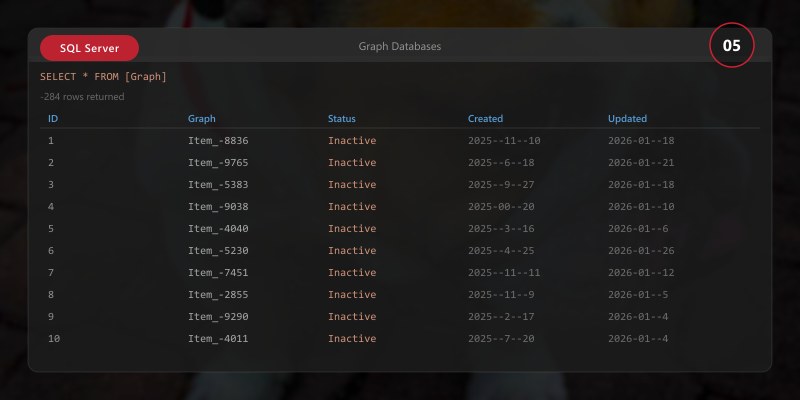
-- Create node tables
CREATE TABLE dbo.Person (
```text
PersonID INT PRIMARY KEY,
FirstName NVARCHAR(50),
LastName NVARCHAR(50),
Email NVARCHAR(100)```
) AS NODE;

CREATE TABLE dbo.Restaurant (
```text
RestaurantID INT PRIMARY KEY,
Name NVARCHAR(100),
City NVARCHAR(50),
Rating DECIMAL(2,1)```
) AS NODE;

-- Create edge table
CREATE TABLE dbo.Likes AS EDGE;

-- Insert nodes
INSERT INTO dbo.Person (PersonID, FirstName, LastName, Email)
VALUES
```text
(1, 'John', 'Doe', 'john@contoso.com'),
(2, 'Jane', 'Smith', 'jane@contoso.com'),
(3, 'Bob', 'Johnson', 'bob@contoso.com');
INSERT INTO dbo.Restaurant (RestaurantID, Name, City, Rating)
VALUES
(100, 'Pizza Palace', 'Seattle', 4.5),
(101, 'Burger Barn', 'Seattle', 4.0),
(102, 'Sushi Studio', 'Portland', 4.8);
-- Insert edges (relationships)
INSERT INTO dbo.Likes ($from_id, $to_id)
VALUES
((SELECT $node_id FROM dbo.Person WHERE PersonID = 1),
 (SELECT $node_id FROM dbo.Restaurant WHERE RestaurantID = 100)),
((SELECT $node_id FROM dbo.Person WHERE PersonID = 1),
 (SELECT $node_id FROM dbo.Restaurant WHERE RestaurantID = 102)),
((SELECT $node_id FROM dbo.Person WHERE PersonID = 2),
 (SELECT $node_id FROM dbo.Restaurant WHERE RestaurantID = 100));
### Querying Graph Data

```sql
-- MATCH: Find relationships
SELECT
```text
p.FirstName + ' ' + p.LastName AS Person,
r.Name AS Restaurant,
r.Rating```
FROM dbo.Person p, dbo.Likes, dbo.Restaurant r
WHERE MATCH(p-(Likes)->r)
```text
AND p.PersonID = 1;
-- Find common likes (friends who like same restaurant)
SELECT
p1.FirstName + ' ' + p1.LastName AS Person1,
p2.FirstName + ' ' + p2.LastName AS Person2,
r.Name AS CommonRestaurant```
FROM dbo.Person p1, dbo.Likes l1, dbo.Restaurant r, dbo.Likes l2, dbo.Person p2
WHERE MATCH(p1-(l1)->r<-(l2)-p2)
```text
AND p1.PersonID < p2.PersonID;  -- Avoid duplicates
-- Shortest path (requires SQL Server 2019+)
SELECT PersonName, RestaurantName
FROM (
SELECT
    p.FirstName + ' ' + p.LastName AS PersonName,
    STRING_AGG(r.Name, ' -> ') WITHIN GROUP (GRAPH PATH) AS RestaurantName,
    LAST_VALUE(r.Name) WITHIN GROUP (GRAPH PATH) AS LastRestaurant
FROM dbo.Person p, dbo.Likes FOR PATH, dbo.Restaurant r FOR PATH
WHERE MATCH(SHORTEST_PATH(p(-(Likes)->r)+))
    AND p.PersonID = 1```
) AS Results;
Social Network Example
-- Create friendship edge
CREATE TABLE dbo.FriendOf AS EDGE;

-- Insert friendships
INSERT INTO dbo.FriendOf ($from_id, $to_id)
VALUES
```sql
((SELECT $node_id FROM dbo.Person WHERE PersonID = 1),
 (SELECT $node_id FROM dbo.Person WHERE PersonID = 2)),
((SELECT $node_id FROM dbo.Person WHERE PersonID = 2),
 (SELECT $node_id FROM dbo.Person WHERE PersonID = 3));
-- Find friends-of-friends
SELECT
p1.FirstName + ' ' + p1.LastName AS Person,
p3.FirstName + ' ' + p3.LastName AS FriendOfFriend```
FROM dbo.Person p1, dbo.FriendOf f1, dbo.Person p2, dbo.FriendOf f2, dbo.Person p3
WHERE MATCH(p1-(f1)->p2-(f2)->p3)
```text
AND p1.PersonID = 1
AND p1.PersonID <> p3.PersonID;  -- Exclude self
## Architecture Decision and Tradeoffs
When designing data management solutions with SQL Server, consider these key architectural trade-offs:
| Approach | Best For | Tradeoff |
|----------|----------|----------|
| Managed / platform service | Rapid delivery, reduced ops burden | Less customisation, potential vendor lock-in |
| Custom / self-hosted | Full control, advanced tuning | Higher operational overhead and cost |
> **Recommendation:** Start with the managed approach for most workloads and move to custom only when specific requirements demand it.
## Validation and Versioning
- Last validated: April 2026
- Validate examples against your tenant, region, and SKU constraints before production rollout.
- Keep module, CLI, and SDK versions pinned in automation pipelines and review quarterly.
## Security and Governance Considerations
- Apply least-privilege access using RBAC roles and just-in-time elevation for admin tasks.
- Store secrets in managed secret stores and avoid embedding credentials in scripts or source files.
- Enable audit logging, data protection policies, and periodic access reviews for regulated workloads.
## Cost and Performance Notes
- Define budgets and alerts, then monitor usage and cost trends continuously after go-live.
- Baseline performance with synthetic and real-user checks before and after major changes.
- Scale resources with measured thresholds and revisit sizing after usage pattern changes.
## Official Microsoft References
- https://learn.microsoft.com/sql/
- https://learn.microsoft.com/azure/azure-sql/
- https://learn.microsoft.com/fabric/database/
## Public Examples from Official Sources
- These examples are sourced from official public Microsoft documentation and sample repositories.
- Documentation examples: https://learn.microsoft.com/sql/
- Sample repositories: https://github.com/microsoft/sql-server-samples
- Prefer adapting these examples to your tenant, subscriptions, and governance requirements before production use.
## Key Takeaways
- JSON support enables semi-structured data storage and REST APIs
- XML provides enterprise data exchange capabilities
- Temporal tables automatically track data history for auditing
- In-memory OLTP delivers extreme performance for high-concurrency workloads
- Columnstore indexes optimize analytics on large datasets
- Graph databases model complex relationships efficiently
- Use computed columns to index JSON/XML properties
- Choose SCHEMA_AND_DATA durability for mission-critical in-memory tables
- Columnstore compression can reduce storage by 10x
- Graph queries simplify relationship traversal
## Next Steps
- Implement JSON APIs for modern applications
- Enable temporal tables for audit-critical tables
- Evaluate in-memory OLTP for high-throughput scenarios
- Add columnstore indexes to fact tables
- Model relationships with graph tables
- Monitor memory usage for in-memory objects
## Additional Resources
- [JSON Support](https://learn.microsoft.com/sql/relational-databases/json/json-data-sql-server)
- [Temporal Tables](https://learn.microsoft.com/sql/relational-databases/tables/temporal-tables)
- [In-Memory OLTP](https://learn.microsoft.com/sql/relational-databases/in-memory-oltp/in-memory-oltp-in-memory-optimization)
- [Columnstore Indexes](https://learn.microsoft.com/sql/relational-databases/indexes/columnstore-indexes-overview)
- [Graph Databases](https://learn.microsoft.com/sql/relational-databases/graphs/sql-graph-overview)
---
*Innovate. Optimize. Scale. Transform.*
