TypeScript Best Practices for Enterprise Applications
!Architecture Overview
TypeScript Best Practices for Enterprise Applications
Introduction
Figure: Code pattern examples for typescript best practices for enterprise applications—syntax comparison, idiomatic approaches, performance characteristics, and common pitfalls.

Figure: Best practices implementation for typescript best practices for enterprise applications—error handling, testing strategies, maintainability patterns, and documentation standards.
Figure: Production readiness checklist for typescript best practices for enterprise applications—logging, monitoring, performance tuning, and security hardening.
TypeScript transforms JavaScript codebases from error-prone scripts into maintainable systems through static type checking and modern language features. For enterprise applications managing hundreds of thousands of lines of code across multiple teams, TypeScript provides the safety net that enables confident refactoring, clear API contracts, and early detection of type mismatches that would otherwise surface as production bugs.
This matters because enterprise applications have unique challenges: complex domain models, long-lived codebases, multiple contributors with varying skill levels, and strict reliability requirements. A single mistyped property name or incorrect function signature can cascade into production incidents affecting thousands of users. TypeScript catches these errors at compile time, shifting failure discovery left in the development cycle.
For development teams, adopting TypeScript best practices means more than just adding type annotations. It requires understanding advanced type system features (discriminated unions, mapped types, conditional types), establishing architectural patterns (domain-driven design with types, runtime validation boundaries), and configuring tooling for maximum safety without sacrificing productivity.
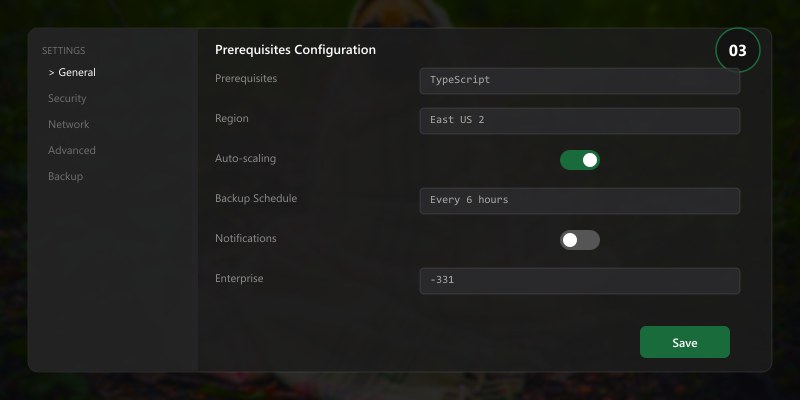
Prerequisites
- Node.js 18+
- TypeScript compiler installed (
npm install --save-dev typescript) - Project using modules & build tooling
Architecture Essentials
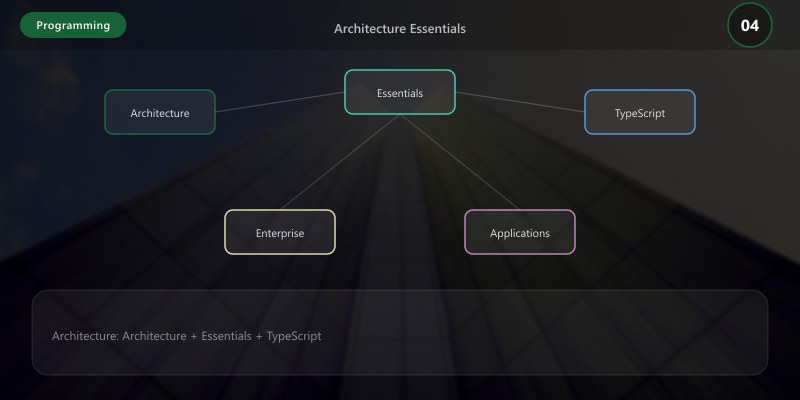
| Aspect | Recommendation | Rationale |
|---|---|---|
| Types | Prefer explicit interfaces over implicit shapes | Clarity & refactor safety |
| Modules | Barrel exports per domain | Simplified import ergonomics |
| Errors | Custom error types | Structured error handling |
| Config | Strict mode enabled | Catch hidden issues early |
Step-by-Step Guide
Step 1: Enable Strict Mode
{
  "compilerOptions": {
```text
"strict": true,
"noImplicitAny": true,
"strictNullChecks": true```
  }
}
Step 2: Domain Model Organization
// domain/orders/types.ts
export interface Order {
  id: string;
  customerId: string;
  total: number;
  status: "Pending" | "Paid" | "Cancelled";
}
Step 3: Utility Types & Generics
function paginate<T>(items: T[], page: number, size: number): T[] {
  return items.slice((page - 1) * size, page * size);
}
Step 4: Runtime Validation Integration
import { z } from "zod";

// Define schema that mirrors your type
const OrderSchema = z.object({
  id: z.string().uuid(),
  customerId: z.string().uuid(),
  total: z.number().nonnegative(),
  status: z.enum(["Pending", "Paid", "Cancelled"])
});

// Infer TypeScript type from schema
type Order = z.infer<typeof OrderSchema>;

// Validate at runtime boundaries (API endpoints, file parsing)
function processOrder(data: unknown): Order {
  return OrderSchema.parse(data); // Throws if validation fails
}
Step 5: Advanced Type Patterns
Discriminated Unions for State Machines:
type AsyncState<T> =
  | { status: "idle" }
  | { status: "loading" }
  | { status: "success"; data: T }
  | { status: "error"; error: Error };

function handleState<T>(state: AsyncState<T>) {
  switch (state.status) {
    case "idle":
      return "No request made";
    case "loading":
      return "Loading...";
    case "success":
      return `Data: ${state.data}`; // TypeScript knows 'data' exists
    case "error":
      return `Error: ${state.error.message}`; // TypeScript knows 'error' exists
  }
}
Branded Types for Domain Validation:
// Prevent mixing up different ID types
type UserId = string & { readonly brand: unique symbol };
type OrderId = string & { readonly brand: unique symbol };

function createUserId(id: string): UserId {
  // Add validation logic here
  return id as UserId;
}

function getUser(userId: UserId) { /* ... */ }
function getOrder(orderId: OrderId) { /* ... */ }

const userId = createUserId("123");
getUser(userId); // ✓ Works
getOrder(userId); // ✗ Compile error: UserId is not assignable to OrderId
Best Practices
- Embrace strict typing (avoid
any) - Use discriminated unions for workflow states
- Separate DTOs from domain models
Common Issues & Troubleshooting
Figure: Configuration and management dashboard with status overview.
Issue: Type widening causes loss of specificity
// Problem: Type widened to string[]
const colors = ["red", "green", "blue"];
type Color = typeof colors[number]; // string (not what we want)
// Solution: Use const assertion
const colors = ["red", "green", "blue"] as const;
type Color = typeof colors[number]; // "red" | "green" | "blue"
Issue: JSON payloads don't match TypeScript types at runtime
// Problem: No validation at boundary
const data = await fetch("/api/user").then(r => r.json() as User);

// Solution: Runtime validation with type guards
function isUser(obj: unknown): obj is User {
  return typeof obj === "object" && obj !== null &&
    "id" in obj && typeof obj.id === "string" &&
    "email" in obj && typeof obj.email === "string";
}

const data = await fetch("/api/user").then(r => r.json());
if (!isUser(data)) throw new Error("Invalid user data");
// data is now safely typed as User
Issue: Slow TypeScript compilation in large projects
// Solution: Enable incremental compilation
// tsconfig.json
{
  "compilerOptions": {
    "incremental": true,
    "tsBuildInfoFile": "./.tsbuildinfo"
  }
}
Real-World Enterprise Patterns
Figure: Configuration and management dashboard with status overview.
Pattern 1: Result Type for Error Handling
type Result<T, E = Error> =
| { success: true; value: T }
| { success: false; error: E };
function divide(a: number, b: number): Result<number> {
if (b === 0) {
return { success: false, error: new Error("Division by zero") };
}
return { success: true, value: a / b };
}
const result = divide(10, 2);
if (result.success) {
console.log(result.value); // TypeScript knows value exists
} else {
console.error(result.error); // TypeScript knows error exists
}
Pattern 2: Dependency Injection with Interfaces
interface Logger {
  log(message: string): void;
  error(message: string, error: Error): void;
}

class OrderService {
  constructor(private logger: Logger) {}

  processOrder(order: Order) {
    this.logger.log(`Processing order ${order.id}`);
    // Business logic
  }
}

// Easy to mock for testing
const mockLogger: Logger = {
  log: jest.fn(),
  error: jest.fn()
};
const service = new OrderService(mockLogger);
Architecture Decision and Tradeoffs
When designing software development solutions with Programming Languages, consider these key architectural trade-offs:
| Approach | Best For | Tradeoff |
|---|---|---|
| Managed / platform service | Rapid delivery, reduced ops burden | Less customisation, potential vendor lock-in |
| Custom / self-hosted | Full control, advanced tuning | Higher operational overhead and cost |
Recommendation: Start with the managed approach for most workloads and move to custom only when specific requirements demand it.
Validation and Versioning
- Last validated: April 2026
- Validate examples against your tenant, region, and SKU constraints before production rollout.
- Keep module, CLI, and SDK versions pinned in automation pipelines and review quarterly.
Security and Governance Considerations
- Apply least-privilege access using RBAC roles and just-in-time elevation for admin tasks.
- Store secrets in managed secret stores and avoid embedding credentials in scripts or source files.
- Enable audit logging, data protection policies, and periodic access reviews for regulated workloads.
Cost and Performance Notes
- Define budgets and alerts, then monitor usage and cost trends continuously after go-live.
- Baseline performance with synthetic and real-user checks before and after major changes.
- Scale resources with measured thresholds and revisit sizing after usage pattern changes.
Official Microsoft References
- https://learn.microsoft.com/
- https://learn.microsoft.com/azure/
- https://learn.microsoft.com/power-platform/
- https://learn.microsoft.com/microsoft-365/
Public Examples from Official Sources
- These examples are sourced from official public Microsoft documentation and sample repositories.
- Documentation examples: https://learn.microsoft.com/training/
- Sample repositories: https://github.com/microsoft
- Prefer adapting these examples to your tenant, subscriptions, and governance requirements before production use.
Key Takeaways
- Strict TypeScript configuration with
noImplicitAnyandstrictNullChecksprevents entire classes of bugs - Combine compile-time types with runtime validation (Zod, io-ts) at system boundaries for defense in depth
- Discriminated unions provide type-safe state machines that eliminate impossible states
- Branded types prevent mixing up semantically different IDs and values
- Clear module boundaries and dependency injection enable scalable team collaboration
Next Steps
- Configure ESLint with
@typescript-eslintplugin for consistent code style - Introduce type-safe API layer using tRPC or GraphQL Code Generator
- Set up automatic API documentation generation from TypeScript types
- Explore advanced patterns like Effect-TS for functional programming
Additional Resources
What TypeScript pattern most improved your code quality?
```
