Row-Level Security: Architecture Patterns and Decision Framework (2025)
Introduction
Figure: Configuration and management dashboard with status overview.
Power BI is Microsoft's business intelligence and analytics platform that transforms raw data into interactive visualizations, actionable insights, and compelling reports. From self-service analytics to enterprise-scale deployments with Premium capacity, Power BI enables data-driven decision making across organizations of all sizes.
This architecture-focused guide examines Row-Level Security through the lens of enterprise design patterns, system tradeoffs, and decision frameworks. Whether you are evaluating Row-Level Security for a new initiative or rearchitecting an existing deployment, this guide provides the analytical tools and pattern catalog you need to make informed architectural decisions.
Architecture Decision Framework
Figure: SPFx solution – VS Code workspace with web part manifest and workbench.
Evaluation Criteria
Before committing to an architecture, evaluate Row-Level Security against these dimensions:
| Dimension | Questions to Ask | Weight |
|---|---|---|
| Scalability | Can this handle 10x current load? What are the scaling limits? | High |
| Security | Does this meet our compliance requirements? What is the blast radius? | Critical |
| Cost | What is the TCO at current and projected scale? Are there hidden costs? | High |
| Complexity | Can our team maintain this? What is the learning curve? | Medium |
| Resilience | What happens when a component fails? What is the recovery time? | High |
| Extensibility | Can we add features without rearchitecting? | Medium |
| Vendor Lock-in | How portable is this solution? What are migration costs? | Medium |
Design Patterns
Pattern 1: Hub-and-Spoke Architecture
Best suited for organizations with a central IT team managing shared services, with satellite teams building domain-specific solutions.
Architecture Overview: CENTRAL HUB
Pattern 2: Event-Driven Architecture
Best for systems that need to react to changes in real-time with loose coupling between producers and consumers.
{
  "eventDrivenArchitecture": {
    "producers": [
      {
        "name": "UserService",
        "events": ["UserCreated", "UserUpdated", "UserDeleted"],
        "transport": "Azure Service Bus"
      },
      {
        "name": "OrderService",
        "events": ["OrderPlaced", "OrderShipped", "OrderCompleted"],
        "transport": "Event Grid"
      }
    ],
    "consumers": [
      {
        "name": "NotificationService",
        "subscribes": ["UserCreated", "OrderShipped"],
        "action": "Send email/Teams notification"
      },
      {
        "name": "AnalyticsService",
        "subscribes": ["*"],
        "action": "Stream to data warehouse"
      }
    ],
    "deadLetterQueue": {
      "enabled": true,
      "retryPolicy": "exponential",
      "maxRetries": 5
    }
  }
}
Pattern 3: Layered Security Architecture
Defense-in-depth approach required for regulated industries.
Architecture Overview: Layer 1: Identity (Entra ID MFA Conditional Access)
Decision Trees
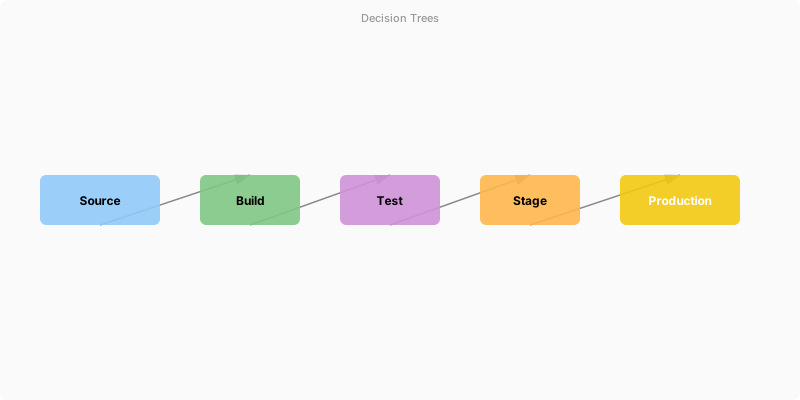
Figure: Configuration and management dashboard with status overview.
When to Use Which Pattern
Architecture Overview: Start
Architecture Anti-Patterns
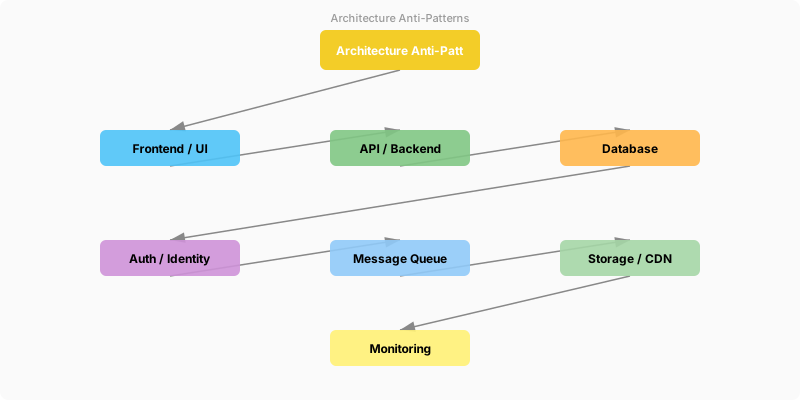
Figure: Enterprise architecture – integrated components with data flow.
| Anti-Pattern | Description | Better Alternative |
|---|---|---|
| Big Ball of Mud | No clear structure; everything depends on everything | Modularize into bounded contexts |
| Golden Hammer | Using one tool/pattern for everything | Right tool for right job evaluation |
| Premature Optimization | Over-engineering before understanding requirements | Start simple, measure, then optimize |
| Distributed Monolith | Microservices that must deploy together | True bounded contexts with async communication |
| Shared Database | Multiple services writing to same tables | Each service owns its data; sync via events |
Validation and Versioning
- Last validated: April 2026
- Validate examples against your tenant, region, and SKU constraints before production rollout.
- Keep module, CLI, and SDK versions pinned in automation pipelines and review quarterly.
Security and Governance Considerations
- Apply least-privilege access using RBAC roles and just-in-time elevation for admin tasks.
- Store secrets in managed secret stores and avoid embedding credentials in scripts or source files.
- Enable audit logging, data protection policies, and periodic access reviews for regulated workloads.
Cost and Performance Notes
- Define budgets and alerts, then monitor usage and cost trends continuously after go-live.
- Baseline performance with synthetic and real-user checks before and after major changes.
- Scale resources with measured thresholds and revisit sizing after usage pattern changes.
Official Microsoft References
- https://learn.microsoft.com/power-bi/
- https://learn.microsoft.com/power-bi/guidance/
- https://learn.microsoft.com/fabric/
Public Examples from Official Sources
- These examples are sourced from official public Microsoft documentation and sample repositories.
- Documentation examples: https://learn.microsoft.com/power-bi/
- Sample repositories: https://github.com/microsoft/PowerBI-Developer-Samples
- Prefer adapting these examples to your tenant, subscriptions, and governance requirements before production use.
Key Takeaways
- Use the evaluation framework to systematically assess architecture options against your requirements
- Hub-and-spoke works best for organizations with central governance; event-driven for real-time, loosely-coupled systems
- Always implement defense-in-depth security — no single layer is sufficient
- Avoid architecture anti-patterns by starting simple and evolving based on measured needs
- Document every architecture decision with an ADR (Architecture Decision Record)
