Dynamics 365 Integration Flows: Architecture Patterns and Decision Framework (2025)
Introduction
Figure: Configuration and management dashboard with status overview.
Power Automate is Microsoft's cloud-based workflow automation platform that connects hundreds of applications and services. From simple approval workflows to complex enterprise process orchestration with RPA, Power Automate enables organizations to automate repetitive tasks, streamline business processes, and build end-to-end solutions without extensive coding.
This architecture-focused guide examines Dynamics 365 Integration Flows through the lens of enterprise design patterns, system tradeoffs, and decision frameworks. Whether you are evaluating Dynamics 365 Integration Flows for a new initiative or rearchitecting an existing deployment, this guide provides the analytical tools and pattern catalog you need to make informed architectural decisions.
Architecture Decision Framework
Figure: SPFx solution – VS Code workspace with web part manifest and workbench.
Evaluation Criteria
Before committing to an architecture, evaluate Dynamics 365 Integration Flows against these dimensions:
| Dimension | Questions to Ask | Weight |
|---|---|---|
| Scalability | Can this handle 10x current load? What are the scaling limits? | High |
| Security | Does this meet our compliance requirements? What is the blast radius? | Critical |
| Cost | What is the TCO at current and projected scale? Are there hidden costs? | High |
| Complexity | Can our team maintain this? What is the learning curve? | Medium |
| Resilience | What happens when a component fails? What is the recovery time? | High |
| Extensibility | Can we add features without rearchitecting? | Medium |
| Vendor Lock-in | How portable is this solution? What are migration costs? | Medium |
Design Patterns
Pattern 1: Hub-and-Spoke Architecture
Best suited for organizations with a central IT team managing shared services, with satellite teams building domain-specific solutions.
Architecture Overview: CENTRAL HUB
Pattern 2: Event-Driven Architecture
Best for systems that need to react to changes in real-time with loose coupling between producers and consumers.
{
  "eventDrivenArchitecture": {
    "producers": [
      {
        "name": "UserService",
        "events": ["UserCreated", "UserUpdated", "UserDeleted"],
        "transport": "Azure Service Bus"
      },
      {
        "name": "OrderService",
        "events": ["OrderPlaced", "OrderShipped", "OrderCompleted"],
        "transport": "Event Grid"
      }
    ],
    "consumers": [
      {
        "name": "NotificationService",
        "subscribes": ["UserCreated", "OrderShipped"],
        "action": "Send email/Teams notification"
      },
      {
        "name": "AnalyticsService",
        "subscribes": ["*"],
        "action": "Stream to data warehouse"
      }
    ],
    "deadLetterQueue": {
      "enabled": true,
      "retryPolicy": "exponential",
      "maxRetries": 5
    }
  }
}
Pattern 3: Layered Security Architecture
Defense-in-depth approach required for regulated industries.
Architecture Overview: Layer 1: Identity (Entra ID MFA Conditional Access)
Decision Trees
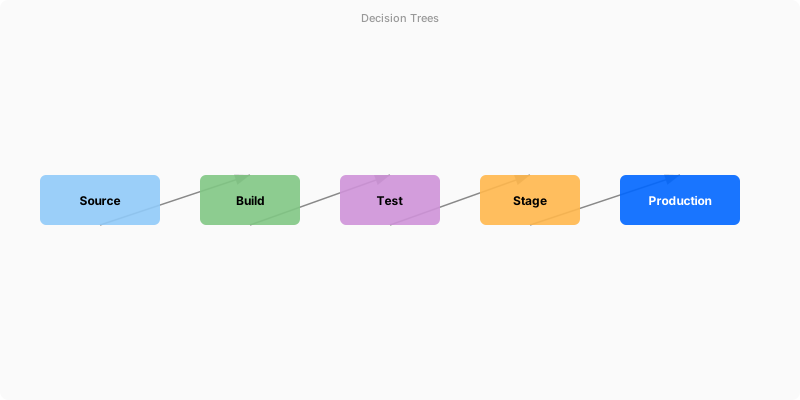
Figure: Configuration and management dashboard with status overview.
When to Use Which Pattern
Architecture Overview: Start
Architecture Anti-Patterns
Figure: Enterprise architecture – integrated components with data flow.
| Anti-Pattern | Description | Better Alternative |
|---|---|---|
| Big Ball of Mud | No clear structure; everything depends on everything | Modularize into bounded contexts |
| Golden Hammer | Using one tool/pattern for everything | Right tool for right job evaluation |
| Premature Optimization | Over-engineering before understanding requirements | Start simple, measure, then optimize |
| Distributed Monolith | Microservices that must deploy together | True bounded contexts with async communication |
| Shared Database | Multiple services writing to same tables | Each service owns its data; sync via events |
Validation and Versioning
- Last validated: April 2026
- Validate examples against your tenant, region, and SKU constraints before production rollout.
- Keep module, CLI, and SDK versions pinned in automation pipelines and review quarterly.
Security and Governance Considerations
- Apply least-privilege access using RBAC roles and just-in-time elevation for admin tasks.
- Store secrets in managed secret stores and avoid embedding credentials in scripts or source files.
- Enable audit logging, data protection policies, and periodic access reviews for regulated workloads.
Cost and Performance Notes
- Define budgets and alerts, then monitor usage and cost trends continuously after go-live.
- Baseline performance with synthetic and real-user checks before and after major changes.
- Scale resources with measured thresholds and revisit sizing after usage pattern changes.
Official Microsoft References
- https://learn.microsoft.com/power-automate/
- https://learn.microsoft.com/power-platform/admin/
- https://learn.microsoft.com/power-platform/guidance/
Public Examples from Official Sources
- These examples are sourced from official public Microsoft documentation and sample repositories.
- Documentation examples: https://learn.microsoft.com/power-automate/
- Sample repositories: https://github.com/microsoft/PowerPlatformConnectors
- Prefer adapting these examples to your tenant, subscriptions, and governance requirements before production use.
Key Takeaways
- Use the evaluation framework to systematically assess architecture options against your requirements
- Hub-and-spoke works best for organizations with central governance; event-driven for real-time, loosely-coupled systems
- Always implement defense-in-depth security — no single layer is sufficient
- Avoid architecture anti-patterns by starting simple and evolving based on measured needs
- Document every architecture decision with an ADR (Architecture Decision Record)
