Desktop Flows (RPA): Fundamentals and Patterns
1. Introduction
Desktop flows extend automation to on-premises, legacy, and GUI-only applications—bridging modernization gaps where APIs are absent, legacy vendors are frozen, or compliance constraints block system upgrades. Poorly engineered RPA creates brittle automations that shatter with minor UI changes, leak credentials, stall during modal pop-ups, or silently duplicate transactions. This guide delivers an enterprise blueprint: architecture layers, selector strategy, flow orchestration, scaling across machine pools, secure credential handling, resilience patterns, performance tuning, governance, telemetry, quality assurance, compliance, cost optimization, and a maturity roadmap.
Objectives:
- Define layered architecture for hybrid cloud + desktop automation.
- Engineer robust selectors resilient to minor UI shifts.
- Implement secure credential vault & secret propagation pattern.
- Establish machine pool governance & workload scheduling.
- Instrument observability: structured run logs, screenshots, KPIs.
- Apply resilience patterns: dynamic waits, conditional pop-up handling, adaptive retry.
- Optimize performance (step minimization, parallelization, hybrid API/RPA mix).
- Manage compliance: audit trails, segregation of duties, data residency.
- Scale with queue-driven orchestration & capacity forecasting.
- Evolve through maturity stages toward self-healing and predictive adaptation.
2. Core Architecture Layers
| Layer | Component | Responsibility | Notes |
|---|---|---|---|
| Orchestration | Cloud Flow / Logic App Trigger | Schedules or event-driven initiation | Can integrate with queue (Dataverse, Azure Service Bus) |
| Execution | Power Automate Desktop Flow | Executes UI & local file actions | Scripted + recorded steps mixed |
| Host Infrastructure | Machine / VM (Physical or Azure VM) | Agent hosting; environment isolation | Prefer Azure VM scale sets for elasticity |
| Connectivity | Gateway / Network Config | Secure data access to on-prem | Enforce firewall + IP allowlist |
| Secrets | Azure Key Vault / Credential Manager | Secure storage of passwords, tokens | Rotate & version secrets |
| Telemetry | Application Insights / Dataverse Log Table | Capture run, step, error events | Correlation ID per run |
| Artifact Repository | Git + Solution Layer | Version flows, scripts, docs | Branch strategy for changes |
| Governance | Policies & Naming Standards | Consistency, audit, lifecycle | Prefix categories (RPA_) |
2.1 Reference Flow Invocation Pattern
Event/Timer Trigger → Pre-Validation Scope → Acquire Secrets → Queue Work Batch →
For Each Work Item → Invoke Desktop Flow (run) → Capture Output → Handle Errors → Aggregate Metrics → Persist Log → Post-Completion Notification
3. Selector Stability Engineering
Selectors define the UI element targets. Instability produces mis-clicks, data entry corruption, or aborted runs.
Selector Dimensions:
- Attribute Anchoring: Prefer automation ID / name / control type over position.
- Hierarchical Path: Build stable ancestry (Window → Pane → Control) rather than absolute index.
- Fallback Strategy: Primary selector + secondary alternative (regex window title, partial label match).
- Dynamic Resolution: Test element presence; if absent, trigger refresh or alternate navigation path.
Selector Quality Checklist:
| Criterion | Good | Poor |
|---|---|---|
| Uses AutomationID | Yes | No (raw coordinates) |
| Includes Control Type | Yes (Button/Edit/Text) | Missing |
| Avoids Index Reliance | <10% usage | Heavy index dependence |
| Has Fallback | Configured | None |
| Documented | Selector JSON stored | Ad-hoc memory |
Selector Repository Pattern:
{
"OrderSubmitButton": {
"primary": {"automationId": "btnSubmit", "controlType": "Button"},
"fallback": {"nameContains": "Submit Order"}
},
"CustomerIdField": {
"primary": {"automationId": "txtCustomerId"},
"fallback": {"placeholder": "Enter Customer"}
}
}
Store in solution-managed file or Dataverse config table for centralized updates.
Resilience Enhancements:
- Pre-Run Selector Validation Pass — verify critical elements before executing bulk steps.
- Adaptive Recovery — if selector fails, attempt window refocus, refresh, or navigation back.
- Screenshot on Selector Miss — attaches image to log for quick triage.
4. Credential & Secret Handling Patterns
Secrets must never be hardcoded or embedded in desktop recorder steps.
Sources:
- Azure Key Vault (preferred for scalability & rotation)
- Windows Credential Manager (acceptable for local dev / non-production)
- Dataverse Secret Table (encrypted column; restrict access)
Propagation Flow:
Cloud Flow: Get Secret (Key Vault) → Secure Input Parameter → Desktop Flow Runs → Secret consumed for login → Secret never written to disk → Flow variable cleared post-auth
Rotation Runbook:
- Rotate secret in Key Vault (new version).
- Update reference (label alias points to latest).
- Validate login via test run.
- Invalidate prior version after confirmation.
- Log rotation event (who, when, version).
Audit Fields: secretName, version, rotationTimestamp, rotatedBy, validationRunId.
5. Machine Pool & Orchestration Strategy
Workload Types:
| Type | Characteristics | Scheduling |
|---|---|---|
| High-Volume Batch | Large record sets | Off-hours bulk window |
| Real-Time Trigger | Event-driven small unit | Immediate dispatch |
| Compliance Critical | Strict SLA, audited | Priority queue |
| Experimental / Test | Unstable selectors | Isolated sandbox pool |
Capacity Planning Formula:
RequiredMachines = ceil((AvgItemsPerDay * AvgSecondsPerItem) / (AvailableSecondsPerMachine * UtilizationTarget))
Example: 40k items/day * 3s each = 120k seconds; machine available 8h (28,800s) at 70% utilization → 120k / (28,800 * 0.7) ≈ 6 machines.
Scheduling Patterns:
- Priority Queue (Dataverse or Service Bus) with attributes:
priority,dueTime,retryCount. - Dynamic Throttling — pause new dispatch if failure rate spikes > threshold.
- Machine Tagging —
APP_A,OCR,HIGH_MEMORYfor targeted job assignment.
6. Error Handling & Resilience Patterns
| Pattern | Purpose | Implementation |
|---|---|---|
| Structured Try/Catch | Controlled failure paths | Desktop flow error block + screenshot capture |
| Dynamic Wait | Resolve timing variance | Wait for element or timeout fallback |
| Pop-up Interceptor | Handle modal dialogs | Periodic scan scope; closes or logs unexpected dialogs |
| Adaptive Retry | Transient UI race recovery | Re-attempt selector with incremental delay |
| Circuit Breaker (Cloud Layer) | Prevent runaway failures | Count consecutive desktop failures; halt queue dispatch |
| Dead Letter Queue | Isolate unrecoverable payloads | Persist job context for manual remediation |
Adaptive Retry Logic:
For attempt in 1..3:
Try Action
If success break
Delay = attempt * 2s + random(0..1000ms)
Log attempt
If failed after max → escalate
Screenshot Strategy:
- Capture on exception and critical step completion (before & after state for forensic diff).
- Store blob in storage account or Dataverse file column.
- Link screenshot URI in log record.
7. Performance Optimization Techniques
Optimization Levers:
- Replace UI loops with CSV or JSON batch ingestion where system allows import screens.
- Cache static reference data (e.g., dropdown mappings) locally at run start.
- Minimize context switches (window focus changes) — group actions by application.
- Prefer API path when partial modern integration exists (hybrid pattern: API for reads, RPA for writes not exposed).
- Parallelization via multiple machines rather than multi-thread UI on single host (avoids focus conflicts).
Measurement Metrics:
| Metric | Target | Purpose |
|---|---|---|
| Avg Step Duration | < 1.5s | Detect lagging selectors |
| Run Throughput (items/hour) | Increasing trend | Efficiency tracking |
| Selector Failure Rate | <2% | Stability indicator |
| Idle Wait Percentage | <25% | Optimization opportunity |
Optimization Review Cadence: Weekly analysis of logs to identify top 10 slowest steps.
8. Logging, Telemetry & Observability
Logging Schema (Dataverse Table RPA_RunLog):
| Field | Description |
|---|---|
| runId | Unique execution identifier |
| batchId | For grouped workloads |
| machineName | Host reference |
| stepName | UI or logic step |
| stepIndex | Sequence order |
| outcome | Success/Fail/Retry/Skipped |
| durationMs | Step execution time |
| errorCode | Custom or system code |
| errorMessage | Sanitized description |
| screenshotUri | Optional evidence |
| selectorUsed | Primary/fallback label |
| retryAttempt | Attempt number |
| correlationId | Cross-system trace |
| timestampUtc | Event time |
Telemetry KPIs:
| KPI | Formula | Insight |
|---|---|---|
| Success Rate | successfulRuns / totalRuns | Reliability |
| Mean Time to Recover (MTTR) | avg(timeFromFailureToNextSuccess) | Resilience |
| Selector Volatility Index | uniqueSelectorChanges / month | UI churn |
| Credential Rotation SLA | rotationsOnTime / totalRotations | Security hygiene |
| Dead Letter Clearance Rate | resolvedDeadLetters / createdDeadLetters | Remediation efficiency |
Alerting Thresholds:
- Critical: Success Rate <90% (daily aggregate)
- Warning: Selector Failure Rate >3%
- Info: Credential soon to expire (<7 days)
9. Governance & Compliance Framework
Governance Dimensions:
| Dimension | Control |
|---|---|
| Naming | Prefix RPA_ + domain + verb |
| Versioning | Semantic: major.minor.patch stored in log |
| Access | Role-based groups (Developer, Operator, Auditor) |
| Change Management | Pull request + peer review before production import |
| Audit Trail | All runs + screenshot + operator overrides logged |
| Segregation of Duties | Builder ≠ Approver for production deployment |
| Data Residency | Ensure logs stored in compliant region |
Risk Register Example:
| Risk | Impact | Mitigation |
|---|---|---|
| Credential Leakage | High | Vault + rotation + masked logging |
| UI Change Breakage | Medium | Selector repository + pre-validation |
| Orphaned Runs | Medium | Governance queue + circuit breaker |
| Unauthorized Change | High | Git-based review + deployment pipeline |
10. Security Hardening
Controls:
- Dedicated service accounts with least privilege.
- Multi-factor interactive login only for admin sessions (never for bot automation).
- Network segmentation: RPA subnet restricting east-west traffic.
- Endpoint protection: anti-malware + OS patch compliance monitoring.
- Disable clipboard logging; treat clipboard as transient secure buffer.
Sensitive Data Handling:
- Classify fields (PII, Financial, Confidential) — mask in logs.
- Encrypt at rest (Dataverse/Gateway).
- Avoid screenshot capture for sensitive screens (conditional skip logic).
11. Quality Assurance & Testing
Test Categories:
| Category | Purpose |
|---|---|
| Selector Validation | Ensure elements resolvable pre-deployment |
| Regression | Confirm unchanged behavior after updates |
| Load Simulation | Stress machine concurrency (parallel runs) |
| Chaos UI | Introduce deliberate pop-ups / delays |
| Credential Expiry | Validate rotation fallback |
Pre-Deployment Checklist:
- All critical selectors validated.
- Secrets pulled from vault; no hardcoded values.
- Logging table columns aligned with schema version.
- Performance baseline captured.
- Failure scenarios (popup, missing element) exercised.
12. Scaling & Capacity Patterns
Scaling Approaches:
- Horizontal: Add machines; simple linear throughput increase.
- Intelligent Queue Prioritization: Reorder high-SLA items earlier.
- Batch Consolidation: Merge small jobs to reduce overhead (launch time & authentication).
- Hybrid API + RPA: Shift stable data retrieval to API, leaving only unexposed UI interactions.
Forecast Dashboard Metrics: pendingJobs, machinesAvailable, avgQueueWaitMinutes, predictedCompletionTime.
13. Cost Optimization Strategy
Cost Drivers: VM hours, licensing, storage (logs/screenshots), operations triage time.
Optimizations:
| Driver | Strategy |
|---|---|
| VM Idle Time | Auto-shutdown schedule + on-demand wake |
| Licensing | Consolidate machines, right-size concurrency |
| Storage | Compress screenshots, purge >90 days |
| Failure Triage | Structured logging reduces investigation time |
| Redundant RPA Steps | Replace with API calls |
ROI Formula:
AnnualSavings = (ManualHoursReplaced * HourlyRate) - (AutomationRunCost + MaintenanceCost)
PaybackMonths = (InitialBuildCost) / (AnnualSavings / 12)
14. Maturity Model & Roadmap
| Level | Traits | Focus |
|---|---|---|
| 1 Ad-Hoc | Manual runs, minimal logging | Basic selector stabilization |
| 2 Structured | Central logs, secret management | Retry + screenshot evidence |
| 3 Scaled | Queue orchestration, capacity planning | Performance tuning |
| 4 Optimized | KPI dashboards, proactive alerts | Cost & compliance optimization |
| 5 Predictive | Anomaly detection & adaptive runtime | ML-based selector evolution |
| 6 Autonomous | Self-healing flows, automated threshold recalibration | Continuous improvement loop |
15. Advanced Patterns
Pattern Catalog:
| Pattern | Use Case | Benefit |
|---|---|---|
| Pre-Validation Selector Sweep | Early failure detection | Saves run time & capacity |
| Multi-Modal Selector | UI fallback paths | Resilience vs UI drift |
| Hybrid API/RPA | Partial modernization | Lower error rate & speed |
| Queue Circuit Breaker | Stop failing jobs flood | Protects downstream systems |
| Screenshot Delta Compare | Visual regression | Faster root cause identification |
| Selector Repository Versioning | Track changes | Controlled updates |
16. Troubleshooting Matrix (Expanded)
| Issue | Symptom | Root Cause | Resolution | Prevention |
|---|---|---|---|---|
| Element Not Found | Step fails immediately | Selector drift | Validate & update repository | Pre-validation sweep |
| Slow Typing | Run time inflated | Keyboard simulation speed | Use set value rather than type | Optimize action choice |
| Popup Blocks Flow | Stalled execution | Unexpected modal | Add popup interceptor scope | Catalog known popups |
| Credential Failure | Repeated login error | Expired or revoked secret | Rotate vault secret | Rotation schedule |
| Duplicate Runs | Double posting | Overlapping trigger windows | Add lock record (run token) | Trigger window alignment |
| High Retry Count | Long duration | UI latency / network lag | Increase dynamic wait logic | Performance review |
| Screenshot Missing | Hard to triage | Capture disabled | Re-enable for error steps | Policy enforcement |
| Queue Backlog Growth | SLA risk | Insufficient machines | Scale horizontally | Capacity forecasting |
| High Selector Volatility | Frequent changes | UI redesign in progress | Update repository batch | Engage app owners early |
| Sensitive Data in Logs | Compliance risk | Unmasked fields | Implement masking filter | Data classification policy |
17. Best Practices Checklist
DO
- Centralize selector metadata.
- Use vault-managed secrets only.
- Capture structured logs + correlation IDs.
- Implement adaptive waits not fixed sleeps.
- Separate orchestration from desktop execution.
- Batch non-interactive operations where feasible.
- Maintain KPIs and publish weekly dashboard.
- Run regression suite before production import.
- Enforce semantic version tagging.
- Review dead letter / failure backlog weekly.
DON'T
- Hardcode credentials or store in plaintext scripts.
- Rely purely on screen coordinates.
- Ignore small failure rates (<5%)—they compound.
- Capture screenshots of sensitive data screens.
- Skip pre-validation of critical selectors.
- Mix test and production machines in same group.
- Let backlog exceed daily processing capacity.
- Assume API will arrive soon—design resilient RPA now.
- Disable logging to speed runs (false economy).
- Deploy without peer review.
18. Key KPIs & Formulas
| KPI | Calculation | Target |
|---|---|---|
| Success Rate | successfulRuns / totalRuns | ≥95% |
| Selector Failure Rate | failedSelectorSteps / totalSteps | <2% |
| Avg Items/Hour | itemsProcessed / runHours | ↑ trend |
| Mean Recovery Time | avg(timeToNextSuccess) | <30m |
| Credential Rotation Compliance | onTimeRotations / rotations | 100% |
| Backlog Clearance Ratio | processedToday / receivedToday | ≥1.0 |
| Cost per Automated Item | (RunCost + MaintCost) / itemsProcessed | ↓ trend |
19. Testing Harness Example
Harness Layout:
Trigger (Manual) → Initialize Test Dataset → ForEach Test Case → Invoke Desktop Flow with scenario parameters → Collect Result → Assert (expected vs actual) → Aggregate Report → Notify
Test Case Schema:
{
"id": "TC-SEL-001",
"scenario": "Selector drift",
"expectedOutcome": "Retry then success",
"inputs": {"simulateSelectorChange": true},
"assertions": ["stepRetryCount <= 2", "finalStatus == 'Success'"]
}
20. Security & Compliance Audit Template
| Control | Evidence | Frequency |
|---|---|---|
| Secret Rotation | Vault version history | Quarterly |
| Access Review | AD group membership export | Monthly |
| Run Log Integrity | Hash verification result | Quarterly |
| Screenshot Redaction | Sample review pass | Monthly |
| Change Approval | Pull request records | Per release |
21. Maturity Acceleration Actions
| Current Level | Next Actions | Outcome |
|---|---|---|
| 2 → 3 | Implement queue & capacity metrics | Scaled throughput |
| 3 → 4 | Add KPI dashboard + alerting | Proactive operations |
| 4 → 5 | Introduce anomaly detection model | Reduced incidents |
| 5 → 6 | Self-healing selector adaptation | Autonomous optimization |
22. ROI & Business Case Example
Example Scenario:
Manual Effort: 4 FTEs * 1800 hours/year = 7200 hours
Average Loaded Rate: $55/hour → $396,000 manual cost
Automation Costs: VM + Licensing + Maintenance = $110,000
Savings: $396,000 - 110,000 = $286,000
Payback: Build cost ($70,000) / (286,000 /12) ≈ 2.9 months
23. Future Enhancements & Roadmap
| Horizon | Feature | Benefit |
|---|---|---|
| Near | Enhanced screenshot diff tooling | Faster troubleshooting |
| Near | Dynamic capacity auto-scaling | Reduced idle cost |
| Mid | ML-based selector prediction | Fewer drift failures |
| Mid | Automated credential health scoring | Improved security posture |
| Long | Cross-platform RPA blending (Linux GUI) | Wider legacy coverage |
| Long | Predictive backlog shaping | SLA assurance |
24. FAQs
| Question | Answer |
|---|---|
| Why choose RPA over manual? | Consistency, speed, auditability, reduced labor cost. |
| When avoid desktop flows? | When robust API exists or UI highly volatile. |
| How handle major UI redesign? | Branch, rebuild selectors, run regression harness before merge. |
| Screenshots slowed performance—remove? | Keep for error steps; optimize storage not visibility. |
| Single machine saturation? | Introduce queue & add tagged machines; scale horizontally. |
| Is API + RPA hybrid worth complexity? | Yes—reduces error surface & accelerates throughput. |
| Rotate secrets how often? | Align with policy; typical 90-day or risk-based cadence. |
| What triggers circuit breaker? | Consecutive failure threshold or high selector volatility spike. |
| Handling sensitive screens? | Conditional skip screenshot + masked logging. |
| Can we skip KPIs early? | Track from start—historical baselines are invaluable. |
25. Key Takeaways
Robust desktop flow automation demands engineered selectors, secure secret handling, structured logging, adaptive resilience, governed scaling, and continuous optimization. Treat RPA assets as software products—version, measure, and iterate—to maintain reliability as UI and business context evolve.
26. References
- https://learn.microsoft.com/power-automate/desktop-flows/
- https://learn.microsoft.com/power-automate/desktop-flows/run
- https://learn.microsoft.com/power-platform/admin/rpa-governance
27. Next Steps
- Implement selector repository & pre-validation sweep.
- Stand up Dataverse log table & dashboard.
- Integrate Key Vault secret retrieval in orchestration cloud flow.
- Define queue + circuit breaker threshold variables.
- Launch regression harness for critical processes.
- Schedule monthly resilience & KPI review.
Architecture Overview
- Cloud flow (trigger & orchestration)
- Desktop flow (recorded / scripted actions)
- Machine / VM agent (runs desktop automation)
- Gateway (optional for on-prem data)
Selector Stability
Use UI elements anchored by:
- Window titles
- Control automation IDs
- Relative position (fallback)
- Image recognition (last resort for dynamic UIs)
Credential and Secret Handling
- Connection references for desktop flows
- Windows credential manager storage
- Azure Key Vault integration via cloud flow (retrieve → pass secure input)
Error Handling Blocks
Try block → Execute UI action → Catch block → Log error + screenshot → Retry (max 3) → Escalate
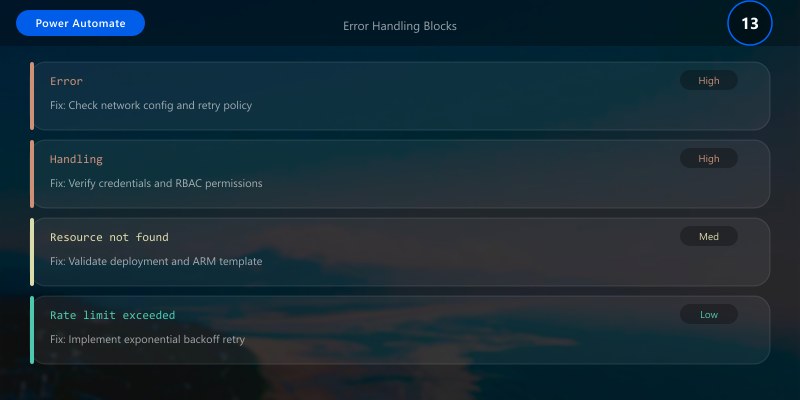
Use "On block error" settings to continue or fail fast depending on criticality.
Orchestrating Multiple Machines
- Machine group pooling for throughput
- Concurrency control (queue requests)
- Tagging machines by capability (App A installed)
Typical RPA Use Cases
| Scenario | Value |
|---|---|
| Legacy ERP data entry | Eliminates manual typing |
| PDF parsing + system update | Standardizes ingestion |
| Reconciliation tasks | Speeds close processes |
| Batch report download | Off-hours execution |
Logging and Monitoring
Capture:
- Step name
- Timestamp
- Outcome (Success/Fail/Retry)
- Machine name
Write to a Dataverse table or Application Insights via HTTP action.
Resilience Techniques
- Wait for element visible (dynamic load)
- Conditional branching if pop-up appears
- Screenshot on exception
- Delay randomization to reduce lock contention

Performance Optimization
- Minimize UI interactions (batch data operations where possible)
- Prefer API connectors if system offers modern endpoints
- Use headless automation (background windows) to reduce rendering overhead
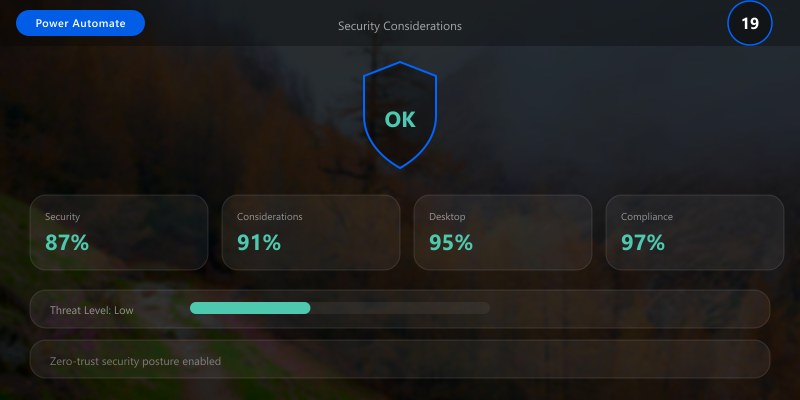
Security Considerations
- Isolate RPA machines (dedicated VM, network segmentation)
- Principle of least privilege for service accounts
- Audit machine agent installation and versions
Best Practices
- Start small pilot with high-volume, low-complexity process
- Document selector strategy alongside each UI step
- Implement global retry policy object (central config)
- Regularly review failure logs to improve reliability
- Build machine utilization dashboard (runs/hour)
Troubleshooting
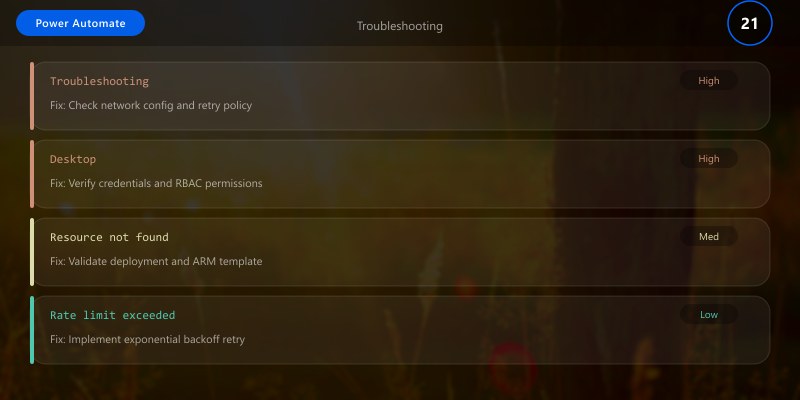
| Issue | Cause | Resolution |
|---|---|---|
| Element not found | Dynamic UI change | Revalidate selector or add alternate path |
| Intermittent failures | Timing race | Add explicit wait for window ready |
| Excessive retries | Logic loop | Cap retries; alert operator |
| Slow execution | Chatty UI steps | Consolidate operations or switch to API |
Key Takeaways
Desktop flows bridge automation gaps for GUI-bound processes; stability and governance ensure long-term ROI.