Approval Workflows: Business Process Automation

Approval Workflows: Business Process Automation

1. Introduction

Approval workflows operationalize structured decision gates for spend control, access governance, compliance attestation, content publishing, HR onboarding, and exception management. In an enterprise context, naive designs cause bottlenecks (single approver dependency), audit gaps (missing rationale), SLA breaches (no escalation), or security risk (improper delegate access). This guide establishes an end‑to‑end blueprint: taxonomy, architecture, dynamic routing, multi‑level logic, parallel vs sequential strategy, escalation frameworks, delegation and vacation handling, audit trails, analytics, resiliency, security, compliance, performance optimization, cost & ROI, maturity roadmap, best practices, troubleshooting, and next steps.

Objectives:

  1. Standardize approval architecture (trigger → intake → routing → decision → logging → notifications).
  2. Implement dynamic approver resolution across department, role, hierarchy, region, and amount thresholds.
  3. Engineer escalation with SLA timers, multi‑path fallback hierarchy, and audit trace.
  4. Support vacation / delegation seamlessly without manual flow edits.
  5. Provide structured immutable audit dataset for compliance (SOX, ISO, internal policy).
  6. Offer analytics (cycle time, bottleneck detection, escalation ratio, decision quality) for continuous improvement.
  7. Enforce security (least privilege, data masking, tamper‑proof logs, idempotency safeguards).
  8. Enable adaptive workload scaling & throughput forecasting.
  9. Integrate Teams adaptive cards for rich decision surface & reduced friction.
  10. Drive maturity from reactive email chains to predictive, SLA‑optimized approval ecosystems.

2. Approval Taxonomy & Use Case Matrix

Category Examples Complexity Special Considerations
Spend / Procurement Purchase orders, expense overages Medium–High Amount thresholds, finance segregation
Access & Entitlements Admin role elevation, app access High Security review, revocation workflows
Content Publication Intranet article, marketing asset Low–Medium Versioning, metadata validation
HR / People Ops New hire equipment, policy exceptions Medium Privacy & PII masking
Compliance & Risk Exception approvals, audit sign-off High Immutable logging, multi-stage signers
Technical Changes Production deployment change boards High CAB schedule, risk scoring

Decision Path Classification:

  • Single Approver (low risk, low amount).
  • Multi-Level Sequential (hierarchy or threshold escalation).
  • Multi-Parallel (policy consensus or all required signers).
  • Majority Vote (committees; decision once >50% affirmative).
  • First Response Wins (time-sensitive operations; earliest decision finalizes).
  • SLA Escalation Ladder (levels triggered by timeouts).

3. Reference Architecture

Layer Component Responsibility Notes
Intake Trigger (Form/Dataverse/Create) Capture request metadata Validate mandatory fields early
Routing Resolution Logic Identify approvers set Department, role, threshold, dynamic overrides
Decision Engine Approval Action / Adaptive Card Collect responses & status Supports Teams inline decisions
Persistence Dataverse Tables Store request + decisions Append-only for audit integrity
Escalation Recurrence / Delay + Condition Timed escalation & reminders Independent schedule scope
Notifications Teams / Email / Mobile Inform stakeholders Rich adaptive card + cancellation link
Analytics Log & Metrics Table / App Insights KPI aggregation & dashboards Measure cycle & bottlenecks
Governance Solution + Environment Variables Thresholds & policy config Version controlled in ALM
Security DLP + RBAC + Masking Layer Protect sensitive data Role-based view restrictions

Flow Pattern (Text Diagram):

Trigger → Validate Payload → Compute Approvers → Persist Request (Pending) → Send Adaptive Approval → Wait Response
  → If Approved → Persist Decision → Downstream Action → Notify Success
  → If Rejected → Persist Decision → Notify Rejection → Optional Rework Path
  → If Timeout → Escalate Level → Update Status Escalated → Resend Card / Alert Channel
  → If Re-Escalated Exhausted → Finalize as Auto-Reject or Auto-Approve (policy) → Log Outcome

4. Data Model (Dataverse)

Tables:

Table Purpose Key Columns Notes
ApprovalRequest Master request entity requestId (GUID), status, requesterUpn, amount, category, riskScore, createdOn Status values: Pending, Approved, Rejected, Escalated, AutoClosed
ApprovalDecision Each decision event decisionId, requestId (lookup), approverUpn, outcome, comments, decidedOn, sequenceLevel, source (primary/escalation/delegate) Append-only
ApprovalRouting Precomputed route snapshot routeId, requestId, stageIndex, approverUpn, requiredType (All/Any/Majority) Immutable snapshot for forensic review
ApprovalAudit System & flow events auditId, requestId, eventType, payloadJson, timestampUtc Events: EscalationInitiated, TimeoutDetected, DelegateSubstitution
ApprovalKPI Aggregated metrics kpiDate, cycleTimeAvgMs, escalationRatePct, approvalVolume, medianDecisionTimeMs Updated via scheduled flow

Immutable Strategy: Only ApprovalRequest.status mutates; decisions & audits append rows; prevents tampering.

5. Dynamic Approver Resolution Patterns

Resolution Dimensions:

  1. Hierarchy Lookup (manager chain via Graph API / Azure AD connector).
  2. Role / Function Mapping (Dataverse table RoleApproverMap).
  3. Amount Threshold (value segmentation tiers).
  4. Risk Score (calculate risk based on metadata, route additional compliance stage if > threshold).
  5. Regional / Country Approvers (local regulatory review).
  6. Delegation (substitute if original approver is OOO).

Delegation Handling:

Scenario Detection Substitution Action Logging
Vacation OOO Calendar / presence API Replace with assigned delegate Audit event DelegateSubstitution
Extended Leave HR feed flag Bulk update route snapshot before send Record route regeneration
Executive Proxy Security override request Require security approval token Log justification payload

Fallback Ordering:

Primary → Delegate → FunctionalLead → EscalationManager → GlobalApprovalsDesk

Resolution Pseudocode:

if riskScore >= HighThreshold add ComplianceOfficer
if amount >= ExecThreshold add FinanceDirector after ManagerApproval
if region == 'EU' add DataProtectionLead
if delegateAssigned(manager) use delegate
routeList = removeDuplicates(routeList)

6. Parallel vs Sequential Strategy Deep Dive

Sequential Advantages: Controlled order, dependency enrichment per stage.
Parallel Advantages: Faster cycle time, collective consensus, fewer wait states.

Consensus Modes:

Mode Rule Typical Use
All Required All must approve Regulatory multi-signature
First Response First decision final Operational urgency
Majority >50% approve Committee reviews
Quorum Minimum count & majority Board decisions

Edge Handling: If Majority fails due to equal split, escalate or request additional reviewer.

7. Escalation & SLA Design

Timers:

SLA Type Duration Escalation Target
Standard 48h Direct Manager
High Priority 12h Senior Functional Lead
Critical 4h Executive + Risk Officer
Compliance Exception 24h Compliance Queue

Escalation Flow:

Set DueTimestamp = createdOn + SLA
Monitor (scheduled) → If now > DueTimestamp AND status == Pending → Escalate → Add Audit Event → Notify Channel → Update Status Escalated

Multi-Step Escalation Ladder Example:

  1. Reminder at 50% SLA elapsed.
  2. Escalate to delegate at SLA breach.
  3. Escalate to functional lead after +24h.
  4. Auto-close (reject or auto-approve per policy) after +72h.

8. Adaptive Cards & User Experience

Adaptive Card Fields:

Field Description
Title Concise request summary
Key Metrics Amount, Risk Score, Category
Reason Request justification text
Buttons Approve, Reject, Needs Info
Secondary Actions View Full Details, Delegate
Footer SLA remaining time

Dynamic Card Enhancements:

  1. Countdown timer string (hours remaining).
  2. Expandable section for full metadata.
  3. Conditional masking for confidential fields.
  4. Delegate action triggers substitution flow.

9. Idempotency & Duplicate Protection

Before creating approval record:

If exists ApprovalRequest where externalReference == incomingReference AND status IN (Pending, Escalated)
  → Skip creation; log idempotency skip event
Else create new request

Use composite alternate key (externalReference + category + requesterUpn) for uniqueness.

10. Auditing & Compliance

Audit Events:

EventType Example Payload
RequestCreated {"requestId":"...","amount":12500,"riskScore":7}
DecisionRecorded {"requestId":"...","approver":"mgr@","outcome":"Approved"}
EscalationInitiated {"requestId":"...","oldTarget":"mgr@","newTarget":"lead@"}
DelegateSubstitution {"original":"mgr@","delegate":"delegate@"}
AutoClosed {"requestId":"...","policy":"AutoRejectAfter72h"}

Integrity Controls:

  1. Append-only decisions table.
  2. Hash chain (optional) linking decision rows for tamper detection.
  3. Immutable retention snapshot exported to storage monthly.

11. Metrics & Analytics

Key KPIs:

KPI Formula Target
Cycle Time Avg avg(decidedOn - createdOn) ↓ trend
Escalation Rate escalatedCount / totalRequests <10%
Auto-Closure Ratio autoClosed / total <2%
Delegate Usage delegateDecisions / totalDecisions Contextual
Rejection Ratio rejected / total Monitor segmentation
Majority Split Frequency splitVotes / majorityDecisions <5%
Reminder Efficacy decisionsWithinReminderWindow / remindersSent ↑ trend

Segmentation Dashboard: cycleTimeByDepartment, highRiskVolume, topEscalationApprovers.

12. Performance Optimization

Strategies:

  • Use 'First response wins' for low-risk time-sensitive items.
  • Parallelize multi-stage where dependencies absent.
  • Precompute approver list once; avoid repeated directory lookups per branch.
  • Cache delegation mappings daily in Dataverse table for faster resolution.
  • Minimize card payload size (<8KB) to reduce delivery latency.

13. Resilience Patterns

Pattern Failure Scenario Mitigation
Retry Directory Lookup Transient Graph API failure Exponential retry + jitter
Fallback Approver Primary unreachable Delegate chain
Timeout Escalation Approver no response SLA monitor + audit log
Correlation ID Logging Distributed tracing Include correlationId in all tables
Duplicate Guard Flow retrigger Alternate key check
Adaptive Reminder Approver backlogged Dynamic interval based on SLA remainder

14. Security & Data Protection

Controls:

  1. Mask confidential fields (e.g., employee health data) in card – display only summary.
  2. Use environment variables for threshold values (no hardcoding).
  3. Restrict who can query audit tables (auditors role).
  4. Enforce DLP to block unapproved connectors in approval flow environment.
  5. Store comments sanitized (strip scripts / HTML).

15. Governance & Lifecycle Management

Governance Artifacts:

Artifact Purpose
Routing Rules Documentation Transparency & audit readiness
Escalation Policy Matrix Standardize timeouts
Delegation Mapping Registry Track substitutions
Version Release Notes Explain new stages or thresholds
KPI Monthly Report Management review

Change Workflow:

Proposed Change → Impact Assessment (cycle time, risk) → Peer Review → Test Environment Validation → Approval (CAB) → Production Import → Post-Deployment KPI Check

16. Cost & ROI Model

Formula:

AnnualSavings = (ManualApprovalMinutesSaved * VolumePerYear * HourlyRate / 60) - (AutomationOperatingCost + MaintenanceCost)
PaybackMonths = InitialImplementationCost / (AnnualSavings / 12)

Example:

Manual cycle time previously: 2 days average with ~30 min human effort.
Automation reduces human effort to 10 min.
Volume 12,000 approvals/year. Saved minutes = (30-10)*12,000 = 240,000 → 4,000 hours.
Hourly blended rate $50 → $200,000 value.
Operating + maintenance $60,000 → Net $140,000. Initial build $45,000 → Payback ≈ 3.9 months.

17. Maturity Model

Level Traits Focus
1 Ad-Hoc Email approvals & manual logs Standardize flow template
2 Structured Central request table & audit Dynamic routing & SLA timers
3 Scaled Multi-stage, analytics dashboards Reduce cycle time, optimize escalation
4 Optimized Predictive reminder scheduling Lower escalation rate
5 Intelligent Anomaly detection & risk scoring Automated risk-based stage insertion
6 Autonomous Self-tuning SLAs & routing Continuous improvement loop

18. Best Practices (DO / DON'T)

DO

  1. Snapshot routing before sending approvals.
  2. Use append-only decisions for integrity.
  3. Capture correlation ID per request.
  4. Leverage adaptive cards for engagement.
  5. Implement SLA reminder & escalation ladder.
  6. Parameterize thresholds via environment variables.
  7. Monitor cycle time distribution (median & P95).
  8. Provide delegate configuration self-service form.
  9. Run monthly audit export & hash set verification.
  10. Review escalation root causes (top 10 monthly).

DON'T

  1. Hardcode approvers in flow steps.
  2. Overload cards with excessive metadata.
  3. Ignore unresolved escalations (age > SLA + 2x).
  4. Use mutable decision records (update in place).
  5. Skip idempotency guard for retrigger scenarios.
  6. Send reminders too frequently (notification fatigue).
  7. Allow broad access to comments history.
  8. Rely on single email channel (Teams improves visibility).
  9. Accept auto-approve policy without risk analysis.
  10. Defer logging until “later” (retroactive is costly).

19. Troubleshooting Matrix

Issue Symptom Root Cause Resolution Prevention
Missing Approver Routing list empty Directory query failure Retry Graph lookup Cache fallback list
Escalations Spike High escalation % SLA too short / load Adjust SLA or add reminder Analyze cycle time trends
Duplicate Request Two identical pending Retrigger without guard Add alternate key check Idempotency enforcement
Delegate Not Applied Approver OOO still assigned Delegation map stale Refresh map daily Scheduled sync flow
Slow Cycle Time Long pending state Complex sequential chain Parallelize segments Optimize route logic
Timeout Ignored No escalation action Missing monitor flow Implement scheduled SLA checker Health dashboard
Audit Gaps Missing events Logging conditional misfire Standardize audit action placement Logging checklist
Majority Split Unresolved Tie decisions Lack of tie-breaker rule Add extra stage or chair vote Document rule set
Card Render Errors Broken adaptive card Schema mismatch version Validate card schema pre‑deploy Versioned templates
Data Leak in Card Sensitive field displayed Mask rule missing Implement field masking layer Data classification policy

20. Example Adaptive Card JSON (Simplified)

{
  "$schema": "https://adaptivecards.io/schemas/adaptive-card.json",
  "type": "AdaptiveCard",
  "version": "1.5",
  "body": [
    {"type": "TextBlock", "text": "Approval Request #@{items('Apply_to_each')?['requestId']}", "weight": "Bolder", "size": "Medium"},
    {"type": "FactSet", "facts": [
      {"title": "Amount", "value": "@{items('Apply_to_each')?['amount']}"},
      {"title": "Risk", "value": "@{items('Apply_to_each')?['riskScore']}"},
      {"title": "Category", "value": "@{items('Apply_to_each')?['category']}"}
    ]},
    {"type": "TextBlock", "text": "Justification", "weight": "Bolder"},
    {"type": "TextBlock", "text": "@{items('Apply_to_each')?['justification']}", "wrap": true}
  ],
  "actions": [
    {"type": "Action.Submit", "title": "Approve", "data": {"decision": "Approved"}},
    {"type": "Action.Submit", "title": "Reject", "data": {"decision": "Rejected"}},
    {"type": "Action.Submit", "title": "Needs Info", "data": {"decision": "NeedsInfo"}}
  ]
}

21. KPIs & Reporting Implementation

Scheduled KPI Aggregator Flow (Pseudo):
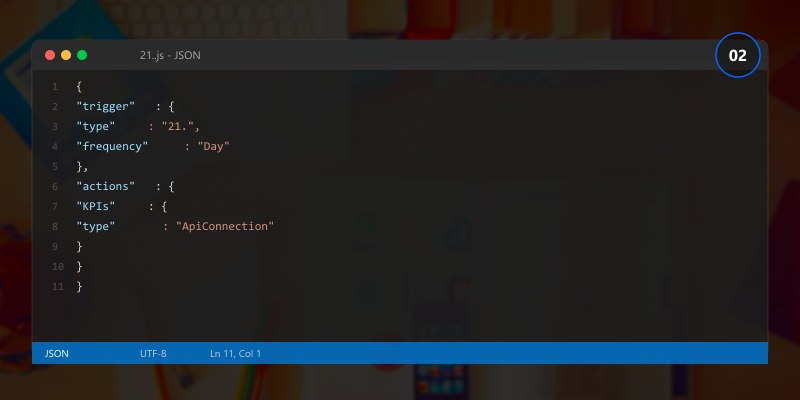
Daily 02:00 → Query decisions in last 24h → Calculate metrics → Upsert ApprovalKPI row → Trigger Power BI dataset refresh

Power BI Dashboard Tiles:

  • Cycle Time Median vs P95 trend
  • Escalation Rate by Department
  • Approval Volume by Category
  • Rejection Reasons (tagged comment sentiment)
  • Delegation Utilization over time

22. Integration Patterns

Integration Purpose Benefit
Service Bus Queue Decouple intake from processing Smooth peak loads
Teams Adaptive Cards Improve engagement Faster decisions
Graph Presence API Detect OOO early Reduce escalations
Dataverse Webhooks Downstream system sync Real-time integration
Power BI KPI visualization Insight & governance
Key Vault Secure threshold secrets (e.g., ExecThreshold) Rotation & audit

23. Future Enhancements & Roadmap

Horizon Enhancement Impact
Near Smart reminders (time-of-day aware) Higher response rate
Near Delegation self-service portal Reduced admin overhead
Mid ML risk scoring Dynamic stage insertion
Mid Predictive cycle time forecasting Early bottleneck mitigation
Long Auto-route based on text classification in justification Faster intake triage
Long Adaptive SLA tuning (historic performance model) Reduced escalations

24. FAQs

Question Answer
When use parallel approvals? When stages independent; speeds decisions dramatically.
Auto-approve after timeout safe? Only for low-risk categories with documented policy.
Delegate mapping governance? HR or line manager owns; audited monthly.
Difference escalation vs reminder? Reminder nudges; escalation changes approver target.
Store comments verbatim? Sanitize (remove scripts) & classify for analytics.
Replace approval connector? Use custom adaptive card & action framework for complex logic.
Handle regulatory sign-offs? Multi-stage with immutable decision append & hash chain.
Why measure P95 cycle time? Captures tail delays beyond median; drives SLA tuning.
Encrypt audit payload? If containing sensitive context; otherwise store sanitized subset.
Integrate with ticketing? Use webhook/API to update change record with decision outcome.

25. Key Takeaways

Enterprise approval workflows must balance velocity, compliance, and clarity. Invest early in dynamic routing, robust escalation, immutable audit logging, structured KPIs, and governance artifacts—retrofits are costly and risk non‑compliant decision trails.
26. References

27. Next Steps

  1. Implement Dataverse data model (request, decision, audit tables).
  2. Build routing resolver component with risk & amount thresholds.
  3. Add SLA monitor recurrence flow & escalation ladder logic.
  4. Integrate adaptive card for Teams decisions.
  5. Deploy KPI aggregator & baseline metrics dashboard.
  6. Document governance policies & publish routing matrix.
Core Approval Components

  • Trigger (form submit, item created, manual, scheduled)
  • Data payload (request metadata, requester, amount, classification)
  • Approval action (Start and wait for an approval)
  • Branch logic (approved, rejected, timeout)
  • Recording outcome (SharePoint list, Dataverse row, audit store)
Simple Approval Pattern
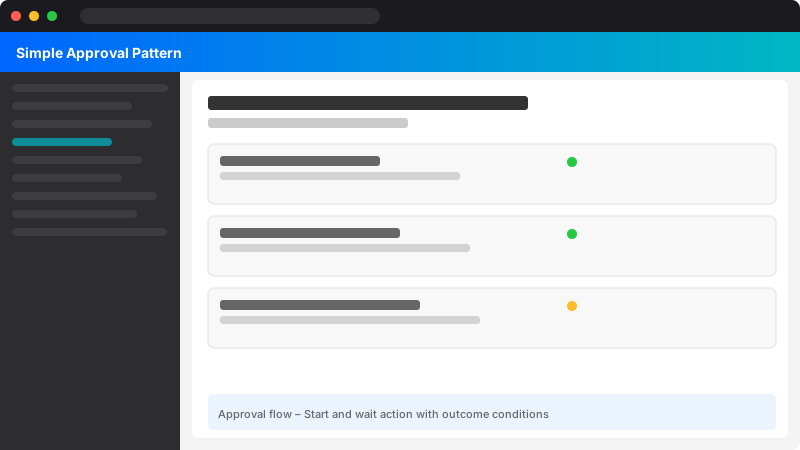
Trigger → Initialize variables → Create approval → Wait outcome → Update status → Notify requester

Dynamic Approver Resolution

Approach:

  1. Department-based: Lookup manager from Azure AD attributes
  2. Role-based: Dataverse security role mapping table
  3. Amount-based: If amount > threshold route to senior finance
{
  "amount": 12500,
  "department": "Finance",
  "baseApproverUpn": "manager@contoso.com"
}

Parallel vs Sequential

  • Sequential: Ordered review (e.g., Manager → Finance → Compliance)
  • Parallel: All approvers simultaneously; requires all or first response logic

Set "Enable notifications" carefully to avoid mail storms in parallel mode.

Escalation and Timeout Handling

Use timeout on approval action (ISO8601): PT48H for 48 hours.
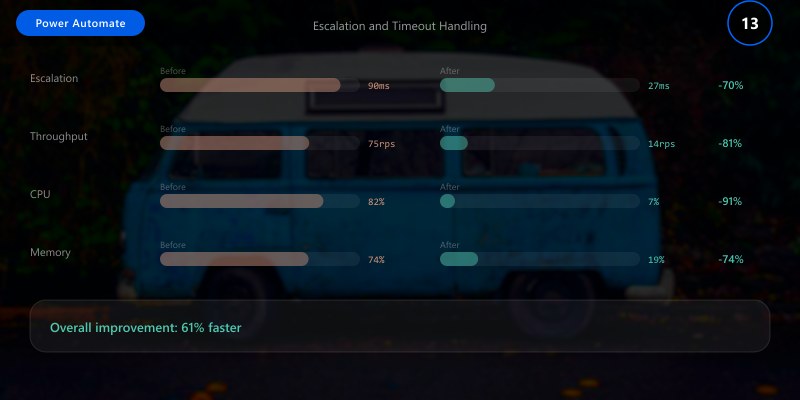
If timeout → Escalate to backup approver → Post Teams alert → Mark status "Escalated"

Multi-Level Approval Example
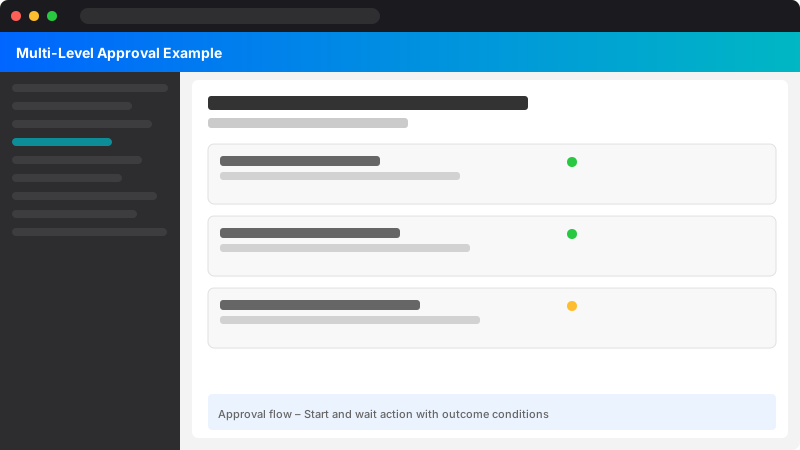
Level 1: Manager approval
Level 2: Finance approval (if amount >= 10000)
Level 3: Compliance approval (if sensitive category == true)

Use conditions with nested scopes for clarity.

Data Storage and Auditing

Store each decision with:
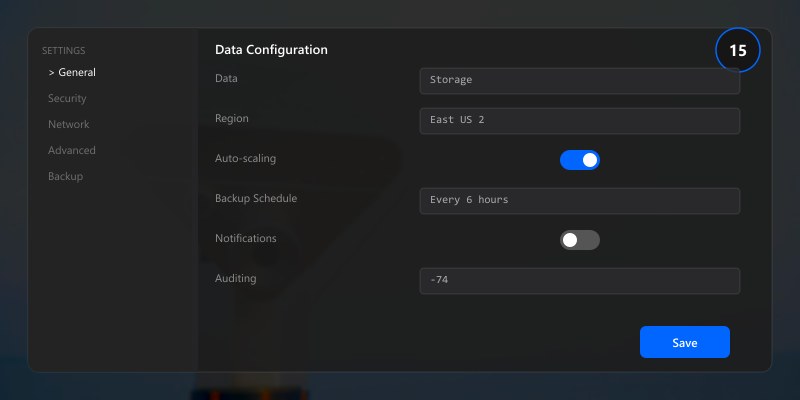
  • Request ID
  • Approver UPN
  • Decision (Approved/Rejected/Escalated)
  • Timestamp UTC
  • Comments

SharePoint list or Dataverse table ApprovalHistory for analytics.

Error and Fallback Patterns

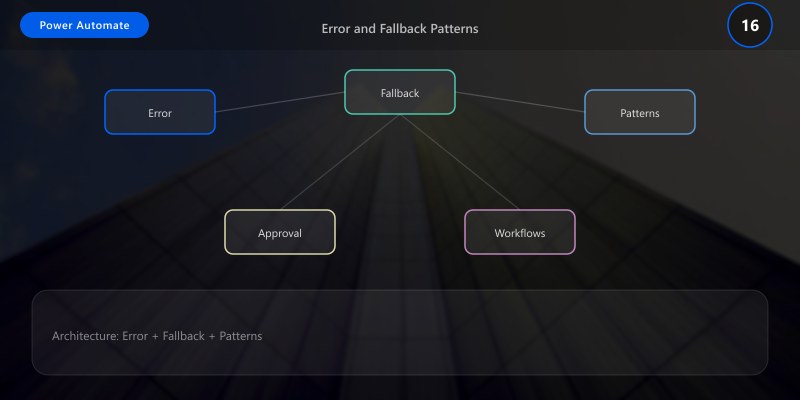
  • On failure to start approval: Write error row + notify admin
  • On connector throttling: Implement retry (built-in) + delay
  • On escalation failure: Assign default global approver
Security Considerations

  • Least privilege on data sources
  • Prevent modification of historical approvals (append-only store)
  • Obfuscate sensitive request fields in notifications
Governance and Templates

  • Provide standard flow template with variables for thresholds
  • Document metadata contract (required JSON fields)
  • Version flows via solutions (Dataverse environments)
Best Practices

  • Keep approval cards concise (title, key fields)
  • Use environment variables for thresholds & approver groups
  • Instrument metrics: average approval duration, escalation rate
  • Provide bulk close for abandoned requests (scheduled cleanup)
  • Implement adaptive cards in Teams for richer interaction
Troubleshooting

Issue Cause Resolution
Stuck in pending Approver missed email Send Teams adaptive reminder after X hours
Wrong approver Attribute mismatch Validate lookup logic; add fallback mapping
Duplicate approvals Flow retriggered Add idempotency check (request ID existence)
Timeout ignored No timeout expression Configure "Configure run after" on approval output

Key Takeaways

Robust approval design blends dynamic routing, escalation, auditable logging, and governance standardization.

References