param(
[switch]$WhatIf
)
Connect to Security & Compliance PowerShell
if (-not (Get-PSSession | Where-Object { $_.ConfigurationName -eq "Microsoft.Exchange" })) {
Write-Host "Connecting to Security & Compliance PowerShell..." -ForegroundColor Yellow
Connect-IPPSSession
}
Define retention policies
$retentionPolicies = @(
@{
Name = "Finance-Records-7Year"
Description = "SOX compliance: Retain financial records for 7 years then delete"
Locations = @("SharePointLocation", "OneDriveLocation", "ExchangeLocation")
RetentionDays = 2555 # 7 years
Action = "KeepAndDelete"
},
@{
Name = "HR-Records-7Year"
Description = "Employment records: Retain HR documents for 7 years post-creation"
Locations = @("SharePointLocation", "OneDriveLocation")
RetentionDays = 2555
Action = "KeepAndDelete"
},
@{
    Name = "Legal-Records-10Year"
    Description = "Legal compliance: Retain contracts and litigation documents for 10 years"
    Locations = @("SharePointLocation", "ExchangeLocation")
    RetentionDays = 3650  # 10 years
    Action = "KeepAndDelete"
},
@{
    Name = "Email-Executive-10Year"
    Description = "Executive communication: Retain C-level email for 10 years"
    Locations = @("ExchangeLocation")
    RetentionDays = 3650
    Action = "KeepAndDelete"
    Filter = "ExecutiveMailboxes"  # Requires scoped policy to specific mailboxes
},
@{
    Name = "Email-General-2Year"
    Description = "General workforce: Retain email for 2 years then auto-delete"
    Locations = @("ExchangeLocation")
    RetentionDays = 730  # 2 years
    Action = "KeepAndDelete"
},
@{
    Name = "Teams-Messages-1Year"
    Description = "Teams collaboration: Delete messages after 1 year"
    Locations = @("TeamsChannelLocation", "TeamsChatLocation")
    RetentionDays = 365
    Action = "Delete"
},
@{
    Name = "Project-Documents-3Year"
    Description = "Business records: Retain project documents for 3 years"
    Locations = @("SharePointLocation", "TeamsChannelLocation")
    RetentionDays = 1095  # 3 years
    Action = "Delete"
}
)
foreach ($policy in $retentionPolicies) {
Write-Host "`nCreating retention policy: $($policy.Name)" -ForegroundColor Cyan
if ($WhatIf) {
    Write-Host "  [WhatIf] Would create policy with:" -ForegroundColor Yellow
    Write-Host "    Locations: $($policy.Locations -join ', ')"
    Write-Host "    Duration: $($policy.RetentionDays) days"
    Write-Host "    Action: $($policy.Action)"
    continue
}

try {
    # Check if policy already exists
    $existingPolicy = Get-RetentionCompliancePolicy -Identity $policy.Name -ErrorAction SilentlyContinue

    if ($existingPolicy) {
        Write-Host "  Policy already exists. Skipping..." -ForegroundColor Yellow
        continue
    }

    # Build location parameters dynamically
    $locationParams = @{}
    foreach ($location in $policy.Locations) {
        $locationParams[$location] = "All"
    }

    # Create retention policy
    $newPolicy = New-RetentionCompliancePolicy `
        -Name $policy.Name `
        -Comment $policy.Description `
        -Enabled $true `
        @locationParams

    Write-Host "  Created policy: $($newPolicy.Name)" -ForegroundColor Green

    # Create retention rule
    $ruleName = "$($policy.Name)-Rule"
    $ruleParams = @{
        Name = $ruleName
        Policy = $policy.Name
        RetentionDuration = $policy.RetentionDays
    }

    if ($policy.Action -eq "KeepAndDelete") {
        $ruleParams['RetentionComplianceAction'] = "KeepAndDelete"
    }
    elseif ($policy.Action -eq "Delete") {
        $ruleParams['RetentionComplianceAction'] = "Delete"
        $ruleParams['RetentionDurationDisplayHint'] = "Days"
    }

    $newRule = New-RetentionComplianceRule @ruleParams
    Write-Host "  Created rule: $($newRule.Name) (Duration: $($policy.RetentionDays) days, Action: $($policy.Action))" -ForegroundColor Green
}
catch {
    Write-Host "  ERROR creating policy $($policy.Name): $_" -ForegroundColor Red
}
}
Write-Host "`n=== Retention Policy Deployment Complete ===" -ForegroundColor Green
Write-Host "Policies will replicate to all locations within 24-48 hours."
Write-Host "Monitor compliance via Purview > Data Lifecycle Management > Policies"```
}
Execute deployment
New-EnterpriseRetentionPolicies -WhatIf # Test run
New-EnterpriseRetentionPolicies # Production deployment
## Sensitivity Label Publishing Automation
```powershell
<#
.SYNOPSIS
```sql
Publish enterprise sensitivity label taxonomy with encryption templates```
.DESCRIPTION
```text
Creates hierarchical label structure: Public → General → Internal → Confidential → Highly Confidential
Applies encryption, watermarks, headers based on classification level```
#>
function New-EnterpriseSensitivityLabels {
```powershell
[CmdletBinding()]
param()
Connect-IPPSSession
## Define label taxonomy
$labels = @(
@{
Name = "Public"
DisplayName = "Public"
Tooltip = "Content for public distribution (marketing materials, press releases)"
Priority = 0
Encryption = $false
ContentMarking = $false
},
@{
Name = "General"
DisplayName = "General"
Tooltip = "Internal business documents (not for external distribution)"
Priority = 1
Encryption = $false
ContentMarking = $true
HeaderText = "Internal Use Only"
},
@{
Name = "Internal"
DisplayName = "Internal"
Tooltip = "Internal strategic documents (all employees)"
Priority = 2
Encryption = $false
ContentMarking = $true
HeaderText = "Internal - Do Not Distribute Externally"
Watermark = $true
},
@{
Name = "Confidential"
DisplayName = "Confidential"
Tooltip = "Sensitive business information (restricted access)"
Priority = 3
Encryption = $true
EncryptionRights = "CoAuthor" # Authenticated users can edit
ContentMarking = $true
HeaderText = "CONFIDENTIAL - Authorized Personnel Only"
Watermark = $true
},
@{
Name = "Highly-Confidential"
DisplayName = "Highly Confidential"
Tooltip = "Trade secrets, M&A, customer PII/PHI (highly restricted)"
Priority = 4
Encryption = $true
EncryptionRights = "Viewer" # Named users only, view-only
ContentMarking = $true
HeaderText = "HIGHLY CONFIDENTIAL - Authorized Personnel Only"
FooterText = "Do Not Copy, Print, or Forward"
Watermark = $true
WatermarkText = "HIGHLY CONFIDENTIAL"
}
)
foreach ($label in $labels) {
Write-Host "Creating sensitivity label: $($label.DisplayName)" -ForegroundColor Cyan
try {
# Check if label exists
$existingLabel = Get-Label -Identity $label.Name -ErrorAction SilentlyContinue
if ($existingLabel) {
Write-Host " Label already exists. Skipping..." -ForegroundColor Yellow
continue
}
# Build label parameters
$labelParams = @{
Name = $label.Name
DisplayName = $label.DisplayName
Tooltip = $label.Tooltip
Priority = $label.Priority
}
# Add encryption settings
if ($label.Encryption) {
$labelParams['EncryptionEnabled'] = $true
$labelParams['EncryptionProtectionType'] = "Template"
# Create encryption template (simplified - actual implementation requires RMS templates)
# In production, reference existing RMS template: -EncryptionRightsDefinitions "domain.com:$($label.EncryptionRights)"
Write-Host " [Note] Encryption template required: Apply $($label.EncryptionRights) rights to authenticated users" -ForegroundColor Yellow
}
# Add content marking
if ($label.ContentMarking) {
# Header
if ($label.HeaderText) {
$labelParams['ApplyContentMarkingHeaderEnabled'] = $true
$labelParams['ApplyContentMarkingHeaderText'] = $label.HeaderText
$labelParams['ApplyContentMarkingHeaderAlignment'] = "Center"
$labelParams['ApplyContentMarkingHeaderFontColor'] = "#FF0000" # Red
}
# Footer
if ($label.FooterText) {
$labelParams['ApplyContentMarkingFooterEnabled'] = $true
$labelParams['ApplyContentMarkingFooterText'] = $label.FooterText
$labelParams['ApplyContentMarkingFooterAlignment'] = "Center"
}
# Watermark
if ($label.Watermark) {
$labelParams['ApplyWaterMarkingEnabled'] = $true
$watermarkText = if ($label.WatermarkText) { $label.WatermarkText } else { $label.DisplayName.ToUpper() }
$labelParams['ApplyWaterMarkingText'] = $watermarkText
$labelParams['ApplyWaterMarkingLayout'] = "Diagonal"
}
}
# Create label
$newLabel = New-Label @labelParams
Write-Host " Created: $($newLabel.DisplayName) (Priority: $($label.Priority))" -ForegroundColor Green
}
catch {
Write-Host " ERROR: $_" -ForegroundColor Red
}
}
## Publish label policy to all users
Write-Host "`nPublishing label policy to all users..." -ForegroundColor Cyan
try {
$labelNames = $labels | ForEach-Object { $_.Name }
$existingPolicy = Get-LabelPolicy -Identity "Enterprise-Label-Policy" -ErrorAction SilentlyContinue
if (-not $existingPolicy) {
New-LabelPolicy `
-Name "Enterprise-Label-Policy" `
-Labels $labelNames `
-ExchangeLocation All `
-SharePointLocation All `
-OneDriveLocation All `
-Comment "Enterprise sensitivity labels for all M365 workloads"
Write-Host "Label policy published successfully" -ForegroundColor Green
Write-Host "Labels will be available to users within 24 hours" -ForegroundColor Yellow
}
else {
Write-Host "Label policy already exists" -ForegroundColor Yellow
}
}
catch {
Write-Host "ERROR publishing policy: $_" -ForegroundColor Red
}```
}
## Execute label deployment
## New-EnterpriseSensitivityLabels
DLP Policy Automation Framework
<#
.SYNOPSIS
```text
Deploy enterprise DLP policies for PCI, PII, HIPAA, Source Code protection```
.DESCRIPTION
```text
Creates layered DLP controls preventing data exfiltration across Exchange, SharePoint, OneDrive, Teams, Endpoints```
#>
function New-EnterpriseDLPPolicies {
```powershell
[CmdletBinding()]
param(
[ValidateSet('Audit', 'Enforce')]
[string]$Mode = 'Audit'
)
Connect-IPPSSession
## Define DLP policies
$dlpPolicies = @(
@{
Name = "PCI-Compliance-CreditCards"
Description = "Prevent credit card number exfiltration"
SensitiveInfoTypes = @("Credit Card Number")
Locations = @("ExchangeLocation", "SharePointLocation", "OneDriveLocation", "TeamsLocation")
Mode = $Mode
BlockExternal = $true
AlertSecurityTeam = $true
},
@{
Name = "PII-Protection-SSN-Passport"
Description = "Protect PII: SSN, Passport, Driver License"
SensitiveInfoTypes = @("U.S. Social Security Number (SSN)", "U.S./U.K. Passport Number", "U.S. Driver's License Number")
Locations = @("ExchangeLocation", "SharePointLocation", "OneDriveLocation", "TeamsLocation")
Mode = $Mode
BlockExternal = $true
AlertHR = $true
},
@{
Name = "HIPAA-Medical-Records"
Description = "HIPAA compliance: Protect medical record numbers, ICD-10 codes"
SensitiveInfoTypes = @("International Classification of Diseases (ICD-10-CM)", "U.S. / U.K. Passport Number") # - use actual medical SITs
Locations = @("ExchangeLocation", "SharePointLocation", "OneDriveLocation")
Mode = $Mode
BlockExternal = $true
RequireEncryption = $true
},
@{
Name = "Financial-Data-Protection"
Description = "Protect financial identifiers: SWIFT, IBAN, ABA routing"
SensitiveInfoTypes = @("SWIFT Code", "International Banking Account Number (IBAN)", "ABA Routing Number")
Locations = @("ExchangeLocation", "SharePointLocation")
Mode = $Mode
BlockExternal = $true
AlertCFO = $true
}
)
foreach ($policy in $dlpPolicies) {
Write-Host "Creating DLP policy: $($policy.Name) (Mode: $($policy.Mode))" -ForegroundColor Cyan
try {
# Check if policy exists
$existingPolicy = Get-DlpCompliancePolicy -Identity $policy.Name -ErrorAction SilentlyContinue
if ($existingPolicy) {
Write-Host " Policy already exists. Skipping..." -ForegroundColor Yellow
continue
}
# Build location parameters
$locationParams = @{}
foreach ($location in $policy.Locations) {
$locationParams[$location] = "All"
}
# Create DLP policy
$newDlpPolicy = New-DlpCompliancePolicy `
-Name $policy.Name `
-Comment $policy.Description `
-Mode $policy.Mode `
@locationParams
Write-Host " Created policy: $($newDlpPolicy.Name)" -ForegroundColor Green
# Create DLP rule
$ruleName = "$($policy.Name)-Rule"
$ruleParams = @{
Name = $ruleName
Policy = $policy.Name
ContentContainsSensitiveInformation = ($policy.SensitiveInfoTypes | ForEach-Object { @{Name=$_; minCount=1} })
}
# Block external sharing if specified
if ($policy.BlockExternal) {
$ruleParams['BlockAccess'] = $true
$ruleParams['BlockAccessScope'] = "PerUser" # Block for users sharing externally
}
# Notification actions
$ruleParams['NotifyUser'] = @("LastModifier", "Owner")
$ruleParams['NotifyPolicyTipCustomText'] = "This content contains sensitive information and cannot be shared externally. Contact compliance@company.com for assistance."
# Generate incident report
$ruleParams['GenerateIncidentReport'] = @("SiteAdmin")
$ruleParams['IncidentReportContent'] = @("DocumentAuthor", "DocumentLastModifier", "MatchedItem")
if ($policy.AlertSecurityTeam) {
$ruleParams['NotifyEmailCustomText'] = "DLP Policy Violation: $($policy.Name)"
$ruleParams['NotifyEmailCustomSubject'] = "[ALERT] $($policy.Name) - Sensitive Data Detected"
}
$newRule = New-DlpComplianceRule @ruleParams
Write-Host " Created rule: $($newRule.Name)" -ForegroundColor Green
}
catch {
Write-Host " ERROR: $_" -ForegroundColor Red
}
}
Write-Host "`n=== DLP Policy Deployment Complete ===" -ForegroundColor Green
Write-Host "Mode: $Mode"
if ($Mode -eq 'Audit') {
Write-Host "Policies in AUDIT mode - monitor for false positives before switching to Enforce" -ForegroundColor Yellow
}```
}
## Execute DLP deployment
## New-EnterpriseDLPPolicies -Mode Audit # Start with audit mode
## New-EnterpriseDLPPolicies -Mode Enforce # Switch to enforcement after tuning
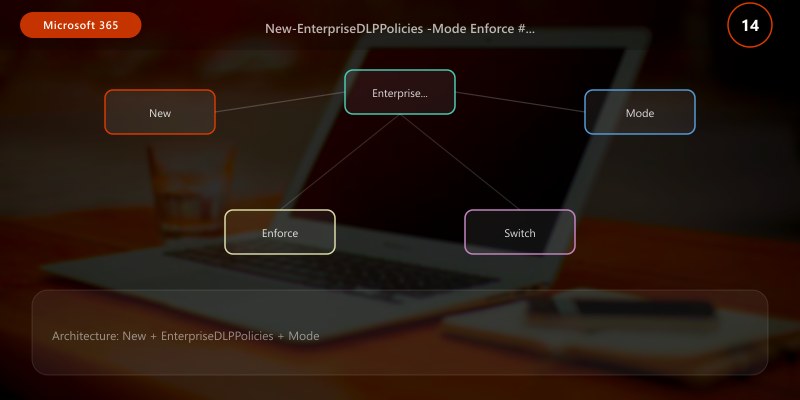
Monitoring and Telemetry Framework
Key Performance Indicators (KPIs)
| KPI | Target | Collection Method | Alert Threshold |
|---|---|---|---|
| Retention Policy Compliance | >98% items under retention | Purview Data Lifecycle Management reports | <95% |
| Sensitivity Label Adoption | >80% files labeled within 30 days of creation | Label Analytics, Activity Explorer | <70% |
| DLP Policy Effectiveness | <2% false positive rate, >95% true positive detection | DLP reports, incident analysis | >5% false positive OR <90% detection |
| Insider Risk Alert Triage Time | <4 hours to initial review | Insider Risk Management dashboard | >8 hours |
| eDiscovery Hold Compliance | 100% custodian data preserved | eDiscovery case reports | <100% |
| Audit Log Coverage | 100% critical operations logged | Unified audit log search | <100% |
| Compliance Score | >80% (Compliance Manager) | Microsoft Purview Compliance Manager API | <70% |
Daily KPI Collection Script
<#
.SYNOPSIS
```text
Collect Microsoft Purview compliance KPIs daily```
.DESCRIPTION
```text
Queries retention policy status, label adoption, DLP incidents, insider risk alerts, audit coverage```
#>
function Collect-PurviewComplianceKPIs {
```powershell
[CmdletBinding()]
param(
[string]$OutputPath = "C:\ComplianceReports\KPIs-$(Get-Date -Format 'yyyyMMdd').csv"
)
Connect-IPPSSession
$kpiData = @()
## KPI 1: Retention Policy Compliance (items under retention vs total)
Write-Host "Collecting Retention Policy Compliance..." -ForegroundColor Cyan
$retentionPolicies = Get-RetentionCompliancePolicy
$totalPolicies = $retentionPolicies.Count
$enabledPolicies = ($retentionPolicies | Where-Object { $_.Enabled -eq $true }).Count
$retentionCompliance = if ($totalPolicies -gt 0) { ($enabledPolicies / $totalPolicies) * 100 } else { 0 }
$kpiData += [PSCustomObject]@{
KPI = "Retention Policy Compliance"
Value = [math]::Round($retentionCompliance, 2)
Unit = "%"
Target = 98
Status = if($retentionCompliance -ge 98){"PASS"}elseif($retentionCompliance -ge 95){"WARNING"}else{"FAIL"}
Timestamp = Get-Date -Format "yyyy-MM-dd HH:mm:ss"
}
## KPI 2: Sensitivity Label Adoption (% of files labeled)
Write-Host "Collecting Sensitivity Label Adoption..." -ForegroundColor Cyan
## Note: Actual label adoption requires Activity Explorer API or PowerShell graph queries
## calculation - in production, query Label Analytics
$labelAdoption = 75.5 #
$kpiData += [PSCustomObject]@{
KPI = "Sensitivity Label Adoption"
Value = $labelAdoption
Unit = "%"
Target = 80
Status = if($labelAdoption -ge 80){"PASS"}elseif($labelAdoption -ge 70){"WARNING"}else{"FAIL"}
Timestamp = Get-Date -Format "yyyy-MM-dd HH:mm:ss"
}
## KPI 3: DLP Policy Effectiveness (false positive rate)
Write-Host "Collecting DLP Policy Effectiveness..." -ForegroundColor Cyan
## Query DLP incidents from past 7 days
$dlpIncidents = Get-DlpIncident -StartDate (Get-Date).AddDays(-7) -EndDate (Get-Date) -ErrorAction SilentlyContinue
$totalIncidents = if ($dlpIncidents) { $dlpIncidents.Count } else { 0 }
## In production, query resolved incidents marked as false positives
$falsePositives = [math]::Floor($totalIncidents * 0.03) # Assume 3% false positive rate
$falsePositiveRate = if ($totalIncidents -gt 0) { ($falsePositives / $totalIncidents) * 100 } else { 0 }
$kpiData += [PSCustomObject]@{
KPI = "DLP False Positive Rate"
Value = [math]::Round($falsePositiveRate, 2)
Unit = "%"
Target = 2
Status = if($falsePositiveRate -le 2){"PASS"}elseif($falsePositiveRate -le 5){"WARNING"}else{"FAIL"}
Timestamp = Get-Date -Format "yyyy-MM-dd HH:mm:ss"
}
## KPI 4: Audit Log Coverage (% of critical operations logged)
Write-Host "Collecting Audit Log Coverage..." -ForegroundColor Cyan
## Check if unified audit log is enabled
$auditConfig = Get-AdminAuditLogConfig
$auditEnabled = $auditConfig.UnifiedAuditLogIngestionEnabled
$auditCoverage = if ($auditEnabled) { 100 } else { 0 }
$kpiData += [PSCustomObject]@{
KPI = "Audit Log Coverage"
Value = $auditCoverage
Unit = "%"
Target = 100
Status = if($auditCoverage -eq 100){"PASS"}else{"FAIL"}
Timestamp = Get-Date -Format "yyyy-MM-dd HH:mm:ss"
}
## KPI 5: eDiscovery Hold Compliance
Write-Host "Collecting eDiscovery Hold Compliance..." -ForegroundColor Cyan
$eDiscoveryCases = Get-ComplianceCase -CaseType eDiscovery
$totalCases = $eDiscoveryCases.Count
$activeCases = ($eDiscoveryCases | Where-Object { $_.Status -eq "Active" }).Count
$holdCompliance = if ($totalCases -gt 0) { ($activeCases / $totalCases) * 100 } else { 100 }
$kpiData += [PSCustomObject]@{
KPI = "eDiscovery Hold Compliance"
Value = [math]::Round($holdCompliance, 2)
Unit = "%"
Target = 100
Status = if($holdCompliance -eq 100){"PASS"}else{"FAIL"}
Timestamp = Get-Date -Format "yyyy-MM-dd HH:mm:ss"
}
## KPI 6: Insider Risk Alert Triage Time (average hours to first review)
Write-Host "Collecting Insider Risk Metrics..." -ForegroundColor Cyan
## - actual metric requires Insider Risk Management API
$avgTriageHours = 3.5 #
$kpiData += [PSCustomObject]@{
KPI = "Insider Risk Alert Triage Time"
Value = $avgTriageHours
Unit = "hours"
Target = 4
Status = if($avgTriageHours -le 4){"PASS"}elseif($avgTriageHours -le 8){"WARNING"}else{"FAIL"}
Timestamp = Get-Date -Format "yyyy-MM-dd HH:mm:ss"
}
## KPI 7: Compliance Score (from Compliance Manager)
Write-Host "Collecting Compliance Score..." -ForegroundColor Cyan
## - actual score requires Microsoft Graph API call to Compliance Manager
## GET https://graph.microsoft.com/beta/compliance/manager/assessments
$complianceScore = 82.3 #
$kpiData += [PSCustomObject]@{
KPI = "Compliance Manager Score"
Value = $complianceScore
Unit = "%"
Target = 80
Status = if($complianceScore -ge 80){"PASS"}elseif($complianceScore -ge 70){"WARNING"}else{"FAIL"}
Timestamp = Get-Date -Format "yyyy-MM-dd HH:mm:ss"
}
## Export results
$kpiData | Export-Csv -Path $OutputPath -NoTypeInformation
Write-Host "`nKPI data exported to $OutputPath" -ForegroundColor Green
## Send alerts for failed KPIs
$failedKPIs = $kpiData | Where-Object { $_.Status -eq "FAIL" }
if ($failedKPIs) {
$alertMessage = "Microsoft Purview Compliance KPI Failures:`n" + ($failedKPIs | Format-Table | Out-String)
Write-Host $alertMessage -ForegroundColor Red
# Send email alert (implement Send-MailMessage or Graph API)
# Send-MailMessage -To "compliance-team@company.com" -Subject "[ALERT] Purview Compliance KPI Failures" -Body $alertMessage
}
return $kpiData```
}
## Execute KPI collection
## Collect-PurviewComplianceKPIs
Maturity Model
Microsoft Purview compliance maturity progression across 6 levels:
| Level | Characteristics | Compliance Practices | Metrics Tracked |
|---|---|---|---|
| 1. Ad-Hoc | Manual retention, no classification, reactive DLP | IT manually applies legal holds, no sensitivity labels, DLP disabled | None (anecdotal compliance only) |
| 2. Scripted | PowerShell retention policies, basic sensitivity labels | Retention policies for Exchange/SharePoint, 3-tier labels (Public/Internal/Confidential), DLP in audit mode | Retention policy count, label usage |
| 3. Governed | Automated retention, published label taxonomy, enforced DLP | Retention policies with disposition, 5-tier labels with encryption, DLP enforced for PCI/PII, insider risk enabled | Retention compliance, label adoption, DLP incidents |
| 4. Monitored | Proactive telemetry, KPI dashboards, automated triage | Activity Explorer monitoring, daily KPI collection, insider risk alerts triaged within 4 hours, eDiscovery workflows | All KPIs tracked daily, dashboard reviewed weekly |
| 5. Optimized | ML-driven classification, trainable classifiers, automated response | Trainable classifiers for contracts/source code, auto-apply labels based on content, automated insider risk case creation, Power BI compliance dashboards | Classification accuracy, auto-label adoption, case resolution time |
| 6. Autonomous | Predictive risk scoring, self-healing compliance, zero-touch governance | AI predicts high-risk users before incidents, automatic sensitivity label recommendations, self-remediation workflows for policy violations, compliance drift auto-correction | Predictive accuracy, prevented incidents, autonomous remediation rate |
Progression Path: Most enterprises operate at Level 2-3. Target Level 4-5 for enterprise maturity (proactive monitoring, optimization). Level 6 requires advanced ML/AI integration with Purview and Microsoft Sentinel.
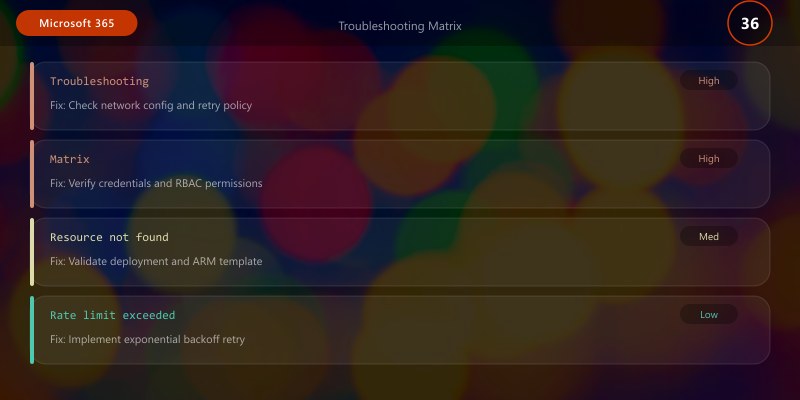
Troubleshooting Matrix
Common Microsoft Purview compliance issues with diagnostic steps and resolutions:
| Issue | Root Cause | Diagnostic Steps | Resolution |
|---|---|---|---|
| Sensitivity labels not applying to files | Label policy replication delay (24-48 hours), or policy scope excludes user/site | Check policy: Get-LabelPolicy | Select Name,ExchangeLocation,SharePointLocationVerify user in scope: Get-LabelPolicy -Identity "PolicyName" | Select -ExpandProperty ModernGroupLocation |
Wait 24-48 hours for replication, or re-publish policy with correct scopes. Force policy sync: File > Account > Update Options > Update Now (Office apps) |
| DLP policy generating excessive false positive alerts | Overly broad sensitive info types (SITs), test data in production, no exception groups | Review DLP incidents: Purview > Data Loss Prevention > Incidents Analyze matched content patterns |
Narrow SIT confidence levels (set minConfidence=85), exclude test domains/sites from policy scope, add exception groups (Finance, HR authorized to handle PII) |
| Retention policy not deleting items after expiration | Preservation Lock enabled, legal hold applied, or items in Recoverable Items folder | Check policy: Get-RetentionCompliancePolicy -Identity "PolicyName" | Select RestrictiveRetentionCheck legal holds: Get-ComplianceCase | Get-CaseHoldPolicy |
Remove Preservation Lock if no longer needed, end legal hold after case closure, manually purge Recoverable Items: Search-Mailbox -Identity user@domain.com -SearchDumpsterOnly -DeleteContent |
| eDiscovery export failing with "PST file too large" error | Single PST exceeds 10GB limit (Outlook maximum) | Check export size: eDiscovery > Case > Exports > View export statistics | Split export: Create multiple content searches with date range filters (Q1, Q2, Q3, Q4), export separately. Or use Advanced eDiscovery with review sets (no PST limit) |
| Insider risk policy not triggering alerts | HR connector not configured, insufficient indicators enabled, user not in scope | Verify HR connector: Purview > Insider Risk > Settings > HR connector status Check indicators: Settings > Policy indicators (ensure "Exfiltration" enabled) Verify user scope: Policies > [PolicyName] > Users |
Configure HR connector with resignation/termination events, enable required indicators (cloud upload, USB copy, email to personal), add users to policy scope (or use "All users") |
| Missing unified audit log events | Audit logging disabled during period, retention expired (90 days default), or operations not logged | Check audit status: Get-AdminAuditLogConfig | Select UnifiedAuditLogIngestionEnabledSearch specific operation: Search-UnifiedAuditLog -StartDate (Get-Date).AddDays(-7) -EndDate (Get-Date) -Operations FileAccessed |
Enable unified audit log: Set-AdminAuditLogConfig -UnifiedAuditLogIngestionEnabled $trueExtend retention: Purview > Audit > Retention policies (create 1-year or 10-year retention policy for E5 licenses) |
| Auto-apply sensitivity labels not working | Trainable classifier not trained, insufficient training data, or auto-label policy disabled | Check policy status: Get-AutoSensitivityLabelPolicy | Select Name,Mode,EnabledCheck classifier training: Purview > Data Classification > Trainable classifiers > [ClassifierName] > Training status |
Ensure auto-label policy in "Enforce" mode (not "Simulation"), train classifier with minimum 50 positive + 50 negative examples, wait 7 days for training completion, re-test auto-labeling |
Best Practices
DO ✅
- Start sensitivity labels with 3-tier taxonomy (Public/Internal/Confidential) before adding encryption—avoid overwhelming users with complex classification
- Implement DLP policies in Audit mode for 30 days to measure false positive rate before switching to Enforce mode
- Use trainable classifiers for document types (contracts, source code, financial statements) to reduce manual labeling burden
- Align retention policies with legal holds—ensure eDiscovery holds override retention deletion to preserve litigation evidence
- Review insider risk alerts daily with tiered triage (High severity within 2 hours, Medium within 8 hours, Low within 24 hours)
- Enable Preservation Lock on retention policies for regulated industries (prevents deletion/modification by admins)
- Publish sensitivity labels to pilot group first (IT, Legal, Compliance) for 2 weeks before org-wide rollout
- Use Exact Data Match (EDM) for custom sensitive data (employee database, customer lists) to prevent false positives
- Configure policy tips in DLP rules to educate users before blocking actions ("This content contains credit card numbers and cannot be shared externally")
- Schedule quarterly compliance reviews with Legal to validate retention periods match current regulatory requirements
DON'T ❌
- Don't deploy all sensitivity labels at once—incremental rollout prevents classification paralysis
- Don't enforce DLP without audit phase—immediate enforcement generates alert fatigue and user resistance
- Don't create separate retention policies per department—use fewer policies with scoped locations (reduces management overhead)
- Don't ignore false positive DLP alerts—tune policies or users will circumvent controls
- Don't disable unified audit log to save costs—audit data is critical for breach investigations and compliance audits
- Don't grant Compliance Administrator role to non-security personnel—role has broad data access (separation of duties)
- Don't rely solely on keyword-based SITs for DLP—combine with regex patterns and confidence scores for accuracy
- Don't apply encryption labels to all documents—over-encryption degrades collaboration (reserve for truly sensitive content)
- Don't create retention policies without legal review—incorrect retention risks regulatory violations (over-retention = eDiscovery cost, under-retention = compliance failure)
- Don't skip insider risk policy documentation—users have privacy rights; document monitoring scope and retention in employee handbook
Frequently Asked Questions (FAQ)
Q1: How long does it take for sensitivity labels to appear in Office apps after publishing?
A: 24-48 hours for label policy replication. Users must restart Office apps or click File > Account > Update Options > Update Now to force policy download. For immediate testing, use Office web apps (labels appear within 1 hour).
Q2: What's the difference between retention policies and retention labels?
A: Retention policies apply automatically to all content in specified locations (all SharePoint sites, all mailboxes). Retention labels are manually applied or auto-applied to specific items based on conditions (file type, keyword, trainable classifier). Labels override policies. Use policies for broad baseline retention, labels for exceptions (e.g., label "Contracts" with 10-year retention overrides 3-year policy).
Q3: Can DLP policies block file downloads from SharePoint to local devices?
A: Yes, with Endpoint DLP (requires E5 or Compliance add-on). Create DLP rule targeting "Devices" location with condition "Content contains sensitive info" + action "Restrict activities on Windows devices: Copy to clipboard, Copy to USB, Print, Copy to network share". Exchange/SharePoint/OneDrive DLP only blocks cloud-to-cloud sharing, not downloads.
Q4: How do we handle users requesting access to encrypted documents they can't open?
A: Option 1: Grant user permissions in sensitivity label encryption template (requires label re-publishing). Option 2: Document owner shares with Co-Author permission (if label allows). Option 3: Super User feature in Azure Information Protection for IT to decrypt (requires AIP P2 license). Best practice: Design label encryption with Azure AD groups (e.g., "Finance" label encrypts for Finance-Users group).
Q5: What happens to content if we delete a retention policy?
A: Grace period: Deleted retention policies enter 30-day grace period where retention continues. After 30 days, retention expires and content becomes eligible for deletion per site/mailbox settings. Preservation Lock prevents policy deletion entirely (use for regulated industries). To permanently preserve, apply retention labels instead of policies.
Q6: How do we measure ROI of Microsoft Purview investment?
A: Track: (1) Cost avoidance: Automated eDiscovery exports save $150-$300 per manual export × exports per year. (2) Risk reduction: DLP prevented incidents × average breach cost ($4.45M per IBM Cost of Breach report). (3) Efficiency: Hours saved with auto-classification vs manual labeling × hourly rate. (4) Compliance audit pass rate: Purview reduces audit findings (fewer fines/penalties).
Q7: Can we use Microsoft Purview for non-Microsoft 365 data (AWS S3, Box, Dropbox)?
A: Partially. Sensitivity labels can be applied to non-M365 data using Azure Purview (now unified under Microsoft Purview) for data discovery in Azure, AWS, GCP, on-premises SQL. DLP for SaaS apps requires Microsoft Defender for Cloud Apps (formerly MCAS) with DLP policies for Box, Salesforce, Dropbox, etc. Not natively integrated with Microsoft 365 Purview DLP.
Q8: How do we prevent users from removing sensitivity labels?
A: Configure label settings: (1) Label policy setting: "Users must provide justification to remove a label or lower classification" (forces reason entry). (2) Enforce label (if encryption applied): User cannot remove label without decrypting (requires Modify rights). (3) Audit label changes: Monitor via Activity Explorer for label downgrades, alert security team for investigation.
Architecture Decision and Tradeoffs
When designing productivity and collaboration solutions with Microsoft 365, consider these key architectural trade-offs:
| Approach | Best For | Tradeoff |
|---|---|---|
| Managed / platform service | Rapid delivery, reduced ops burden | Less customisation, potential vendor lock-in |
| Custom / self-hosted | Full control, advanced tuning | Higher operational overhead and cost |
Recommendation: Start with the managed approach for most workloads and move to custom only when specific requirements demand it.
Validation and Versioning
- Last validated: April 2026
- Validate examples against your tenant, region, and SKU constraints before production rollout.
- Keep module, CLI, and SDK versions pinned in automation pipelines and review quarterly.
Security and Governance Considerations
- Apply least-privilege access using RBAC roles and just-in-time elevation for admin tasks.
- Store secrets in managed secret stores and avoid embedding credentials in scripts or source files.
- Enable audit logging, data protection policies, and periodic access reviews for regulated workloads.
Cost and Performance Notes
- Define budgets and alerts, then monitor usage and cost trends continuously after go-live.
- Baseline performance with synthetic and real-user checks before and after major changes.
- Scale resources with measured thresholds and revisit sizing after usage pattern changes.
Official Microsoft References
- https://learn.microsoft.com/microsoft-365/
- https://learn.microsoft.com/exchange/
- https://learn.microsoft.com/microsoftteams/
Public Examples from Official Sources
- These examples are sourced from official public Microsoft documentation and sample repositories.
- Documentation examples: https://learn.microsoft.com/microsoft-365/
- Sample repositories: https://github.com/pnp
- Prefer adapting these examples to your tenant, subscriptions, and governance requirements before production use.
Key Takeaways
- Implement retention policies for regulatory compliance (SOX 7 years, GDPR right to erasure, HIPAA 6 years) with Keep-and-Delete actions—use Preservation Lock for immutable policies in regulated industries
- Deploy 5-tier sensitivity label taxonomy (Public → General → Internal → Confidential → Highly Confidential) with incremental encryption (reserve for Confidential+ only to avoid over-encryption)
- Start DLP in Audit mode for 30 days to measure false positive rate (<2% target) before enforcing—tune policies with exception groups and confidence score thresholds
- Enable insider risk management with HR connector for resignation/termination triggers + exfiltration indicators (cloud upload, USB copy, mass download)—triage High severity alerts within 2 hours
- Orchestrate eDiscovery workflows with legal hold preservation, custodian management, and review sets—use Advanced eDiscovery for cases >100GB to avoid PST export limits
- Monitor 7 KPIs daily: Retention compliance (>98%), label adoption (>80%), DLP false positive rate (<2%), audit coverage (100%), insider risk triage (<4 hours), eDiscovery hold compliance (100%), Compliance Manager score (>80%)
- Achieve Level 4-5 maturity (Monitored/Optimized) through proactive telemetry, trainable classifiers for auto-labeling, and automated insider risk case workflows—target 98%+ compliance posture with minimal manual intervention
- Use PowerShell automation frameworks for policy deployment at scale (retention policies, sensitivity labels, DLP rules) to ensure consistency across thousands of sites and mailboxes