Exchange Online: Enterprise Email Architecture, Security,
Prerequisites
| Requirement | Details |
|---|---|
| Basic setup and tooling | Basic setup and tooling |
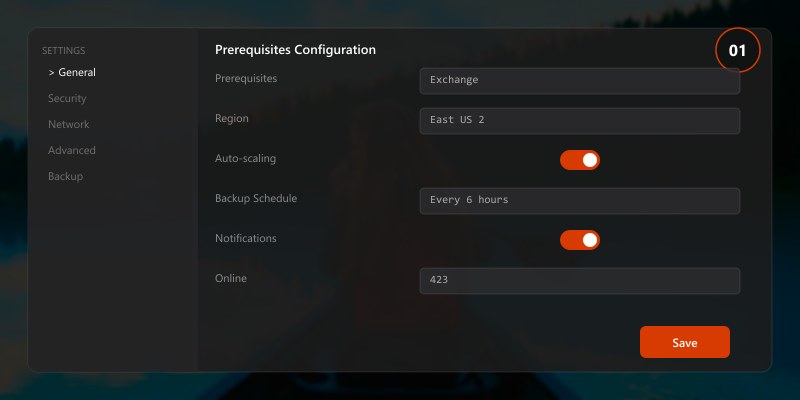
Figure: Tenant configuration for exchange online—policy settings, security baselines, compliance controls, and user provisioning.
Figure: Migration workflow for exchange online—assessment, pilot phase, bulk migration, and post-migration validation.
Figure: Governance framework for exchange online—lifecycle policies, access reviews, usage monitoring, and cost optimization.
param(
[Parameter(Mandatory)]
[string]$UserPrincipalName,
[Parameter(Mandatory)]
[string]$DisplayName,

[ValidateSet('Standard', 'Executive', 'Shared')]
[string]$MailboxTier = 'Standard',

[string]$Department,
[string]$Manager
)
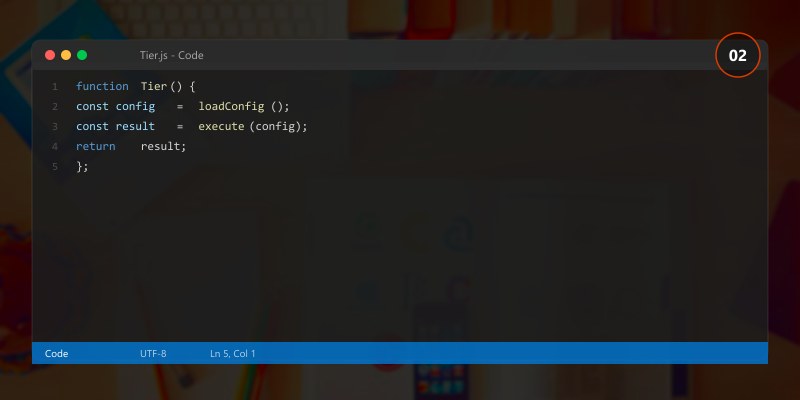
Tier-based configuration
$config = @{
'Standard' = @{
    IssueWarningQuota = '45GB'
    ProhibitSendReceiveQuota = '50GB'
    RetentionPolicy = 'Standard 7 Year'
    LitigationHold = $false
}
'Executive' = @{
IssueWarningQuota = '90GB'
ProhibitSendReceiveQuota = '100GB'
RetentionPolicy = 'Executive Hold'
LitigationHold = $true
}
'Shared' = @{
IssueWarningQuota = '45GB'
ProhibitSendReceiveQuota = '50GB'
RetentionPolicy = 'Standard 7 Year'
LitigationHold = $false
}
}
$settings = $config[$MailboxTier]
try {
# Create mailbox
if ($MailboxTier -eq 'Shared') {
$mbx = New-Mailbox -Name $DisplayName -Shared -PrimarySmtpAddress $UserPrincipalName
} else {
$mbx = New-Mailbox -Name $DisplayName -UserPrincipalName $UserPrincipalName
}
# Apply tier settings
Set-Mailbox -Identity $UserPrincipalName @settings -ErrorAction Stop

# Enable archive
Enable-Mailbox -Identity $UserPrincipalName -Archive -ErrorAction Stop

# Set department/manager metadata
if ($Department) {
    Set-User -Identity $UserPrincipalName -Department $Department
}
if ($Manager) {
    Set-User -Identity $UserPrincipalName -Manager $Manager
}

# Audit logging
$auditLog = @{
    Timestamp = Get-Date
    Action = 'MailboxCreated'
    User = $UserPrincipalName
    Tier = $MailboxTier
    Status = 'Success'
}
$auditLog | ConvertTo-Json | Out-File -Append "C:\Logs\MailboxProvision.log"

Write-Output "✅ Mailbox created: $UserPrincipalName (Tier: $MailboxTier)"
}
catch {
Write-Error "❌ Failed to create mailbox: $_"
throw
}```
}
Batch provisioning from CSV
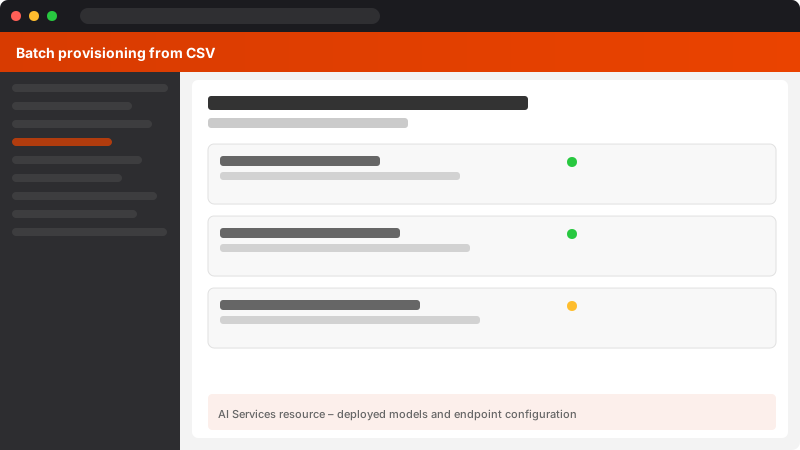
Figure: AI Services resource – deployed models and endpoint configuration.
Import-Csv "NewUsers.csv" | ForEach-Object {
New-EnterpriseMailbox -UserPrincipalName $_.UPN -DisplayName $_.DisplayName -MailboxTier $_.Tier -Department $_.Department```
}

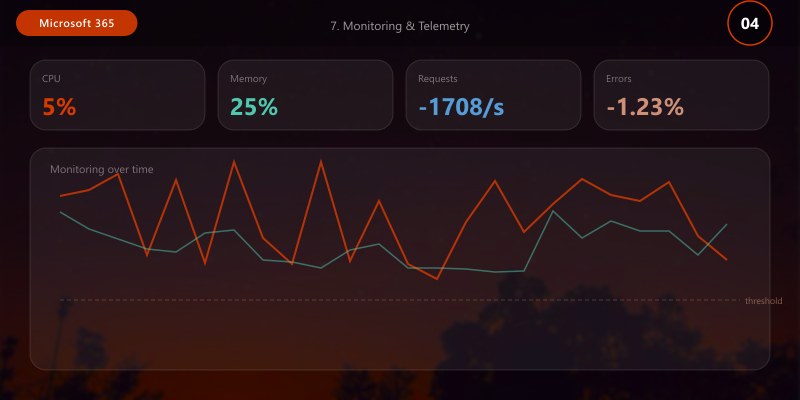
7. Monitoring & Telemetry
KPI Framework
| KPI | Definition | Formula | Target |
|---|---|---|---|
| Mail Flow Success Rate | % messages delivered | (Delivered / Total Sent) × 100 | > 99.5% |
| Spam Detection Rate | % spam correctly identified | (Spam Caught / Total Spam) × 100 | > 98% |
| False Positive Rate | Legitimate mail quarantined | (False Positives / Total Legitimate) × 100 | < 0.1% |
| Average Delivery Latency | End-to-end delivery time | Avg(Received Timestamp - Sent Timestamp) | < 5 min |
| Mailbox Quota Utilization | % mailboxes near quota | (Near Quota / Total) × 100 | < 5% |
| Litigation Hold Coverage | % executive mailboxes on hold | (On Hold / Executives) × 100 | 100% |
| Audit Log Completeness | % days with full audit coverage | (Days Logged / Days in Period) × 100 | 100% |
Custom Monitoring Dashboard (PowerShell + Log Analytics)
## Daily KPI collection script
$date = Get-Date
$report = @{
```powershell
Date = $date
TotalMailboxes = (Get-Mailbox -ResultSize Unlimited).Count
SharedMailboxes = (Get-Mailbox -RecipientTypeDetails SharedMailbox).Count
MailboxesNearQuota = (Get-MailboxStatistics -ResultSize Unlimited | Where-Object {
($_.TotalItemSize.Value.ToBytes() / $_.StorageLimitStatus) -gt 0.90
}).Count
LitigationHoldEnabled = (Get-Mailbox -ResultSize Unlimited | Where-Object {$_.LitigationHoldEnabled -eq $true}).Count```
}

## Message trace aggregate (last 24h)
$messages = Get-MessageTrace -StartDate $date.AddDays(-1) -EndDate $date
$report.TotalMessages = $messages.Count
$report.DeliveredMessages = ($messages | Where-Object {$_.Status -eq 'Delivered'}).Count
$report.FailedMessages = ($messages | Where-Object {$_.Status -eq 'Failed'}).Count
$report.QuarantinedMessages = ($messages | Where-Object {$_.Status -eq 'Quarantined'}).Count
## Write to Log Analytics (example HTTP Data Collector API)
$report | ConvertTo-Json | Out-File "C:\Reports\DailyExchangeKPI_$(Get-Date -Format 'yyyyMMdd').json"
## Alert if KPI thresholds breached
if (($report.DeliveredMessages / $report.TotalMessages) -lt 0.995) {
```text
Send-MailMessage -To "admin@contoso.com" -Subject "ALERT: Mail flow success rate below 99.5%" -Body ($report | ConvertTo-Json)```
}
8. Advanced Mail Flow Engineering
Transport Rule Catalog (Enterprise Patterns)
| Rule Name | Trigger | Action | Priority | Use Case |
|---|---|---|---|---|
| External Sender Warning | SentToScope: InOrganization, From: External | Prepend Subject: [EXTERNAL] | 1 | Phishing awareness |
| Executive Email Encryption | From: Executive group, To: External | Apply RMS template: Encrypt | 2 | Data protection |
| Financial Data DLP | Subject/Body contains: SSN, Credit Card | Block + notify sender | 3 | Compliance |
| Legal Hold Journaling | From/To: Legal department | Journal to compliance mailbox | 4 | eDiscovery |
| Auto-Reply Suppression | MessageTypeMatches: AutoForward | Delete | 5 | Loop prevention |
Maintain transport rule inventory in source control (export via Get-TransportRule | Export-Clixml).
9. Incident Response & Troubleshooting
Message Trace Advanced Queries
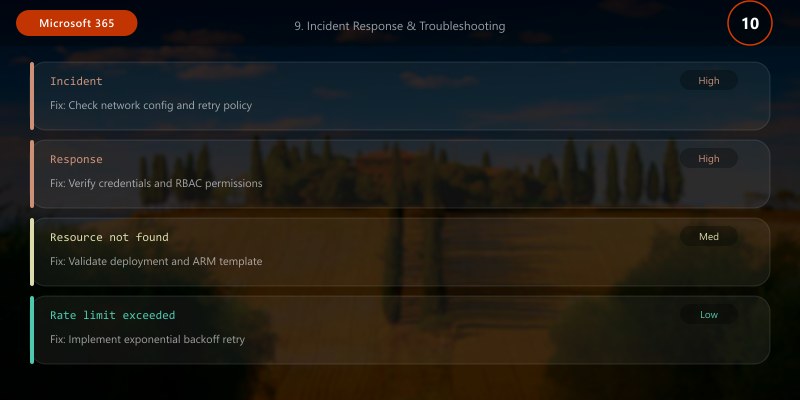
## Trace specific sender to recipient (forensic investigation)
Get-MessageTrace -SenderAddress "suspect@external.com" `
```powershell
-RecipientAddress "victim@contoso.com" `
-StartDate (Get-Date).AddDays(-10) `
-EndDate (Get-Date) |
Select-Object Received, Subject, Status, ToIP, FromIP, Size

Bulk quarantine review (false positive analysis)
Get-QuarantineMessage -StartReceivedDate (Get-Date).AddDays(-7) `
-EndReceivedDate (Get-Date) `
-QuarantineTypes Spam |
Where-Object {$_.SenderAddress -like "*@trustedpartner.com"}

Export for external analysis
$trace | Export-Csv "C:\Investigation\MessageTrace_$(Get-Date -Format 'yyyyMMdd_HHmmss').csv" -NoTypeInformation
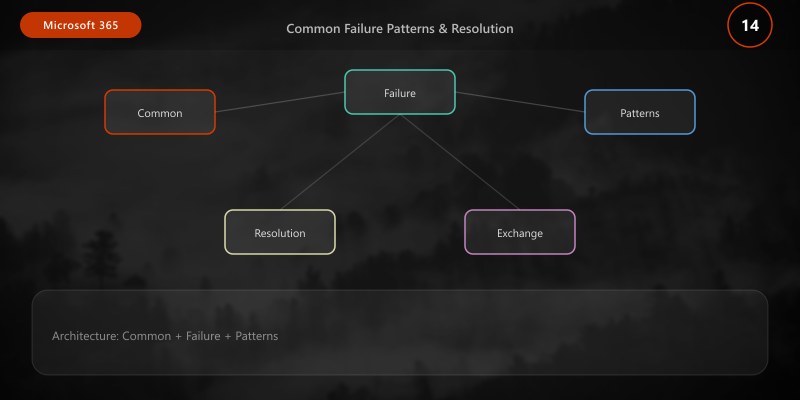
## Common Failure Patterns & Resolution
| Symptom | Root Cause | Diagnostic | Resolution |
|---------|-----------|-----------|------------|
| NDR 5.7.1 (Relay denied) | SPF failure or unauthorized relay | Check SPF record + connector config | Add sender IP to SPF or connector whitelist |
| Messages stuck in queue | Connector misconfiguration or destination unreachable | `Get-Queue`, test SMTP connectivity | Fix connector SmartHost or DNS |
| High spam false positives | Overly aggressive content filter | Review `Get-HostedContentFilterPolicy` settings | Adjust BulkThreshold, add AllowedSenders |
| Mailbox quota exhausted | No archive policy or rapid growth | `Get-MailboxStatistics`, review ItemCount trend | Enable archive, apply retention delete policy |
| Litigation hold not applied | Manual configuration gap | Audit mailbox hold status | Automate hold assignment via tier provisioning |
---
## 10. Capacity Planning & Optimization
### Mailbox Growth Projection
```powershell
## Historical growth analysis
$mailboxes = Get-Mailbox -ResultSize Unlimited
$stats = $mailboxes | Get-MailboxStatistics | Select-Object DisplayName, TotalItemSize, ItemCount, LastLogonTime
## Calculate average daily growth (sample over 90 days)
$avgDailyGrowthMB = 50 # Example: 50 MB/day average per mailbox
$forecastDays = 365
$projectedGrowthGB = ($stats.Count * $avgDailyGrowthMB * $forecastDays) / 1024
Write-Output "Projected annual storage growth: $([math]::Round($projectedGrowthGB, 2)) GB"
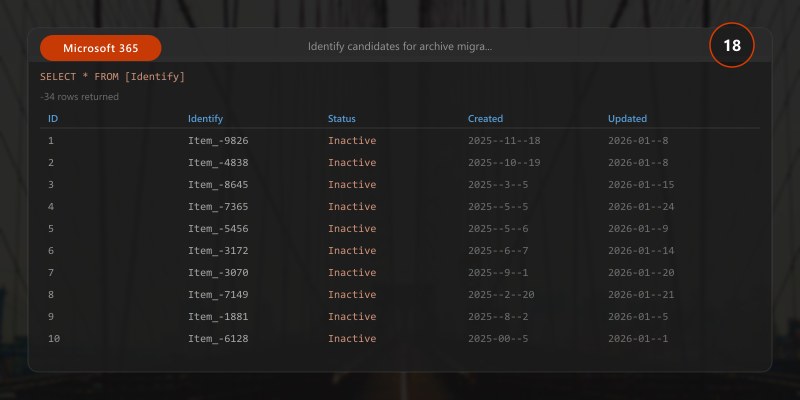
## Identify candidates for archive migration
$stats | Where-Object {
```powershell
$_.TotalItemSize.Value.ToMB() -gt 40000 -and
$_.LastLogonTime -lt (Get-Date).AddDays(-30)```
} | Select-Object DisplayName, @{N='SizeGB';E={[math]::Round($_.TotalItemSize.Value.ToGB(),2)}}
Formula:
Required Storage (GB) = (Active Mailboxes × Avg Mailbox Size) + (Archive Expansion × Retention Years)
Licensing Cost = (User Mailboxes × E3 Price) + (Archive Add-On × Archive-Enabled Count)
11. Security Hardening Best Practices
Configuration Baseline (CIS Exchange Online Benchmark Alignment)
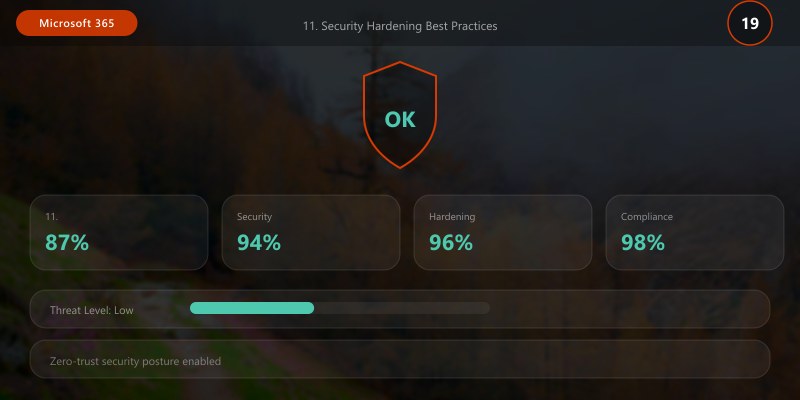
- Modern Authentication enforced (disable Basic Auth for all protocols except SMTP AUTH where needed).
- MFA required for admin accounts (Conditional Access policy).
- External sharing disabled for calendar/contacts (Set-SharingPolicy).
- DMARC policy set to
p=rejectafter validation. - Audit logging enabled for all mailboxes with 90-day retention minimum.
- Transport rule to block executable attachments (.exe, .bat, .vbs, .js, etc.).
- Safe Attachments/Links policies applied to all users (Defender for Office 365 Plan 1/2).
- Mobile device conditional access (require compliant/managed devices).
Privileged Access Management
## Create custom admin role (least privilege)
New-RoleGroup -Name "Mailbox Provisioning Admins" `
```text
-Roles "Mail Recipients", "Distribution Groups" `
-Members "admin1@contoso.com"
Restrict admin access to specific scope
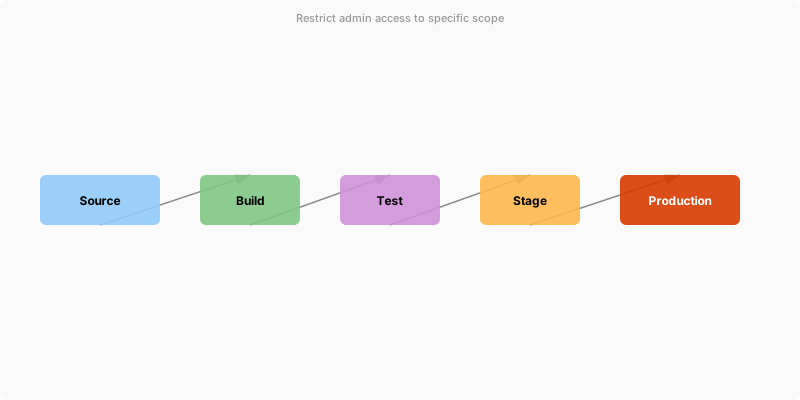
Figure: M365 admin center – user management, licenses, and health dashboard.
New-ManagementScope -Name "HR Department Only" `
-RecipientRestrictionFilter {Department -eq 'HR'}
New-RoleAssignmentPolicy -Name "HR Mailbox Admin" `
-Roles "Mail Recipients" `
-CustomRecipientWriteScope "HR Department Only"
---
## 12. Compliance Automation Patterns
### eDiscovery Workflow Automation
```powershell
## Create compliance case + search + export in single script
$caseName = "Investigation_$(Get-Date -Format 'yyyyMMdd_HHmmss')"
New-ComplianceCase -Name $caseName -Description "Automated case for keyword: ProjectAlpha"
$searchParams = @{
```text
Name = "$caseName-Search"
Case = $caseName
ExchangeLocation = "user1@contoso.com", "user2@contoso.com"
ContentMatchQuery = 'Subject:"Project Alpha" AND Received>=2025-01-01'```
}
New-ComplianceSearch @searchParams
Start-ComplianceSearch -Identity "$caseName-Search"
## Wait for completion
do {
```powershell
Start-Sleep -Seconds 30
$status = Get-ComplianceSearch -Identity "$caseName-Search"```
} while ($status.Status -ne 'Completed')

## Export results
New-ComplianceSearchAction -SearchName "$caseName-Search" -Export -Format FxStream
Write-Output "Case created: $caseName | Items found: $($status.Items) | Size: $($status.Size)"
> **Architecture Overview:** ## 13. Cost Optimization Strategies
## Connect to Exchange Online
Install-Module -Name ExchangeOnlineManagement -Force
Import-Module ExchangeOnlineManagement
Connect-ExchangeOnline
## Create new mailbox (requires license)
New-Mailbox -Name "John Smith" `
```text
-DisplayName "John Smith" `
-UserPrincipalName "john.smith@contoso.com" `
-FirstName "John" `
-LastName "Smith" `
-Password (ConvertTo-SecureString "P@ssw0rd123!" -AsPlainText -Force)
Expected output:
Package installed successfully.

Get mailbox details
Get-Mailbox -Identity "john.smith@contoso.com" | Format-List
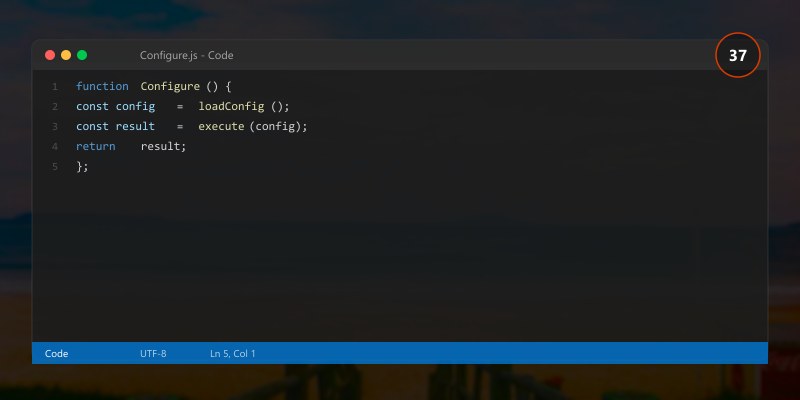
Configure mailbox settings
Set-Mailbox -Identity "john.smith@contoso.com" `
-IssueWarningQuota 45GB `
-ProhibitSendQuota 49GB `
-ProhibitSendReceiveQuota 50GB `
-RetainDeletedItemsFor 30 `
-LitigationHoldEnabled $true
Enable mailbox archive
Enable-Mailbox -Identity "john.smith@contoso.com" -Archive
Set archive quota
Set-Mailbox -Identity "john.smith@contoso.com" `
-ArchiveQuota 100GB `
-ArchiveWarningQuota 90GB

### Shared Mailboxes
```powershell
## Create shared mailbox (no license required)
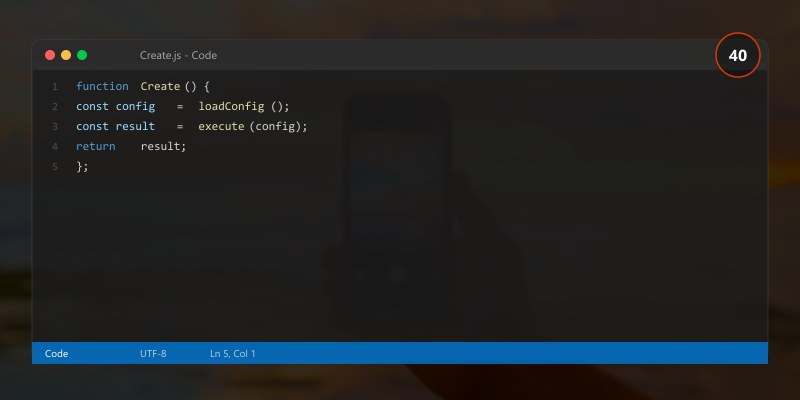
New-Mailbox -Name "Sales Team" `
```text
-DisplayName "Sales Team" `
-PrimarySmtpAddress "sales@contoso.com" `
-Shared
Grant permissions
Add-MailboxPermission -Identity "sales@contoso.com" `
-User "john.smith@contoso.com" `
-AccessRights FullAccess `
-InheritanceType All
Grant Send As permission
Add-RecipientPermission -Identity "sales@contoso.com" `
-Trustee "john.smith@contoso.com" `
-AccessRights SendAs
Convert user mailbox to shared
Set-Mailbox -Identity "olduser@contoso.com" -Type Shared
Configure automatic replies for shared mailbox
Set-MailboxAutoReplyConfiguration -Identity "sales@contoso.com" `
-AutoReplyState Enabled `
-InternalMessage "Thank you for contacting sales. We'll respond within 24 hours." `
-ExternalMessage "Thank you for your inquiry. Our team will respond soon."
### Distribution Groups
```powershell
## Create distribution group
New-DistributionGroup -Name "Marketing Team" `
```text
-DisplayName "Marketing Team" `
-PrimarySmtpAddress "marketing@contoso.com" `
-MemberJoinRestriction Closed `
-MemberDepartRestriction Closed
Add members
Add-DistributionGroupMember -Identity "marketing@contoso.com" -Member "user1@contoso.com"
Add-DistributionGroupMember -Identity "marketing@contoso.com" -Member "user2@contoso.com"
Set group owner
Set-DistributionGroup -Identity "marketing@contoso.com" `
-ManagedBy "manager@contoso.com"
Allow external senders
Set-DistributionGroup -Identity "marketing@contoso.com" `
-RequireSenderAuthenticationEnabled $false
Create dynamic distribution group
New-DynamicDistributionGroup -Name "Sales Staff" `
-RecipientFilter "Department -eq 'Sales'" `
-PrimarySmtpAddress "sales-staff@contoso.com"
### Microsoft 365 Groups
```powershell
## Create Microsoft 365 Group (modern group)
New-UnifiedGroup -DisplayName "Project Alpha" `
```text
-Alias "project-alpha" `
-EmailAddresses "project-alpha@contoso.com" `
-AccessType Private
Add members
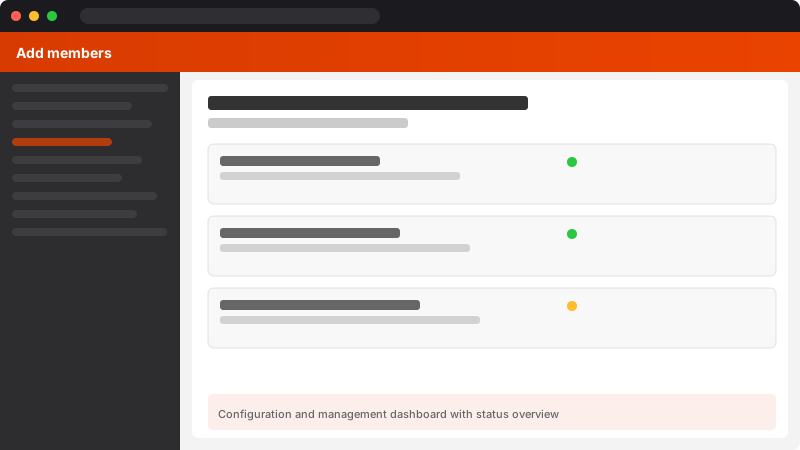
Figure: Configuration and management dashboard with status overview.
Add-UnifiedGroupLinks -Identity "project-alpha@contoso.com" `
-LinkType Members `
-Links "user1@contoso.com", "user2@contoso.com"
Add owners
Add-UnifiedGroupLinks -Identity "project-alpha@contoso.com" `
-LinkType Owners `
-Links "owner@contoso.com"
Configure group settings
Set-UnifiedGroup -Identity "project-alpha@contoso.com" `
-AutoSubscribeNewMembers $true `
-HiddenFromAddressListsEnabled $false `
-Language "en-US"
## Mail Flow Rules
### Transport Rules
```powershell
## Create mail flow rule to add disclaimer
New-TransportRule -Name "Email Disclaimer" `
```text
-ApplyHtmlDisclaimerText "<p>This email is confidential and intended for the recipient only.</p>" `
-ApplyHtmlDisclaimerLocation Append `
-ApplyHtmlDisclaimerFallbackAction Wrap
Block attachments by file extension
New-TransportRule -Name "Block Executable Attachments" `
-AttachmentExtensionMatchesWords "exe", "bat", "cmd", "com", "vbs", "js" `
-RejectMessageReasonText "Executable files are not allowed" `
-RejectMessageEnhancedStatusCode "5.7.1"
Redirect emails based on subject
New-TransportRule -Name "Redirect Support Emails" `
-SubjectContainsWords "support", "help" `
-RedirectMessageTo "support@contoso.com"
Forward emails to external address with approval
New-TransportRule -Name "External Forward Requires Approval" `
-SentToScope NotInOrganization `
-FromScope InOrganization `
-ModerateMessageByUser "manager@contoso.com" `
-Comments "All external forwards require manager approval"
Encrypt sensitive emails
New-TransportRule -Name "Encrypt Financial Data" `
-SubjectOrBodyContainsWords "confidential", "financial" `
-ApplyRightsProtectionTemplate "Encrypt"
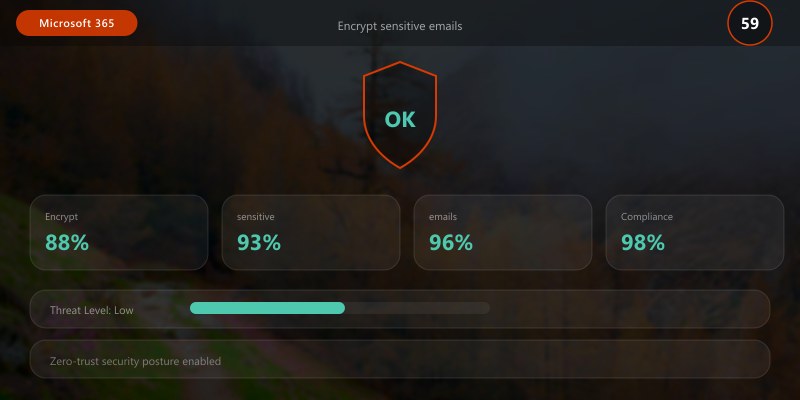
View transport rules
Get-TransportRule | Select-Object Name, State, Priority

### Connectors

```powershell
## Create inbound connector for partner
New-InboundConnector -Name "Partner Connector" `
```text
-ConnectorType OnPremises `
-SenderDomains "partner.com" `
-RequireTls $true `
-RestrictDomainsToCertificate $true
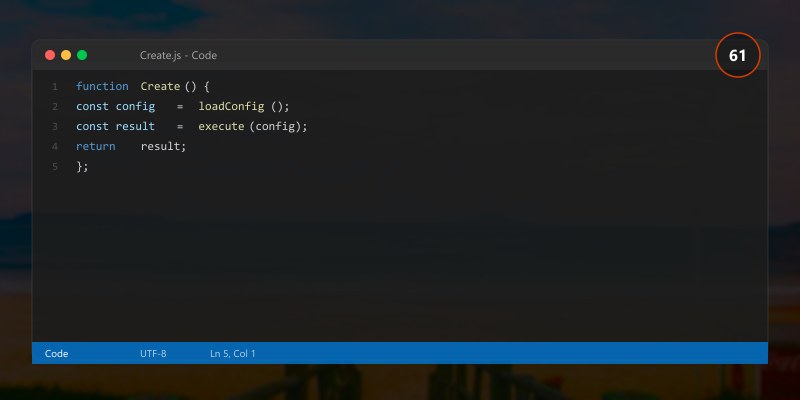
Create outbound connector for mail relay
New-OutboundConnector -Name "Outbound Relay" `
-ConnectorType Partner `
-SmartHosts "smtp.relay.com" `
-RecipientDomains "external-partner.com" `
-UseMxRecord $false
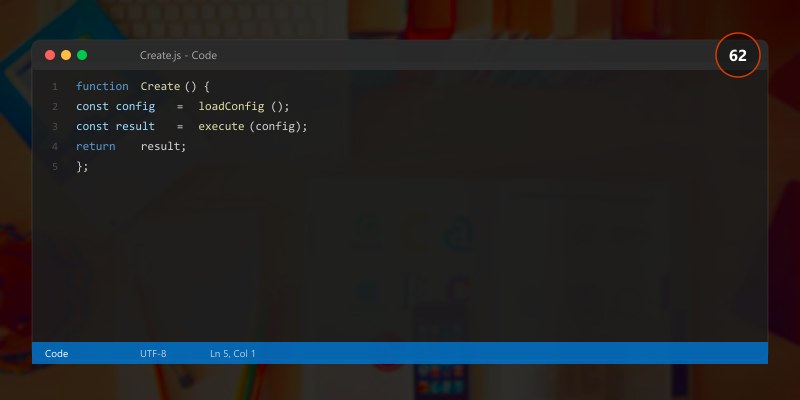
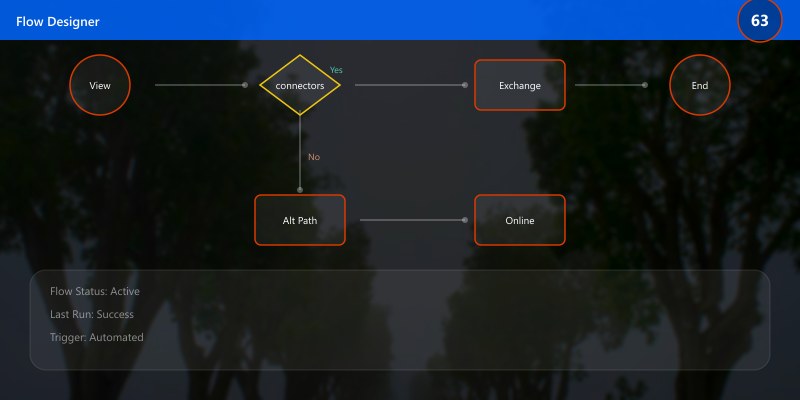
View connectors
Get-InboundConnector | Select-Object Name, Enabled, SenderDomains
Get-OutboundConnector | Select-Object Name, Enabled, RecipientDomains
## Email Security
### Anti-Spam Policies
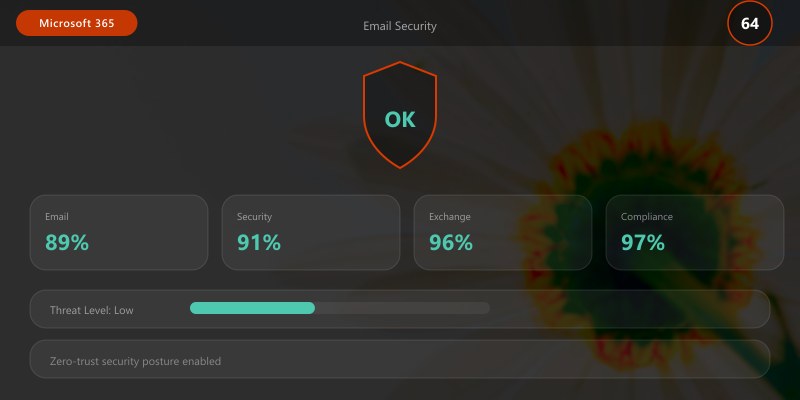
```powershell
## Configure anti-spam policy
Set-HostedContentFilterPolicy -Identity "Default" `
```text
-BulkThreshold 6 `
-SpamAction MoveToJmf `
-HighConfidenceSpamAction Quarantine `
-PhishSpamAction Quarantine `
-BulkSpamAction MoveToJmf `
-QuarantineRetentionPeriod 30 `
-EnableEndUserSpamNotifications $true `
-EndUserSpamNotificationFrequency 3 `
-IncreaseScoreWithImageLinks On `
-IncreaseScoreWithNumericIps On `
-IncreaseScoreWithRedirectToOtherPort On
Add allowed senders
Set-HostedContentFilterPolicy -Identity "Default" `
-AllowedSenders "trusted@partner.com" `
-AllowedSenderDomains "trustedpartner.com"
Add blocked senders
Set-HostedContentFilterPolicy -Identity "Default" `
-BlockedSenders "spam@bad.com" `
-BlockedSenderDomains "spammer.com"

### Anti-Malware Policies
```powershell
## Configure anti-malware policy
Set-MalwareFilterPolicy -Identity "Default" `
```text
-Action DeleteMessage `
-EnableFileFilter $true `
-FileTypes "exe", "bat", "cmd", "com", "vbs", "js", "jar", "reg", "scr" `
-EnableInternalSenderAdminNotifications $true `
-InternalSenderAdminAddress "admin@contoso.com" `
-EnableExternalSenderAdminNotifications $true `
-ExternalSenderAdminAddress "admin@contoso.com"
Create custom malware filter policy
New-MalwareFilterPolicy -Name "Executive Protection" `
-Action DeleteAttachmentAndUseDefaultAlert `
-EnableFileFilter $true `
-ZapEnabled $true
Apply policy to users
New-MalwareFilterRule -Name "Executive Protection Rule" `
-MalwareFilterPolicy "Executive Protection" `
-RecipientDomainIs "contoso.com" `
-ExceptIfSentTo "external-partner@partner.com"
### Anti-Phishing Policies
```powershell
## Create anti-phishing policy
New-AntiPhishPolicy -Name "Executive Protection" `
```text
-EnableTargetedUserProtection $true `
-TargetedUsersToProtect "ceo@contoso.com", "cfo@contoso.com" `
-TargetedUserProtectionAction Quarantine `
-EnableMailboxIntelligence $true `
-EnableMailboxIntelligenceProtection $true `
-MailboxIntelligenceProtectionAction MoveToJmf `
-EnableSpoofIntelligence $true `
-EnableUnauthenticatedSender $true `
-AuthenticationFailAction Quarantine
Enable domain impersonation protection
Set-AntiPhishPolicy -Identity "Executive Protection" `
-EnableTargetedDomainsProtection $true `
-TargetedDomainsToProtect "contoso.com", "contoso.net" `
-TargetedDomainProtectionAction Quarantine
Create policy rule
New-AntiPhishRule -Name "Executive Protection Rule" `
-AntiPhishPolicy "Executive Protection" `
-RecipientDomainIs "contoso.com" `
-Priority 0
### Safe Attachments and Safe Links
```powershell
## Configure Safe Attachments policy (requires Defender for Office 365)
New-SafeAttachmentPolicy -Name "Block Malicious Files" `
```text
-Enable $true `
-Action Block `
-Redirect $true `
-RedirectAddress "security@contoso.com"
New-SafeAttachmentRule -Name "Block Malicious Files Rule" `
-SafeAttachmentPolicy "Block Malicious Files" `
-RecipientDomainIs "contoso.com"
Configure Safe Links policy
New-SafeLinksPolicy -Name "Protect Against Malicious URLs" `
-ScanUrls $true `
-DeliverMessageAfterScan $true `
-EnableForInternalSenders $true `
-TrackClicks $true `
-AllowClickThrough $false
New-SafeLinksRule -Name "Protect Against Malicious URLs Rule" `
-SafeLinksPolicy "Protect Against Malicious URLs" `
-RecipientDomainIs "contoso.com"
## Retention and Compliance
### Retention Policies
```powershell
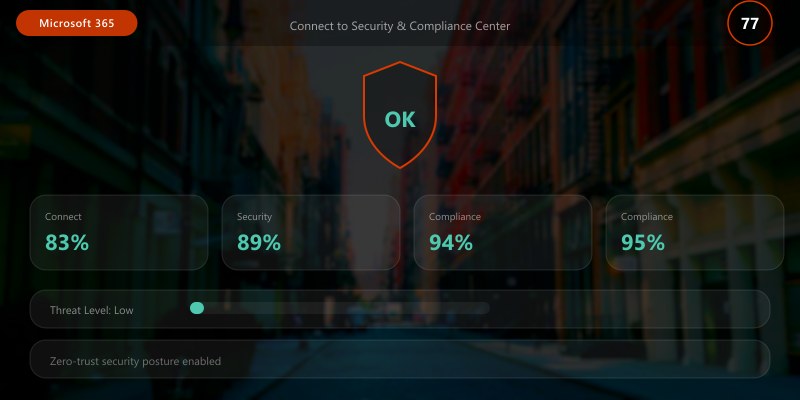
## Connect to Security & Compliance Center
Connect-IPPSSession
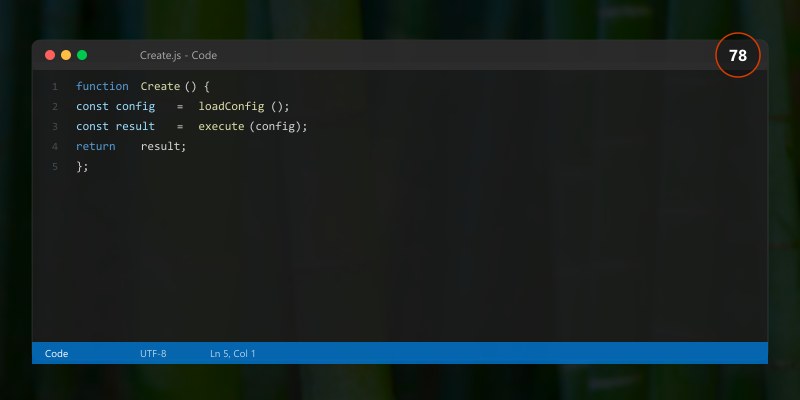
## Create retention policy
New-RetentionCompliancePolicy -Name "Email 7 Year Retention" `
```text
-ExchangeLocation All
Add retention rule
New-RetentionComplianceRule -Name "Keep 7 Years" `
-Policy "Email 7 Year Retention" `
-RetentionDuration 2555 `
-RetentionComplianceAction Keep
Apply to specific mailboxes
Set-RetentionCompliancePolicy -Identity "Email 7 Year Retention" `
-AddExchangeLocation "user1@contoso.com", "user2@contoso.com"
Create deletion policy
New-RetentionComplianceRule -Name "Delete After 7 Years" `
-Policy "Email 7 Year Retention" `
-RetentionDuration 2555 `
-RetentionComplianceAction Delete
### Litigation Hold
```powershell
## Enable litigation hold
Set-Mailbox -Identity "user@contoso.com" `
```text
-LitigationHoldEnabled $true `
-LitigationHoldDuration 2555
Set hold comment
Set-Mailbox -Identity "user@contoso.com" `
-LitigationHoldEnabled $true `
-LitigationHoldOwner "Legal Department" `
-RetentionComment "Legal hold for case #12345"
Check hold status
Get-Mailbox -Identity "user@contoso.com" |
Select-Object DisplayName, LitigationHoldEnabled, LitigationHoldDuration, LitigationHoldOwner

### eDiscovery
```powershell
## Create eDiscovery case
New-ComplianceCase -Name "Legal Case 2025-001" `
```text
-Description "Investigation for legal matter"
Create content search
New-ComplianceSearch -Name "Email Search" `
-Case "Legal Case 2025-001" `
-ExchangeLocation "user1@contoso.com", "user2@contoso.com" `
-ContentMatchQuery "Subject:'Project Alpha' AND Received:2025-01-01..2025-03-31"
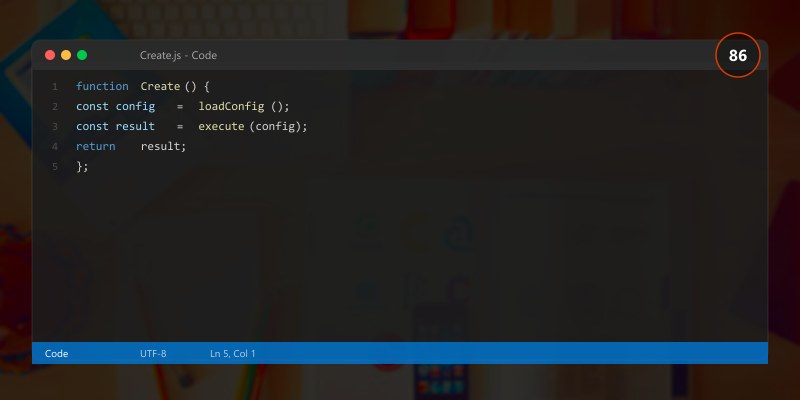
Start search
Start-ComplianceSearch -Identity "Email Search"
View search results
Get-ComplianceSearch -Identity "Email Search" |
Select-Object Name, Status, Items, Size
Export search results
New-ComplianceSearchAction -SearchName "Email Search" -Export
## Mobile Device Management
### Mobile Device Access

```powershell
## Configure mobile device access
Set-ActiveSyncOrganizationSettings -DefaultAccessLevel Allow
## Block specific device types
New-ActiveSyncDeviceAccessRule -QueryString "iOS 14" -AccessLevel Block
## Allow specific device families
New-ActiveSyncDeviceAccessRule -QueryString "WindowsPhone" -AccessLevel Allow
## View mobile devices
Get-MobileDevice | Select-Object FriendlyName, DeviceOS, DeviceType, FirstSyncTime

Mobile Device Mailbox Policies
## Create mobile device policy
New-MobileDeviceMailboxPolicy -Name "Secure Mobile Policy" `
```text
-PasswordEnabled $true `
-MinPasswordLength 8 `
-PasswordComplexity $true `
-PasswordExpiration 90 `
-PasswordHistory 5 `
-MaxInactivityTimeLock 00:15:00 `
-AllowSimplePassword $false `
-RequireDeviceEncryption $true `
-AllowWiFi $true `
-AllowBluetooth Allow `
-AllowCamera $true `
-AllowStorageCard $false `
-AllowNonProvisionableDevices $false
Assign policy to user
Set-CASMailbox -Identity "user@contoso.com" `
-ActiveSyncMailboxPolicy "Secure Mobile Policy"
Remote wipe device
Clear-MobileDevice -Identity "user@contoso.com\DeviceID" -NotificationEmailAddresses "user@contoso.com"
## Mailbox Auditing
### Enable Auditing

```powershell
## Enable mailbox auditing
Set-Mailbox -Identity "user@contoso.com" `
```text
-AuditEnabled $true `
-AuditOwner Update, Move, MoveToDeletedItems, SoftDelete, HardDelete `
-AuditDelegate Update, Move, MoveToDeletedItems, SendAs, SendOnBehalf `
-AuditAdmin Update, Move, MoveToDeletedItems, SoftDelete, HardDelete
Enable for all mailboxes
Get-Mailbox -ResultSize Unlimited | Set-Mailbox -AuditEnabled $true
Search audit log
Search-UnifiedAuditLog -StartDate (Get-Date).AddDays(-7) `
-EndDate (Get-Date) `
-RecordType ExchangeItem `
-Operations HardDelete `
-UserIds "user@contoso.com"
Export audit log
$results = Search-UnifiedAuditLog -StartDate (Get-Date).AddDays(-30) -EndDate (Get-Date)
$results | Export-Csv "C:\Reports\AuditLog.csv" -NoTypeInformation
## Mailbox Delegation
### Delegate Access

```powershell
## Grant Full Access permission
Add-MailboxPermission -Identity "boss@contoso.com" `
```text
-User "assistant@contoso.com" `
-AccessRights FullAccess `
-InheritanceType All `
-AutoMapping $true
Grant Send As permission
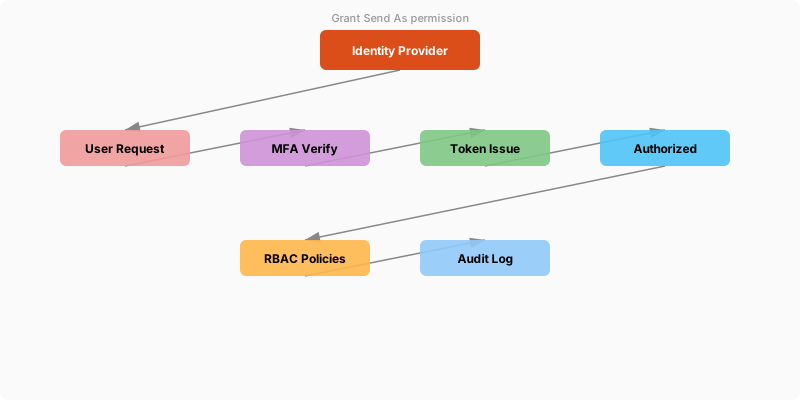
Figure: Site permissions – groups, external sharing, and access request settings.
Add-RecipientPermission -Identity "boss@contoso.com" `
-Trustee "assistant@contoso.com" `
-AccessRights SendAs
Grant Send on Behalf permission
Set-Mailbox -Identity "boss@contoso.com" `
-GrantSendOnBehalfTo "assistant@contoso.com"
View mailbox permissions
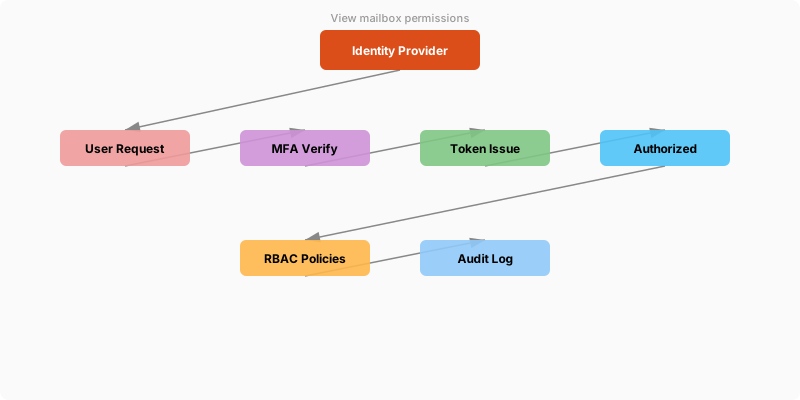
Figure: Outlook Web – mail rules, shared calendars, and resource booking.
Get-MailboxPermission -Identity "boss@contoso.com" |
Where-Object {$_.User -notlike "NT AUTHORITY\*"} |
Select-Object Identity, User, AccessRights

## Architecture Decision and Tradeoffs
When designing productivity and collaboration solutions with Microsoft 365, consider these key architectural trade-offs:
| Approach | Best For | Tradeoff |
|----------|----------|----------|
| Managed / platform service | Rapid delivery, reduced ops burden | Less customisation, potential vendor lock-in |
| Custom / self-hosted | Full control, advanced tuning | Higher operational overhead and cost |
> **Recommendation:** Start with the managed approach for most workloads and move to custom only when specific requirements demand it.
## Validation and Versioning
- Last validated: April 2026
- Validate examples against your tenant, region, and SKU constraints before production rollout.
- Keep module, CLI, and SDK versions pinned in automation pipelines and review quarterly.
## Security and Governance Considerations
- Apply least-privilege access using RBAC roles and just-in-time elevation for admin tasks.
- Store secrets in managed secret stores and avoid embedding credentials in scripts or source files.
- Enable audit logging, data protection policies, and periodic access reviews for regulated workloads.
## Cost and Performance Notes
- Define budgets and alerts, then monitor usage and cost trends continuously after go-live.
- Baseline performance with synthetic and real-user checks before and after major changes.
- Scale resources with measured thresholds and revisit sizing after usage pattern changes.
## Official Microsoft References
- https://learn.microsoft.com/microsoft-365/
- https://learn.microsoft.com/exchange/
- https://learn.microsoft.com/microsoftteams/
## Public Examples from Official Sources
- These examples are sourced from official public Microsoft documentation and sample repositories.
- Documentation examples: https://learn.microsoft.com/microsoft-365/
- Sample repositories: https://github.com/pnp
- Prefer adapting these examples to your tenant, subscriptions, and governance requirements before production use.
## Key Takeaways
- Exchange Online provides enterprise email in the cloud
- Shared mailboxes enable team collaboration without licenses
- Mail flow rules automate email processing
- Anti-spam, anti-malware, and anti-phishing protect against threats
- Retention policies ensure compliance
- Mobile device policies secure access
- eDiscovery supports legal requirements
- Auditing tracks mailbox access
## Next Steps
- Configure mailboxes with appropriate quotas
- Implement mail flow rules for automation
- Enable anti-spam and anti-malware protection
- Create retention policies for compliance
- Deploy mobile device policies
- Enable mailbox auditing
- Train users on email security
## Additional Resources
- [Exchange Online Documentation](https://learn.microsoft.com/exchange/exchange-online)
- [Exchange Online PowerShell](https://learn.microsoft.com/powershell/exchange/exchange-online-powershell)
- [Exchange Admin Center](https://admin.exchange.microsoft.com)
- [Security & Compliance Center](https://protection.office.com)
---
*Secure. Manage. Comply. Protect.*
