Dynamics 365 Marketing: Automation, Customer Journeys, and Real-Time Personalization
Architecture Overview: ↓```
                     ↓
                 Still no open? → [Move to long-term nurture journey]
  Parallel Path (for all contacts):
```text
↓```
  [Check LinkedIn Activity]

> **Architecture Overview:** Visited company page? → [Update Lead Score 10]

- Visited pricing page? → [Update Lead Score +25, Create Sales Alert]
- Started trial? → [Update Lead Score +50, Assign to Sales Rep]
Exit Conditions:
- Contact unsubscribes
- Contact converted to opportunity
- 60 days elapsed without engagement
Diagram: See the official Microsoft documentation for architecture details.
## Lead Scoring
### Scoring Models

**Demographic scoring:**
```yaml
Scoring Category: Demographic Fit
Model: Enterprise B2B
Rules:
Job Title:
```text
- C-Level (CEO, CTO, CFO): +25 points
- VP/Director: +20 points
- Manager: +15 points
- Individual Contributor: +5 points
Company Size:
- Enterprise (1000+ employees): +30 points
- Mid-Market (100-999): +20 points
- SMB (10-99): +10 points
- Very Small (<10): +0 points
Industry:
- Technology: +20 points
- Financial Services: +20 points
- Healthcare: +15 points
- Retail: +10 points
- Other: +5 points
Budget Authority:
- Final Decision Maker: +25 points
- Influencer: +15 points
- Evaluator: +10 points
- End User: +5 points
Geographic Region:
- North America: +15 points
- Europe: +15 points
- APAC: +10 points
- Other: +5 points
**Behavioral scoring:**

```yaml
Scoring Category: Engagement & Intent
Model: Product Interest

Digital Interactions:
  Website Activity:
```text
- Homepage Visit: +2 points
- Pricing Page: +25 points
- Product Demo Request: +40 points
- Case Studies: +15 points
- Blog Post: +5 points
- Careers Page: -10 points (job seeker, not buyer)
Content Downloads:
- Whitepaper: +20 points
- eBook: +15 points
- Datasheet: +10 points
- Webinar Recording: +15 points
Email Engagement:
- Open: +3 points
- Click: +8 points
- Multiple Clicks: +15 points
- Forward to Colleague: +20 points
- Unsubscribe: -50 points
Event Participation:
- Webinar Registration: +15 points
- Webinar Attendance: +25 points
- Trade Show Visit: +30 points
- Executive Roundtable: +40 points
Social Media:
- Company Page Follow: +5 points
- Post Like/Share: +3 points
- Comment on Post: +8 points
- LinkedIn Message: +15 points
Sales Interactions:
- Replied to Sales Email: +30 points
- Accepted Meeting: +50 points
- Attended Demo: +60 points
- Requested Proposal: +80 points
Time Decay:
- Interactions older than 90 days: -50% score
- Interactions older than 180 days: -75% score
- No activity in 365 days: Reset to 0
### Lead Grade Thresholds

**Qualification criteria:**

```yaml
Lead Grades:
  A (Hot Lead): Score >= 80
```yaml
Actions:
  - Assign to senior sales rep immediately
  - Create high-priority task
  - Send to sales queue
  - Notify sales manager
  - Enable chat bot for instant engagement
B (Warm Lead): Score 60-79
Actions:
  - Assign to sales rep (round-robin)
  - Create standard task (2-day SLA)
  - Continue nurture campaign
  - Schedule follow-up call
C (Cool Lead): Score 40-59
Actions:
  - Keep in marketing automation
  - Enroll in long-term nurture
  - Monitor for score increases
  - Send monthly newsletters
D (Cold Lead): Score < 40
Actions:
  - Low-touch nurture campaign
  - Quarterly check-ins
  - Re-engagement campaigns
  - Consider archiving if no activity > 1 year
## Email Marketing
### Email Builder

**Email template structure:**
```yaml
Email: Product Launch Announcement
Template Type: Marketing Email (Real-Time)
Subject Line: "Introducing {{Product Name}} - Transform Your {{Industry}}"
Preheader: "See how {{Company}} achieved 300% ROI in 90 days"
Dynamic Content Blocks:
Hero Section:
```text
- Background Image: Product hero image
- Headline: Personalized by industry
- Tech: "Enterprise-Grade Solution for Modern Teams"
- Finance: "Secure, Compliant Platform for Financial Services"
- Healthcare: "HIPAA-Compliant Care Coordination"
- CTA Button: "Watch 2-Minute Demo"
Personalization Tokens:
- {{Contact.FirstName}}
- {{Contact.Company}}
- {{Contact.Industry}}
- {{Account.AnnualRevenue}} (for tiered messaging)
- {{LeadScore}} (for urgency messaging)
Conditional Content:
If Lead Score >= 70:
  Show: "Schedule Your Personal Demo" (direct booking link)
Else:
  Show: "Watch Pre-Recorded Demo" (video link)

If Previous Email Opened:
  Show: "Welcome back! Ready for next steps?"
Else:
  Show: "Discover how we help companies like {{Contact.Company}}"
Social Proof Section:
Dynamic Customer Logo Grid:
  Filter by Industry = {{Contact.Industry}}
  Display: Top 6 customer logos

Dynamic Testimonial:
  Query: WHERE Customer.Industry = {{Contact.Industry}}
  Display: Random testimonial with photo
Footer:
- Unsubscribe Link (required)
- Preference Center (manage subscriptions)
- Company Address
- Social Media Icons (dynamic follow buttons)
A/B Testing:
Variant A: Subject - "Introducing [Product]..."
Variant B: Subject - "How [Company] achieved 300% ROI..."
Test Size: 20% of list (10% each variant)
Winner Metric: Open Rate
Send Winner: To remaining 80% after 4 hours
### Email Deliverability

**Best practices configuration:**

```yaml
Sender Authentication:
  SPF Record: v=spf1 include:spf.protection.outlook.com ~all
  DKIM: Enabled (Dynamics 365 Marketing managed)
  DMARC: v=DMARC1; p=quarantine; rct=100
  Custom Domain: marketing.contoso.com
  Dedicated IP: Recommended for >100k sends/month

List Hygiene:
  - Remove hard bounces immediately
  - Suppress unsubscribes automatically
  - Double opt-in for new subscriptions
  - Re-engagement campaign for inactive (180 days)
  - Archive non-responders (365 days)

Content Quality:
  - Spam Score Check: Target < 5 (SpamAssassin)
  - Text-to-Image Ratio: 60/40 minimum
  - Avoid Spam Trigger Words: "Free", "Click Here", "Act Now"
  - Include Plain Text Version
  - Test Rendering: Litmus integration

Sending Strategy:
  - Warm up new IP: Gradual volume increase over 30 days
  - Throttle Sending: Max 50k/hour (avoid bulk flags)
  - Time Zone Optimization: Send at recipient's 10 AM local time
  - Frequency Cap: Max 3 marketing emails/week per contact

Compliance:
  - GDPR: Explicit consent required
  - CAN-SPAM: Unsubscribe within 10 days
  - CASL (Canada): Express consent, clear identification
  - Preference Center: Granular subscription options
Event Management
Event Configuration

In-person conference setup:
Event: Annual Customer Summit 2025
Type: Conference
Date: September 15-17, 2025
Venue: Contoso Convention Center, Seattle, WA
Capacity: 1,500 attendees

Event Website (Portal):
  - Home: Event overview, keynote speakers
  - Agenda: Session schedule with filtering
  - Speakers: Bios and headshots
  - Sponsors: Sponsor logos and descriptions
  - Registration: Multi-step registration form
  - Hotel & Travel: Partner hotel info, airport shuttle

Registration Types:
  Full Conference Pass: $1,299
```text
- All sessions
- Keynotes
- Lunch & networking
- Evening reception
- Swag bag
Day Pass: $499/day
- Single day access
- Lunch included
Virtual Attendance: $299
- Live stream keynotes
- On-demand session recordings
- Digital resources
VIP Pass: $2,499
- All Full Pass benefits
- Executive dinner
- Private breakout sessions
- One-on-one meetings with executives
Sessions:
Track 1: Product Innovation
- 9:00 AM: Keynote - Future of Enterprise Software
- 10:30 AM: AI & Machine Learning in Practice
- 1:30 PM: Customer Success Stories
- 3:00 PM: Roadmap Preview
Capacity: 500 per session
Track 2: Technical Deep Dive
- 10:30 AM: API Integration Patterns
- 1:30 PM: Security & Compliance
- 3:00 PM: Performance Optimization
Capacity: 200 per session
Check-In Process:
- QR Code Badge Scanning
- Session Check-In (track attendance)
- Lead Retrieval App (sponsor booth visits)
- Networking Badge with NFC
Post-Event Automation:
- Day 1: Thank you email with session recordings
- Day 3: Survey request (Net Promoter Score)
- Week 1: Follow-up from sales for demo requests
- Week 2: Invitation to online community
## LinkedIn Integration
### LinkedIn Lead Gen Forms
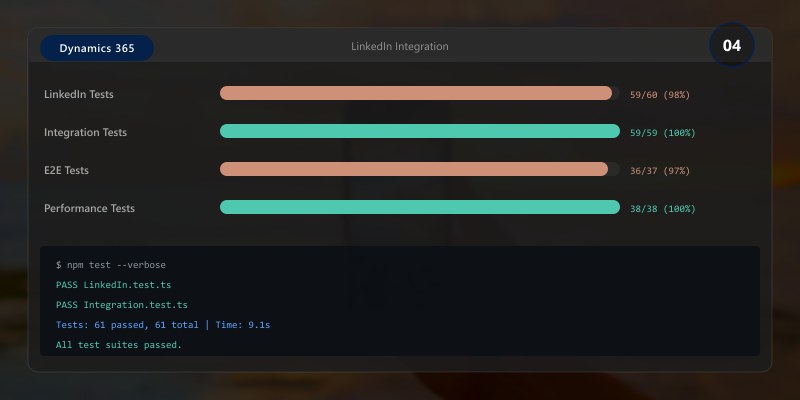
**Campaign integration:**
```yaml
LinkedIn Campaign: Enterprise Software Solutions
Objective: Lead Generation
Target Audience:
- Job Titles: C-Level, VP, Director
- Company Size: 1000+ employees
- Industries: Technology, Finance, Healthcare
- Geographic: North America, Europe
Lead Gen Form:
Form Name: "Download Enterprise Buyer's Guide"
Pre-filled Fields (from LinkedIn):
```text
- First Name
- Last Name
- Email
- Company
- Job Title
Custom Questions:
- Company Size (dropdown)
- Current Solution (text)
- Implementation Timeline (radio)
- Phone Number (optional)
Dynamics 365 Integration:
- Sync: Real-time (via LinkedIn integration)
- Lead Creation: Automatic in Dynamics 365
- Lead Source: "LinkedIn - Paid"
- Campaign: "Enterprise Buyer's Guide Q3 2025"
- Lead Score: Auto-calculate based on job title + company size
Automated Actions:
1. Create lead in Dynamics 365
2. Send confirmation email with download link
3. Enroll in nurture journey
4. If Lead Score >= 70: Create task for sales
5. Sync to CRM for visibility
### LinkedIn Matched Audiences

**Account-based marketing:**

```yaml
Strategy: Target Accounts List Upload
Target: Top 500 Enterprise Accounts

Upload Process:
  1. Export accounts from Dynamics 365
     Fields: Company Name, Domain, LinkedIn Company Page URL

  2. Create LinkedIn Matched Audience
     - Upload CSV to LinkedIn Campaign Manager
     - LinkedIn matches companies to LinkedIn pages
     - Match Rate: Typically 60-80%

  3. Create Sponsored Content Campaign
     - Budget: $50/day per 100 accounts
     - Ad Format: Single Image Ad, Carousel, Video
     - Bidding: CPC (cost per click) $8-15 average
     - Objective: Website Visits or Lead Generation

Content Examples:
  Ad 1: Customer Success Story
```yaml
Headline: "How [Customer] Reduced Costs by 40%"
Image: Customer logo + results graphic
CTA: "Read Case Study"
Ad 2: Product Demo
Headline: "See [Product] in Action - 5-Minute Demo"
Video: Animated product walkthrough
CTA: "Watch Demo"
Ad 3: Analyst Report
Headline: "Gartner Names [Company] a Leader"
Image: Magic Quadrant graphic
CTA: "Get Report"
Retargeting:
- Website Visitors (LinkedIn Insight Tag)
- Email Engagers (upload list)
- Event Attendees (upload list)
- Video Viewers (LinkedIn video retargeting)
## Marketing Analytics
### Journey Performance Dashboard
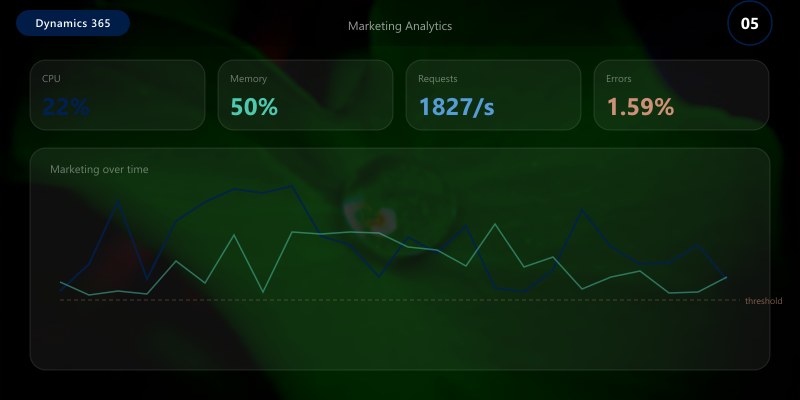
**Key metrics:**
```yaml
Dashboard: Customer Journey Analytics
Date Range: Last 30 Days
Overall Metrics:
Total Journeys: 15 active
Contacts in Journeys: 45,230
Completed Journeys: 8,456 (18.7%)
Journey Exits (unsubscribe): 523 (1.2%)
Top Performing Journeys:
1. Product Launch Campaign
- Contacts: 12,450
- Email Open Rate: 42%
- Click-Through Rate: 18%
- Conversion Rate: 8.5% (leads created)
- Pipeline Generated: $2.3M
2. Webinar Nurture Series
- Contacts: 8,320
- Webinar Attendance: 34%
- Post-Webinar Email CTR: 25%
- Demo Requests: 315
- Pipeline Generated: $1.8M
Channel Performance:
Email:
```text
- Sends: 125,430
- Delivery Rate: 98.2%
- Open Rate: 38.5%
- Click Rate: 15.2%
- Unsubscribe Rate: 0.8%
- Bounce Rate: 1.8%
SMS:
- Sends: 15,230
- Delivery Rate: 99.1%
- Click Rate: 22.3%
- Opt-Out Rate: 2.1%
Push Notifications:
- Sends: 8,450
- Delivery Rate: 94.5%
- Open Rate: 28.7%
Conversion Funnel:
Email Sent: 125,430 (100%)
↓ Delivered: 123,175 (98.2%)
  ↓ Opened: 47,422 (38.5%)
    ↓ Clicked: 18,728 (15.2%)
      ↓ Converted: 1,592 (1.3% of sent)
ROI Calculation:
Marketing Spend: $125,000
Pipeline Generated: $8.5M
Won Opportunities: $2.1M
Marketing ROI: 16.8x (revenue/spend)
## Best Practices
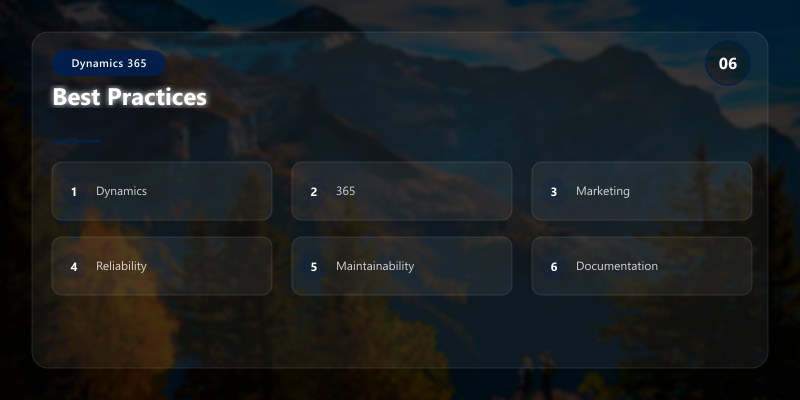
1. **Consent Management**: Always obtain explicit consent, maintain preference center
2. **Segmentation**: Use dynamic segments that auto-update based on behavior
3. **Personalization**: Go beyond name - use behavioral data for relevance
4. **Testing**: A/B test subject lines, content, send times continuously
5. **Journey Optimization**: Review journey analytics monthly, prune underperforming paths
6. **Lead Scoring**: Regularly calibrate scoring models based on closed-won analysis
7. **Compliance**: Stay current with GDPR, CAN-SPAM, CASL regulations
## Troubleshooting
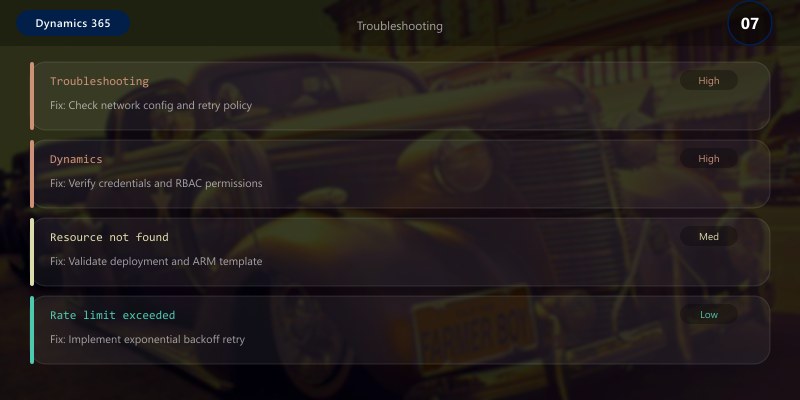
**Emails going to spam:**
```yaml
Issue: High spam complaint rate or low inbox placement
Diagnostics:
1. Check sender reputation: Use tools like Sender Score, GlockApps
2. Review email content: Spam trigger words, image/text ratio
3. Verify authentication: SPF, DKIM, DMARC records
4. Analyze engagement: Low open rates indicate poor targeting
Solutions:
- Segment list: Remove inactive subscribers (> 6 months)
- Re-engagement campaign: "Are you still interested?"
- Double opt-in: Confirm subscriptions
- Gradual sending: Warm up IP with lower volumes
- Clean content: Avoid spam triggers, maintain 60/40 text/image
Architecture Decision and Tradeoffs
When designing business applications solutions with Dynamics 365, consider these key architectural trade-offs:
| Approach | Best For | Tradeoff |
|---|---|---|
| Managed / platform service | Rapid delivery, reduced ops burden | Less customisation, potential vendor lock-in |
| Custom / self-hosted | Full control, advanced tuning | Higher operational overhead and cost |
Recommendation: Start with the managed approach for most workloads and move to custom only when specific requirements demand it.
Validation and Versioning
- Last validated: April 2026
- Validate examples against your tenant, region, and SKU constraints before production rollout.
- Keep module, CLI, and SDK versions pinned in automation pipelines and review quarterly.
Security and Governance Considerations
- Apply least-privilege access using RBAC roles and just-in-time elevation for admin tasks.
- Store secrets in managed secret stores and avoid embedding credentials in scripts or source files.
- Enable audit logging, data protection policies, and periodic access reviews for regulated workloads.
Cost and Performance Notes
- Define budgets and alerts, then monitor usage and cost trends continuously after go-live.
- Baseline performance with synthetic and real-user checks before and after major changes.
- Scale resources with measured thresholds and revisit sizing after usage pattern changes.
Official Microsoft References
- https://learn.microsoft.com/dynamics365/
- https://learn.microsoft.com/power-platform/admin/
- https://learn.microsoft.com/power-platform/alm/
Public Examples from Official Sources
- These examples are sourced from official public Microsoft documentation and sample repositories.
- Documentation examples: https://learn.microsoft.com/dynamics365/
- Sample repositories: https://github.com/microsoft/PowerApps-Samples
- Prefer adapting these examples to your tenant, subscriptions, and governance requirements before production use.
Key Takeaways
- Customer journeys automate multi-step nurture campaigns with real-time triggers
- Lead scoring combines demographic fit and behavioral signals for sales readiness
- Email marketing requires personalization, testing, and deliverability focus
- Event management integrates registration, check-in, and post-event follow-up
- LinkedIn integration enables targeted account-based marketing campaigns
Next Steps
- Implement AI-Powered Optimization for send time and content selection
- Enable SMS Marketing for time-sensitive communications
- Configure Push Notifications for mobile app engagement
- Build Custom Analytics dashboards with Power BI
Additional Resources
Personalize at scale, convert with precision.
