Dynamics 365 Finance & Operations: Core Modules and Implementation Fundamentals
Introduction
Dynamics 365 Finance & Operations (F&O) is Microsoft's enterprise resource planning (ERP) solution for financial management, supply chain, manufacturing, and operations. Unlike Customer Engagement apps built on Dataverse, F&O uses a separate SQL-based architecture optimized for high-volume transactional processing. This guide covers core financial and supply chain modules, master data configuration, data entities for integration, and deployment strategies.
Architecture Overview
F&O Platform Components
System architecture:
┌────────────────────────────────────────────────┐
│ Client Layer │
│ Web Client │ Mobile App │ Office Add-ins │
├────────────────────────────────────────────────┤
│ Application Layer │
│ Finance │ Supply Chain │ Manufacturing │
├────────────────────────────────────────────────┤
│ Business Logic (X++ Code) │
│ Forms │ Reports │ Batch Jobs │ Workflows │
├────────────────────────────────────────────────┤
│ Data Layer (SQL Server/Azure SQL) │
│ Tables │ Views │ Stored Procedures │
├────────────────────────────────────────────────┤
│ Integration Layer │
│ Data Entities │ OData │ Batch API │ Events │
└────────────────────────────────────────────────┘
Differences from Customer Engagement
| Aspect | Finance & Operations | Customer Engagement |
|---|---|---|
| Database | Azure SQL (dedicated) | Dataverse (shared service) |
| Programming | X++ | C# plugins, Power Fx |
| Customization | Extensions, overlayering | Plugins, workflows, business rules |
| Deployment | Cloud-hosted, on-premises | Cloud-only (SaaS) |
| Use Cases | ERP, supply chain, manufacturing | CRM, sales, service, marketing |
| Data Volume | High-volume transactions | Moderate transactional data |
Finance Module
General Ledger Setup
Chart of Accounts:
Main Account Structure:
├── Assets (1000-1999)
│ ├── Current Assets (1000-1499)
│ │ ├── Cash (1000-1099)
│ │ ├── Accounts Receivable (1100-1199)
│ │ └── Inventory (1200-1299)
│ └── Fixed Assets (1500-1999)
├── Liabilities (2000-2999)
│ ├── Current Liabilities (2000-2499)
│ └── Long-term Liabilities (2500-2999)
├── Equity (3000-3999)
├── Revenue (4000-4999)
└── Expenses (5000-9999)
├── Cost of Goods Sold (5000-5999)
├── Operating Expenses (6000-8999)
└── Other Expenses (9000-9999)
Financial dimensions:
Dimension Setup:
Business Unit:
- Corporate
- Retail
- Manufacturing
- Distribution
Department:
- Sales
- Marketing
- Operations
- Finance
- IT
Cost Center:
- 1000: Administration
- 2000: Research & Development
- 3000: Production
- 4000: Sales & Marketing
Project:
- PRJ001: CRM Implementation
- PRJ002: ERP Upgrade
- PRJ003: Digital Transformation
Account Structure:
Format: MainAccount-BusinessUnit-Department-CostCenter
Example: 6100-Retail-Sales-4000
Description: Salary expense for Retail Sales department
Journal Entry Configuration
Creating general journals:
// X++ code example for journal creation
JournalHeader journalHeader;
JournalLine journalLine;
// Create journal header
journalHeader.JournalNum = NumberSeq::newGetNum(LedgerJournalTable::numRefJournalNum()).num();
journalHeader.Name = "Daily Journal";
journalHeader.JournalType = LedgerJournalType::Daily;
journalHeader.insert();
// Create debit line
journalLine.clear();
journalLine.JournalNum = journalHeader.JournalNum;
journalLine.AccountType = LedgerJournalACType::Ledger;
journalLine.LedgerDimension = DimensionDefaultingService::serviceCreateLedgerDimension(
"6100-Retail-Sales-4000");
journalLine.AmountCurDebit = 5000.00;
journalLine.Txt = "Salary expense - Sales team";
journalLine.insert();
// Create credit line
journalLine.clear();
journalLine.JournalNum = journalHeader.JournalNum;
journalLine.AccountType = LedgerJournalACType::Ledger;
journalLine.LedgerDimension = DimensionDefaultingService::serviceCreateLedgerDimension(
"1000-Corporate-Finance-1000");
journalLine.AmountCurCredit = 5000.00;
journalLine.Txt = "Cash payment - Salary";
journalLine.insert();
Posting setup:
Navigate to: General Ledger → Posting Setup → General Posting Setup
Transaction Type: Customer Invoice
Main Account (Debit): 1100 (Accounts Receivable)
Offset Account (Credit): 4000 (Revenue)
Transaction Type: Vendor Invoice
Main Account (Credit): 2000 (Accounts Payable)
Offset Account (Debit): 5000 (Expense)
Transaction Type: Inventory Issue
Main Account (Credit): 1200 (Inventory)
Offset Account (Debit): 5000 (Cost of Goods Sold)
Accounts Receivable
Customer setup:
Customer Group: WHOLESALE
Terms of Payment: Net 30
Credit Limit: $50,000
Currency: USD
Payment Method: Wire Transfer
Late Fee: 1.5% per month
Customer Account: CUST-001
Name: Contoso Corporation
Customer Group: WHOLESALE
Invoice Account: CUST-001
Delivery Account: CUST-001
Address:
Street: 123 Business Blvd
City: Seattle
State: WA
Zip: 98101
Country: USA
Contact:
Phone: +1-206-555-0100
Email: ap@contoso.com
Aging periods:
Aging Period Definition: 30-Day Buckets
Period 1: 0-30 days (Current)
Period 2: 31-60 days
Period 3: 61-90 days
Period 4: 91-120 days
Period 5: 120+ days (Over 120)
Accounts Payable
Vendor setup:
Vendor Group: DOMESTIC
Terms of Payment: 2/10 Net 30 (2% discount if paid within 10 days)
Currency: USD
Payment Method: Check
1099 Reporting: Yes
Vendor Account: VEND-001
Name: Fabrikam Supplies Inc.
Vendor Group: DOMESTIC
Invoice Account: VEND-001
Bank Account:
Routing Number: 123456789
Account Number: 987654321
W-9 on File: Yes
Tax ID: 12-3456789
Three-way match configuration:
Matching Policy: Three-Way Match
Purchase Order Required: Yes
Product Receipt Required: Yes
Tolerances:
Price Tolerance: 5%
Quantity Tolerance: 2%
Total Invoice Tolerance: $100 or 5%
Validation:
✓ PO quantity matches product receipt
✓ Product receipt quantity matches invoice
✓ PO price matches invoice (within tolerance)
✓ Total invoice amount within tolerance
Supply Chain Management
Inventory Management
Item master setup:
Item Number: LAPTOP-15-I7
Item Name: 15" Laptop - Intel i7
Item Group: Electronics
Inventory Model Group: FIFO
Item Model Group: Standard Cost
Dimensions:
Storage Dimensions:
- Site: Required
- Warehouse: Required
- Location: Optional
Tracking Dimensions:
- Serial Number: Active
- Batch Number: Not Active
Product Dimensions:
- Configuration: 8GB/16GB/32GB RAM
- Size: Not Used
- Color: Silver/Black
Inventory:
Default Order Settings:
Purchase: Min 10, Max 1000, Multiple 10
Sales: Min 1, Max 500
Reorder Point: 50 units
Safety Stock: 25 units
Costing:
Standard Cost: $800.00
Cost Group: Finished Goods
Valuation Method: Standard Cost
Warehouse Management
Warehouse layout:
Warehouse: MAIN-01
├── Receiving Area (RCV)
│ ├── RCV-001 (Staging)
│ ├── RCV-002 (Inspection)
│ └── RCV-003 (Quarantine)
├── Storage Areas
│ ├── BULK-A1 (Bulk Storage Aisle 1)
│ ├── PICK-B1 (Pick Zone Bay 1)
│ └── RACK-C1 (Racking Zone)
└── Shipping Area (SHIP)
├── SHIP-001 (Staging)
└── SHIP-002 (Loading Dock)
Location Setup:
Location: PICK-B1-01
Location Profile: Small Parts
Location Type: Pick
Picking Zone: B
Available for:
- Picking: Yes
- Receiving: No
- Shipping: No
Max Weight: 100 lbs
Max Volume: 10 cubic feet
Procurement and Sourcing
Purchase requisition workflow:
Requisition Created
↓
Budget Check (Automated)
↓ Pass
Manager Approval (if > $1,000)
↓ Approved
Procurement Review
↓
Convert to Purchase Order
↓
Send to Vendor
↓
Receive Goods (Product Receipt)
↓
Vendor Invoice → Three-Way Match
↓
Payment Processing
Trade agreement setup:
Agreement Type: Price/Discount (Purchase)
Relation: Vendor-Item
Vendor Account: VEND-001
Item Code: LAPTOP-15-I7
Price Terms:
From Date: 2025-01-01
To Date: 2025-12-31
Unit: Each
Price: $750.00 (negotiated discount from $800 list)
Currency: USD
Quantity Breaks:
1-49 units: $750.00
50-99 units: $725.00
100+ units: $700.00
Master Data Management
Legal Entity Configuration
Organization hierarchy:
Legal Entity: Contoso USA Inc.
Company Code: CUSA
Tax Registration: 12-3456789
Address:
Street: 1 Contoso Way
City: Redmond
State: WA
Country: USA
Business Units:
- Retail Division (CUSA-RET)
- Manufacturing Division (CUSA-MFG)
- Distribution Division (CUSA-DST)
Operating Units:
- Warehouse: Seattle Main (MAIN-01)
- Warehouse: Portland Distribution (PDX-01)
- Cost Center: Corporate HQ (CC-1000)
- Cost Center: R&D (CC-2000)
Number Sequences
Configuration example:
Number Sequence: Sales Order
Format: SO-####-######
Example: SO-2025-000001
Scope: Company
Segments:
- Constant: SO-
- Alphanumeric: #### (Year)
- Alphanumeric: ###### (Sequential)
Smallest: 000001
Largest: 999999
Allocation: 20 (pre-allocate 20 numbers)
Continuous: Yes
Number Sequence: Purchase Order
Format: PO-{Site}-######
Example: PO-SEA-000001
Scope: Company
Segments:
- Constant: PO-
- Reference: {Site Code}
- Alphanumeric: ###### (Sequential)
Data Entities and Integration
Data Entity Framework
Common data entities:
// Export customers using Data Entity
DataEntityDataSourceName dataSourceName = tableStr(CustomersV3);
DMFEntityName entityName = "Customers V3";
DataManagementStagingEntity stagingEntity;
select firstOnly stagingEntity
where stagingEntity.EntityName == entityName;
// Using OData for integration
HTTP GET: https://org.operations.dynamics.com/data/CustomersV3
Headers:
Authorization: Bearer {token}
Content-Type: application/json
Response:
{
"@odata.context": "...",
"value": [
{
"CustomerAccount": "CUST-001",
"CustomerGroupId": "WHOLESALE",
"OrganizationName": "Contoso Corporation",
"SalesCurrencyCode": "USD",
"CreditLimit": 50000.00
}
]
}
Recurring Data Import/Export
Data management framework:
Data Project: Daily Sales Orders Import
Source: CSV File (Azure Blob Storage)
Format: CSV
Entity: Sales Order Headers V2
Mapping:
Source Column → Target Field
OrderNumber → SalesOrderNumber
CustomerID → CustomerAccount
OrderDate → RequestedReceiptDate
ShipToAddress → DeliveryAddressStreet
Execution:
Type: Recurring Batch Job
Schedule: Daily at 6:00 AM UTC
Error Handling: Continue on error, log to staging
Notification: Email on completion/failure
Dual-Write Integration
Synchronizing with Dataverse:
Dual-Write Map: Customers
F&O Table: CustTable
Dataverse Table: account
Field Mappings:
CustTable.AccountNum → account.accountnumber
CustTable.Name → account.name
CustTable.CreditMax → account.creditlimit
CustTable.Currency → account.transactioncurrencyid
Synchronization:
Direction: Bidirectional
Initial Sync: F&O to Dataverse
Change Tracking: Real-time
Conflict Resolution: Last write wins
Batch Job Framework
Creating Batch Jobs
X++ batch job example:
class InventCountBatchJob extends RunBaseBatch
{
InventSiteId siteId;
InventLocationId locationId;
protected void run()
{
InventTable inventTable;
InventSum inventSum;
while select inventTable
join inventSum
where inventSum.ItemId == inventTable.ItemId
&& inventSum.InventSiteId == this.siteId
&& inventSum.InventLocationId == this.locationId
{
this.processItem(inventTable, inventSum);
}
}
private void processItem(InventTable _inventTable, InventSum _inventSum)
{
// Batch job logic
info(strFmt("Processing item %1: Quantity %2",
_inventTable.ItemId,
_inventSum.availPhysical()));
}
public static void main(Args _args)
{
InventCountBatchJob job = new InventCountBatchJob();
if (job.prompt())
{
job.runOperation();
}
}
}
Batch job configuration:
Batch Job: Inventory Count
Batch Group: Inventory Processing
Description: Daily inventory count reconciliation
Schedule:
Start Date/Time: 2025-01-01 02:00 AM
Recurrence: Daily
End Date: No end date
Runtime:
Company: CUSA
User: BatchUser
Priority: Normal
Maximum Retries: 3
Dependencies:
Wait for: Inventory Closing
Runs after: Cost Calculation
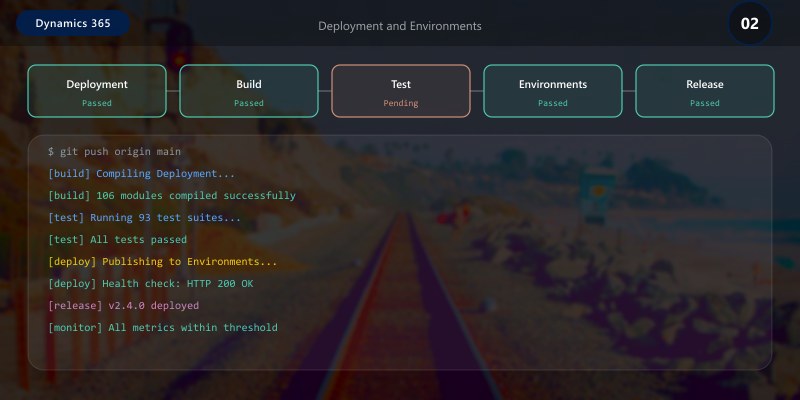
Deployment and Environments
Lifecycle Services (LCS)
Environment types:
Environment Topology:
Development:
Type: Cloud-hosted (Tier 1)
Purpose: Developer sandboxes, code development
Visual Studio: Integrated
Database: Azure SQL (small)
Build/Test:
Type: Cloud-hosted (Tier 1)
Purpose: Build validation, automated testing
Azure DevOps: Connected
Database: Azure SQL (medium)
UAT (User Acceptance Testing):
Type: Standard Acceptance Test (Tier 2)
Purpose: User testing, training
High Availability: No
Database: Azure SQL (large)
Production:
Type: Production (Tier 3+)
Purpose: Live operations
High Availability: Yes (99.9% SLA)
Database: Azure SQL (premium)
Disaster Recovery: Geo-redundant backup
Application Lifecycle Management
Code deployment process:
Developer → Feature Branch
↓
Pull Request → Code Review
↓
Merge to Main → Build Pipeline
↓
Automated Tests (Unit + Integration)
↓ Pass
Create Deployable Package
↓
Deploy to Build Environment
↓ Validated
Deploy to UAT → User Testing
↓ Approved
Deploy to Production (Maintenance Window)
Best Practices
- Master Data First: Configure legal entities, number sequences, and chart of accounts before transactions
- Data Entities for Integration: Use data entities instead of direct table access
- Batch Jobs for Heavy Processing: Don't run long operations synchronously
- Extensions Over Overlayering: Prefer extension models for customizations
- Environment Strategy: Maintain separate Dev, Test, UAT, and Production environments
- Security Roles: Use duty-based security roles aligned with job functions
- Performance Testing: Test batch jobs and integrations with production-like data volumes
Troubleshooting
Data entity import failures:
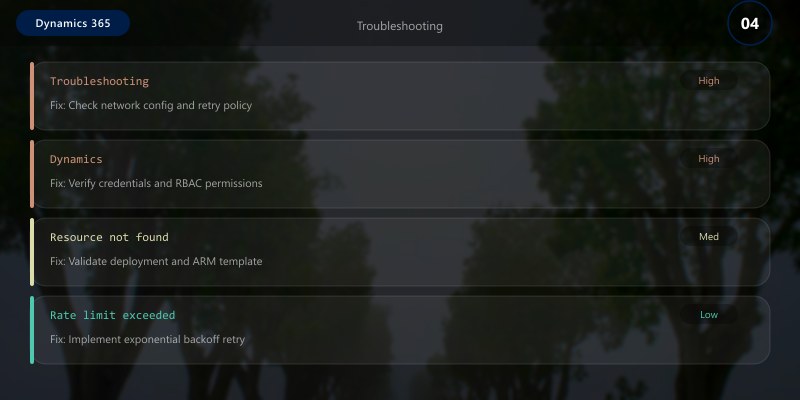
Error: "Field validation failed for field CustomerAccount"
Solution: Check field length and format in staging table
- Navigate to Data Management workspace
- View execution history
- Review staging table errors
- Correct source data and re-import
Batch job not executing:
Issue: Job scheduled but not running
Check:
1. Batch server configured and running
2. User has appropriate security permissions
3. Company context is correct
4. No dependency conflicts with other jobs
Key Takeaways
- Dynamics 365 F&O is purpose-built for high-volume ERP operations
- General Ledger with financial dimensions provides flexible reporting
- Supply chain modules integrate procurement, inventory, and warehouse management
- Data entities enable robust integration with external systems
- Batch framework handles heavy processing outside user sessions
- Lifecycle Services (LCS) manages environments and deployments
Next Steps
- Explore Product Information Management (PIM) for complex product catalogs
- Implement Advanced Warehouse Management with mobile devices
- Configure Manufacturing modules for production planning
- Set up Budget Planning and forecasting
Additional Resources
- Dynamics 365 Finance & Operations Documentation
- X++ Language Reference
- Data Entities Overview
- Lifecycle Services Portal
Operations excellence, financial precision.