public static void MultiplyArrays(int[] a, int[] b, int[] result)
{
for (int i = 0; i < a.Length; i++)
{
    result[i] = a[i] * b[i];
}```
}

// JIT generates SIMD instructions (AVX2/AVX512)
// Processes 8 integers at once with Vector256<int>
Loop Unrolling:
// ❌ Before: Sequential processing
for (int i = 0; i < array.Length; i++)
{
```text
sum += array[i];```
}

// ✅ After: JIT unrolls loop (4x)
for (int i = 0; i < array.Length; i += 4)
{
```text
sum += array[i] + array[i+1] + array[i+2] + array[i+3];```
}
// Handles remainder separately
Inlining Improvements
Aggressive Inlining:
// Small methods automatically inlined
[MethodImpl(MethodImplOptions.AggressiveInlining)]
public static bool IsValid(string input)
{
```text
return !string.IsNullOrWhiteSpace(input);```
}

// Call site becomes:
if (!string.IsNullOrWhiteSpace(input))
{
```text
// No method call overhead```
}
Cross-Assembly Inlining:
// .NET 8 can inline methods across assembly boundaries
// with ReadyToRun (R2R) and PGO

// Library.dll
public class Calculator
{
```javascript
public static int Add(int a, int b) => a + b;```
}

// App.dll
var result = Calculator.Add(5, 10);
// Inlined as: var result = 5 + 10;
Native AOT Compilation
Basic Configuration
Project Setup:
<Project Sdk="Microsoft.NET.Sdk">
  <PropertyGroup>
```text
<TargetFramework>net8.0</TargetFramework>
<PublishAot>true</PublishAot>
<InvariantGlobalization>true</InvariantGlobalization>
<IlcOptimizationPreference>Speed</IlcOptimizationPreference>
<IlcGenerateStackTraceData>false</IlcGenerateStackTraceData>```
  </PropertyGroup>
</Project>
Publish Command:
dotnet publish -c Release -r win-x64
# Output:
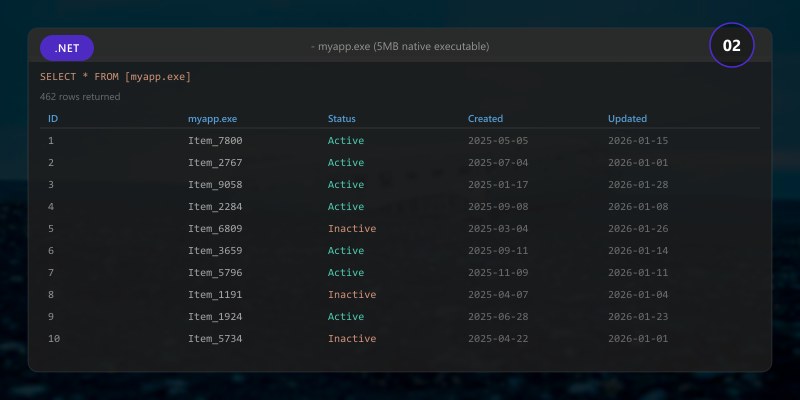
## - myapp.exe (5MB native executable)
## - No runtime dependencies
## - <10ms startup time
## - ~50% memory reduction vs JIT
Expected output:
MyApp.Api -> /src/MyApp.Api/bin/Release/net8.0/publish/

AOT-Compatible Code
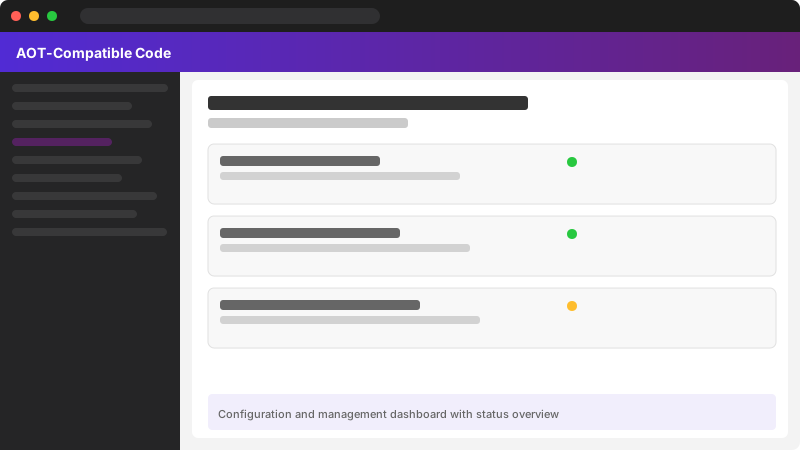
Figure: Configuration and management dashboard with status overview.
Supported Scenarios:
// ✅ AOT-compatible
public class Calculator
{
```javascript
public int Add(int a, int b) => a + b;```
}

// ✅ Generic methods with value types
public T Max<T>(T a, T b) where T : IComparable<T>
{
```text
return a.CompareTo(b) > 0 ? a : b;```
}

// ✅ LINQ with concrete types
var result = numbers
```javascript
.Where(n => n > 10)
.Select(n => n * 2)
.ToList();
**Unsupported Features:**

```csharp
// ❌ Reflection.Emit
var assembly = AssemblyBuilder.DefineDynamicAssembly(...);

// ❌ Dynamic code generation
dynamic obj = new ExpandoObject();
obj.Property = "value";

// ❌ Unconstrained generics with reflection
public void Process<T>(T item)
{
```text
var type = typeof(T);
var method = type.GetMethod("ToString");```
}

// ✅ Workaround: Source generators
[JsonSerializable(typeof(User))]
partial class UserContext : JsonSerializerContext { }
Trimming and Size Optimization
Aggressive Trimming:
<PropertyGroup>
  <PublishAot>true</PublishAot>
  <PublishTrimmed>true</PublishTrimmed>
  <TrimMode>full</TrimMode>
  <EnableTrimAnalyzer>true</EnableTrimAnalyzer>
</PropertyGroup>
Preserving Code:
// Prevent trimming specific types
[DynamicallyAccessedMembers(DynamicallyAccessedMemberTypes.PublicMethods)]
public static void ProcessType(Type type)
{
```text
var methods = type.GetMethods();```
}

// Assembly-level preservation
[assembly: UnconditionalSuppressMessage(
```text
"Trimming",
"IL2026",
Scope = "member",
Target = "~M:MyApp.Startup.ConfigureServices")]
## LINQ Performance Enhancements
### Order/OrderBy Improvements
**Optimized Sorting:**
```csharp
var numbers = Enumerable.Range(1, 1000000);
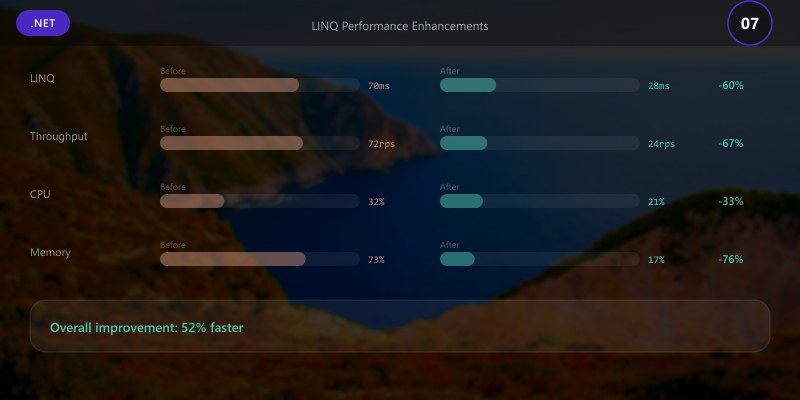
// .NET 7: ~150ms
// .NET 8: ~80ms (46% faster)
var sorted = numbers
```text
.Order()
.ToArray();
// ThenBy optimization
var users = GetUsers();
var ordered = users
.OrderBy(u => u.LastName)
.ThenBy(u => u.FirstName)  // Single sort pass in .NET 8
.ToList();
### Count/LongCount Optimization

**Smart Counting:**

```csharp
// ❌ .NET 7: Enumerates entire collection
var count = collection
```javascript
.Where(x => x.IsActive)
.Count();
// ✅ .NET 8: Optimized for known-length collections
var count = collection
.Where(x => x.IsActive)
.Count();  // Uses TryGetNonEnumeratedCount when possible
// Example optimization
List
var count = numbers
.Where(n => n > 2)
.Count();  // Doesn't allocate iterator in simple cases
### Index/Range Support

**Range Operations:**

```csharp
int[] numbers = [1, 2, 3, 4, 5, 6, 7, 8, 9, 10];

// ✅ .NET 8: Optimized with spans
var slice = numbers[2..7];  // No allocation

// LINQ with ranges
var result = numbers
```text
.Take(5..8)  // Items at indices 5, 6, 7
.ToArray();
// Reverse ranges
var lastThree = numbers[^3..]; // [8, 9, 10]
## Span<T> and Memory<T> Enhancements

### SearchValues<T>

**Efficient Searching:**

```csharp
// ❌ Old approach: Multiple Contains calls
private static readonly char[] Separators = [' ', '\t', '\n', '\r'];

public static int CountWords(string text)
{
```text
int count = 0;
foreach (char c in text)
{
    if (Separators.Contains(c))
        count++;
}
return count;```
}

// ✅ .NET 8: SearchValues (10x faster)
private static readonly SearchValues<char> Separators =
```text
SearchValues.Create([' ', '\t', '\n', '\r']);
public static int CountWords(ReadOnlySpan
{
int count = 0;
int index;
while ((index = text.IndexOfAny(Separators)) >= 0)
{
    count++;
    text = text.Slice(index + 1);
}
return count;```
}
CompositeFormat
Compiled Format Strings:
// ❌ Old: Parses format string every time
for (int i = 0; i < 1000; i++)
{
```text
var message = string.Format("User {0} logged in at {1}",
    users[i].Name, DateTime.Now);```
}

// ✅ .NET 8: Pre-compiled format (3x faster)
private static readonly CompositeFormat LogFormat =
```text
CompositeFormat.Parse("User {0} logged in at {1}");
for (int i = 0; i < 1000; i++)
{
var message = string.Format(null, LogFormat,
    users[i].Name, DateTime.Now);```
}
Benchmarking Methodology
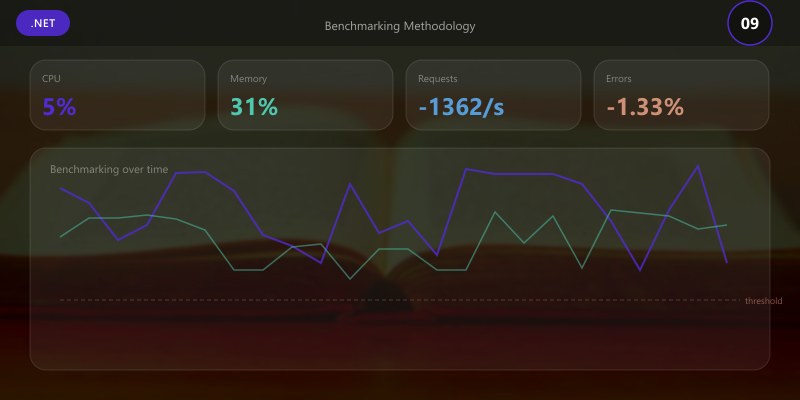
Accurate performance work requires a repeatable benchmarking and validation loop rather than ad‑hoc stopwatch measurements. .NET's recommended approach combines BenchmarkDotNet for microbenchmarks and EventPipe/diagnostics tooling for corroborating production behavior.
Benchmark Project Setup
Add a dedicated benchmark project (avoid running inside your production project to minimize noise):
dotnet new console -n PerfBenchmarks -f net8.0
cd PerfBenchmarks
dotnet add package BenchmarkDotNet
Expected output:
The template "ASP.NET Core Web API" was created successfully.
Restore succeeded.

Program.cs:
using BenchmarkDotNet.Attributes;
using BenchmarkDotNet.Running;
using System.Buffers;
using System.Numerics;


public class ArraySumBenchmarks
{
```text
private int[] _data;

[Params(10_000, 1_000_000)]
public int N;

[GlobalSetup]
public void Setup()
{
    _data = new int[N];
    var rnd = new Random(42);
    for (int i = 0; i < N; i++) _data[i] = rnd.Next(0, 100);
}

[Benchmark(Baseline = true)]
public long Scalar()
{
    long sum = 0;
    for (int i = 0; i < _data.Length; i++) sum += _data[i];
    return sum;
}

[Benchmark]
public long SimdVector()
{
    var span = _data.AsSpan();
    var vectorSize = Vector<int>.Count;
    var i = 0;
    Vector<int> acc = Vector<int>.Zero;
    for (; i <= span.Length - vectorSize; i += vectorSize)
    {
        var v = new Vector<int>(span.Slice(i, vectorSize));
        acc += v;
    }
    long sum = 0;
    for (int j = 0; j < vectorSize; j++) sum += acc[j];
    for (; i < span.Length; i++) sum += span[i];
    return sum;
}```
}

BenchmarkRunner.Run<ArraySumBenchmarks>();
Run:
dotnet run -c Release
Expected output:
info: Now listening on: https://localhost:5001
info: Application started. Press Ctrl+C to shut down.
> **Architecture Overview:** 
## Live counters (Requests/sec, GC heap size, allocations)
dotnet-counters monitor --process-id <pid> System.Runtime Microsoft.AspNetCore.Hosting
## Allocation + GC events capture
dotnet-trace collect --process-id <pid> --providers Microsoft-Windows-DotNETRuntime:0x140CBD:5
## Heap snapshot for LOH/SOH investigation
dotnet-gcdump collect -p <pid>
dotnet-gcdump analyze heap.gcdump

Allocation Reduction Strategies
Figure: Configuration and management dashboard with status overview.
| Scenario | Optimization | Typical Gain |
|---|---|---|
| High JSON throughput | Source-generated serializers | 30–50% fewer allocations |
| String parsing | Span<char> + SearchValues |
5–10x speed in tight loops |
| Lookup tables | FrozenDictionary / FrozenSet |
~40% faster lookups, 0 allocations |
| Regex hot path | [GeneratedRegex] attribute |
2–3x startup + reduced gen0 churn |
| Buffer management | ArrayPool<T>.Shared |
Avoid repeated large array allocs |
GC Mode Considerations
// runtimeconfig.template.json excerpt
{
  "runtimeOptions": {
```text
"configProperties": {
  "System.GC.Server": true,
  "System.GC.Concurrent": true,
  "System.GC.RetainVM": false
}```
  }
}
Server GC for backend services, Workstation GC for interactive desktop apps. Measure GC pause impact with EventPipe and correlate with SLA budgets.
SIMD & Intrinsics Deep Dive
Figure: Program.cs – service registration with IntelliSense for DI lifetimes.
While the JIT auto‑vectorizes many patterns, explicit intrinsics can push critical loops further.
using System.Runtime.Intrinsics;
using System.Runtime.Intrinsics.X86;

public static unsafe int SumBytes(byte[] data)
{
```javascript
if (!Avx2.IsSupported) return data.Sum(b => b);
int i = 0; int sum = 0;
fixed (byte* ptr = data)
{
    var length = data.Length;
    var stride = 32; // 256-bit
    var acc = Vector256<byte>.Zero;
    for (; i <= length - stride; i += stride)
    {
        var v = Avx.LoadVector256(ptr + i);
        acc = Avx2.Add(acc, v);
    }
    // Horizontal sum
    var lo = Avx2.UnpackLow(acc, Vector256<byte>.Zero).AsUInt16();
    var hi = Avx2.UnpackHigh(acc, Vector256<byte>.Zero).AsUInt16();
    var total16 = Avx2.Add(lo, hi);
    for (int j = 0; j < 16; j++) sum += total16.GetElement(j);
}
// Remainder
for (; i < data.Length; i++) sum += data[i];
return sum;```
}
Use intrinsics only where profiling proves a bottleneck and auto‑vectorization underperforms.
Database & Data Access Optimizations
EF Core:
// Compiled query (reduces planning overhead)
static readonly Func<MyDbContext, string, Task<User?>> _getUser =
```javascript
EF.CompileAsyncQuery((MyDbContext ctx, string email) =>
    ctx.Users.FirstOrDefault(u => u.Email == email));
var user = await _getUser(context, email);
Batch writes:

```csharp
await context.BulkInsertAsync(entities); // via community library OR manual batching
Minimal API + source generation:
builder.Services.AddEndpointsApiExplorer();
builder.Services.AddSwaggerGen();
app.MapGet("/users/{id:int}", async (MyDbContext db, int id) => await db.Users.FindAsync(id));
Dapper / Raw ADO.NET: Prefer parameterized queries + CommandBehavior.SequentialAccess for large BLOB streaming.
Connection pooling metrics:
dotnet-counters monitor --process-id <pid> Microsoft.Data.SqlClient.EventSource
Production Telemetry & Correlation
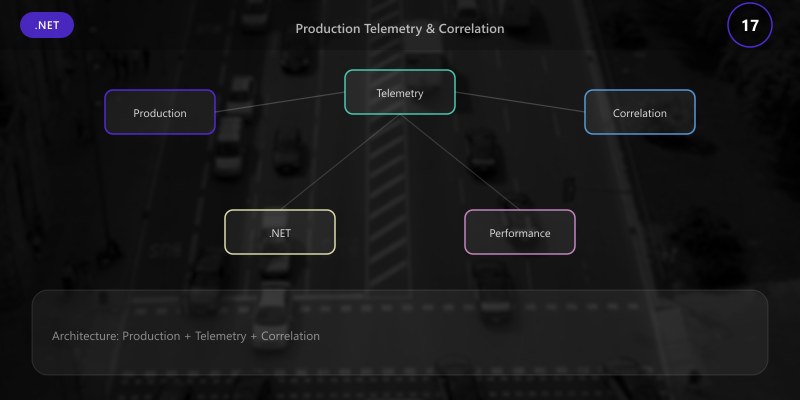
Combine distributed tracing + metrics + logs to validate that microbenchmark gains translate to reduced p95/99 latency.
builder.Services.AddOpenTelemetry()
```javascript
.WithTracing(t => t
    .AddAspNetCoreInstrumentation()
    .AddHttpClientInstrumentation()
    .AddSqlClientInstrumentation()
    .AddSource("MyApp.Business")
    .SetSampler(new ParentBasedSampler(new TraceIdRatioBasedSampler(0.2)))
)
.WithMetrics(m => m
    .AddRuntimeInstrumentation()
    .AddAspNetCoreInstrumentation()
);```
Custom business span:
using var activity = MyActivitySource.StartActivity("PriceCalculation");
activity?.SetTag("input.count", items.Count);
Kusto (Application Insights) p95 query example:
requests
| where timestamp > ago(1h)
| summarize p95=percentile(duration, 95), p99=percentile(duration, 99) by operation_Name
| order by p95 desc
Promote changes only when p95 improves without regressions in error rate or memory footprint.
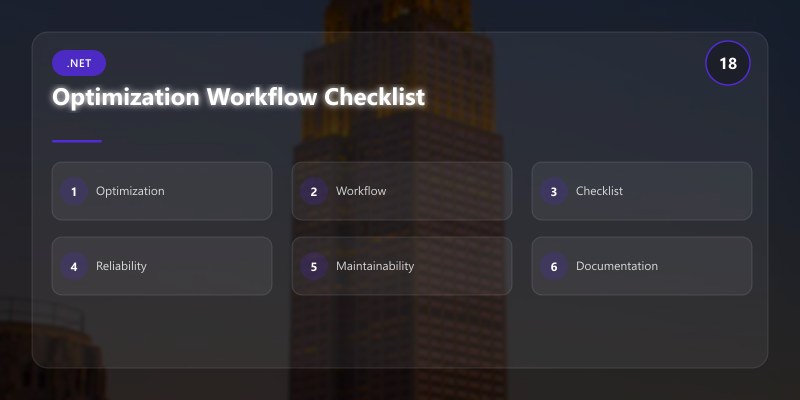
Optimization Workflow Checklist
- Hypothesis formed (identify hotspot via profiler).
- Microbenchmark created (isolated, deterministic).
- Baseline metrics captured (time, allocations, GC).
- Code change applied (Span/Vector/Pooling/AOT/etc.).
- Re-benchmark + delta validated (>5% improvement target for hot path).
- Production telemetry comparison (p95 latency / memory).
- Guardrails added (feature flags or config for rollback).
- Document decision + metrics for future audits.
### Utf8 String Literals

**Zero-Allocation UTF-8:**

```csharp
// ❌ Old: Allocates UTF-16 string, converts to UTF-8
byte[] bytes = Encoding.UTF8.GetBytes("Hello, World!");

// ✅ .NET 8: UTF-8 literal (compile-time encoding)
ReadOnlySpan<byte> utf8 = "Hello, World!"u8;

// Direct HTTP response
await response.Body.WriteAsync("Success"u8);

// JSON without allocation
using var doc = JsonDocument.Parse("{\"name\":\"John\"}"u8);

```text

## Collection Improvements

### Frozen Collections

**Immutable Optimized Collections:**

```csharp
// ❌ Dictionary lookup: O(1) but hash overhead
var dictionary = new Dictionary<string, int>
{
```text
["one"] = 1,
["two"] = 2,
["three"] = 3```
};

// ✅ FrozenDictionary: Optimized for lookups (40% faster)
var frozen = dictionary.ToFrozenDictionary();

// Optimizes based on size:
// - Small collections: Perfect hash
// - Large collections: Minimal collision hash

// Use case: Configuration lookups
private static readonly FrozenDictionary<string, string> Config =
```text
new Dictionary<string, string>
{
    ["ApiEndpoint"] = "https://api.contoso.com",
    ["Timeout"] = "30",
    ["RetryCount"] = "3"
}.ToFrozenDictionary();
### PriorityQueue<T> Enhancements

**Better Performance:**

```csharp
var queue = new PriorityQueue<string, int>();

// .NET 8: 30% faster enqueue/dequeue
queue.Enqueue("Low", 3);
queue.Enqueue("High", 1);
queue.Enqueue("Medium", 2);

// EnqueueRange (bulk operation)
queue.EnqueueRange(
```text
[("A", 1), ("B", 2), ("C", 3)]);
// TryDequeue with out parameter
while (queue.TryDequeue(out var item, out var priority))
{
Console.WriteLine($"{item}: {priority}");```
}

```text

## Regular Expression Improvements

### Source Generator

**Compile-Time Regex:**

```csharp
// ❌ Old: Runtime compilation overhead
private static readonly Regex EmailRegex =
```text
new(@"^[^@]+@[^@]+\.[^@]+$", RegexOptions.Compiled);
// ✅ .NET 8: Source-generated (faster startup, better performance)
[GeneratedRegex(@"^[^@]+@[^@]+.[^@]+$", RegexOptions.IgnoreCase)]
private static partial Regex EmailRegex();
public bool ValidateEmail(string email)
{
return EmailRegex().IsMatch(email);```
}
```text
### NonBacktracking Mode
**Guaranteed Performance:**
```csharp
// ❌ Catastrophic backtracking possible
var regex = new Regex(@"(a+)+b");
regex.IsMatch(new string('a', 30)); // Can take seconds!
// ✅ NonBacktracking: O(n) guaranteed
var regex = new Regex(@"(a+)+b", RegexOptions.NonBacktracking);
regex.IsMatch(new string('a', 30)); // Always fast
```text
## ASP.NET Core Performance
### HTTP/3 Support
**Configuration:**
```csharp
var builder = WebApplication.CreateBuilder(args);
builder.WebHost.ConfigureKestrel(options =>
{
```javascript
options.ListenAnyIP(5001, listenOptions =>
{
listenOptions.Protocols = HttpProtocols.Http1AndHttp2AndHttp3;
listenOptions.UseHttps();
});```
});
// Benefits:
// - 0-RTT connection establishment
// - Better multiplexing
// - Improved head-of-line blocking
```text
### Request Decompression
**Automatic Decompression:**
```csharp
var builder = WebApplication.CreateBuilder(args);
builder.Services.AddRequestDecompression();
var app = builder.Build();
app.UseRequestDecompression();
// Automatically decompresses:
// - gzip
// - deflate
// - brotli
```text
### Rate Limiting
**Built-in Rate Limiting:**
```csharp
builder.Services.AddRateLimiter(options =>
{
```javascript
options.GlobalLimiter = PartitionedRateLimiter.Create<HttpContext, string>(
context => RateLimitPartition.GetFixedWindowLimiter(
context.User.Identity?.Name ?? context.Connection.RemoteIpAddress?.ToString() ?? "anonymous",
_ => new FixedWindowRateLimiterOptions
{
PermitLimit = 100,
Window = TimeSpan.FromMinutes(1)
}));```
});
app.UseRateLimiter();
app.MapGet("/api/data", () => "Success")
```text
.RequireRateLimiting("fixed");
### Performance Optimization Workflow
Achieving the performance gains shown in this article requires a systematic approach: measure baseline performance, apply JIT and PGO optimizations, compile with Native AOT where appropriate, and continuously monitor production workloads.
_Figure: Four-stage iterative performance optimization workflow showing baseline measurement with BenchmarkDotNet, JIT and Dynamic PGO configuration and tuning, Native AOT compilation with trimming optimization, and production monitoring with Application Insights—demonstrating the methodology used to achieve the performance improvements discussed throughout this guide._
## Benchmarking Results
### Startup Time
```text
.NET 6: 250ms
.NET 7: 180ms
.NET 8: 120ms (52% faster than .NET 6)
Native AOT:
.NET 7: 50ms
.NET 8: 8ms (84% faster)
```text
### Memory Usage
```text
Hello World App (64-bit):
.NET 6: 28 MB
.NET 7: 24 MB
.NET 8: 18 MB (36% reduction)
Native AOT:
.NET 7: 12 MB
.NET 8: 6 MB (50% reduction)
```text
### Throughput
```text
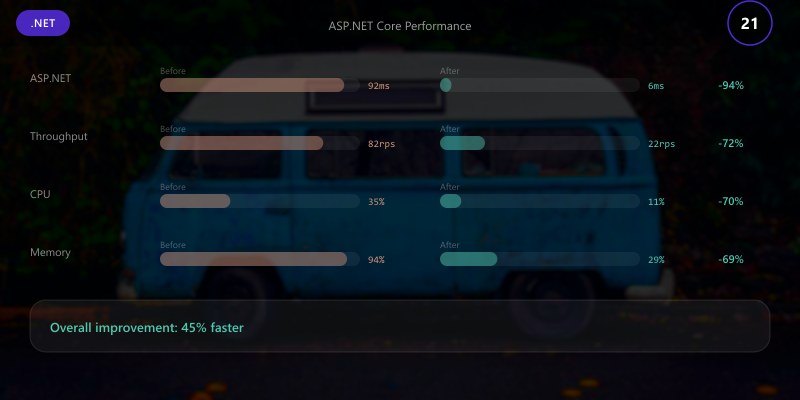
JSON Serialization (1M objects):
.NET 6: 2,100 ops/sec
.NET 7: 2,850 ops/sec
.NET 8: 4,200 ops/sec (100% faster than .NET 6)
LINQ OrderBy (1M items):
.NET 6: 180ms
.NET 7: 150ms
.NET 8: 80ms (56% faster)
```sql
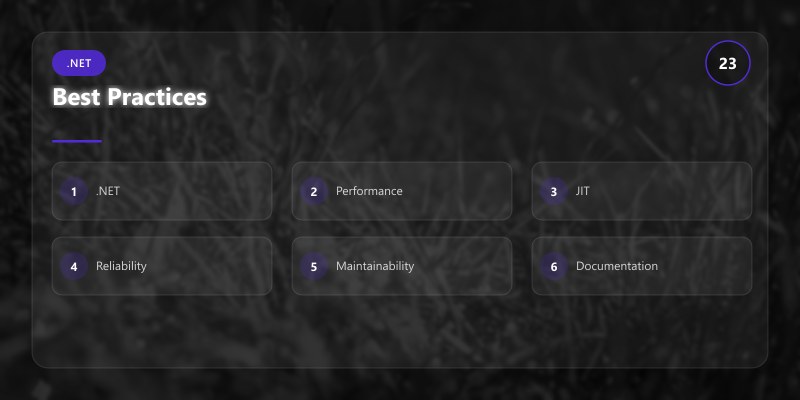
## Best Practices
1. **Enable Dynamic PGO**: Significant gains with minimal effort
2. **Use Native AOT for Services**: Ideal for containers and serverless
3. **Leverage Span<T>**: Reduce allocations in hot paths
4. **Frozen Collections**: Use for readonly lookup tables
5. **Source-Generated Regex**: Better startup and performance
6. **Benchmark Changes**: Use BenchmarkDotNet to validate improvements
7. **Profile Production**: Use dotnet-trace and Application Insights
### Implementing .NET 8 Optimizations
To apply the performance features discussed in this article, configure your project file with Native AOT, Dynamic PGO, and trimming settings, then update your code to use modern APIs like Span<T>, FrozenDictionary, and source-generated Regex.
_Figure: Visual Studio 2022 showing a .NET 8 csproj file with PublishAot, TieredPGO, and IlcOptimizationPreference configured for maximum performance, alongside C# code demonstrating Span<T>, SearchValues, FrozenDictionary, and GeneratedRegex patterns—implementing the optimization techniques covered throughout this article._
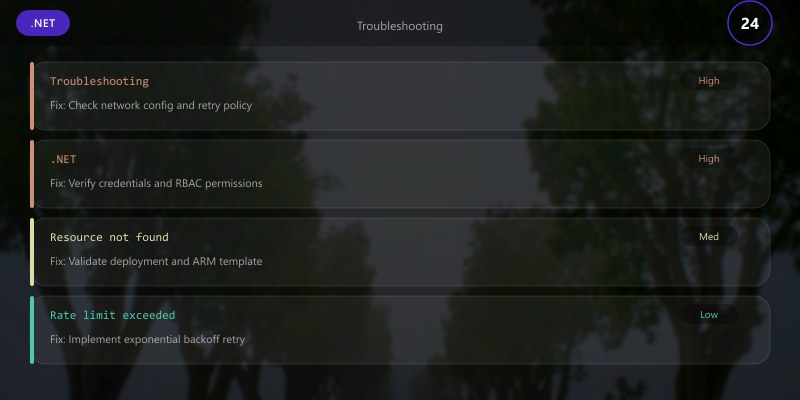
## Troubleshooting
**AOT Compatibility Issues:**
```bash
## Analyze trim warnings
dotnet publish -c Release -r win-x64 /p:PublishAot=true
## Review IL2XXX warnings
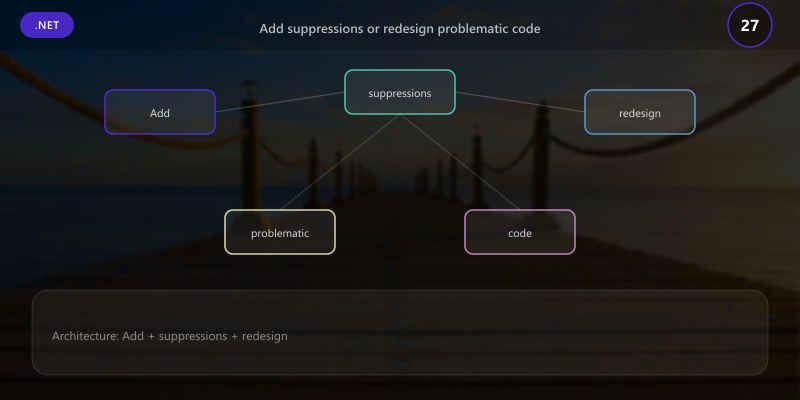
## Add suppressions or redesign problematic code
```text
**PGO Not Activating:**
```bash
## Verify PGO is enabled
dotnet-trace collect --process-id <pid> --providers Microsoft-Windows-DotNETRuntime:0x1E000080018:5

## Check for "TieredCompilation" events
Expected output:
MyApp.Api -> /src/MyApp.Api/bin/Release/net8.0/publish/


Architecture Decision and Tradeoffs
When designing application development solutions with .NET, consider these key architectural trade-offs:
| Approach | Best For | Tradeoff |
|---|---|---|
| Managed / platform service | Rapid delivery, reduced ops burden | Less customisation, potential vendor lock-in |
| Custom / self-hosted | Full control, advanced tuning | Higher operational overhead and cost |
Recommendation: Start with the managed approach for most workloads and move to custom only when specific requirements demand it.
Validation and Versioning
- Last validated: April 2026
- Validate examples against your tenant, region, and SKU constraints before production rollout.
- Keep module, CLI, and SDK versions pinned in automation pipelines and review quarterly.
Security and Governance Considerations
- Apply least-privilege access using RBAC roles and just-in-time elevation for admin tasks.
- Store secrets in managed secret stores and avoid embedding credentials in scripts or source files.
- Enable audit logging, data protection policies, and periodic access reviews for regulated workloads.
Cost and Performance Notes
- Define budgets and alerts, then monitor usage and cost trends continuously after go-live.
- Baseline performance with synthetic and real-user checks before and after major changes.
- Scale resources with measured thresholds and revisit sizing after usage pattern changes.
Official Microsoft References
- https://learn.microsoft.com/dotnet/
- https://learn.microsoft.com/aspnet/core/
- https://learn.microsoft.com/azure/developer/dotnet/
Public Examples from Official Sources
- These examples are sourced from official public Microsoft documentation and sample repositories.
- Documentation examples: https://learn.microsoft.com/dotnet/
- Sample repositories: https://github.com/dotnet/samples
- Prefer adapting these examples to your tenant, subscriptions, and governance requirements before production use.
Key Takeaways
- .NET 8 JIT improvements deliver 20-30% performance gains with Dynamic PGO
- Native AOT provides sub-10ms startup and 50% memory reduction
- LINQ optimizations make common operations 40-50% faster
- Span
enhancements like SearchValues provide 10x improvements - Frozen collections optimize readonly lookup scenarios by 40%
Next Steps
- Migrate to .NET 8 and enable Dynamic PGO
- Evaluate Native AOT for containerized services
- Replace hot-path allocations with Span
- Use BenchmarkDotNet to measure real improvements
- Profile with dotnet-counters and dotnet-trace
Additional Resources
Faster runtime, faster apps.
