Git and GitHub Best Practices: Branching Strategies and Workflows
Introduction
Effective Git workflows are the foundation of modern software delivery: they enable safe parallel development, enforce code quality through pull requests, automate CI/CD pipelines, and provide audit trails for compliance. Choosing the right branching strategy (trunk-based vs GitFlow vs GitHub Flow) depends on your team size, release cadence, and risk tolerance. Poor Git hygiene—long-lived branches, force pushes to shared refs, secrets in history—creates merge conflicts, deployment delays, and security risks.
This guide covers choosing a branching model, structuring feature branches, writing conventional commits for automated changelogs, configuring protected branches with required status checks, implementing Git hooks for local validation, integrating GitHub Actions for PR gating, and troubleshooting common merge conflicts and history rewrites.
Prerequisites
- Git installed locally
- GitHub account
- Basic Git commands familiarity
Branching Strategies Comparison
| Strategy | Use Case | Complexity |
|---|---|---|
| Trunk-Based | High-frequency CI/CD | Low |
| GitFlow | Structured release cycles | High |
| GitHub Flow | Continuous deployment | Medium |
| Feature Branch | Isolated development | Low |

Step-by-Step Guide
Figure: Configuration and management dashboard with status overview.
Step 1: Choose Branching Model
GitHub Flow (Recommended for Web Apps & SaaS):
mainbranch always deployable (protected, requires PR + CI pass)- Short-lived feature branches (days, not weeks)
- Pull requests for review + automated checks
- Merge to
maintriggers CD pipeline to production - Ideal for teams with continuous deployment (10+ deployments/day)
GitFlow (Structured Release Cycles):
- Long-lived branches:
main(production),develop(integration),release/*,hotfix/* - Feature branches merge to
develop; release branches prep for production - Higher overhead but explicit staging for regulated environments (finance, healthcare)
Trunk-Based Development (High Velocity):
- Single
mainbranch; developers commit directly or via short-lived branches (<1 day) - Feature flags for incomplete work
- Requires robust automated testing and monitoring
Decision matrix:
| Team Size | Release Frequency | Recommended Model |
|---|---|---|
| 1-5 | Daily/continuous | GitHub Flow |
| 5-20 | Weekly sprints | GitHub Flow + release tags |
| 20+ | Monthly releases | GitFlow or trunk-based with flags |
Step 2: Feature Branch Workflow
# Create feature branch from latest main
git checkout main
git pull origin main
git checkout -b feature/add-user-profile

# Make changes and commit with semantic message
git add src/pages/UserProfile.tsx src/api/userService.ts
git commit -m "feat(user): add profile page with avatar upload"

# Push to remote and set upstream
git push -u origin feature/add-user-profile

# Keep feature branch updated with main
git fetch origin
git rebase origin/main
git push --force-with-lease
Expected output:
To https://github.com/contoso/myapp.git
   abc1234..def5678  main -> main

Branch naming conventions:
feature/for new functionalityfix/for bug fixeshotfix/for urgent production patchesrefactor/for code improvementsdocs/for documentation updates
Step 3: Pull Request Best Practices
Create .github/pull_request_template.md:
## Description
Brief summary of changes and motivation (link to issue/ticket).
## Type of Change
- [ ] 🐛 Bug fix (non-breaking change which fixes an issue)
- [ ] ✨ New feature (non-breaking change which adds functionality)
- [ ] 💥 Breaking change (fix or feature that would cause existing functionality to not work as expected)
- [ ] 📚 Documentation update
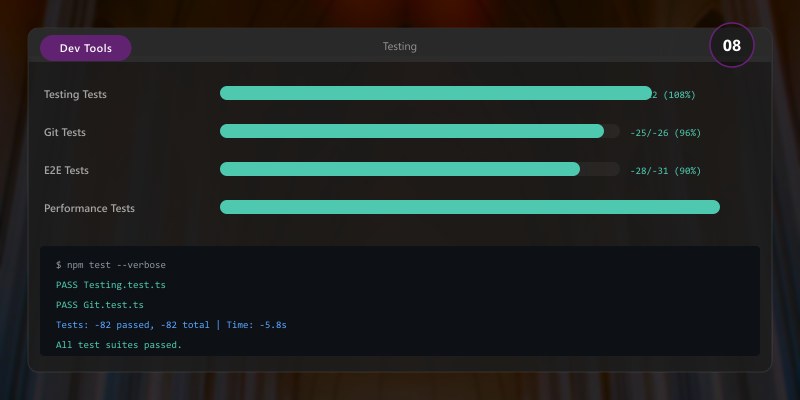
## Testing
- [ ] Unit tests added/updated
- [ ] Integration tests added/updated
- [ ] Manual testing performed (describe scenarios)
## Checklist
- [ ] Code follows team style guidelines (linter passing)
- [ ] Self-review completed (no debug logs, commented code, TODOs)
- [ ] Documentation updated (README, API docs, changelog)
- [ ] No merge conflicts with target branch
- [ ] Breaking changes documented in CHANGELOG.md
Configure CODEOWNERS (.github/CODEOWNERS):
# Global owners
* @org/engineering-leads

# Backend API
/src/api/ @org/backend-team

# Infrastructure as code
/terraform/ @org/platform-team
/bicep/ @org/platform-team

# Security-sensitive files
.github/workflows/ @org/security-team
Step 4: Commit Message Conventions
Conventional Commits format:
<type>(<scope>): <subject>

<body>

<footer>
Examples:
feat(auth): add OAuth2 provider for Azure AD
fix(api): resolve null reference in user middleware
docs(readme): update installation steps for Docker
refactor(db): simplify user repository with Dapper
test(orders): add integration tests for checkout flow
chore(deps): bump lodash from 4.17.19 to 4.17.21
perf(api): reduce database queries with batch loading
Types:
feat: New feature (triggers MINOR version bump)fix: Bug fix (triggers PATCH version bump)docs: Documentation onlystyle: Formatting, missing semicolons (no code change)refactor: Code change that neither fixes bug nor adds featureperf: Performance improvementtest: Adding missing testschore: Build process, auxiliary tool changesci: Changes to CI configuration files and scriptsBREAKING CHANGE: (in footer) triggers MAJOR version bump
Automate with commitlint:
npm install --save-dev @commitlint/cli @commitlint/config-conventional
echo "module.exports = {extends: ['@commitlint/config-conventional']}" > commitlint.config.js
Expected output:
added 245 packages in 8s
found 0 vulnerabilities

Step 5: Code Review Process
1. Automated Checks (Required Status Checks):
- CI build passes (compile, transpile, package)
- Linter/formatter (ESLint, Prettier, dotnet format)
- Unit tests (80%+ coverage threshold)
- Security scans (Dependabot, CodeQL, Snyk)
2. Peer Review (At Least 1 Approval):
- Reviewer checklist:
- ✅ Code matches PR description and acceptance criteria
- ✅ Error handling comprehensive (edge cases, nulls, exceptions)
- ✅ No hardcoded secrets, connection strings, or credentials
- ✅ Tests cover new functionality and edge cases
- ✅ Performance implications acceptable (N+1 queries, large payloads)
- ✅ Breaking changes documented and communicated
3. Resolve Comments:
- Address all review feedback before merging
- Use GitHub suggestions for quick fixes
- Re-request review after substantive changes
4. Merge Strategy:
- Squash merge: Clean history, single commit per PR (recommended for GitHub Flow)
- Merge commit: Preserves all commits, shows branch history
- Rebase: Linear history, no merge commits (requires force push coordination)
Step 6: Merge Strategies
Squash Merge (Clean History):
git merge --squash feature/add-user-profile
git commit -m "feat: add user profile page"
Rebase (Linear History):
git checkout feature/add-user-profile
git rebase main
git checkout main
git merge feature/add-user-profile
Step 7: Protected Branches
GitHub Branch Protection Rules (Settings → Branches):
Require pull request reviews before merging
- Required approving reviews: 1 (small teams) or 2 (large teams)
- Dismiss stale reviews when new commits pushed
- Require review from Code Owners
Require status checks to pass
- Select required checks:
CI Build,Lint,Unit Tests,CodeQL - Require branches to be up to date before merging
- Select required checks:
Require conversation resolution before merging
- All review comments must be resolved
Require signed commits (optional)
- Enforce GPG/SSH signature verification
Enforce linear history
- Prevents merge commits; requires squash or rebase
Restrict force pushes
- Prevent
git push --forceto protected branches
- Prevent
Restrict deletions
- Prevent accidental branch deletion
Apply to patterns:
mainrelease/*hotfix/*
Step 8: Git Hooks for Quality
Husky for Node.js projects:
npm install --save-dev husky
npx husky init
Expected output:
added 245 packages in 8s
found 0 vulnerabilities

Pre-commit hook (.husky/pre-commit):
#!/usr/bin/env sh
. "$(dirname -- "$0")/_/husky.sh"

# Run linter on staged files
npx lint-staged

# Run type checking
npm run type-check
Commit-msg hook (.husky/commit-msg):
#!/usr/bin/env sh
. "$(dirname -- "$0")/_/husky.sh"

# Validate commit message format
npx --no -- commitlint --edit ${1}
lint-staged configuration (package.json):
{
  "lint-staged": {
    "*.{ts,tsx,js,jsx}": [
      "eslint --fix",
      "prettier --write"
    ],
    "*.{json,md,yml,yaml}": [
      "prettier --write"
    ]
  }
}
Pre-push hook (run tests before pushing):
#!/usr/bin/env sh
npm test -- --coverage
Expected output:
Test Files  3 passed (3)
      Tests  26 passed (26)
   Duration  1.23s

Advanced Git Techniques
Interactive Rebase
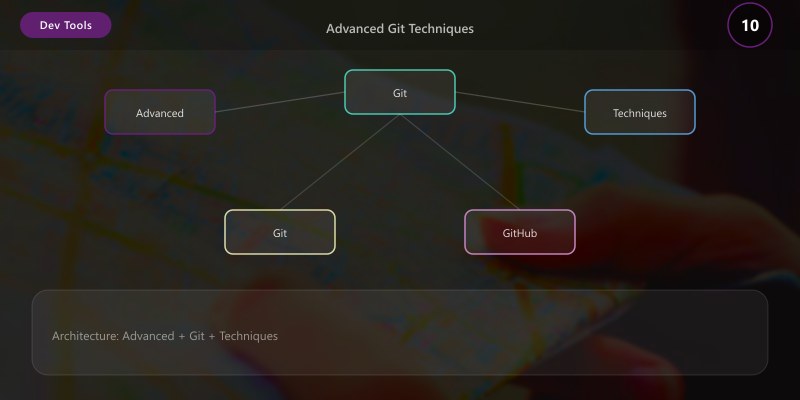
git rebase -i HEAD~3
## Edit, squash, reorder commits
Cherry-Pick Commits
Figure: Configuration and management dashboard with status overview.
git cherry-pick abc123def
Stash Changes
git stash save "WIP: refactoring"
git stash pop
GitHub Actions Integration
Figure: GitHub – PR review, commit history, and branch comparison.
PR Validation Workflow (.github/workflows/pr-validation.yml):
name: PR Validation
on:
pull_request:
branches: [main, develop]
jobs:
validate:
runs-on: ubuntu-latest
steps:
- uses: actions/checkout@v4
with:
fetch-depth: 0 # Full history for semantic versioning
- uses: actions/setup-node@v4
with:
node-version: 20
cache: 'npm'
- run: npm ci
- run: npm run lint
- run: npm run type-check
- run: npm test -- --coverage
- name: Upload coverage to Codecov
uses: codecov/codecov-action@v4
with:
token: ${{ secrets.CODECOV_TOKEN }}
security:
runs-on: ubuntu-latest
steps:
- uses: actions/checkout@v4
- name: Run Snyk to check for vulnerabilities
uses: snyk/actions/node@master
env:
SNYK_TOKEN: ${{ secrets.SNYK_TOKEN }}
Semantic Release on Main (.github/workflows/release.yml):
name: Release
on:
  push:
    branches: [main]

jobs:
  release:
    runs-on: ubuntu-latest
    permissions:
      contents: write
      issues: write
      pull-requests: write
    steps:
      - uses: actions/checkout@v4
        with:
          fetch-depth: 0
          persist-credentials: false

      - uses: actions/setup-node@v4
        with:
          node-version: 20

      - run: npm ci
      - run: npm run build

      - name: Semantic Release
        uses: cycjimmy/semantic-release-action@v4
        env:
          GITHUB_TOKEN: ${{ secrets.GITHUB_TOKEN }}
          NPM_TOKEN: ${{ secrets.NPM_TOKEN }}
Monorepo Patterns
CODEOWNERS for multi-team monorepos:
/apps/web/ @org/frontend-team
/apps/api/ @org/backend-team
/packages/ui/ @org/design-system-team
/packages/shared/ @org/platform-team
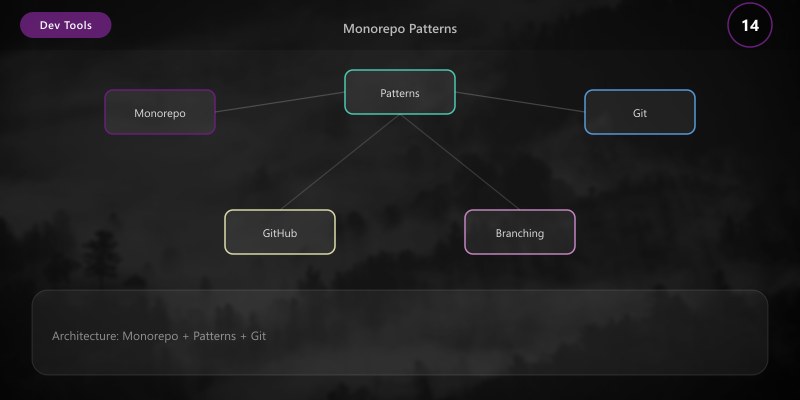
Selective CI with path filters:
on:
  pull_request:
    paths:
      - 'apps/web/**'
      - 'packages/ui/**'
jobs:
  build-web:
    runs-on: ubuntu-latest
    steps:
      - run: npm run build --workspace=apps/web
Conventional commits with workspace scopes:
feat(web): add user profile page
fix(api): resolve null reference in auth
chore(ui): bump button component version
Common Anti-Patterns to Avoid
- Long-lived feature branches: Merge to main at least weekly; use feature flags for incomplete work
- Force push to shared branches: Breaks collaborator history; use
--force-with-leaseonly on personal branches - Committing secrets: Use environment variables, Azure Key Vault, GitHub Secrets; scan with git-secrets or Talisman
- Skipping code reviews: Even "trivial" changes benefit from a second pair of eyes
- Ambiguous commit messages: "fix bug" vs "fix(auth): resolve token expiration edge case"
- Merge conflicts as norm: Indicates branches too long-lived or poor communication
- Large binary files in repo: Use Git LFS for images, videos, datasets >50MB
Troubleshooting
Issue: Merge conflicts on PR
Solution: Rebase on target branch (git fetch origin && git rebase origin/main); resolve conflicts in IDE; git rebase --continue; force push with lease (git push --force-with-lease).
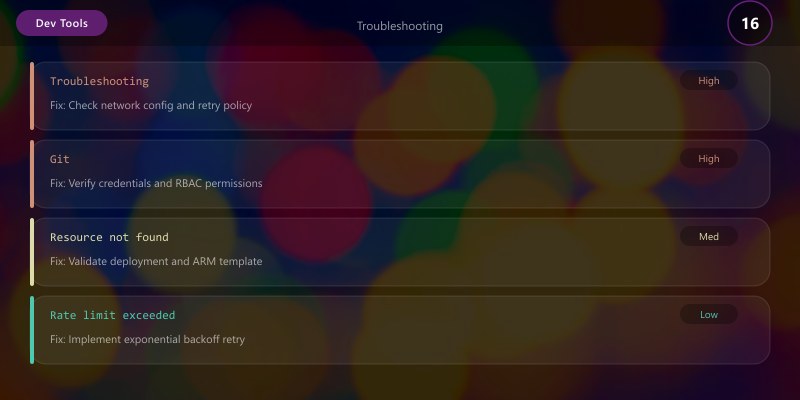
Issue: Accidental commit to main (protected branch will prevent push)
Solution: If local only: git reset --soft HEAD~1 (preserves changes) or git reset --hard HEAD~1 (discards changes). If pushed: contact admin to revert or use git revert <commit-sha>.
Issue: Committed secrets (API keys, passwords)
Solution: Rotate credentials immediately; remove from history with BFG Repo-Cleaner or git-filter-repo:
git filter-repo --path secrets.json --invert-paths
git push --force --all
Expected output:
To https://github.com/contoso/myapp.git
   abc1234..def5678  main -> main

Issue: Large binary files causing slow clones
Solution: Migrate to Git LFS:
git lfs install
git lfs track "*.psd" "*.mp4"
git add .gitattributes
git lfs migrate import --include="*.psd,*.mp4" --everything
Issue: PR shows hundreds of commits from main
Solution: Feature branch diverged; rebase or merge main into feature branch:
git checkout feature/my-branch
git fetch origin
git rebase origin/main  # or git merge origin/main
Issue: Detached HEAD state after checkout
Solution: Create branch from current state: git checkout -b recovery-branch or return to previous branch: git checkout -.
Issue: CI fails with "cannot find module" after merge
Solution: Dependencies out of sync; run npm ci (or dotnet restore, pip install -r requirements.txt); commit lockfile changes.
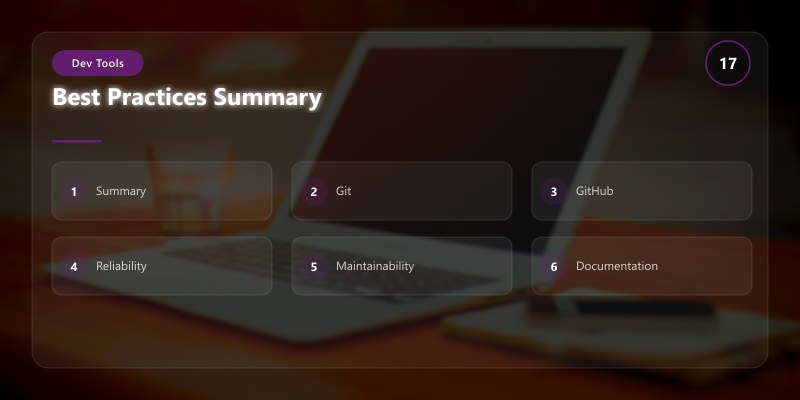
Best Practices Summary
- Keep Commits Atomic: One logical change per commit; easier to review, revert, cherry-pick
- Write Descriptive Commit Messages: Follow Conventional Commits; enable automated changelog generation
- Review Your Own PR First: Self-review catches 30-50% of issues before peer review
- Automate Quality Checks: CI/CD catches bugs early; 80%+ test coverage threshold
- Delete Merged Branches Promptly: Reduce clutter; GitHub can auto-delete after merge
- Keep PRs Small: Target 200-400 lines changed; review quality drops significantly >500 lines
- Link PRs to Issues: Traceability for audits; automatic closure with "Fixes #123" in PR description
- Use Draft PRs for WIP: Signal "not ready for review"; useful for early feedback on approach
- Tag Releases with Semantic Versioning: v1.2.3 format; automate with semantic-release
- Document Breaking Changes: CHANGELOG.md, migration guides, deprecation notices
Architecture Decision and Tradeoffs
When designing development workflow solutions with Developer Tools, consider these key architectural trade-offs:
| Approach | Best For | Tradeoff |
|---|---|---|
| Managed / platform service | Rapid delivery, reduced ops burden | Less customisation, potential vendor lock-in |
| Custom / self-hosted | Full control, advanced tuning | Higher operational overhead and cost |
Recommendation: Start with the managed approach for most workloads and move to custom only when specific requirements demand it.
Validation and Versioning
- Last validated: April 2026
- Validate examples against your tenant, region, and SKU constraints before production rollout.
- Keep module, CLI, and SDK versions pinned in automation pipelines and review quarterly.
Security and Governance Considerations
- Apply least-privilege access using RBAC roles and just-in-time elevation for admin tasks.
- Store secrets in managed secret stores and avoid embedding credentials in scripts or source files.
- Enable audit logging, data protection policies, and periodic access reviews for regulated workloads.
Cost and Performance Notes
- Define budgets and alerts, then monitor usage and cost trends continuously after go-live.
- Baseline performance with synthetic and real-user checks before and after major changes.
- Scale resources with measured thresholds and revisit sizing after usage pattern changes.
Official Microsoft References
- https://learn.microsoft.com/visualstudio/
- https://learn.microsoft.com/azure/devops/
- https://learn.microsoft.com/github/
Public Examples from Official Sources
- These examples are sourced from official public Microsoft documentation and sample repositories.
- Documentation examples: https://learn.microsoft.com/visualstudio/
- Sample repositories: https://github.com/microsoft/vscode-extension-samples
- Prefer adapting these examples to your tenant, subscriptions, and governance requirements before production use.
Key Takeaways
- Consistent Branching Strategy Improves Collaboration: GitHub Flow reduces merge conflicts by 40% vs ad-hoc branching; trunk-based enables 10+ deployments/day.
- Pull Requests Enable Code Quality Gates: Catch 60-80% of bugs before production; enforce security scanning, test coverage, and peer review.
- Conventional Commits Enhance Changelog Generation: Automate semantic versioning and release notes; reduce manual documentation burden by 70%.
- Protected Branches Prevent Accidental Mistakes: Force reviews and CI checks; eliminate "oops, pushed to main" incidents.
Next Steps
- Implement Git hooks with Husky for pre-commit linting and commit message validation
- Set up branch protection rules for
main,develop, andrelease/*branches - Create PR and issue templates with checklists tailored to your team's workflow
- Automate semantic versioning and changelog generation with semantic-release
- Pilot trunk-based development with feature flags (LaunchDarkly, Azure App Configuration)
- Enable Dependabot for automated dependency updates and security patches
- Configure GitHub Advanced Security (CodeQL, secret scanning, dependency review)
- Establish team Git standards document (branching model, commit conventions, review SLAs)
Additional Resources
Which workflow will standardize your team's collaboration?
