],
"parser": "@typescript-eslint/parser",
"parserOptions": {
"ecmaVersion": "latest",
"sourceType": "module",
"project": "./tsconfig.json"```
  },
  "plugins": [
```text
"@typescript-eslint",
"react",
"react-hooks",
"import",
"security"```
  ],
  "rules": {
```text
"no-console": ["warn", { "allow": ["warn", "error"] }],
"no-unused-vars": "off",
"@typescript-eslint/no-unused-vars": [
  "error",
  { "argsIgnorePattern": "^_" }
],
"@typescript-eslint/explicit-function-return-type": "warn",
"@typescript-eslint/no-explicit-any": "error",
"import/order": [
  "error",
  {
    "groups": [
      "builtin",
      "external",
      "internal",
      "parent",
      "sibling",
      "index"
    ],
    "newlines-between": "always",
    "alphabetize": { "order": "asc" }
  }
],
"security/detect-object-injection": "warn",
"react-hooks/rules-of-hooks": "error",
"react-hooks/exhaustive-deps": "warn"```
  },
  "settings": {
```text
"react": {
  "version": "detect"
}```
  },
  "ignorePatterns": ["dist/", "build/", "node_modules/", "*.config.js"]
}
Custom Rules:
// .eslintrc.js
module.exports = {
  rules: {
```text
'custom-company/no-legacy-api': 'error',
'custom-company/require-error-logging': 'warn'```
  },

  // Custom rule plugin
  plugins: ['custom-company']
};

// eslint-plugin-custom-company/lib/rules/no-legacy-api.js
module.exports = {
  meta: {
```yaml
type: 'problem',
docs: {
  description: 'Disallow usage of deprecated legacy API',
  category: 'Best Practices'
}```
  },
  create(context) {
```text
return {
  CallExpression(node) {
    if (node.callee.name === 'legacyAPI') {
      context.report({
        node,
        message: 'Use newAPI instead of deprecated legacyAPI'
      });
    }
  }
};```
  }
};
Prettier Configuration
.prettierrc.json:
{
  "semi": true,
  "trailingComma": "es5",
  "singleQuote": true,
  "printWidth": 100,
  "tabWidth": 2,
  "useTabs": false,
  "arrowParens": "always",
  "bracketSpacing": true,
  "endOfLine": "lf",
  "overrides": [
```json
{
  "files": "*.md",
  "options": {
    "proseWrap": "always"
  }
}```
  ]
}
Integration with ESLint:
// package.json scripts
{
  "scripts": {
```text
"lint": "eslint src/**/*.{ts,tsx}",
"lint:fix": "eslint src/**/*.{ts,tsx} --fix",
"format": "prettier --write \"src/**/*.{ts,tsx,json,css,md}\"",
"format:check": "prettier --check \"src/**/*.{ts,tsx,json,css,md}\"",
"quality": "npm run lint && npm run format:check"```
  }
}
Pre-commit Hook (Husky + lint-staged):
// package.json
{
  "lint-staged": {
```text
"*.{ts,tsx}": [
  "eslint --fix",
  "prettier --write"
],
"*.{json,css,md}": [
  "prettier --write"
]```
  }
}
# .husky/pre-commit
#!/bin/sh
. "$(dirname "$0")/_/husky.sh"

npx lint-staged
SonarQube and SonarLint
Figure: Configuration and management dashboard with status overview.
SonarQube Setup
Docker Compose:
version: '3.8'

services:
  sonarqube:
```yaml
image: sonarqube:10-community
container_name: sonarqube
ports:
  - "9000:9000"
environment:
  SONAR_JDBC_URL: jdbc:postgresql://db:5432/sonar
  SONAR_JDBC_USERNAME: sonar
  SONAR_JDBC_PASSWORD: sonar
volumes:
  - sonarqube_data:/opt/sonarqube/data
  - sonarqube_extensions:/opt/sonarqube/extensions
  - sonarqube_logs:/opt/sonarqube/logs
depends_on:
  - db
db:
image: postgres:16
environment:
  POSTGRES_USER: sonar
  POSTGRES_PASSWORD: sonar
  POSTGRES_DB: sonar
volumes:
  - postgresql_data:/var/lib/postgresql/data
volumes:
sonarqube_data:
sonarqube_extensions:
sonarqube_logs:
postgresql_data:
**Project Configuration (`sonar-project.properties`):**
```properties
sonar.projectKey=contoso-app
sonar.projectName=Contoso Application
sonar.projectVersion=1.0.0
sonar.sources=src
sonar.tests=tests
sonar.exclusions=**/node_modules/**,**/dist/**,**/*.test.ts
## Language-specific
sonar.javascript.lcov.reportPaths=coverage/lcov.info
sonar.typescript.tsconfigPath=tsconfig.json
## Code coverage
sonar.coverage.exclusions=**/*.test.ts,**/mocks/**
## Quality gate thresholds
sonar.qualitygate.wait=true
Quality Gates
Figure: Configuration and management dashboard with status overview.
Custom Quality Gate:
## SonarQube UI: Quality Gates → Create

Conditions:
  - Coverage: >= 80%
  - Duplicated Lines: <= 3%
  - Maintainability Rating: A
  - Reliability Rating: A
  - Security Rating: A
  - Security Hotspots Reviewed: 100%
  - New Bugs: = 0
  - New Vulnerabilities: = 0
  - New Code Smells: <= 5
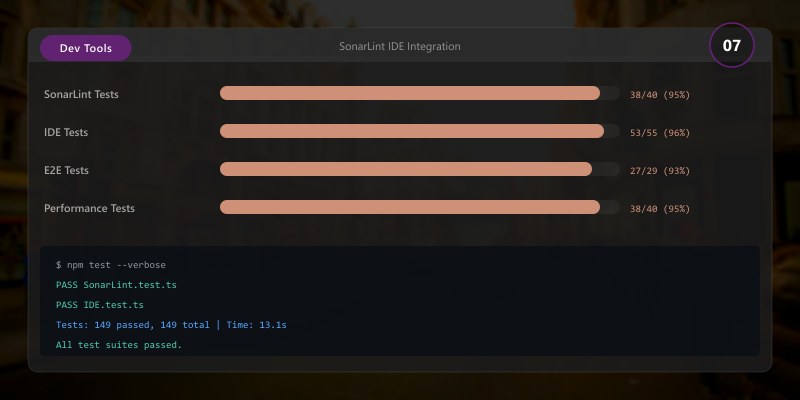
SonarLint IDE Integration
VS Code Configuration:
// .vscode/settings.json
{
  "sonarlint.connectedMode.project": {
```text
"projectKey": "contoso-app",
"serverUrl": "http://localhost:9000"```
  },
  "sonarlint.rules": {
```text
"typescript:S1186": {
  "level": "off"  // Disable specific rule
},
"typescript:S3776": {
  "level": "on",
  "parameters": {
    "threshold": "10"  // Cognitive complexity threshold
  }
}```
  }
}
.NET Code Analyzers
Figure: Configuration and management dashboard with status overview.
Roslyn Analyzers
Project Configuration:
<Project Sdk="Microsoft.NET.Sdk">
  <PropertyGroup>
```text
<TargetFramework>net8.0</TargetFramework>
<Nullable>enable</Nullable>

<!-- Enable all analyzers -->
<EnableNETAnalyzers>true</EnableNETAnalyzers>
<AnalysisLevel>latest</AnalysisLevel>
<EnforceCodeStyleInBuild>true</EnforceCodeStyleInBuild>

<!-- Treat warnings as errors -->
<TreatWarningsAsErrors>true</TreatWarningsAsErrors>```
  </PropertyGroup>

  <ItemGroup>
```text
<!-- StyleCop analyzers -->
<PackageReference Include="StyleCop.Analyzers" Version="1.2.0-beta.556">
  <PrivateAssets>all</PrivateAssets>
  <IncludeAssets>runtime; build; native; contentfiles; analyzers</IncludeAssets>
</PackageReference>

<!-- Security analyzers -->
<PackageReference Include="Microsoft.CodeAnalysis.NetAnalyzers" Version="8.0.0">
  <PrivateAssets>all</PrivateAssets>
  <IncludeAssets>runtime; build; native; contentfiles; analyzers</IncludeAssets>
</PackageReference>

<!-- Additional analyzers -->
<PackageReference Include="SonarAnalyzer.CSharp" Version="9.16.0.82469">
  <PrivateAssets>all</PrivateAssets>
  <IncludeAssets>runtime; build; native; contentfiles; analyzers</IncludeAssets>
</PackageReference>```
  </ItemGroup>


</Project>
EditorConfig
.editorconfig:
root = true
[*]
charset = utf-8
indent_style = space
indent_size = 2
end_of_line = lf
trim_trailing_whitespace = true
insert_final_newline = true
[*.cs]
indent_size = 4
## Naming conventions
dotnet_naming_rule.interfaces_should_be_prefixed_with_i.severity = warning
dotnet_naming_rule.interfaces_should_be_prefixed_with_i.symbols = interface
dotnet_naming_rule.interfaces_should_be_prefixed_with_i.style = begins_with_i
dotnet_naming_symbols.interface.applicable_kinds = interface
dotnet_naming_style.begins_with_i.required_prefix = I
dotnet_naming_style.begins_with_i.capitalization = pascal_case
## Code style
csharp_prefer_braces = true:warning
csharp_prefer_simple_using_statement = true:suggestion
csharp_style_var_for_built_in_types = false:warning
csharp_style_var_when_type_is_apparent = true:suggestion
## Formatting
csharp_new_line_before_open_brace = all
csharp_new_line_before_else = true
csharp_new_line_before_catch = true
csharp_new_line_before_finally = true
## CA rules (Code Analysis)
dotnet_diagnostic.CA1062.severity = warning # Validate arguments
dotnet_diagnostic.CA1305.severity = warning # Specify IFormatProvider
dotnet_diagnostic.CA2007.severity = none # ConfigureAwait not required
dotnet_diagnostic.CA1031.severity = warning # Do not catch general exception types
## StyleCop rules
dotnet_diagnostic.SA1600.severity = none # Elements should be documented (disable for now)
dotnet_diagnostic.SA1101.severity = none # Prefix local calls with this
dotnet_diagnostic.SA1633.severity = none # File must have header
Rule Suppression
Figure: Outlook Web – mail rules, shared calendars, and resource booking.
File-level:
#pragma warning disable CA1062 // Validate arguments of public methods
public void ProcessOrder(Order order)
{
```javascript
// Validation handled by middleware
var total = order.Items.Sum(i => i.Price);```
}
#pragma warning restore CA1062
Assembly-level:
// GlobalSuppressions.cs
using System.Diagnostics.CodeAnalysis;

[assembly: SuppressMessage(
```text
"Design",
"CA1062:Validate arguments of public methods",
Justification = "Handled by middleware",
Scope = "member",
Target = "~M:Contoso.OrderService.ProcessOrder(Contoso.Order)"```
)]
Code Coverage
Figure: RAG pipeline – document ingestion, chunking, and retrieval flow.
JavaScript/TypeScript with Istanbul (nyc)
Configuration:
// package.json
{
  "scripts": {
```text
"test": "jest",
"test:coverage": "jest --coverage",
"coverage:report": "nyc report --reporter=html --reporter=text"```
  },
  "jest": {
```text
"collectCoverageFrom": [
  "src/**/*.{ts,tsx}",
  "!src/**/*.test.{ts,tsx}",
  "!src/**/index.ts"
],
"coverageThreshold": {
  "global": {
    "branches": 80,
    "functions": 80,
    "lines": 80,
    "statements": 80
  }
}```
  }
}
Jest Configuration:
// jest.config.js
module.exports = {
  preset: 'ts-jest',
  testEnvironment: 'node',
  collectCoverageFrom: [
```text
'src/**/*.{ts,tsx}',
'!src/**/*.test.{ts,tsx}',
'!src/**/types.ts'```
  ],
  coverageThreshold: {
```yaml
global: {
  branches: 80,
  functions: 80,
  lines: 80,
  statements: 80
},
'./src/critical/': {
  branches: 95,
  functions: 95,
  lines: 95,
  statements: 95
}```
  },
  coverageReporters: ['text', 'lcov', 'html', 'json-summary']
};
.NET with Coverlet
Configuration:
<ItemGroup>
  <PackageReference Include="coverlet.collector" Version="6.0.0">
```text
<PrivateAssets>all</PrivateAssets>
<IncludeAssets>runtime; build; native; contentfiles; analyzers</IncludeAssets>```
  </PackageReference>
  <PackageReference Include="coverlet.msbuild" Version="6.0.0">
```text
<PrivateAssets>all</PrivateAssets>
<IncludeAssets>runtime; build; native; contentfiles; analyzers</IncludeAssets>```
  </PackageReference>
</ItemGroup>
Commands:
## Generate coverage
dotnet test /p:CollectCoverage=true \
/p:CoverletOutputFormat=opencover \
/p:CoverletOutput=./coverage/
## With thresholds
dotnet test /p:CollectCoverage=true \
/p:Threshold=80 \
/p:ThresholdType=line \
/p:ThresholdStat=total
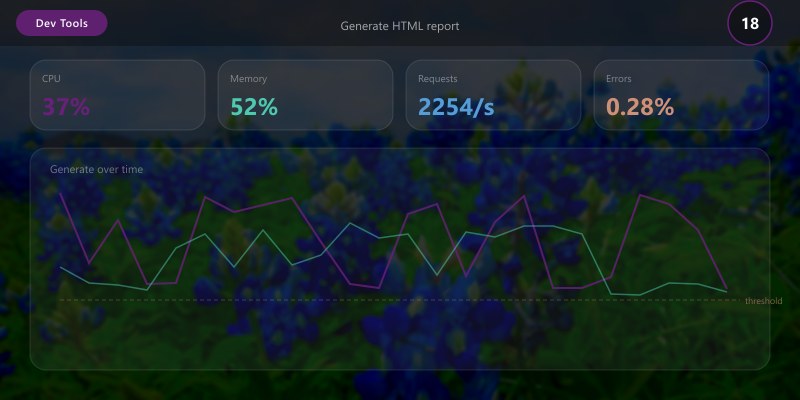
## Generate HTML report
dotnet tool install -g dotnet-reportgenerator-globaltool
reportgenerator \
-reports:coverage/coverage.opencover.xml \
-targetdir:coverage/report \
-reporttypes:Html
Expected output:
Passed! - Failed: 0, Passed: 24, Skipped: 0, Total: 24, Duration: 1.8 s

Coverage in CI/CD
GitHub Actions:
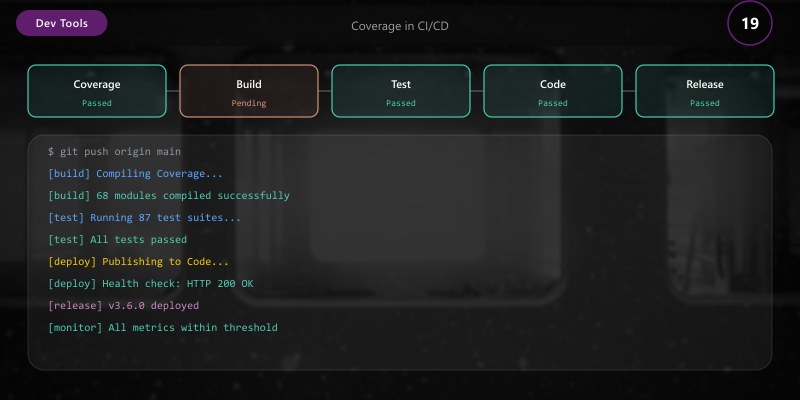
name: Code Coverage

on: [push, pull_request]

jobs:
  coverage:
```sql
runs-on: ubuntu-latest
steps:
  - uses: actions/checkout@v4

  - name: Setup Node.js
    uses: actions/setup-node@v4
    with:
      node-version: '20'

  - name: Install dependencies
    run: npm ci

  - name: Run tests with coverage
    run: npm run test:coverage

  - name: Upload coverage to Codecov
    uses: codecov/codecov-action@v3
    with:
      files: ./coverage/lcov.info
      flags: unittests
      fail_ci_if_error: true

  - name: Comment PR with coverage
    uses: romeovs/lcov-reporter-action@v0.3.1
    with:
      lcov-file: ./coverage/lcov.info
      github-token: ${{ secrets.GITHUB_TOKEN }}
## Technical Debt Management

### SonarQube Technical Debt

**Debt Ratio Calculation:**

```text
Technical Debt Ratio = (Remediation Cost / Development Cost) × 100

Example:
- Remediation Cost: 2 days (16 hours)
- Development Cost: 50 days (400 hours)
- Debt Ratio: (16 / 400) × 100 = 4%

Targets:
- A: <= 5%
- B: 6-10%
- C: 11-20%
- D: 21-50%
- E: > 50%
Tracking Debt:
// Mark technical debt in code
// : TECH-DEBT - Replace with proper error handling (Est: 2h)
try {
  performOperation();
} catch {
  console.log('Failed');
}

// Link to issue tracker
// FIXME: JIRA-1234 - Refactor to use repository pattern (Est: 1 day)
const data = await db.query('SELECT * FROM users');
Code Metrics
Cyclomatic Complexity:
// ❌ High complexity (12) - hard to test
public decimal CalculatePrice(Product product, Customer customer, DateTime date)
{
```text
decimal price = product.BasePrice;

if (customer.IsPremium)
{
    if (product.Category == "Electronics")
    {
        if (date.Month == 12)
            price *= 0.7m;
        else if (date.DayOfWeek == DayOfWeek.Friday)
            price *= 0.85m;
        else
            price *= 0.9m;
    }
    else if (product.Category == "Clothing")
    {
        if (customer.TotalPurchases > 10)
            price *= 0.75m;
        else
            price *= 0.85m;
    }
}
else
{
    if (date.DayOfWeek == DayOfWeek.Monday)
        price *= 0.95m;
}

return price;```
}

// ✅ Reduced complexity (2) - testable
public decimal CalculatePrice(Product product, Customer customer, DateTime date)
{
```text
var calculator = PricingStrategy.For(product, customer, date);
return calculator.Calculate(product.BasePrice);```
}
CI/CD Quality Gates
GitHub Actions Quality Gate
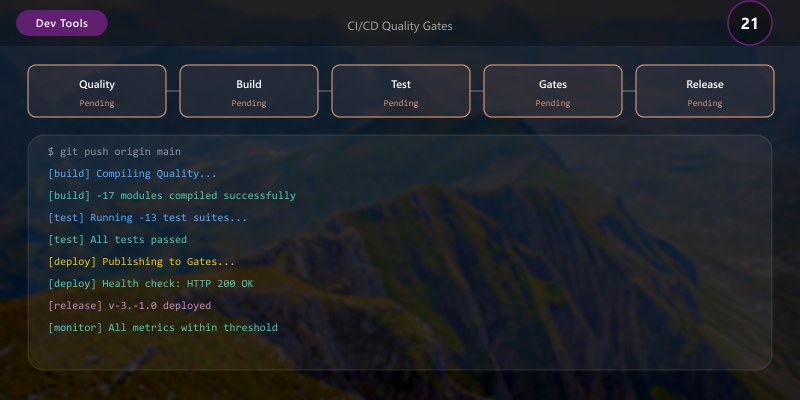
name: Quality Gate

on:
  pull_request:
```yaml
branches: [main]
jobs:
quality:
runs-on: ubuntu-latest
steps:
  - uses: actions/checkout@v4

  - name: Setup Node.js
    uses: actions/setup-node@v4
    with:
      node-version: '20'

  - name: Install dependencies
    run: npm ci

  - name: Lint
    run: npm run lint

  - name: Format check
    run: npm run format:check

  - name: Tests with coverage
    run: npm run test:coverage

  - name: SonarQube Scan
    uses: sonarsource/sonarqube-scan-action@master
    env:
      SONAR_TOKEN: ${{ secrets.SONAR_TOKEN }}
      SONAR_HOST_URL: ${{ secrets.SONAR_HOST_URL }}

  - name: Quality Gate Check
    uses: sonarsource/sonarqube-quality-gate-action@master
    timeout-minutes: 5
    env:
      SONAR_TOKEN: ${{ secrets.SONAR_TOKEN }}

  - name: Fail on quality issues
    if: failure()
    run: |
      echo "Quality gate failed! Check SonarQube for details."
      exit 1
### Azure DevOps Quality Gate

```yaml
trigger:
  branches:
```yaml
include:
  - main
pool:
vmImage: 'ubuntu-latest'
steps:
- task: SonarQubePrepare@5
inputs:
  SonarQube: 'SonarQubeConnection'
  scannerMode: 'CLI'
  configMode: 'file'
- task: DotNetCoreCLI@2
inputs:
  command: 'test'
  arguments: '/p:CollectCoverage=true /p:CoverletOutputFormat=opencover'
task: SonarQubeAnalyze@5
task: SonarQubePublish@5
inputs:
  pollingTimeoutSec: '300'
- task: sonar-buildbreaker@8
inputs:
  SonarQube: 'SonarQubeConnection'
## Best Practices
1. **Automate Everything**: Linting, formatting, and tests in CI/CD
2. **Fail Fast**: Block PRs that don't meet quality standards
3. **Progressive Enhancement**: Gradually increase coverage thresholds
4. **Context-Specific Rules**: Critical code needs higher standards
5. **Developer Education**: Explain why rules exist, not just enforce them
6. **Regular Updates**: Keep analyzer packages current
7. **Measure and Improve**: Track quality metrics over time
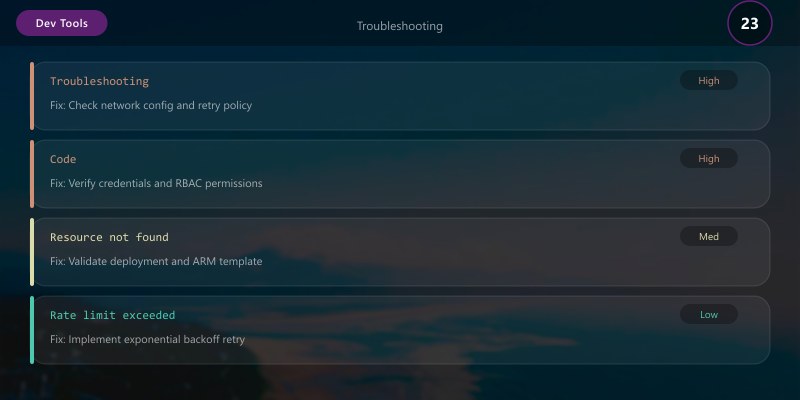
## Troubleshooting
**ESLint Performance:**
```bash
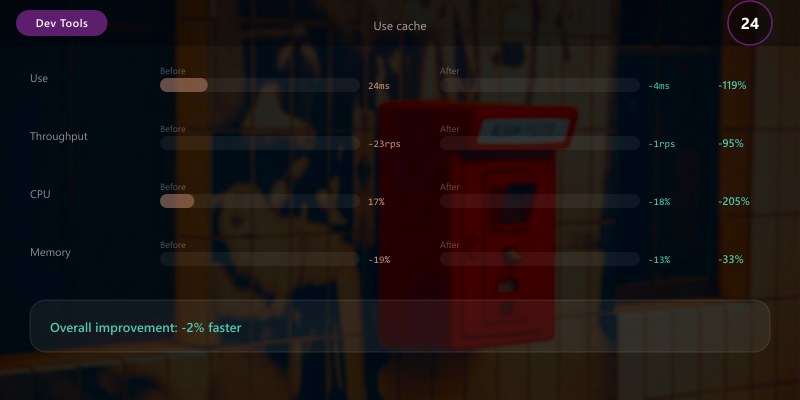
## Use cache
eslint --cache src/**/*.ts
## Parallel execution
eslint --max-warnings 0 src/**/*.ts
SonarQube Memory:
## Increase Java heap
sonarqube:
  environment:
```yaml
SONAR_CE_JAVAOPTS: "-Xmx2g"
SONAR_WEB_JAVAOPTS: "-Xmx1g"
**Analyzer Conflicts:**

```xml
<!-- Disable conflicting rules -->
<PropertyGroup>
  <NoWarn>$(NoWarn);CA1062;SA1600</NoWarn>
</PropertyGroup>
Architecture Decision and Tradeoffs
When designing development workflow solutions with Developer Tools, consider these key architectural trade-offs:
| Approach | Best For | Tradeoff |
|---|---|---|
| Managed / platform service | Rapid delivery, reduced ops burden | Less customisation, potential vendor lock-in |
| Custom / self-hosted | Full control, advanced tuning | Higher operational overhead and cost |
Recommendation: Start with the managed approach for most workloads and move to custom only when specific requirements demand it.
Validation and Versioning
- Last validated: April 2026
- Validate examples against your tenant, region, and SKU constraints before production rollout.
- Keep module, CLI, and SDK versions pinned in automation pipelines and review quarterly.
Security and Governance Considerations
- Apply least-privilege access using RBAC roles and just-in-time elevation for admin tasks.
- Store secrets in managed secret stores and avoid embedding credentials in scripts or source files.
- Enable audit logging, data protection policies, and periodic access reviews for regulated workloads.
Cost and Performance Notes
- Define budgets and alerts, then monitor usage and cost trends continuously after go-live.
- Baseline performance with synthetic and real-user checks before and after major changes.
- Scale resources with measured thresholds and revisit sizing after usage pattern changes.
Official Microsoft References
- https://learn.microsoft.com/visualstudio/
- https://learn.microsoft.com/azure/devops/
- https://learn.microsoft.com/github/
Public Examples from Official Sources
- These examples are sourced from official public Microsoft documentation and sample repositories.
- Documentation examples: https://learn.microsoft.com/visualstudio/
- Sample repositories: https://github.com/microsoft/vscode-extension-samples
- Prefer adapting these examples to your tenant, subscriptions, and governance requirements before production use.
Key Takeaways
- ESLint and Prettier enforce consistent JavaScript/TypeScript code style
- SonarQube provides multi-language static analysis with quality gates
- .NET analyzers catch code issues at compile time with Roslyn
- Code coverage metrics ensure adequate test coverage with Istanbul and Coverlet
- Automated quality gates in CI/CD prevent technical debt accumulation
Next Steps
- Implement mutation testing with Stryker for test quality validation
- Set up architecture fitness functions with ArchUnit or NDepend
- Configure security scanning with Snyk or WhiteSource
- Establish code review metrics to track review effectiveness
Additional Resources
Quality code, quality product.
```
