Enterprise API Management: Azure APIM, Service Bus, and Microservices Gateway
Enterprise API Management: Azure APIM, Service Bus, and Microservices Gateway
Introduction
APIs are product interfaces, not just integration pipes. In 2025 the programs that scaled reliably did three things consistently: they put Azure API Management (APIM) in front of every externally consumed API with opinionated policies; they separated synchronous from asynchronous workloads cleanly using Service Bus; and they treated the platform like a product with paved paths, CI/CD, and measurable SLOs. This deep dive provides a pragmatic blueprint to stand up a robust API platform, harden it for production, and keep costs and complexity in check.
We’ll cover a reference architecture, products and subscriptions, versioning and revisions, core policies (JWT validation, CORS, quotas, caching), async patterns with Service Bus, observability with Application Insights and Log Analytics, private networking and custom domains, and a CI/CD approach that avoids “clickops.” You’ll get code and policy snippets you can paste today, but the emphasis is on decisions and guardrails that make the platform easy to operate.
Prerequisites
| Requirement | Details |
|---|---|
| Basic setup and tooling | Basic setup and tooling |
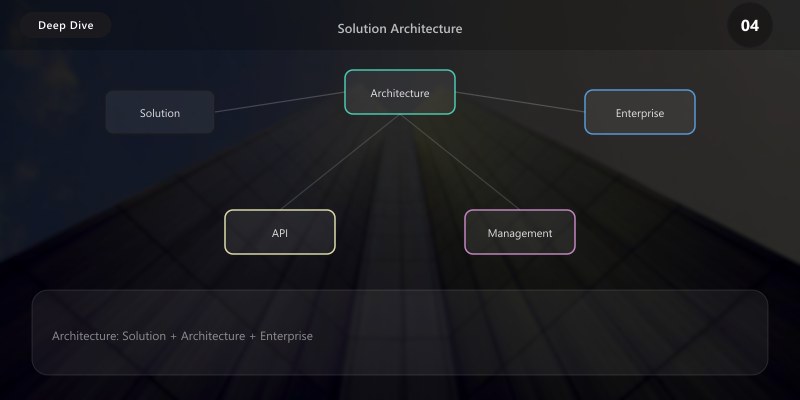
Figure: Solution architecture integrating enterprise api management—component interactions, data flows, authentication boundaries, and scalability patterns.
Figure: Implementation roadmap for enterprise api management—phased delivery, dependency management, risk mitigation, and success criteria.
Figure: Operational model for enterprise api management—monitoring dashboards, incident response, capacity planning, and continuous improvement.
Modern enterprises expose hundreds of APIs across internal services, partner integrations, and public developers. This deep dive builds a comprehensive API management platform leveraging Azure API Management (APIM), Service Bus messaging, OAuth2 authentication, rate limiting policies, and microservices orchestration patterns.
Solution Architecture
responses:
'200':
description: Order list
content:
application/json:
schema:
type: array
items:
$ref: '#/components/schemas/Order'
post:
summary: Create order
requestBody:
required: true
content:
  application/json:
    schema:
      $ref: '#/components/schemas/OrderCreate'
responses:
'201':
description: Order created```
components:
schemas:
Order:
  type: object
  properties:
    orderId:
      type: string
    status:
      type: string
    total:
      type: number
**Import API to APIM:**

```bash
az apim api import \
  --resource-group rg-apim-platform \
  --service-name apim-enterprise-xyz \
  --path orders/v1 \
  --specification-path orders-api.yaml \
  --specification-format OpenApi \
  --display-name "Orders API v1" \
  --api-id orders-v1
Version Management:
## Create version set
az apim api versionset create \
--resource-group rg-apim-platform \
--service-name apim-enterprise-xyz \
--version-set-id orders-versions \
--display-name "Orders API" \
--versioning-scheme Segment
## Add v2 with breaking changes
az apim api create \
--resource-group rg-apim-platform \
--service-name apim-enterprise-xyz \
--api-id orders-v2 \
--path orders/v2 \
--display-name "Orders API v2" \
--api-version v2 \
--api-version-set-id orders-versions
Guidance:
- Prefer revisions for non‑breaking changes; keep a rollback path. Use versions (v1, v2) for breaking change lines.
- Use the Segment scheme (
/v1) externally for clarity; hide internal routing details behind APIM. - Publish deprecation notices in the developer portal, and enforce sunset headers months in advance.
Phase 3: OAuth2 Authentication with Azure AD B2C
Register APIM in Azure AD B2C:
## Create Azure AD B2C tenant (manual via portal)
## Register application
az ad app create \
--display-name "APIM-Orders-API" \
--identifier-uris "api://orders" \
--sign-in-audience AzureADMultipleOrgs

## Expose API scope
az ad app update \
--id <app-id> \
--set oauth2Permissions='[{"adminConsentDescription":"Allow full access","adminConsentDisplayName":"Access Orders API","id":"<guid>","isEnabled":true,"type":"User","userConsentDescription":"Allow access","userConsentDisplayName":"Access API","value":"orders.readwrite"}]'
APIM Inbound Policy (JWT Validation):
<policies>
  <inbound>
```text
<validate-jwt header-name="Authorization" failed-validation-httpcode="401" failed-validation-error-message="Unauthorized">
  <openid-config url="https://contoso.b2clogin.com/contoso.onmicrosoft.com/v2.0/.well-known/openid-configuration?p=B2C_1_signupsignin" />
  <required-claims>
    <claim name="aud">
      <value>api://orders</value>
    </claim>
    <claim name="scp" match="any">
      <value>orders.readwrite</value>
    </claim>
  </required-claims>
</validate-jwt>
<base />```
  </inbound>
</policies>
Also consider audience scoping per API to avoid over‑permissive tokens. Keep tokens lean; only emit claims you need. For browser clients, add strict CORS in inbound policies.
Client Application (Node.js SDK):
const msal = require('@azure/msal-node');
const axios = require('axios');

const clientConfig = {
  auth: {
```yaml
clientId: 'your-client-id',
authority: 'https://contoso.b2clogin.com/contoso.onmicrosoft.com/B2C_1_signupsignin',
clientSecret: 'your-client-secret'```
  }
};

const cca = new msal.ConfidentialClientApplication(clientConfig);

async function getAccessToken() {
  const tokenRequest = {
```yaml
scopes: ['api://orders/orders.readwrite']```
  };

  const response = await cca.acquireTokenByClientCredential(tokenRequest);
  return response.accessToken;
}

async function callOrdersAPI() {
  const token = await getAccessToken();

  const response = await axios.get('https://apim-enterprise-xyz.azure-api.net/orders/v1/orders', {
```yaml
headers: {
  'Authorization': `Bearer ${token}`
}```
  });

  return response.data;
}
Phase 4: Rate Limiting & Throttling
Policy Configuration:

<policies>
  <inbound>
```text
<!-- Tier-based rate limiting -->
<choose>
  <when condition="@(context.Subscription.Name.Contains("premium"))">
    <rate-limit calls="10000" renewal-period="3600" />
    <quota calls="1000000" renewal-period="604800" />
  </when>
  <when condition="@(context.Subscription.Name.Contains("standard"))">
    <rate-limit calls="1000" renewal-period="3600" />
    <quota calls="100000" renewal-period="604800" />
  </when>
  <otherwise>
    <rate-limit calls="100" renewal-period="3600" />
    <quota calls="10000" renewal-period="604800" />
  </otherwise>
</choose>

<!-- Concurrent request throttling -->
<rate-limit-by-key calls="20" renewal-period="60" counter-key="@(context.Request.IpAddress)" />

<base />```
  </inbound>
  <outbound>
```powershell
<!-- Return rate limit headers -->
<set-header name="X-RateLimit-Limit" exists-action="override">
  <value>@(context.Response.Headers.GetValueOrDefault("X-RateLimit-Limit", "100"))</value>
</set-header>
<set-header name="X-RateLimit-Remaining" exists-action="override">
  <value>@(context.Response.Headers.GetValueOrDefault("X-RateLimit-Remaining", "99"))</value>
</set-header>
<base />```
  </outbound>
</policies>
Model quotas at the product level and keep per‑subscription keys short‑lived. For B2B partners, provision separate products per partner to isolate throttles and analytics.
Phase 5: Service Bus Integration
Infrastructure Setup:
## Create Service Bus namespace
az servicebus namespace create \
--resource-group rg-apim-platform \
--name sb-orders-platform \
--sku Premium \
--location eastus
## Create queues
az servicebus queue create \
--resource-group rg-apim-platform \
--namespace-name sb-orders-platform \
--name order-processing \
--max-delivery-count 5 \
--dead-lettering-on-message-expiration true
## Create topic for events
az servicebus topic create \
--resource-group rg-apim-platform \
--namespace-name sb-orders-platform \
--name order-events
APIM Send-to-Queue Policy:
<policies>
  <inbound>
```text
<base />```
  </inbound>
  <backend>
```powershell
<!-- Async processing: send to Service Bus -->
<send-request mode="new" timeout="20" ignore-error="false">
  <set-url>https://sb-orders-platform.servicebus.windows.net/order-processing/messages</set-url>
  <set-method>POST</set-method>


  <set-header name="Authorization" exists-action="override">
    <value>@{
      var keyName = "RootManageSharedAccessKey";
      var key = "{{ServiceBusKey}}";
      var resourceUri = "https://sb-orders-platform.servicebus.windows.net/order-processing/messages";
      var expiry = DateTimeOffset.UtcNow.AddHours(1).ToUnixTimeSeconds();
      var stringToSign = System.Web.HttpUtility.UrlEncode(resourceUri) + "\n" + expiry;
      var hmac = new System.Security.Cryptography.HMACSHA256(System.Text.Encoding.UTF8.GetBytes(key));
      var signature = Convert.ToBase64String(hmac.ComputeHash(System.Text.Encoding.UTF8.GetBytes(stringToSign)));
      return $"SharedAccessSignature sr={System.Web.HttpUtility.UrlEncode(resourceUri)}&sig={System.Web.HttpUtility.UrlEncode(signature)}&se={expiry}&skn={keyName}";
    }</value>
  </set-header>
  <set-header name="Content-Type" exists-action="override">
    <value>application/json</value>
  </set-header>
  <set-body>@(context.Request.Body.As<string>(preserveContent: true))</set-body>
</send-request>

<!-- Return immediate response -->
<return-response>
  <set-status code="202" reason="Accepted" />
  <set-header name="Location" exists-action="override">
    <value>@($"https://apim-enterprise-xyz.azure-api.net/orders/v1/status/{Guid.NewGuid()}")</value>
  </set-header>
  <set-body>{"status": "processing", "message": "Order accepted for processing"}</set-body>
</return-response>```
  </backend>
</policies>
Patterns:
- Return 202 Accepted with a status URL for long‑running operations. Persist correlation IDs and expose them to clients.
- Use DLQs for poison message handling; add alerts on DLQ growth.
- For fan‑out events, publish to a topic and subscribe downstream microservices.
Azure Function Queue Processor:
[FunctionName("ProcessOrder")]
public static async Task Run(
```text
[ServiceBusTrigger("order-processing", Connection = "ServiceBusConnection")] string messageBody,
[ServiceBus("order-events", Connection = "ServiceBusConnection")] IAsyncCollector<string> eventOutput,
ILogger log)```
{
```text
var order = JsonSerializer.Deserialize<Order>(messageBody);

try
{
    // Business logic
    await ValidateOrder(order);
    await ProcessPayment(order);
    await UpdateInventory(order);

    // Send success event
    var successEvent = new { OrderId = order.OrderId, Status = "completed", Timestamp = DateTime.UtcNow };
    await eventOutput.AddAsync(JsonSerializer.Serialize(successEvent));

    log.LogInformation($"Order {order.OrderId} processed successfully");
}
catch (Exception ex)
{
    log.LogError(ex, $"Failed to process order {order.OrderId}");
    throw; // Send to dead-letter queue
}```
}
Phase 6: Response Caching with Redis
Redis Cache Deployment:
az redis create \
  --resource-group rg-apim-platform \
  --name redis-apim-cache \
  --location eastus \
  --sku Premium \
  --vm-size P1 \
  --enable-non-ssl-port false
APIM Caching Policy:
<policies>
  <inbound>
```text
<!-- Cache lookup -->
<cache-lookup vary-by-developer="false" vary-by-developer-groups="false" downstream-caching-type="none">
  <vary-by-query-parameter>status</vary-by-query-parameter>
  <vary-by-query-parameter>page</vary-by-query-parameter>
</cache-lookup>
<base />```
  </inbound>
  <backend>
```text
<base />```
  </backend>
  <outbound>
```text
<!-- Cache store -->
<cache-store duration="300" />
<base />```
  </outbound>
</policies>
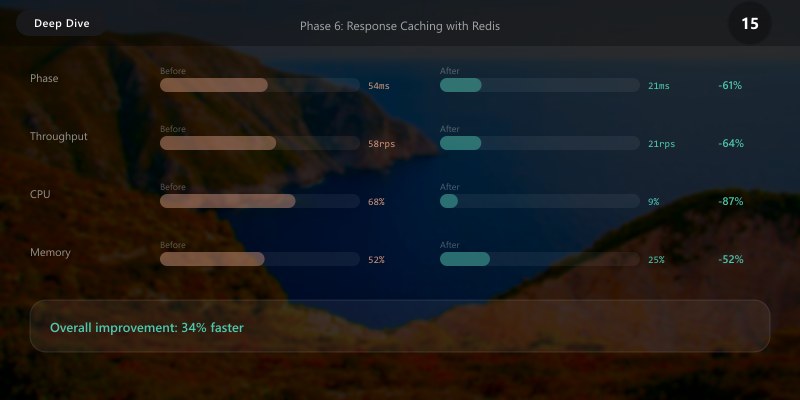
Cache only idempotent GETs. Use vary‑by headers (e.g., Accept-Language) when responses differ. Invalidate caches on updates via short TTLs or explicit purge endpoints.
External Redis Policy:
<policies>
  <inbound>
```powershell
<!-- External cache lookup -->
<cache-lookup-value key="@($"order:{context.Request.MatchedParameters["orderId"]}")" variable-name="cachedOrder" />
<choose>
  <when condition="@(context.Variables.ContainsKey("cachedOrder"))">
    <return-response>
      <set-status code="200" />
      <set-body>@((string)context.Variables["cachedOrder"])</set-body>
    </return-response>
  </when>
</choose>
<base />```
  </inbound>
  <outbound>
```text
<!-- Store in external cache -->
<cache-store-value key="@($"order:{context.Request.MatchedParameters["orderId"]}")" value="@(context.Response.Body.As<string>())" duration="600" />
<base />```
  </outbound>
</policies>
Phase 7: Observability & Monitoring
Application Insights Integration:
<policies>
  <inbound>
```powershell
<!-- Custom dimensions -->
<set-variable name="startTime" value="@(DateTime.UtcNow)" />
<base />```
  </inbound>
  <outbound>
```text
<!-- Log to Application Insights -->
<log-to-eventhub logger-id="appinsights-logger">
  @{
    var endTime = DateTime.UtcNow;
    var duration = (endTime - (DateTime)context.Variables["startTime"]).TotalMilliseconds;
    return new JObject(
      new JProperty("api", context.Api.Name),
      new JProperty("operation", context.Operation.Name),
      new JProperty("userId", context.User?.Id ?? "anonymous"),
      new JProperty("durationMs", duration),
      new JProperty("statusCode", context.Response.StatusCode),
      new JProperty("subscriptionName", context.Subscription?.Name)
    ).ToString();
  }
</log-to-eventhub>
<base />```
  </outbound>
</policies>
KQL Queries for Monitoring:
// API Performance by Operation
ApiManagementGatewayLogs
| where TimeGenerated > ago(1h)
| summarize
```text
AvgDuration = avg(DurationMs),
P95Duration = percentile(DurationMs, 95),
RequestCount = count()
by ApiId, OperationId```
| order by P95Duration desc

// Error Rate Analysis
| where ResponseCode >= 400
| summarize ErrorCount = count() by ApiId, ResponseCode, bin(TimeGenerated, 5m)
| render timechart

// Rate Limit Violations
| where IsRequestThrottled == true
| summarize Violations = count() by SubscriptionName, ClientIpAddress
| order by Violations desc

// Cache Hit Ratio
ApiManagementGatewayLogs
| where TimeGenerated > ago(1d)
| summarize
```text
TotalRequests = count(),
CacheHits = countif(Cache == "hit")```
| extend HitRatio = (CacheHits * 100.0) / TotalRequests
| project HitRatio, CacheHits, TotalRequests
Observability playbook:
- Define SLOs (availability, latency p95) per API. Alert on error‑budget burn rather than single thresholds.
- Correlate APIM gateway logs to backend requests using operation_Id/correlation headers.
- Sample high‑volume requests at 5–10% but never sample exceptions.
Alert Rules:
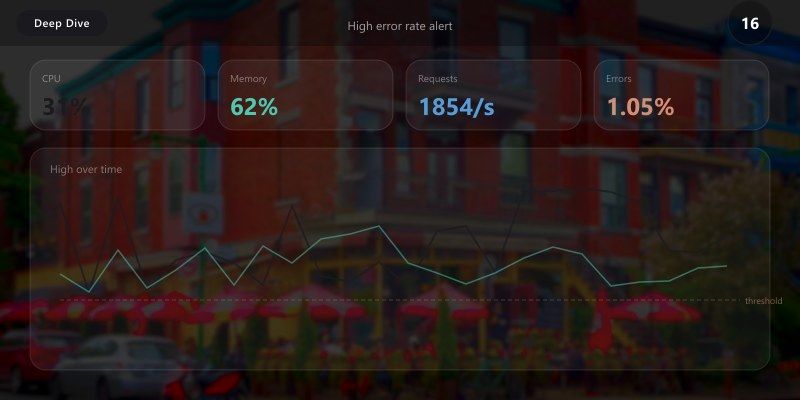
## High error rate alert
az monitor metrics alert create \
--name "APIM-High-Error-Rate" \
--resource-group rg-apim-platform \
--scopes /subscriptions/<sub-id>/resourceGroups/rg-apim-platform/providers/Microsoft.ApiManagement/service/apim-enterprise-xyz \
--condition "avg requests where ResultType includes Failed > 10" \
--window-size 5m \
--evaluation-frequency 1m \
--action /subscriptions/<sub-id>/resourceGroups/rg-apim-platform/providers/Microsoft.Insights/actionGroups/apim-alerts
Expected output:
{ "value": [{ "name": { "value": "Requests" }, "timeseries": [{ "data": [{ "total": 1234 }] }] }] }

Advanced Patterns
Pattern 1: Circuit Breaker
<policies>
  <inbound>
```powershell
<!-- Circuit breaker implementation -->
<cache-lookup-value key="circuit-breaker-backend-service" variable-name="circuitState" />
<choose>
  <when condition="@(context.Variables.GetValueOrDefault<string>("circuitState") == "open")">
    <return-response>
      <set-status code="503" reason="Service Temporarily Unavailable" />
      <set-body>{"error": "Circuit breaker is open. Service temporarily unavailable."}</set-body>
    </return-response>
  </when>
</choose>
<base />```
  </inbound>
  <backend>
```text
<retry condition="@(context.Response.StatusCode >= 500)" count="3" interval="2" delta="1">
  <forward-request timeout="10" />
</retry>```
  </backend>
  <outbound>
```text
<!-- Open circuit on failures -->
<choose>
  <when condition="@(context.Response.StatusCode >= 500)">
    <cache-store-value key="circuit-breaker-backend-service" value="open" duration="60" />
  </when>
</choose>
<base />```
  </outbound>
</policies>
Pair with health probes and open the circuit based on consecutive failures and duration. Surface Retry-After guidance in responses where applicable.
Pattern 2: API Gateway Aggregation
<policies>
  <inbound>
```text
<base />```
  </inbound>
  <backend>
```powershell
<!-- Call multiple backend services -->
<send-request mode="new" response-variable-name="orderResponse" timeout="10">
  <set-url>https://orders-api.contoso.com/orders/@(context.Request.MatchedParameters["orderId"])</set-url>
  <set-method>GET</set-method>
</send-request>

<send-request mode="new" response-variable-name="customerResponse" timeout="10">
  <set-url>https://customers-api.contoso.com/customers/@(((IResponse)context.Variables["orderResponse"]).Body.As<JObject>()["customerId"])</set-url>
  <set-method>GET</set-method>
</send-request>

<send-request mode="new" response-variable-name="inventoryResponse" timeout="10">
  <set-url>https://inventory-api.contoso.com/products/@(((IResponse)context.Variables["orderResponse"]).Body.As<JObject>()["productId"])</set-url>
  <set-method>GET</set-method>
</send-request>

<!-- Aggregate responses -->
<return-response>
  <set-status code="200" />
  <set-header name="Content-Type" exists-action="override">
    <value>application/json</value>
  </set-header>
  <set-body>@{
    var order = ((IResponse)context.Variables["orderResponse"]).Body.As<JObject>();
    var customer = ((IResponse)context.Variables["customerResponse"]).Body.As<JObject>();
    var inventory = ((IResponse)context.Variables["inventoryResponse"]).Body.As<JObject>();

    return new JObject(
      new JProperty("order", order),
      new JProperty("customer", customer),
      new JProperty("inventory", inventory)
    ).ToString();
  }</set-body>
</return-response>```
  </backend>
</policies>
Aggregation reduces client chattiness but increases gateway complexity and coupling. Use judiciously for read scenarios; prefer backend composition for complex writes.
Security Best Practices
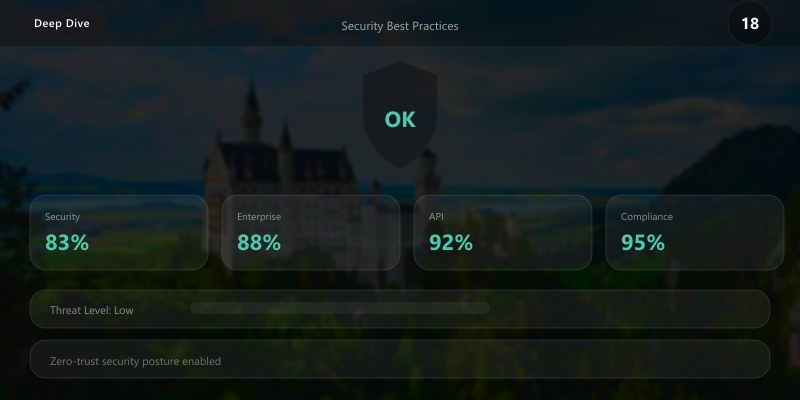
- Managed Identity: Use system-assigned identities for backend authentication
- Key Vault Integration: Store secrets in Key Vault, reference via named values
- IP Whitelisting: Restrict APIM access to known IP ranges
- CORS Policies: Configure strict CORS for browser-based clients
- DDoS Protection: Enable Azure DDoS Protection on APIM VNet
- Mutual TLS: Require client certificates for high-security APIs
Additional posture:
- Private networking with VNet integration; use private endpoints for backends. Disable public access where feasible.
- Custom domains and certificates managed in Key Vault; automate renewals.
- Validate input aggressively (size limits, schema checks) to mitigate abuse.
Disaster Recovery
Multi-Region Deployment:
## Primary region
az apim create --resource-group rg-apim-eastus --name apim-primary --location eastus --sku Premium

## Add secondary region
az apim update \
--resource-group rg-apim-eastus \
--name apim-primary \
--add additionalLocations location=westus sku=name=Premium capacity=1

Backup & Restore:
## Backup
az apim backup \
--resource-group rg-apim-platform \
--name apim-enterprise-xyz \
--backup-name apim-backup-$(date +%Y%m%d) \
--storage-account-name stbackups \
--storage-account-container backups
## Restore
az apim restore \
--resource-group rg-apim-platform \
--name apim-enterprise-xyz \
--backup-name apim-backup-20250315 \
--storage-account-name stbackups \
--storage-account-container backups
Run regional failover drills twice a year. Validate DNS cutover, certs, and that the developer portal remains accessible. Measure RTO/RPO against commitments.
Troubleshooting
Issue: JWT validation fails with valid token
Solution: Verify openid-config URL, check audience claim, ensure clock synchronization
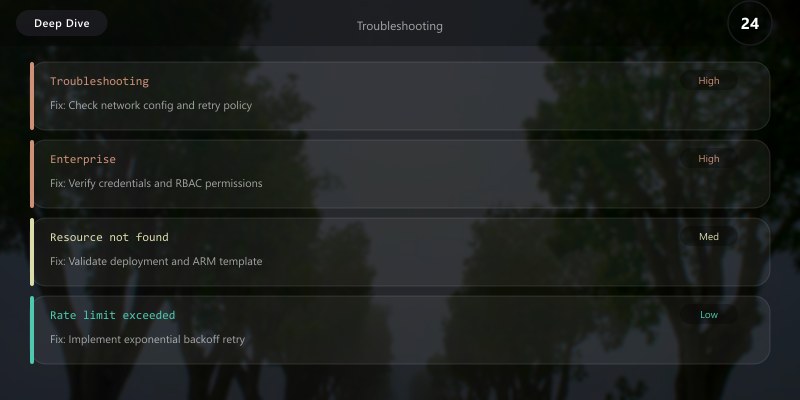
Issue: Rate limit not enforced correctly
Solution: Check subscription tier mapping, verify counter-key uniqueness, review renewal period
Issue: Service Bus queue messages go to dead-letter
Solution: Check max delivery count, review message expiration, inspect exception details
Additional scenarios:
- 401/403 at APIM: confirm issuer/audience, key rollover, and clock skew; check policy order.
- CORS errors: ensure
OPTIONSpreflight is handled with allowed origins/headers/methods. - Unexpected cache content: verify vary‑by params and TTL; purge keys on model changes.
- High p95 latency: analyze per‑operation and per‑subscription; check backend thread starvation and connection pools.
Architecture Decision and Tradeoffs
When designing integrated solutions solutions with Azure + Power Platform, consider these key architectural trade-offs:
| Approach | Best For | Tradeoff |
|---|---|---|
| Managed / platform service | Rapid delivery, reduced ops burden | Less customisation, potential vendor lock-in |
| Custom / self-hosted | Full control, advanced tuning | Higher operational overhead and cost |
Recommendation: Start with the managed approach for most workloads and move to custom only when specific requirements demand it.
Validation and Versioning
- Last validated: April 2026
- Validate examples against your tenant, region, and SKU constraints before production rollout.
- Keep module, CLI, and SDK versions pinned in automation pipelines and review quarterly.
Security and Governance Considerations
- Apply least-privilege access using RBAC roles and just-in-time elevation for admin tasks.
- Store secrets in managed secret stores and avoid embedding credentials in scripts or source files.
- Enable audit logging, data protection policies, and periodic access reviews for regulated workloads.
Cost and Performance Notes
- Define budgets and alerts, then monitor usage and cost trends continuously after go-live.
- Baseline performance with synthetic and real-user checks before and after major changes.
- Scale resources with measured thresholds and revisit sizing after usage pattern changes.
Official Microsoft References
- https://learn.microsoft.com/azure/architecture/
- https://learn.microsoft.com/azure/well-architected/
- https://learn.microsoft.com/power-platform/guidance/
Public Examples from Official Sources
- These examples are sourced from official public Microsoft documentation and sample repositories.
- Documentation examples: https://learn.microsoft.com/azure/well-architected/
- Sample repositories: https://github.com/Azure/ArchitectureCenter
- Prefer adapting these examples to your tenant, subscriptions, and governance requirements before production use.
Key Takeaways
- Azure APIM provides comprehensive API gateway capabilities with policies
- OAuth2 with Azure AD B2C secures APIs with industry-standard authentication
- Service Bus enables async processing patterns for scalable architectures
- Rate limiting and caching optimize performance and protect backends
- Distributed tracing with Application Insights ensures observability
A standardized APIM posture—policies, products, CI/CD, and telemetry—turns a collection of services into a dependable platform that partners and teams can build on with confidence.
Next Steps
- Implement API versioning strategy (Segment, Header, Query)
- Deploy developer portal for external API consumers
- Add GraphQL support for flexible data queries
- Explore self-hosted gateway for hybrid/on-premises scenarios
Then, template your APIM artifacts (products, policies, APIs) as IaC and ship a starter repo for teams. Add workbooks for p95, error rates, and throttling by product to drive weekly reviews.
Additional Resources
Ready to build enterprise-grade API infrastructure?
```
