Azure OpenAI Service: Building Intelligent Apps with GPT Models
Introduction
Azure OpenAI Service brings the power of OpenAI's GPT models into the Azure cloud, combining cutting-edge AI capabilities with enterprise-grade security, compliance, and networking. Organizations can build intelligent applications that understand natural language, generate content, analyze documents, and provide conversational experiences — all within the trusted Azure environment.
This guide covers practical implementation of Azure OpenAI Service, including model deployment, prompt engineering, RAG (Retrieval-Augmented Generation) patterns, responsible AI practices, and production scaling strategies.
Prerequisites
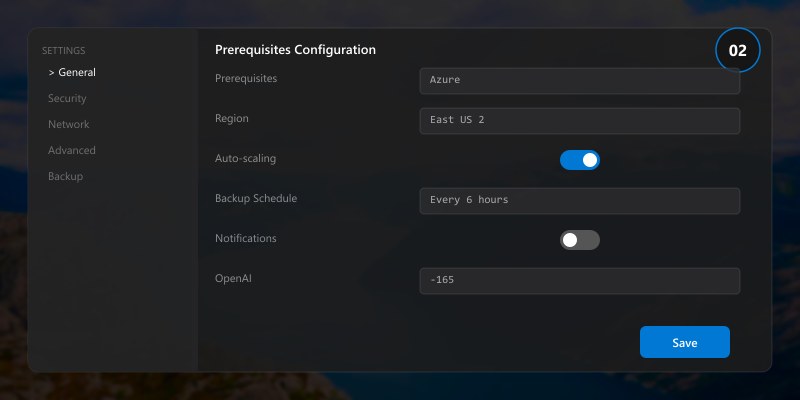
- Azure subscription with Azure OpenAI access approved
- Azure CLI v2.50+ and Python 3.10+
- Basic understanding of REST APIs and JSON
- Familiarity with AI/ML concepts (helpful but not required)
Architecture for Intelligent Applications
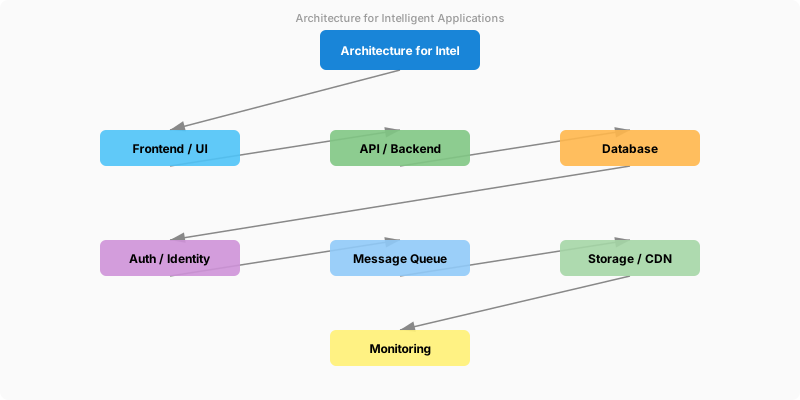
Figure: Workspace – published reports, datasets, and app installation dialog.
Architecture Overview: User Interface
Step-by-Step Implementation
Step 1: Deploy Azure OpenAI Resource
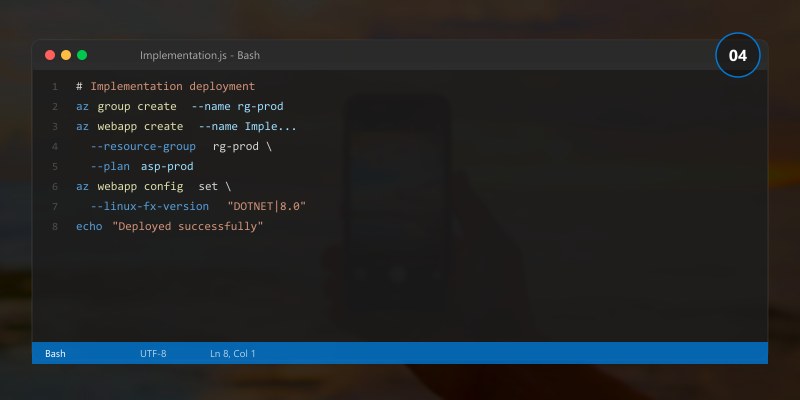
# Create resource group
az group create --name rg-openai-demo --location eastus

# Create Azure OpenAI resource
az cognitiveservices account create \
  --name mycompany-openai \
  --resource-group rg-openai-demo \
  --kind OpenAI \
  --sku S0 \
  --location eastus

# Deploy GPT-4o model
az cognitiveservices account deployment create \
  --name mycompany-openai \
  --resource-group rg-openai-demo \
  --deployment-name gpt-4o \
  --model-name gpt-4o \
  --model-version "2024-05-13" \
  --model-format OpenAI \
  --sku-capacity 30 \
  --sku-name Standard
Expected output:
{ "name": "rg-myapp-prod", "location": "eastus2", "properties": { "provisioningState": "Succeeded" } }

Step 2: Build the AI Client
from openai import AzureOpenAI
import os

client = AzureOpenAI(
    api_key=os.environ["AZURE_OPENAI_KEY"],
    api_version="2024-06-01",
    azure_endpoint=os.environ["AZURE_OPENAI_ENDPOINT"]
)

def get_completion(prompt, system_message="You are a helpful assistant.", max_tokens=1000):
    """Get a completion from Azure OpenAI with error handling."""
    try:
        response = client.chat.completions.create(
            model="gpt-4o",
            messages=[
                {"role": "system", "content": system_message},
                {"role": "user", "content": prompt}
            ],
            max_tokens=max_tokens,
            temperature=0.7
        )
        return response.choices[0].message.content
    except Exception as e:
        print(f"Error calling Azure OpenAI: {e}")
        return None

# Example: Summarize a document
summary = get_completion(
    prompt="Summarize the key points of this quarterly report: ...",
    system_message="You are a business analyst. Provide clear, actionable summaries."
)
print(summary)
Step 3: Implement RAG Pattern
from azure.search.documents import SearchClient
from azure.core.credentials import AzureKeyCredential

# Search for relevant documents
search_client = SearchClient(
    endpoint=os.environ["SEARCH_ENDPOINT"],
    index_name="knowledge-base",
    credential=AzureKeyCredential(os.environ["SEARCH_KEY"])
)

def answer_with_context(question):
    """Answer questions using RAG - retrieve context then generate answer."""
    # Step 1: Search for relevant documents
    results = search_client.search(
        search_text=question,
        top=3,
        select=["content", "title", "source"]
    )

    # Step 2: Build context from search results
    context_parts = []
    for result in results:
        context_parts.append(f"Source: {result['title']}\n{result['content']}")
    context = "\n\n---\n\n".join(context_parts)

    # Step 3: Generate answer grounded in context
    system_msg = """You are a helpful assistant. Answer questions based ONLY on
the provided context. If the context doesn't contain enough information, say so.
Always cite your sources."""

    prompt = f"Context:\n{context}\n\nQuestion: {question}"

    return get_completion(prompt, system_message=system_msg)

# Usage
answer = answer_with_context("What is our company's vacation policy?")
print(answer)
Step 4: Prompt Engineering Best Practices
| Technique | Description | Example |
|---|---|---|
| System Messages | Define AI behavior and constraints | "You are a technical writer. Use clear, concise language." |
| Few-Shot Examples | Provide input/output examples | "Input: ... Output: ... Now do the same for: ..." |
| Chain of Thought | Request step-by-step reasoning | "Think through this step by step..." |
| Output Format | Specify desired format | "Respond in JSON with keys: summary, action_items, priority" |
| Guardrails | Set boundaries | "Only answer questions about our products. For other topics, redirect." |
Responsible AI Practices
- Content Filtering: Azure OpenAI includes built-in content filters — configure levels per deployment
- Data Privacy: Customer data is not used to train models; stays within your Azure boundary
- Transparency: Always disclose when content is AI-generated
- Human Oversight: Implement approval workflows for high-stakes AI-generated content
- Bias Monitoring: Regularly review outputs for fairness across different user groups
Architecture Decision and Tradeoffs
When designing cloud infrastructure solutions with Azure, consider these key architectural trade-offs:
| Approach | Best For | Tradeoff |
|---|---|---|
| Managed / platform service | Rapid delivery, reduced ops burden | Less customisation, potential vendor lock-in |
| Custom / self-hosted | Full control, advanced tuning | Higher operational overhead and cost |
Recommendation: Start with the managed approach for most workloads and move to custom only when specific requirements demand it.
Validation and Versioning
- Last validated: April 2026
- Validate examples against your tenant, region, and SKU constraints before production rollout.
- Keep module, CLI, and SDK versions pinned in automation pipelines and review quarterly.
Security and Governance Considerations
- Apply least-privilege access using RBAC roles and just-in-time elevation for admin tasks.
- Store secrets in managed secret stores and avoid embedding credentials in scripts or source files.
- Enable audit logging, data protection policies, and periodic access reviews for regulated workloads.
Cost and Performance Notes
- Define budgets and alerts, then monitor usage and cost trends continuously after go-live.
- Baseline performance with synthetic and real-user checks before and after major changes.
- Scale resources with measured thresholds and revisit sizing after usage pattern changes.
Official Microsoft References
- https://learn.microsoft.com/azure/
- https://learn.microsoft.com/azure/architecture/
- https://learn.microsoft.com/azure/well-architected/
Public Examples from Official Sources
- These examples are sourced from official public Microsoft documentation and sample repositories.
- Documentation examples: https://learn.microsoft.com/azure/architecture/
- Sample repositories: https://github.com/Azure-Samples
- Prefer adapting these examples to your tenant, subscriptions, and governance requirements before production use.
Key Takeaways
- ✅ Azure OpenAI combines GPT capabilities with enterprise security and compliance
- ✅ RAG patterns ground AI responses in your organization's actual data
- ✅ Proper prompt engineering dramatically improves output quality and reliability
- ✅ Responsible AI practices are essential for enterprise deployments
- ✅ Cost management through token monitoring and caching keeps budgets predictable