Azure API Management: Building a Scalable API Gateway
Introduction
Azure API Management (APIM) is Microsoft's fully managed service for publishing, securing, transforming, and monitoring APIs at enterprise scale. In a world where APIs drive digital business, APIM serves as the critical gateway between your backend services and the consumers who depend on them — mobile apps, partner integrations, developer portals, and microservices.

This guide walks you through building a production-ready API gateway with Azure API Management, covering architecture, security policies, rate limiting, caching, analytics, and developer portal configuration.
Why Azure API Management?
Organizations adopting API Management gain significant advantages:
- Centralized API Governance: Single point of control for all API policies, versioning, and documentation
- Security at Scale: OAuth 2.0, JWT validation, mutual TLS, IP filtering, and subscription key management
- Performance Optimization: Built-in response caching, request throttling, and backend connection pooling
- Developer Experience: Auto-generated developer portal with interactive API testing and SDK generation
- Analytics and Insights: Real-time monitoring of API usage, latency, error rates, and consumer behavior
Prerequisites
- Azure subscription with Contributor role
- Azure CLI v2.50+ installed
- Basic understanding of REST API concepts
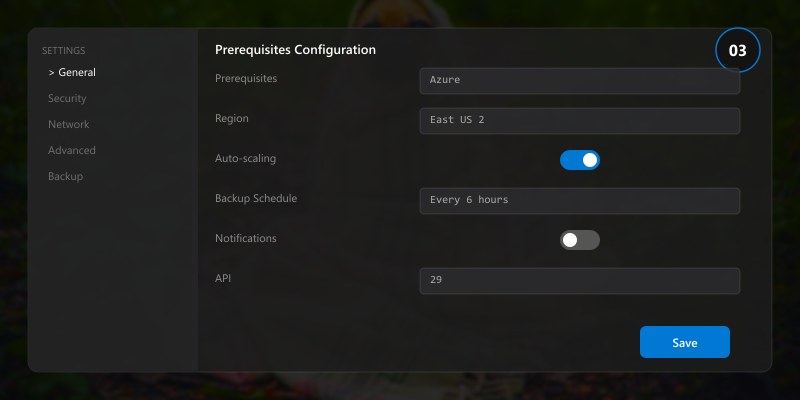
- Backend API or service to front-end (we'll create a sample)
Architecture Overview
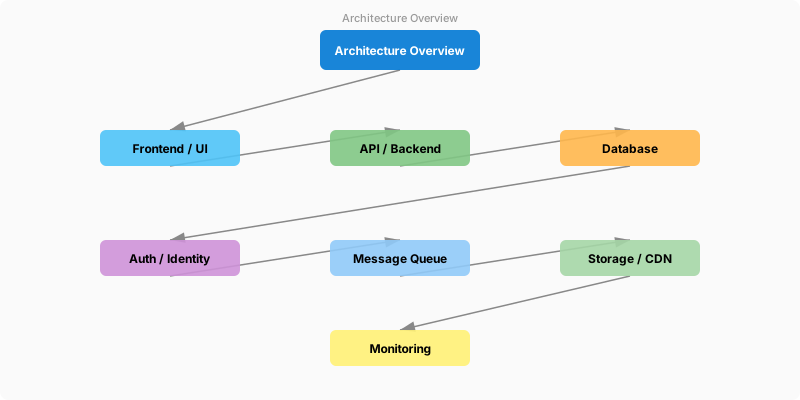
Figure: Interactive dashboard – charts, lists, and global filter controls.
Architecture Overview: API Consumers
Step-by-Step Implementation
Step 1: Create the API Management Instance
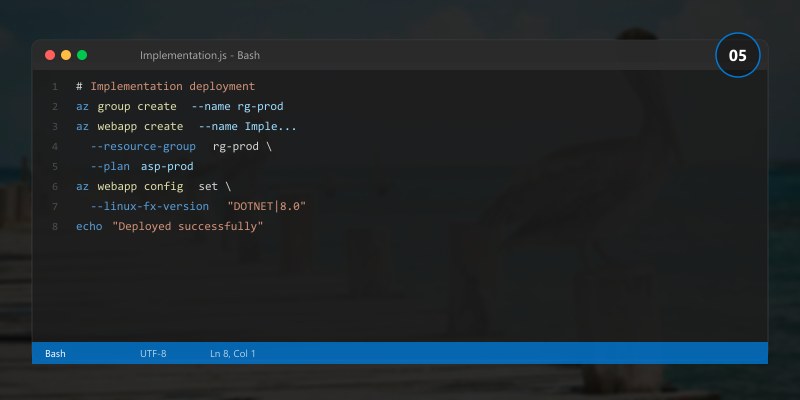
# Create resource group
az group create --name rg-apim-demo --location eastus

# Create APIM instance (Developer tier for testing)
az apim create \
  --resource-group rg-apim-demo \
  --name mycompany-apim \
  --publisher-name "My Company" \
  --publisher-email admin@mycompany.com \
  --sku-name Developer \
  --location eastus

# Verify deployment (takes 30-40 minutes for initial provisioning)
az apim show --resource-group rg-apim-demo --name mycompany-apim --query "provisioningState"
Expected output:
{ "name": "rg-myapp-prod", "location": "eastus2", "properties": { "provisioningState": "Succeeded" } }

Step 2: Import and Configure an API
# Import API from OpenAPI specification
az apim api import \
  --resource-group rg-apim-demo \
  --service-name mycompany-apim \
  --api-id orders-api \
  --path /orders \
  --specification-format OpenApi \
  --specification-url "https://petstore.swagger.io/v2/swagger.json" \
  --display-name "Orders API" \
  --api-type http
Step 3: Apply Security Policies
<!-- Inbound policy: validate JWT, rate limit, CORS -->
<policies>
  <inbound>
    <base />
    <!-- Validate JWT token from Azure AD -->
    <validate-jwt header-name="Authorization" failed-validation-httpcode="401">
      <openid-config url="https://login.microsoftonline.com/{tenant-id}/v2.0/.well-known/openid-configuration" />
      <required-claims>
        <claim name="aud" match="all">
          <value>{api-client-id}</value>
        </claim>
      </required-claims>
    </validate-jwt>

    <!-- Rate limiting: 100 calls per minute per subscription -->
    <rate-limit-by-key calls="100" renewal-period="60"
      counter-key="@(context.Subscription.Id)" />

    <!-- CORS for web clients -->
    <cors allow-credentials="true">
      <allowed-origins>
        <origin>https://myapp.azurewebsites.net</origin>
      </allowed-origins>
      <allowed-methods><method>GET</method><method>POST</method></allowed-methods>
      <allowed-headers><header>Authorization</header><header>Content-Type</header></allowed-headers>
    </cors>
  </inbound>

  <backend>
    <base />
  </backend>

  <outbound>
    <base />
    <!-- Cache responses for 5 minutes -->
    <cache-store duration="300" />
    <!-- Remove internal headers -->
    <set-header name="X-Powered-By" exists-action="delete" />
  </outbound>
</policies>
Step 4: Configure Caching
<!-- Cache lookup in inbound, cache store in outbound -->
<inbound>
  <cache-lookup vary-by-developer="false"
                vary-by-developer-groups="false"
                downstream-caching-type="none">
    <vary-by-query-parameter>page</vary-by-query-parameter>
    <vary-by-query-parameter>pageSize</vary-by-query-parameter>
  </cache-lookup>
</inbound>
<outbound>
  <cache-store duration="600" />
</outbound>
Step 5: Monitoring and Analytics
# Enable Application Insights integration
az apim update \
  --resource-group rg-apim-demo \
  --name mycompany-apim \
  --set properties.customProperties.Microsoft.WindowsAzure.ApiManagement.Monitoring.AppInsightsConnectionString="InstrumentationKey=xxx"

# View API analytics
az apim api list \
  --resource-group rg-apim-demo \
  --service-name mycompany-apim \
  --output table
Best Practices
- Use Named Values: Store reusable configuration like backend URLs and API keys as Named Values, not hardcoded in policies
- Version APIs: Use URL path (/v1/, /v2/) or header-based versioning from the start
- Implement Circuit Breaker: Use the
retryandsend-requestpolicies for resilient backend communication - Monitor Actively: Set alerts for error rate spikes, latency degradation, and quota exhaustion
- Configure Developer Portal: Well-documented APIs drive adoption — invest in the developer experience
- Use Products for Grouping: Group related APIs into Products for streamlined subscription management
Troubleshooting
401 Unauthorized After JWT Configuration

Solution: Verify the token audience matches your APIM API client ID, check that the OpenID configuration URL is correct, and ensure the token hasn't expired.
High Latency on First Request
Solution: APIM instances in Developer/Basic tiers may cold-start. For production, use Standard or Premium tier with Always On, and implement cache warming.
Backend Returns 502 Bad Gateway
Solution: Check backend health, verify the backend URL in APIM is correct, review timeout settings, and check NSG/firewall rules if using VNet integration.
Architecture Decision and Tradeoffs
When designing cloud infrastructure solutions with Azure, consider these key architectural trade-offs:
| Approach | Best For | Tradeoff |
|---|---|---|
| Managed / platform service | Rapid delivery, reduced ops burden | Less customisation, potential vendor lock-in |
| Custom / self-hosted | Full control, advanced tuning | Higher operational overhead and cost |
Recommendation: Start with the managed approach for most workloads and move to custom only when specific requirements demand it.
Validation and Versioning
- Last validated: April 2026
- Validate examples against your tenant, region, and SKU constraints before production rollout.
- Keep module, CLI, and SDK versions pinned in automation pipelines and review quarterly.
Security and Governance Considerations
- Apply least-privilege access using RBAC roles and just-in-time elevation for admin tasks.
- Store secrets in managed secret stores and avoid embedding credentials in scripts or source files.
- Enable audit logging, data protection policies, and periodic access reviews for regulated workloads.
Cost and Performance Notes
- Define budgets and alerts, then monitor usage and cost trends continuously after go-live.
- Baseline performance with synthetic and real-user checks before and after major changes.
- Scale resources with measured thresholds and revisit sizing after usage pattern changes.
Official Microsoft References
- https://learn.microsoft.com/azure/
- https://learn.microsoft.com/azure/architecture/
- https://learn.microsoft.com/azure/well-architected/
Public Examples from Official Sources
- These examples are sourced from official public Microsoft documentation and sample repositories.
- Documentation examples: https://learn.microsoft.com/azure/architecture/
- Sample repositories: https://github.com/Azure-Samples
- Prefer adapting these examples to your tenant, subscriptions, and governance requirements before production use.
Key Takeaways
- ✅ Azure API Management provides enterprise-grade API governance in a fully managed service
- ✅ Policy expressions enable powerful request/response transformation without code changes
- ✅ Built-in caching, rate limiting, and JWT validation reduce backend load and improve security
- ✅ The developer portal accelerates API adoption with interactive documentation
- ✅ Application Insights integration provides deep visibility into API performance and usage