Azure Networking Essentials: VNets, Subnets, and Private Endpoints
What networking challenge are you refining next?
Background
Azure provides a comprehensive set of cloud services for compute, storage, networking, identity, and application development. This article outlines practical guidance to design resilient, secure, and cost-effective solutions aligned to Well-Architected principles.
Use Cases
- Multi-tier web apps with private endpoints
- Event-driven architectures using Functions and Service Bus
- Hybrid connectivity via VPN/ExpressRoute
Public Examples from Official Sources
- These examples are sourced from official public Microsoft documentation and sample repositories.
- Documentation examples: https://learn.microsoft.com/azure/architecture/
- Sample repositories: https://github.com/Azure-Samples
- Prefer adapting these examples to your tenant, subscriptions, and governance requirements before production use.
az group create -n rg-prod -l eastus
**Expected output:**

```text
{ "name": "rg-myapp-prod", "location": "eastus2", "properties": { "provisioningState": "Succeeded" } }

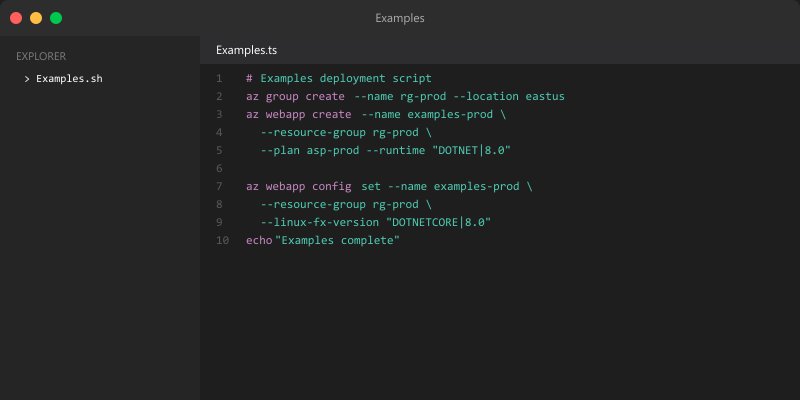
resource kv 'Microsoft.KeyVault/vaults@2024-11-01' = {
  name: 'kv-prod'
  location: resourceGroup().location
}
Architecture Decision and Tradeoffs
When designing cloud infrastructure solutions with Azure, consider these key architectural trade-offs:
| Approach | Best For | Tradeoff |
|---|---|---|
| Managed / platform service | Rapid delivery, reduced ops burden | Less customisation, potential vendor lock-in |
| Custom / self-hosted | Full control, advanced tuning | Higher operational overhead and cost |
Recommendation: Start with the managed approach for most workloads and move to custom only when specific requirements demand it.
Validation and Versioning
- Last validated: April 2026
- Validate examples against your tenant, region, and SKU constraints before production rollout.
- Keep module, CLI, and SDK versions pinned in automation pipelines and review quarterly.
Security and Governance Considerations
- Apply least-privilege access using RBAC roles and just-in-time elevation for admin tasks.
- Store secrets in managed secret stores and avoid embedding credentials in scripts or source files.
- Enable audit logging, data protection policies, and periodic access reviews for regulated workloads.
Cost and Performance Notes
- Define budgets and alerts, then monitor usage and cost trends continuously after go-live.
- Baseline performance with synthetic and real-user checks before and after major changes.
- Scale resources with measured thresholds and revisit sizing after usage pattern changes.
Official Microsoft References
- https://learn.microsoft.com/azure/
- https://learn.microsoft.com/azure/architecture/
- https://learn.microsoft.com/azure/well-architected/