Azure Cosmos DB: Choosing the Right NoSQL Solution
"lineItems": [ {"sku":"A100","qty":2}, {"sku":"B200","qty":1} ],
"total": 149.50,
"_ttl": 604800
}
Architecture Overview: Partition Key Choice:
tenantId(predictable distribution, natural access boundary). Avoid low cardinality (e.g. status).
az cosmosdb create
--name acct-biz-global
--resource-group rg-data-platform
--locations regionName=eastus failoverPriority=0 isZoneRedundant=false
--locations regionName=westeurope failoverPriority=1 isZoneRedundant=false
--default-consistency-level Session
az cosmosdb sql database create
--account-name acct-biz-global
--resource-group rg-data-platform
--name ordersdb
az cosmosdb sql container create
--account-name acct-biz-global
--resource-group rg-data-platform
--database-name ordersdb
--name orders
--partition-key-path /partitionKey
--throughput 400
**Expected output:**

```text
{ "documentEndpoint": "https://cosmos-myapp.documents.azure.com:443/", "provisioningState": "Succeeded" }

Step 4: Indexing Policy
Disable indexing for large rarely queried sub-objects to save RU:
{
  "indexingMode": "consistent",
  "includedPaths": [ { "path": "/*" } ],
  "excludedPaths": [ { "path": "/lineItems/*" } ]
}
Update with SDK (.NET):
var containerProperties = new ContainerProperties("orders", "/partitionKey")
{
```text
IndexingPolicy = new IndexingPolicy
{
    Automatic = true,
    IndexingMode = IndexingMode.Consistent,
    IncludedPaths = { new IncludedPath { Path = "/*" } },
    ExcludedPaths = { new ExcludedPath { Path = "/lineItems/*" } }
}```
};
await database.CreateContainerIfNotExistsAsync(containerProperties, throughput: 400);
Step 5: CRUD & Bulk Operations (.NET)
var client = new CosmosClient(endpoint, key, new CosmosClientOptions { AllowBulkExecution = true });


var container = client.GetContainer("ordersdb", "orders");

// Create
await container.CreateItemAsync(order, new PartitionKey(order.partitionKey));

// Read
var response = await container.ReadItemAsync<Order>(order.id, new PartitionKey(order.partitionKey));

// Query
var q = new QueryDefinition("SELECT c.id, c.status, c.total FROM c WHERE c.partitionKey = @tenant AND c.status = @status")
```text
.WithParameter("@tenant", tenantId)
.WithParameter("@status", "Pending");```
var iterator = container.GetItemQueryIterator<OrderSummary>(q, requestOptions: new QueryRequestOptions{ PartitionKey = new PartitionKey(tenantId) });
while(iterator.HasMoreResults){ var page = await iterator.ReadNextAsync(); }

// Bulk
var tasks = ordersToInsert.Select(o => container.CreateItemAsync(o, new PartitionKey(o.partitionKey)));
await Task.WhenAll(tasks);
Step 6: Security
- Use Managed Identity for server-side compute (Functions / App Service) — no keys in code.
- Store connection secrets in Key Vault for bootstrap scenarios only.
- Private Endpoints to restrict public exposure.
- Firewall: Allow only required subnets.
- RBAC: Assign
Cosmos DB Account Readerfor monitoring roles; custom role definitions for limited container access.
Step 7: Monitoring & Alerts
Core Metrics:
- Total Request Units Consumed
- Normalized RU per partition (detect hotspots)
- Throttled Requests (HTTP 429)
- Server-side latency (Data plane) & Consistency latency
Sample Alert (CLI):
az monitor metrics alert create \
  --name cosmos-ru-burst \
  --resource-group rg-data-platform \
  --scopes "/subscriptions/$SUB/resourceGroups/rg-data-platform/providers/Microsoft.DocumentDB/databaseAccounts/acct-biz-global" \
  --condition "max TotalRequestUnits > 50000" \
  --window-size 5m \
  --evaluation-frequency 1m \
  --action-group "/subscriptions/$SUB/resourceGroups/rg-data-platform/providers/microsoft.insights/actionGroups/ag-oncall"
Expected output:
{ "value": [{ "name": { "value": "Requests" }, "timeseries": [{ "data": [{ "total": 1234 }] }] }] }

Step 8: Cost Optimization
| Strategy | Description | RU Impact | Notes |
|---|---|---|---|
| Autoscale | Scale 10x on demand | Efficient burst | Set max RU carefully |
| Analytical Store | Isolate HTAP queries | Removes RU overhead from analytics | Enable per container |
| TTL | Remove stale docs | Frees storage & index | Use _ttl on item |
| Excluded Paths | Skip indexing rarely queried fields | Lowers write RU | Validate query patterns |
| Caching (Redis) | Offload hot reads | Reduces RU read | Cache by partitionKey + id |
| Batch Writes | Group operations | Reduces network overhead | Use bulk execution |
Step 9: Backup & DR
- Cosmos DB continuous backup (point-in-time restore) for mission-critical workloads.
- Multi-region writes only if global active-active needed; otherwise single write region + failover region.
- Periodically rehearse failover using CLI
az cosmosdb failover-priority-change(non-prod first).
Step 10: Troubleshooting
| Symptom | Cause | Action | Resolution |
|---|---|---|---|
| High RU spikes | Inefficient queries (SELECT *) | Enable query metrics | Add projections & excluded paths |
| Hot partition | Skewed partition key | Inspect per-partition RU | Redesign key or introduce synthetic key |
| Frequent 429 | RU under-provisioned | Monitor throttled metric | Increase throughput or optimize indexing |
| Latency increase | Cross-region reads + Strong | Review consistency | Downgrade to Session where safe |
| High storage cost | Orphaned stale items | Enable TTL | Set TTL & archive essentials |
Best Practices
- Prefer Session consistency for balanced latency & correctness.
- Model around logical access boundary (tenant, customer) for partition key.
- Project only required JSON attributes; exclude large arrays from indexing.
- Use autoscale for spiky workloads; fixed RU for steady predictable traffic.
- Instrument every SDK call with latency + RU diagnostics.
- Maintain IaC definitions (Bicep/Terraform) for repeatable environments.
Common Issues & Troubleshooting
Issue: Hot partitions
Solution: Redesign partition key; consider hierarchical (tenantId+month) to spread writes.
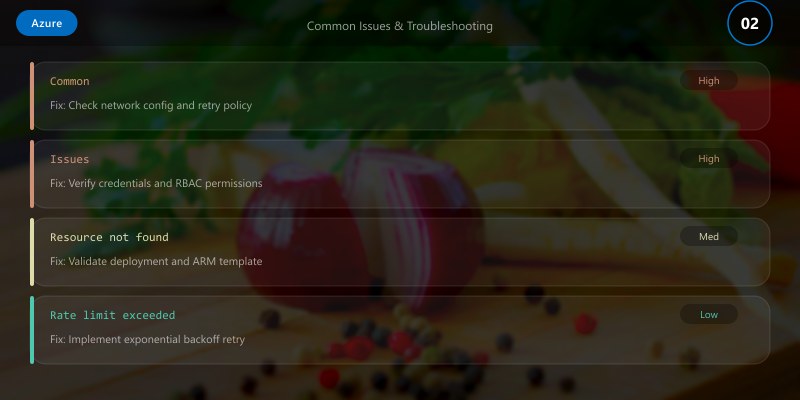
Issue: Many 429 errors during peak hour
Solution: Implement retry with jitter; evaluate autoscale max RU or pre-warm.
Issue: Query RU cost unexpectedly high
Solution: Use SET CROSS_PARTITION only when necessary; add filters on partition key.
Architecture Decision and Tradeoffs
When designing cloud infrastructure solutions with Azure, consider these key architectural trade-offs:
| Approach | Best For | Tradeoff |
|---|---|---|
| Managed / platform service | Rapid delivery, reduced ops burden | Less customisation, potential vendor lock-in |
| Custom / self-hosted | Full control, advanced tuning | Higher operational overhead and cost |
Recommendation: Start with the managed approach for most workloads and move to custom only when specific requirements demand it.
Validation and Versioning
- Last validated: April 2026
- Validate examples against your tenant, region, and SKU constraints before production rollout.
- Keep module, CLI, and SDK versions pinned in automation pipelines and review quarterly.
Security and Governance Considerations
- Apply least-privilege access using RBAC roles and just-in-time elevation for admin tasks.
- Store secrets in managed secret stores and avoid embedding credentials in scripts or source files.
- Enable audit logging, data protection policies, and periodic access reviews for regulated workloads.
Cost and Performance Notes
- Define budgets and alerts, then monitor usage and cost trends continuously after go-live.
- Baseline performance with synthetic and real-user checks before and after major changes.
- Scale resources with measured thresholds and revisit sizing after usage pattern changes.
Official Microsoft References
- https://learn.microsoft.com/azure/
- https://learn.microsoft.com/azure/architecture/
- https://learn.microsoft.com/azure/well-architected/
Public Examples from Official Sources
- These examples are sourced from official public Microsoft documentation and sample repositories.
- Documentation examples: https://learn.microsoft.com/azure/architecture/
- Sample repositories: https://github.com/Azure-Samples
- Prefer adapting these examples to your tenant, subscriptions, and governance requirements before production use.
Key Takeaways
- Partition key & consistency model decisions dominate performance outcomes.
- Indexing policy tuning prevents runaway RU costs.
- Observability (metrics + alerts) enables proactive scaling & reliability.
- Autoscale + TTL + exclusion paths form core cost optimization triad.
Next Steps
- Add analytical store and Synapse link for HTAP scenarios.
- Introduce Redis cache for top partition read patterns.
- Expand global replication (APAC) with latency measurements.
Additional Resources
What data modeling challenge are you facing with Cosmos DB? Share below!
```
