---
title: "Getting Started with Azure Functions: Serverless Made Simple (2025-01-06)"
date: 2025-01-06
category: Azure
tags: [Azure Functions, Serverless, Event-Driven, Beginner]
author: "Vladimir Luis"
description: "Deep beginner-to-enterprise guide to Azure Functions: triggers, bindings, durable workflows, automation patterns, security, monitoring, cost optimization, an..."
featured: true
draft: false
public static IActionResult Run(
[HttpTrigger(AuthorizationLevel.Function, "get", "post", Route = "hello")] HttpRequest req,
ILogger log)
{
log.LogInformation("Processing HttpHello request");
var name = req.Query["name"];
return new OkObjectResult(new { message = $"Hello {name}" });
}```
}
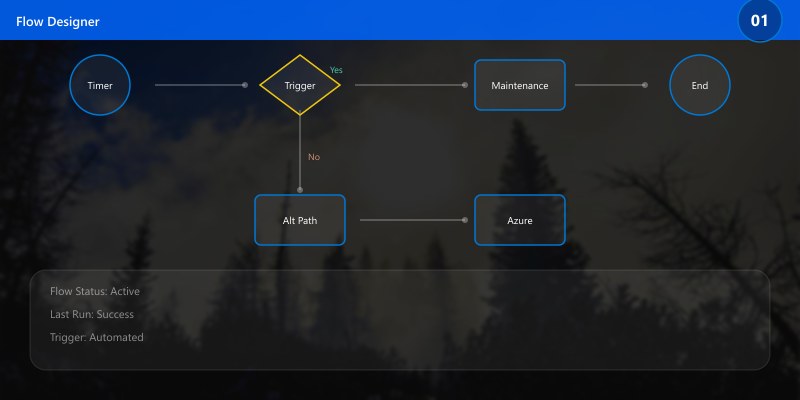
## 5. Timer Trigger (Maintenance)
```csharp
public static class NightlyMaintenance
{
```csharp
[FunctionName("NightlyMaintenance")]
public static async Task Run([TimerTrigger("0 0 2 * * *")]TimerInfo timer, ILogger log)
{
log.LogInformation("Nightly maintenance started");
// purge temp blobs / archive logs
await Task.Delay(250);
log.LogInformation("Nightly maintenance complete");
}```
}
6. Durable Orchestration Pattern
Figure: Configuration and management dashboard with status overview.
public static class OrderOrchestrator
{
```csharp
[FunctionName("OrderOrchestrator")]
public static async Task<object> Run([OrchestrationTrigger] IDurableOrchestrationContext ctx)
{
var order = ctx.GetInput<Order>();
var valid = await ctx.CallActivityAsync<bool>("ValidateOrder", order);
if(!valid) return new { status = "Rejected" };
var enriched = await ctx.CallActivityAsync<Order>("EnrichOrder", order);
await ctx.CallActivityAsync("PersistOrder", enriched);
await ctx.CallActivityAsync("NotifyQueue", enriched.Id);
return new { status = "Completed", id = enriched.Id };
}```
}
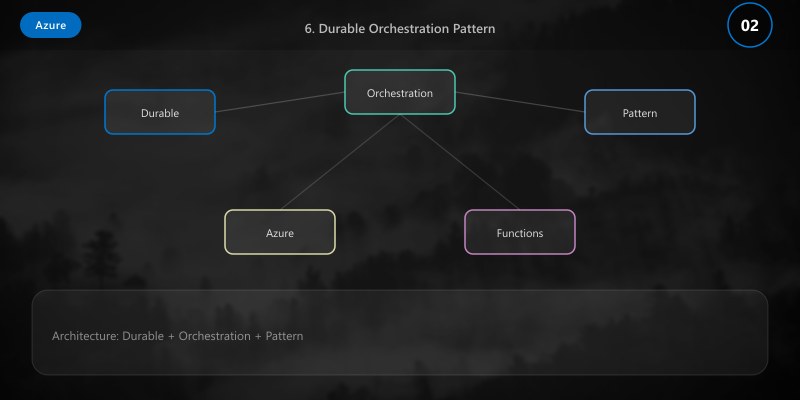
This orchestration coordinates multiple activity functions sequentially, with built-in retry logic and state persistence. The following diagram illustrates how each stage flows into the next:
Figure: Order processing orchestration flow showing four sequential stages—initialization with order validation, enrichment with external data, persistence to storage, and notification queue publishing—with automatic error handling and retry policies at each step.
Understanding the Orchestration Flow:
This diagram illustrates a real-world order processing workflow that Durable Functions orchestrates automatically:
Stage 1: Validation (ValidateOrder Activity)
- Receives order input with customer ID, items, shipping address, payment method
- Validates inventory availability, checks customer credit limit, verifies shipping address
- Returns boolean result: proceed or reject
- Built-in Resilience: Automatic retries on transient failures (network timeout, service unavailable)
- Typical Duration: 200-500ms for validation API calls
Stage 2: Enrichment (EnrichOrder Activity)
- Only executes if validation succeeds (conditional orchestration)
- Calls external services: customer loyalty tier lookup, tax calculation, shipping cost estimation
- Applies promotional discounts based on customer segment
- Returns enriched order with final totals and metadata
- Durable State: If this activity fails, orchestration remembers validation already succeeded—no duplicate validation
- Typical Duration: 300-800ms for external API aggregation
Stage 3: Persistence (PersistOrder Activity)
- Writes enriched order to Cosmos DB with transactional consistency
- Records order creation timestamp, assigns unique order ID
- Creates audit trail entry for compliance
- Automatic Retry Policy: Configured in host.json with exponential backoff (1s, 2s, 4s delays)
- Typical Duration: 50-150ms for Cosmos DB write
Stage 4: Notification (NotifyQueue Activity)
- Publishes order confirmation message to Azure Service Bus topic
- Triggers downstream systems: email confirmation, warehouse fulfillment, CRM update
- Returns order ID for tracking
- Fan-out Pattern: Single orchestration can trigger multiple subscribers (order confirmation email, SMS, fulfillment queue)
- Typical Duration: 20-80ms for queue write
Error Handling Throughout:
- Automatic Checkpointing: After each activity succeeds, Durable Functions saves state to Azure Storage
- Replay Guarantees: If orchestration crashes after PersistOrder but before NotifyQueue, it resumes from Stage 4 (not from Stage 1)
- Human Intervention: Long-running workflows can include approval steps with timeouts (e.g., wait for manager approval for 48 hours)
- Compensation: If a later stage fails, orchestration can execute compensating actions (refund payment, release inventory)
When to Use This Pattern:
- Multi-step business processes requiring reliability
- Workflows with external service dependencies
- Scenarios needing state persistence across minutes, hours, or days
- Processes requiring human approvals or timeouts
- Fan-out/fan-in patterns for parallel execution
Alternatives:
- Logic Apps: For low-code workflows with many connectors
- Azure Service Bus: For simple message-based coordination
- Direct Database Transactions: For single-database operations without orchestration
7. Local Development & Debugging
Before deploying to Azure, develop and test functions locally using the Azure Functions Core Tools. This enables rapid iteration with breakpoint debugging, local storage emulation, and instant feedback loops.
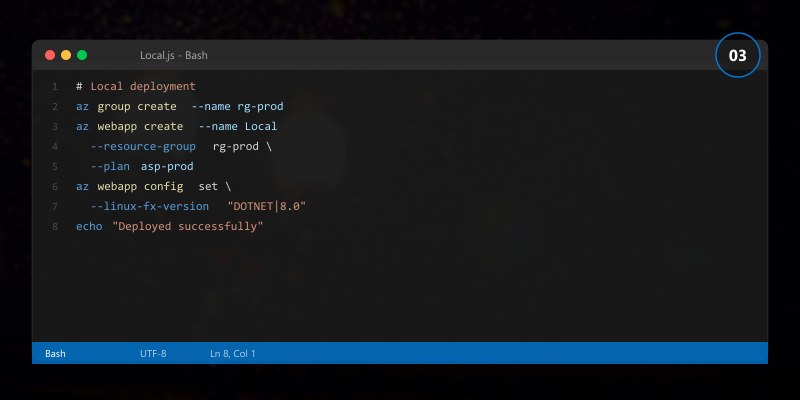
func init src --dotnet
cd src
func new --name HttpHello --template "HTTP trigger" --authlevel Function
func start
Browse http://localhost:7071/api/hello?name=Azure.
For quick prototyping, the Azure Functions Core Tools CLI works perfectly. But when building production-grade applications with complex dependencies, unit tests, and team collaboration, Visual Studio 2022 offers the comprehensive IDE experience that professional developers expect.
Developing Functions in Visual Studio
Visual Studio 2022 transforms Azure Functions development from command-line scripting into enterprise-grade engineering. The IDE provides everything needed for building, testing, debugging, and deploying complex serverless applications.
Why Visual Studio for Azure Functions:
Full IntelliSense & Type Safety:
- Real-time syntax highlighting and error detection for C# function code
- Auto-completion for Azure SDK types:
ILogger,HttpRequest,IDurableOrchestrationContext - Immediate feedback on binding attributes:
[HttpTrigger],[QueueTrigger],[DurableOrchestration] - Navigate to definition for Azure library methods with F12
- Refactoring tools: rename functions, extract methods, organize imports
Breakpoint Debugging:
- Set breakpoints in HTTP trigger handlers, activity functions, orchestrators
- Inspect variable values, watch expressions, view call stack during execution
- Debug locally with F5—functions run in Azure Functions runtime hosted in debugger
- Attach to remote function apps running in Azure for production debugging
- Conditional breakpoints: pause only when specific conditions occur (e.g., order total > $1000)
Dependency Injection Configuration:
- Configure
Startup.cswith IntelliSense for service registration:builder.Services.AddSingleton<IOrderService, OrderService>(); builder.Services.AddHttpClient<ITaxCalculator, TaxCalculator>(); builder.Services.AddDbContext<OrderDbContext>(options => options.UseCosmos(connectionString, databaseName)); - Inject dependencies into function constructors—functions become testable classes
- Manage appsettings.json with connection strings, API keys, feature flags
- Environment-specific configuration:
appsettings.Development.json,appsettings.Production.json
Integrated Testing:
- Create xUnit or NUnit test projects in the same solution
- Mock Azure services:
ILogger<T>,HttpRequest,IDurableOrchestrationContext - Test functions locally without deploying to Azure
- Code coverage reports showing which function paths are tested
- Live Unit Testing: tests run automatically as you edit code
Project Structure Best Practices:
Diagram: See the official Microsoft documentation for architecture details.
- Automatic telemetry: request duration, dependencies, exceptions
- Custom telemetry:
ILoggerwrites to Application Insights automatically - View telemetry in Visual Studio's Application Insights panel during debugging
Deployment from Visual Studio:
- Right-click project → Publish → Select Azure Function App
- Create new function app or deploy to existing
- Configure publish profiles for Dev, Staging, Production
- One-click deployment: Build → Package → Upload → Restart
- Deployment slots: Deploy to staging, test, then swap to production
GitHub Actions Integration:
- Generate workflow YAML from Publish wizard
- Automatic CI/CD on every commit to
mainbranch - Secrets management for
AZURE_CREDENTIALS,PUBLISH_PROFILE
The Visual Studio environment shown below demonstrates a complete Azure Functions solution with HTTP triggers, Durable orchestrations, dependency injection, and Application Insights—ready for production deployment:
Figure: Visual Studio 2022 showing an Azure Functions C# solution with HTTP trigger implementation, Durable orchestrator code, dependency injection setup, and Application Insights integration—demonstrating the patterns and project structure used throughout this guide.
Security & Identity
| Aspect | Best Practice | Implementation |
|---|---|---|
| Secrets | Use Key Vault + Managed Identity | Azure.Identity client + secret retrieval |
| Auth Level | Avoid Anonymous unless public webhook | Use Function or User level |
| Network | Private endpoints for Premium / VNet integration | App Service VNet integration |
| Principle of Least Privilege | Separate function apps by domain | Resource group & identity isolation |
| Data Access | Use role assignments not connection strings | RBAC on Storage, Cosmos DB |
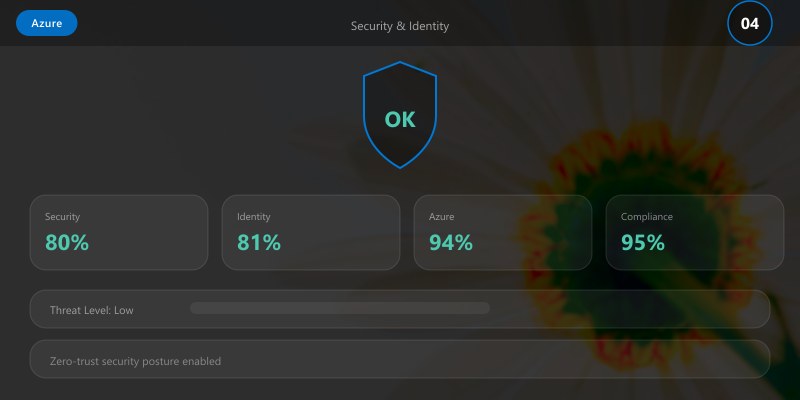
Key Vault retrieval example (C#):
var client = new SecretClient(new Uri(Environment.GetEnvironmentVariable("KEY_VAULT_URI")), new DefaultAzureCredential());
var secret = client.GetSecret("ApiKey").Value.Value;
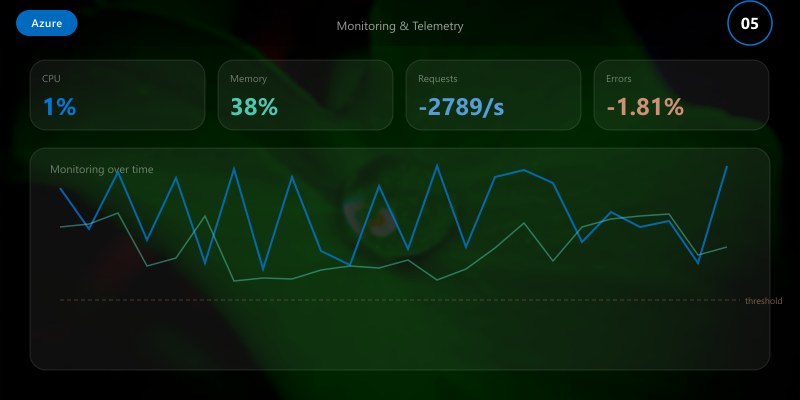
Monitoring & Telemetry
Enable logging & traces:
builder.Services.AddLogging();
// For isolated process, configure host.json + app insights connection string
Kusto query (failed functions):
requests
| where cloud_RoleName == "func-intro-app"
| where success == false
| summarize count() by operation_Name, bin(timestamp, 1h)
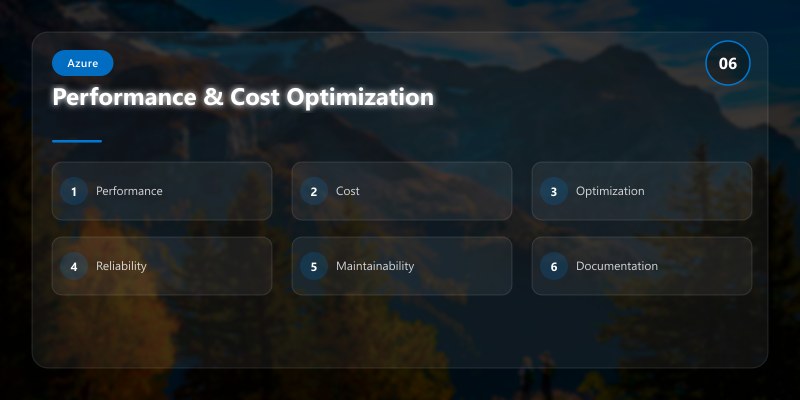
Performance & Cost Optimization
| Strategy | Applies To | Benefit |
|---|---|---|
| Bundle Functions by domain | All | Reduced cold start variance |
| Use async I/O | HTTP / Queue | Lower thread usage |
| Avoid heavy static constructors | All | Faster warm / scale |
| Durable fan-out/fan-in | Orchestrations | Parallel efficiency |
| Premium plan for steady load | High throughput workloads | Predictable performance |
| Caching configuration | HTTP | Less Key Vault latency |
CI/CD Pipeline
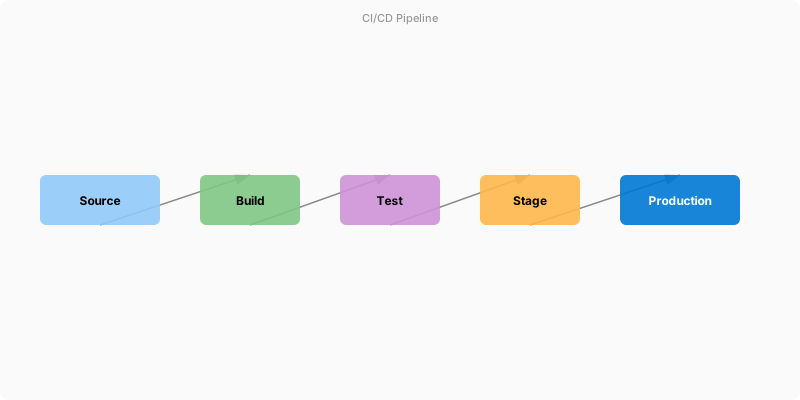
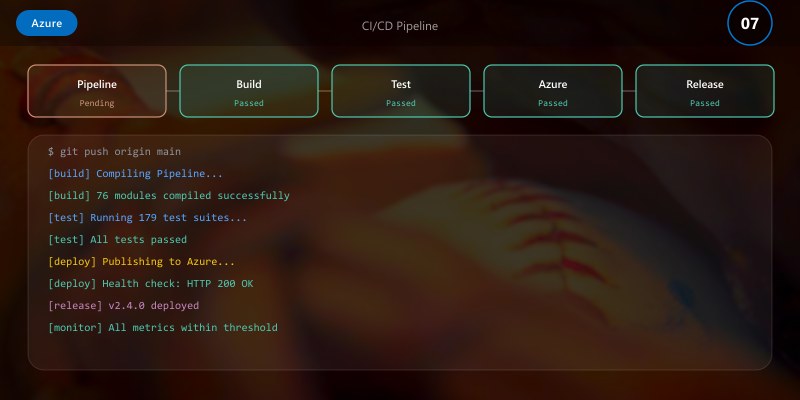
Figure: Azure DevOps pipeline – stages, deployment gates, and artifact publishing.
name: deploy-azure-functions
on:
push:
```yaml
paths: [ 'src/**' ]
branches: [ main ]```
jobs:
build-deploy:
```yaml
runs-on: ubuntu-latest
steps:
- uses: actions/checkout@v4
- name: Setup .NET
uses: actions/setup-dotnet@v4
with:
dotnet-version: '8.0.x'
- name: Build
run: dotnet build src/FunctionApp.csproj -c Release
- name: Publish
run: dotnet publish src/FunctionApp.csproj -c Release -o publish
- name: Azure Login
uses: azure/login@v2
with:
creds: ${{ secrets.AZURE_CREDENTIALS }}
- name: Deploy
uses: azure/functions-action@v1
with:
app-name: func-intro-app
package: publish
## Advanced Scenarios & Troubleshooting
### Scenario 1: High-Volume Event Processing (Azure Event Hubs)
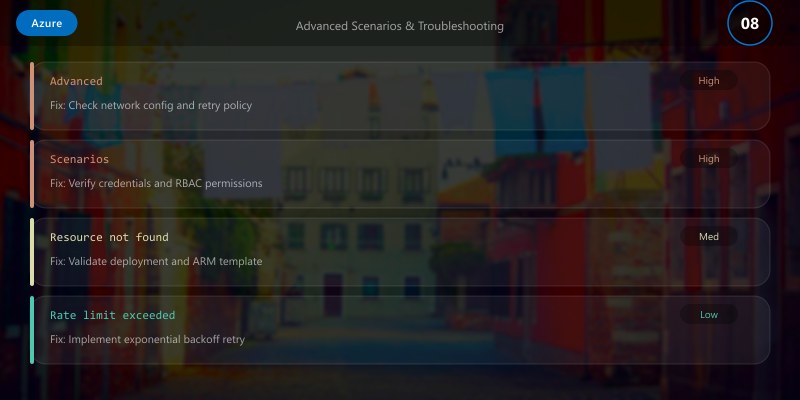
**Use Case:** Processing 10,000+ events/second from IoT devices
```csharp
[FunctionName("ProcessTelemetry")]
public static async Task Run(
```text
[EventHubTrigger("telemetry", Connection = "EventHubConnection")] EventData[] events,
ILogger log)```
{
```javascript
// Process in parallel batches
var tasks = events.Select(async evt =>
{
var telemetry = JsonSerializer.Deserialize<IoTTelemetry>(evt.EventBody);
await ProcessTelemetryAsync(telemetry);
});
await Task.WhenAll(tasks);
log.LogInformation($"Processed {events.Length} telemetry events");```
}
Configuration (host.json):
{
  "extensions": {
```text
"eventHubs": {
  "batchCheckpointFrequency": 5,
  "prefetchCount": 300,
  "maxBatchSize": 100,
  "targetUnprocessedEventThreshold": 1000
}```
  }
}
Optimization Tips:
- Use batching: process arrays of events (not single events)
- Adjust
maxBatchSizebased on processing time (smaller batches if each event is slow) - Monitor partition lag: if lag > 10 seconds, scale out instances
- Use Application Insights custom metrics to track throughput
Scenario 2: Async HTTP Pattern (Long-Running Operations)
Problem: API needs to return immediately but operation takes 30+ seconds
Solution: HTTP 202 + Status Endpoint pattern
[FunctionName("StartReportGeneration")]
public static async Task<IActionResult> Start(
```text
[HttpTrigger(AuthorizationLevel.Function, "post")] HttpRequest req,
[DurableClient] IDurableOrchestrationClient starter)```
{
```sql
var input = await req.ReadFromJsonAsync<ReportRequest>();
var instanceId = await starter.StartNewAsync("GenerateReport", input);

// Return 202 Accepted with status URL
return starter.CreateCheckStatusResponse(req, instanceId);```
}

[FunctionName("GenerateReport")]
public static async Task<ReportOutput> GenerateReport(
```text
[OrchestrationTrigger] IDurableOrchestrationContext ctx)```
{
```text
var input = ctx.GetInput<ReportRequest>();

// Long-running operations
var data = await ctx.CallActivityAsync<DataSet>("FetchData", input);
var processed = await ctx.CallActivityAsync<ProcessedData>("ProcessData", data);
var report = await ctx.CallActivityAsync<ReportOutput>("GenerateDocument", processed);

return report;```
}
Client Usage:
// 1. Start operation
const response = await fetch('/api/StartReportGeneration', {
  method: 'POST',
  body: JSON.stringify({ reportType: 'quarterly' })
});

const { statusQueryGetUri } = await response.json();

// 2. Poll status
while (true) {
  const status = await fetch(statusQueryGetUri);
  const { runtimeStatus, output } = await status.json();

  if (runtimeStatus === 'Completed') {
```javascript
console.log('Report ready:', output);
break;```
  }

  await new Promise(r => setTimeout(r, 2000)); // Poll every 2s
}
Scenario 3: Fan-Out/Fan-In with Durable Functions
Use Case: Process 1,000 files in parallel, aggregate results
[FunctionName("ProcessFilesOrchestrator")]
public static async Task<Summary> Run(
```text
[OrchestrationTrigger] IDurableOrchestrationContext ctx)```
{
```javascript
var files = ctx.GetInput<string[]>();

// Fan-out: process all files in parallel
var tasks = files.Select(file =>
    ctx.CallActivityAsync<FileResult>("ProcessFile", file));

var results = await Task.WhenAll(tasks);

// Fan-in: aggregate results
var summary = await ctx.CallActivityAsync<Summary>("AggregateResults", results);

return summary;```
}

[FunctionName("ProcessFile")]
public static async Task<FileResult> ProcessFile(
```text
[ActivityTrigger] string fileName,
IBinder binder)```
{
```text
var blob = await binder.BindAsync<CloudBlockBlob>(
    new BlobAttribute($"files/{fileName}", FileAccess.Read));

var content = await blob.DownloadTextAsync();
var lines = content.Split('\n').Length;

return new FileResult { FileName = fileName, LineCount = lines };```
}
Performance Note: Durable Functions can fan-out to thousands of parallel activities. Monitor instance count—if processing 10,000 files, functions may scale to 50+ instances.
Troubleshooting Deep Dive
Issue 1: Cold Starts Causing Timeout
Symptoms:
- First request after idle period returns 500/timeout
- Subsequent requests succeed
- Logs show 5-10 second initialization
Diagnosis:
requests
| where cloud_RoleName == "func-intro-app"
| where duration > 5000  // > 5 seconds
| extend coldStart = (customDimensions.FunctionExecutionTimeMs < 1000)
| summarize count() by bin(timestamp, 1h), coldStart
Solutions:
Pre-warmed Instances (Premium Plan):
az functionapp plan create --name premium-plan --resource-group rg-func \
  --sku EP1 --is-linux --location eastus

az functionapp create --resource-group rg-func --plan premium-plan \
  --name func-no-cold-start --runtime dotnet --functions-version 4
Application Initialization (Consumption Plan):
- Add warmup trigger that does nothing
- External monitor pings warmup endpoint every 5 minutes
[FunctionName("Warmup")]
public static IActionResult Warmup(
    [HttpTrigger(AuthorizationLevel.Anonymous, "get")] HttpRequest req)
{
    return new OkObjectResult("Warmed");
}
Optimize Startup:
- Remove unused NuGet packages
- Use lazy initialization for expensive resources
- Avoid static constructors with heavy work
Issue 2: Durable Functions Orchestration Not Progressing
Symptoms:
- Orchestration starts but never completes
- No errors in logs
runtimeStatusshows "Running" indefinitely
Diagnosis:
# Check Azure Storage table
az storage table query --account-name funcintrostore \
  --table-name DurableFunctionsHubHistory \
  --filter "PartitionKey eq 'instance-id'"
Common Causes:
Non-Deterministic Code in Orchestrator:
// ⌠BAD: DateTime.Now is non-deterministic public static async Task<string> Run(IDurableOrchestrationContext ctx) { if (DateTime.Now.Hour < 9) // WRONG! return "Too early"; ... } // ✅ GOOD: Use CurrentUtcDateTime public static async Task<string> Run(IDurableOrchestrationContext ctx) { if (ctx.CurrentUtcDateTime.Hour < 9) // Correct return "Too early"; ... }Activity Never Returns:
- Activity has infinite loop or deadlock
- Check activity logs for last execution
- Add timeout to activity calls:
var timeoutTask = ctx.CreateTimer(ctx.CurrentUtcDateTime.AddMinutes(5), CancellationToken.None);
var activityTask = ctx.CallActivityAsync<string>("SlowActivity", input);

var winner = await Task.WhenAny(activityTask, timeoutTask);
if (winner == timeoutTask)
    throw new TimeoutException("Activity timed out");
Storage Account Throttling:
- Durable Functions uses Azure Storage for state
- Check storage metrics: if transactions > 20,000/sec, upgrade to Premium storage
Issue 3: Function Consuming Too Much Memory
Symptoms:
- OutOfMemoryException in logs
- Unexpected restarts
- High memory usage in metrics
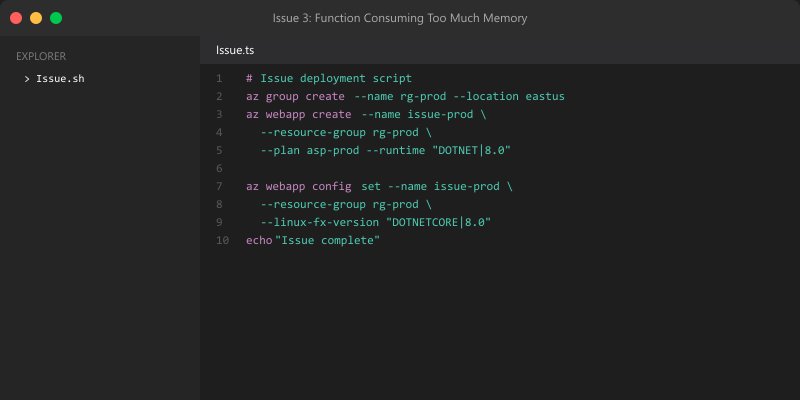
Diagnosis:
// Add memory profiling
[FunctionName("MemoryIntensiveFunction")]
public static IActionResult Run(
```text
[HttpTrigger] HttpRequest req,
ILogger log)```
{
```javascript
var before = GC.GetTotalMemory(false) / 1024 / 1024;

// Your function logic
ProcessLargeDataset();

var after = GC.GetTotalMemory(false) / 1024 / 1024;
log.LogWarning($"Memory delta: {after - before} MB");

return new OkResult();```
}
Solutions:
Stream Large Files (Don't Load into Memory):
// ⌠BAD: Loads entire file into memory var content = await blob.DownloadTextAsync(); // 500 MB! var lines = content.Split('\n'); // ✅ GOOD: Stream line-by-line using var stream = await blob.OpenReadAsync(); using var reader = new StreamReader(stream); while (!reader.EndOfStream) { var line = await reader.ReadLineAsync(); ProcessLine(line); }Dispose Resources:
// Use 'using' statements for HttpClient, SqlConnection, etc.
using (var client = new HttpClient())
{
    var response = await client.GetAsync(url);
    // client disposed automatically
}
Upgrade Instance Size:
- Consumption plan: 1.5 GB memory (not configurable)
- Premium EP1: 3.5 GB
- Premium EP2: 7 GB
Production Monitoring Checklist
Application Insights Alerts:
Failure Rate Alert:
let threshold = 5.0;  // 5% failures
requests
| where timestamp > ago(5m)
| summarize total = count(), failures = countif(success == false)
| extend failureRate = (failures * 100.0) / total
| where failureRate > threshold
High Duration Alert:
requests
| where timestamp > ago(5m)
| where duration > 5000  // > 5 seconds
| summarize count() by operation_Name
| where count_ > 10
Dead Letter Queue Alert:
customEvents
| where name == "DeadLetterMessage"
| where timestamp > ago(10m)
| count
Cost Monitoring:
## Get daily cost for function app
az consumption usage list \
  --start-date 2025-01-01 \
  --end-date 2025-01-31 \
  --query "[?contains(instanceName, 'func-intro-app')].{Date:usageStart, Cost:pretaxCost}"
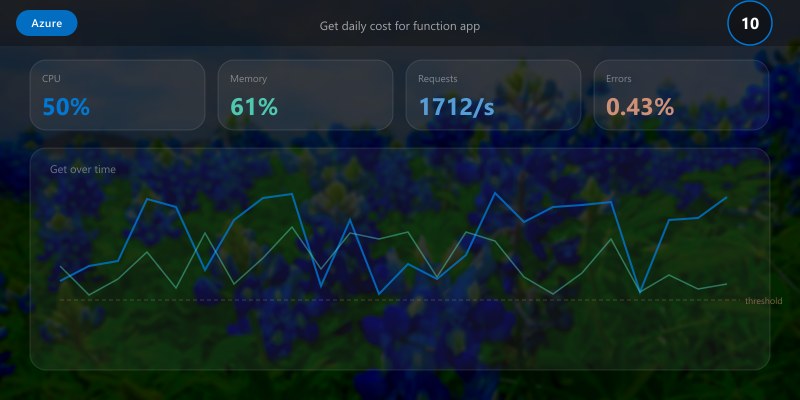
Performance Baseline:
| Metric | Target | Action if Exceeded |
|---|---|---|
| P95 latency | < 500ms | Investigate slow dependencies |
| Error rate | < 0.1% | Review failed requests |
| Cold start % | < 5% | Consider Premium plan |
| Memory usage | < 80% | Optimize or upgrade SKU |
| Execution count | Varies | Validate billing expectations |
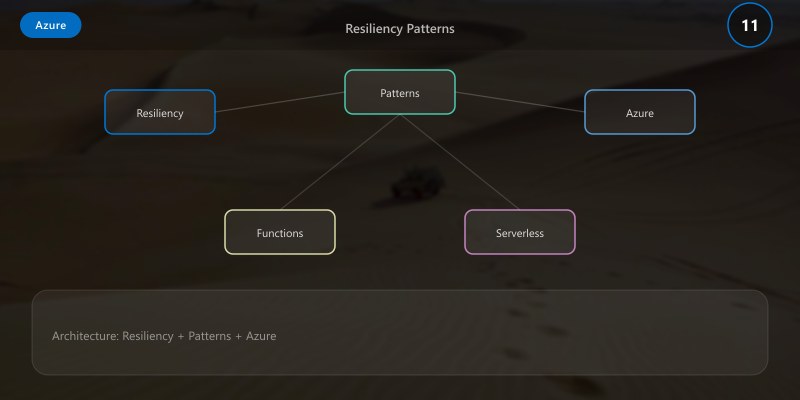
Resiliency Patterns
Pattern 1: Retry with Exponential Backoff
public static async Task<T> RetryAsync<T>(
```text
Func<Task<T>> operation,
int maxRetries = 3)```
{
```text
for (int i = 0; i < maxRetries; i++)
{
    try
    {
        return await operation();
    }
    catch (HttpRequestException ex) when (i < maxRetries - 1)
    {
        var delay = TimeSpan.FromSeconds(Math.Pow(2, i));  // 1s, 2s, 4s
        await Task.Delay(delay);
    }
}

throw new Exception("Max retries exceeded");```
}

// Usage
var result = await RetryAsync(async () => await httpClient.GetAsync(url));
Pattern 2: Circuit Breaker
public class CircuitBreaker
{
```csharp
private int _failureCount;
private DateTime _lastFailureTime;
private readonly int _threshold = 5;
private readonly TimeSpan _timeout = TimeSpan.FromMinutes(1);

public async Task<T> ExecuteAsync<T>(Func<Task<T>> operation)
{
    if (_failureCount >= _threshold &&
        DateTime.UtcNow - _lastFailureTime < _timeout)
    {
        throw new Exception("Circuit breaker open");
    }

    try
    {
        var result = await operation();
        _failureCount = 0;  // Reset on success
        return result;
    }
    catch
    {
        _failureCount++;
        _lastFailureTime = DateTime.UtcNow;
        throw;
    }
}```
}
Pattern 3: Poison Queue Handling
[FunctionName("ProcessQueue")]
public static async Task Run(
```text
[QueueTrigger("orders")] CloudQueueMessage message,
[Queue("orders-poison")] IAsyncCollector<string> poisonQueue,
ILogger log)```
{
```text
if (message.DequeueCount > 5)
{
    await poisonQueue.AddAsync(message.AsString);
    log.LogError($"Message moved to poison queue: {message.Id}");
    return;
}

// Process message
await ProcessOrderAsync(message.AsString);```
}
Image References
- Azure Functions Triggers & Bindings
- Durable Functions Overview
- Azure Functions Monitoring
- Key Vault Integration
- Hosting Plans
Architecture Decision and Tradeoffs
When designing cloud infrastructure solutions with Azure, consider these key architectural trade-offs:
| Approach | Best For | Tradeoff |
|---|---|---|
| Managed / platform service | Rapid delivery, reduced ops burden | Less customisation, potential vendor lock-in |
| Custom / self-hosted | Full control, advanced tuning | Higher operational overhead and cost |
Recommendation: Start with the managed approach for most workloads and move to custom only when specific requirements demand it.
Validation and Versioning
- Last validated: April 2026
- Validate examples against your tenant, region, and SKU constraints before production rollout.
- Keep module, CLI, and SDK versions pinned in automation pipelines and review quarterly.
Security and Governance Considerations
- Apply least-privilege access using RBAC roles and just-in-time elevation for admin tasks.
- Store secrets in managed secret stores and avoid embedding credentials in scripts or source files.
- Enable audit logging, data protection policies, and periodic access reviews for regulated workloads.
Cost and Performance Notes
- Define budgets and alerts, then monitor usage and cost trends continuously after go-live.
- Baseline performance with synthetic and real-user checks before and after major changes.
- Scale resources with measured thresholds and revisit sizing after usage pattern changes.
Official Microsoft References
- https://learn.microsoft.com/azure/
- https://learn.microsoft.com/azure/architecture/
- https://learn.microsoft.com/azure/well-architected/
Public Examples from Official Sources
- These examples are sourced from official public Microsoft documentation and sample repositories.
- Documentation examples: https://learn.microsoft.com/azure/architecture/
- Sample repositories: https://github.com/Azure-Samples
- Prefer adapting these examples to your tenant, subscriptions, and governance requirements before production use.
