D2[Audit Logging]
D3[Application Insights]
D4[Azure Monitor]
D5[Cost Management]
end

A1 & A2 & A3 & A4 & A5 --> B1 & B2 & B3 & B4 & B5 & B6 & B7 & B8 & B9 & B10 & B11
B1 & B2 & B3 & B4 & B5 & B6 & B7 & B8 & B9 & B10 & B11 --> C1
C1 --> C2 --> C3 --> C4
B4 --> D1
B1 & B2 & B3 & B4 & B5 & B6 & B7 & B8 & B9 & B10 & B11 --> D2 & D3 & D4 & D5
## Sentiment Analysis with Opinion Mining
Sentiment analysis classifies text as **positive**, **negative**, **neutral**, or **mixed**, providing **confidence scores** for each class. Opinion mining (aspect-based sentiment) identifies **what customers are talking about** (aspects like "battery life", "customer service") and **how they feel** about each aspect.

### Comprehensive Sentiment Analysis
```python
"""
Comprehensive sentiment analysis with document-level and sentence-level granularity.
Includes opinion mining to extract aspects and associated sentiments.
"""
from azure.ai.textanalytics import TextAnalyticsClient
from azure.core.credentials import AzureKeyCredential
import os
from typing import List, Dict, Any
# Initialize client with Azure Key Vault integration (production pattern)
endpoint = os.environ["AZURE_LANGUAGE_ENDPOINT"]
key = os.environ["AZURE_LANGUAGE_KEY"]
client = TextAnalyticsClient(
```text
endpoint=endpoint,
credential=AzureKeyCredential(key)```
)
def analyze_sentiment_comprehensive(documents: List[str]) -> List[Dict[str, Any]]:
```sql
"""
Analyze sentiment with opinion mining.
Args:
documents: List of text strings to analyze (max 10 documents, 5120 chars each)
Returns:
List of sentiment results with document-level and sentence-level insights
"""
## Enable opinion mining to extract aspects and opinions
results = client.analyze_sentiment(
documents=documents,
show_opinion_mining=True, # Extract aspects (targets) and opinions (assessments)
language="en"
)
sentiment_data = []
for idx, doc in enumerate(results):
if not doc.is_error:
doc_data = {
"document_id": idx,
"overall_sentiment": doc.sentiment,
"confidence_scores": {
"positive": round(doc.confidence_scores.positive, 3),
"neutral": round(doc.confidence_scores.neutral, 3),
"negative": round(doc.confidence_scores.negative, 3)
},
"sentences": [],
"aspects": [] # Opinion mining results
}
# Sentence-level sentiment
for sentence in doc.sentences:
sentence_data = {
"text": sentence.text,
"sentiment": sentence.sentiment,
"confidence_scores": {
"positive": round(sentence.confidence_scores.positive, 3),
"neutral": round(sentence.confidence_scores.neutral, 3),
"negative": round(sentence.confidence_scores.negative, 3)
},
"offset": sentence.offset,
"length": sentence.length
}
# Opinion mining: extract aspects (targets) and opinions (assessments)
if hasattr(sentence, 'mined_opinions') and sentence.mined_opinions:
sentence_data["opinions"] = []
for opinion in sentence.mined_opinions:
# Target (aspect): what is being discussed (e.g., "battery life")
target = {
"text": opinion.target.text,
"sentiment": opinion.target.sentiment,
"confidence_scores": {
"positive": round(opinion.target.confidence_scores.positive, 3),
"negative": round(opinion.target.confidence_scores.negative, 3)
}
}
# Assessments (opinions): how customer feels about target
assessments = []
for assessment in opinion.assessments:
assessments.append({
"text": assessment.text,
"sentiment": assessment.sentiment,
"confidence_scores": {
"positive": round(assessment.confidence_scores.positive, 3),
"negative": round(assessment.confidence_scores.negative, 3)
},
"is_negated": assessment.is_negated # Handles "not good"
})
sentence_data["opinions"].append({
"target": target,
"assessments": assessments
})
# Aggregate aspects for document-level summary
doc_data["aspects"].append({
"aspect": opinion.target.text,
"sentiment": opinion.target.sentiment,
"opinion_words": [a.text for a in opinion.assessments]
})
doc_data["sentences"].append(sentence_data)
sentiment_data.append(doc_data)
else:
print(f"Error in document {idx}: {doc.error.message}")
return sentiment_data
Example usage: Customer product reviews
Figure: Plugin Registration Tool – registered steps and message pipeline.
documents = [
"The laptop has an amazing battery life that lasts all day, but the keyboard is terrible and uncomfortable to type on.",
"Excellent customer service! The support team was very helpful and resolved my issue quickly.",
"The product is okay. Nothing special, but it works as expected.",
"Worst purchase ever. The device stopped working after 2 days and customer service was unresponsive."```
]
results = analyze_sentiment_comprehensive(documents)
## Display results
for result in results:
```text
print(f"\n{'='*80}")
print(f"Document {result['document_id']}")
print(f"Overall Sentiment: {result['overall_sentiment']}")
print(f"Confidence Scores: Positive={result['confidence_scores']['positive']}, "
f"Neutral={result['confidence_scores']['neutral']}, "
f"Negative={result['confidence_scores']['negative']}")


if result['aspects']:
print(f"\nAspects Mentioned:")
for aspect in result['aspects']:
print(f" - {aspect['aspect']} ({aspect['sentiment']}): {', '.join(aspect['opinion_words'])}")
print(f"\nSentence-Level Analysis:")
for sentence in result['sentences']:
print(f" [{sentence['sentiment']}] {sentence['text']}")
Output example:

================================================================================




Document 0




Overall Sentiment: mixed
Confidence Scores: Positive=0.42, Neutral=0.08, Negative=0.50
Aspects Mentioned:

- battery life (positive): amazing
- keyboard (negative): terrible, uncomfortable
Sentence-Level Analysis:

[mixed] The laptop has an amazing battery life that lasts all day, but the keyboard is terrible and uncomfortable to type on.
![[mixed] The laptop has an amazing battery life that lasts all day, but the keyboard is terrible and uncomfortable to type on.](/images/articles/ai/2025-05-19-nlp-text-analytics-understanding-ctx-2.svg)
Figure: Dataverse table designer – columns, relationships, and business rules.
![[mixed] The laptop has an amazing battery life that lasts all day, but the keyboard is terrible and uncomfortable to type on.](/images/articles/ai/2025-05-19-nlp-text-analytics-understanding-sec14-database.jpg)
## Named Entity Recognition (NER)
Named Entity Recognition extracts **18+ entity categories** from unstructured text, including:

- **Person**: Names of individuals
- **Organization**: Company names, government agencies, institutions
- **Location**: Cities, countries, geographic features
- **DateTime**: Dates, times, durations, date ranges
- **Quantity**: Numbers, measurements, percentages
- **PersonType**: Job titles, roles (e.g., "CEO", "doctor")
- **Event**: Named events (e.g., "World War II", "Olympics")
- **Product**: Commercial products, brand names
- **Skill**: Professional skills, competencies
- **Address**, **Email**, **URL**, **IP Address**, **Phone Number**
- **Medical**: Diagnoses, medications, symptoms (via Text Analytics for Health)
- **Financial**: Currency amounts, credit card numbers
### Comprehensive Named Entity Recognition
```python
"""
Named Entity Recognition with 18+ entity categories.
Supports entity metadata (offset, length, confidence, subcategory).
"""
from azure.ai.textanalytics import TextAnalyticsClient
from azure.core.credentials import AzureKeyCredential
import os
from typing import List, Dict, Any
client = TextAnalyticsClient(
```text
endpoint=os.environ["AZURE_LANGUAGE_ENDPOINT"],
credential=AzureKeyCredential(os.environ["AZURE_LANGUAGE_KEY"])```
)
def recognize_entities_comprehensive(documents: List[str]) -> List[Dict[str, Any]]:
```sql
"""
Extract all named entities with category, subcategory, confidence, and position.
Args:
documents: List of text strings to analyze
Returns:
List of entity extraction results grouped by category
"""
results = client.recognize_entities(documents=documents, language="en")
entity_data = []
for idx, doc in enumerate(results):
if not doc.is_error:
doc_data = {
"document_id": idx,
"entities": [],
"entities_by_category": {}
}
for entity in doc.entities:
entity_info = {
"text": entity.text,
"category": entity.category,
"subcategory": entity.subcategory if entity.subcategory else None,
"confidence_score": round(entity.confidence_score, 3),
"offset": entity.offset,
"length": entity.length
}
doc_data["entities"].append(entity_info)
# Group entities by category
if entity.category not in doc_data["entities_by_category"]:
doc_data["entities_by_category"][entity.category] = []
doc_data["entities_by_category"][entity.category].append(entity.text)
entity_data.append(doc_data)
else:
print(f"Error in document {idx}: {doc.error.message}")
return entity_data
Example usage: Extract entities from business documents
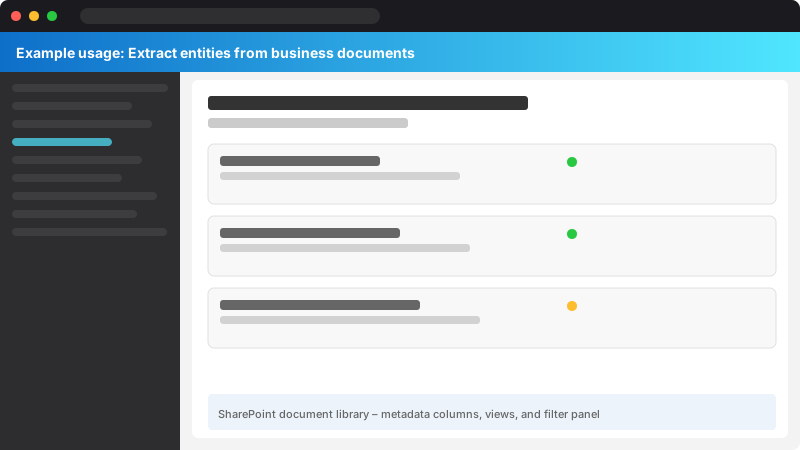
Figure: SharePoint document library – metadata columns, views, and filter panel.
documents = [
"Microsoft was founded by Bill Gates and Paul Allen on April 4, 1975, in Albuquerque, New Mexico. "
"The company is now headquartered in Redmond, Washington, and employs over 220,000 people worldwide. "
"Contact: info@microsoft.com or visit https://www.microsoft.com. Phone: +1-425-882-8080.",
"Dr. Sarah Johnson, Chief Data Scientist at TechCorp, will present at the AI Summit 2025 in San Francisco "
"on June 15, 2025. Her research on transformer models has been published in Nature. "
"Registration: $499 per attendee. Email: events@techcorp.io",
"The patient was prescribed 500mg of amoxicillin three times daily for 10 days. "
"Follow-up appointment scheduled for March 20, 2025, at 2:30 PM."```
]
results = recognize_entities_comprehensive(documents)
## Display results
for result in results:
```text
print(f"\n{'='*80}")
print(f"Document {result['document_id']}")
print(f"Total Entities Extracted: {len(result['entities'])}")
print(f"\nEntities by Category:")
for category, entities in sorted(result['entities_by_category'].items()):
print(f" {category}: {', '.join(set(entities))}") # Use set() to deduplicate
print(f"\nDetailed Entities:")
for entity in result['entities']:
subcategory_str = f" ({entity['subcategory']})" if entity['subcategory'] else ""
print(f" - {entity['text']}: {entity['category']}{subcategory_str} "
f"[confidence: {entity['confidence_score']}, position: {entity['offset']}-{entity['offset']+entity['length']}]")
Output example:
Figure: Configuration and management dashboard with status overview.
================================================================================
Figure: Configuration and management dashboard with status overview.
Document 0
Figure: SharePoint document library – metadata columns, views, and filter panel.
Total Entities Extracted: 14
Entities by Category:

DateTime: April 4, 1975

Email: info@microsoft.com

Location: Albuquerque, New Mexico, Redmond, Washington, worldwide

Organization: Microsoft

Person: Bill Gates, Paul Allen

PhoneNumber: +1-425-882-8080
Quantity: over 220,000 people

URL: https://www.microsoft.com

Detailed Entities:

- Microsoft: Organization [confidence: 0.99, position: 0-9]
![- Microsoft: Organization [confidence: 0.99, position: 0-9]](/images/articles/ai/2025-05-19-nlp-text-analytics-understanding-sec32-generic.jpg)
- Bill Gates: Person [confidence: 0.98, position: 25-35]
![- Bill Gates: Person [confidence: 0.98, position: 25-35]](/images/articles/ai/2025-05-19-nlp-text-analytics-understanding-sec33-generic.jpg)
- Paul Allen: Person [confidence: 0.97, position: 40-50]
![- Paul Allen: Person [confidence: 0.97, position: 40-50]](/images/articles/ai/2025-05-19-nlp-text-analytics-understanding-sec34-generic.jpg)
- April 4, 1975: DateTime (Date) [confidence: 0.96, position: 54-67]
![- April 4, 1975: DateTime (Date) [confidence: 0.96, position: 54-67]](/images/articles/ai/2025-05-19-nlp-text-analytics-understanding-sec35-generic.jpg)
- Albuquerque, New Mexico: Location (GPE) [confidence: 0.94, position: 72-95]
![- Albuquerque, New Mexico: Location (GPE) [confidence: 0.94, position: 72-95]](/images/articles/ai/2025-05-19-nlp-text-analytics-understanding-sec36-generic.jpg)
...
Figure: Configuration and management dashboard with status overview.

## Key Phrase Extraction and Language Detection
Key phrase extraction identifies **main topics and concepts** from unstructured text, useful for **document tagging**, **content indexing**, **trend analysis**, and **search optimization**. Language detection automatically identifies the language of text from **160 supported languages** with **98%+ accuracy**, enabling **multi-language pipelines** without manual configuration.

### Key Phrase Extraction
```python
"""
Key phrase extraction for document tagging and content summarization.
Useful for identifying main topics from customer feedback, support tickets, articles.
"""
from azure.ai.textanalytics import TextAnalyticsClient
from azure.core.credentials import AzureKeyCredential
import os
from typing import List, Dict, Any
client = TextAnalyticsClient(
```text
endpoint=os.environ["AZURE_LANGUAGE_ENDPOINT"],
credential=AzureKeyCredential(os.environ["AZURE_LANGUAGE_KEY"])```
)
def extract_key_phrases(documents: List[str]) -> List[Dict[str, Any]]:
```python
"""
Extract key phrases (main topics/concepts) from documents.
Args:
documents: List of text strings to analyze
Returns:
List of key phrase extraction results
"""
results = client.extract_key_phrases(documents=documents, language="en")
phrase_data = []
for idx, doc in enumerate(results):
if not doc.is_error:
phrase_data.append({
"document_id": idx,
"key_phrases": doc.key_phrases,
"phrase_count": len(doc.key_phrases)
})
else:
print(f"Error in document {idx}: {doc.error.message}")
return phrase_data
Example usage: Extract key topics from articles/feedback
Figure: Viva Connections – adaptive card dashboard with Teams integration.
documents = [
"Azure AI provides powerful tools for building intelligent applications with machine learning, "
"natural language processing, computer vision, and speech recognition. Developers can leverage "
"pre-built models or train custom models using Azure Machine Learning.",

"The new smartphone features a stunning OLED display, 5G connectivity, and an improved camera system "
"with advanced computational photography. Battery life has been extended to 2 days of typical use.",
"Climate change is accelerating global temperatures, causing extreme weather events, rising sea levels, "
"and biodiversity loss. Renewable energy and carbon capture technologies are critical solutions."```
]
results = extract_key_phrases(documents)
for result in results:
```text
print(f"\nDocument {result['document_id']} - {result['phrase_count']} key phrases:")
print(f" {', '.join(result['key_phrases'])}")
Output example:
Figure: Configuration and management dashboard with status overview.
Document 0 - 8 key phrases:
Azure AI, powerful tools, intelligent applications, machine learning, natural language processing,
computer vision, speech recognition, custom models
Figure: AI Services resource – deployed models and endpoint configuration.

## Language Detection (160 Languages)
```python

"""
Automatic language detection for multi-language document processing.
Supports 160 languages with 98%+ accuracy.
"""
from azure.ai.textanalytics import TextAnalyticsClient
from azure.core.credentials import AzureKeyCredential
import os
from typing import List, Dict, Any
client = TextAnalyticsClient(
```text
endpoint=os.environ["AZURE_LANGUAGE_ENDPOINT"],
credential=AzureKeyCredential(os.environ["AZURE_LANGUAGE_KEY"])```
)
def detect_language(documents: List[str]) -> List[Dict[str, Any]]:
```sql
"""
Detect language for each document with confidence scores.
Args:
documents: List of text strings (can be mixed languages)
Returns:
List of language detection results with ISO codes
"""
results = client.detect_language(documents=documents)
language_data = []
for idx, doc in enumerate(results):
if not doc.is_error:
language_data.append({
"document_id": idx,
"primary_language": {
"name": doc.primary_language.name,
"iso6391_code": doc.primary_language.iso6391_name,
"confidence_score": round(doc.primary_language.confidence_score, 3)
},
"warnings": [warning.message for warning in doc.warnings] if doc.warnings else []
})
else:
print(f"Error in document {idx}: {doc.error.message}")
return language_data
Example usage: Multi-language customer feedback
Figure: AI Services resource – deployed models and endpoint configuration.
documents = [
"Hello, how are you? I'm having issues with my account.",
"Bonjour, comment allez-vous? J'ai des problèmes avec mon compte.",
"Hola, ¿cómo estás? Tengo problemas con mi cuenta.",
"こんにちは、お元気ですか?アカウントに問題があります。",
"Привет, как дела? У меня проблемы с моим аккаунтом.",
"你好,你好吗?我的账户有问题。"```
]

results = detect_language(documents)
for result in results:
```text
lang = result['primary_language']
warnings_str = f" (warnings: {', '.join(result['warnings'])})" if result['warnings'] else ""
print(f"Document {result['document_id']}: {lang['name']} ({lang['iso6391_code']}) "
f"- confidence: {lang['confidence_score']}{warnings_str}")
Output example:
Figure: Configuration and management dashboard with status overview.
Document 0: English (en) - confidence: 1.0
Document 1: French (fr) - confidence: 1.0
Document 2: Spanish (es) - confidence: 1.0
Document 3: Japanese (ja) - confidence: 1.0

Document 4: Russian (ru) - confidence: 1.0
Document 5: Chinese_Simplified (zh_chs) - confidence: 1.0
Figure: SharePoint document library – metadata columns, views, and filter panel.
## Custom Text Classification (Domain-Specific Categories)
Custom text classification trains models to categorize text into **your business-specific taxonomy** (e.g., "Billing Issue", "Feature Request", "Bug Report", "Security Concern"). This is useful when **pre-built sentiment analysis is insufficient** and you need **multi-class** or **multi-label classification** with **custom categories**.

### Training Requirements
- **Minimum 50 labeled examples per class** (recommended 100-200 for production)
- **Maximum 500 classes** per project
- **Single-label** (one category per document) or **multi-label** (multiple categories per document)
- **Training time**: 5-30 minutes depending on dataset size
- **Accuracy**: 80-92% on domain-specific taxonomies (vs 50-60% with pre-built sentiment)
### Custom Classification Training Workflow
```python
"""
Custom text classification for domain-specific categorization.
Example: Customer support ticket routing (Billing, Technical, Account, Shipping).
"""
from azure.ai.language.conversations.authoring import ConversationAuthoringClient
from azure.core.credentials import AzureKeyCredential
from azure.core.polling import LROPoller
import os
import time
from typing import List, Dict, Any
## Initialize authoring client (for training models)
authoring_endpoint = os.environ["AZURE_LANGUAGE_AUTHORING_ENDPOINT"]
authoring_key = os.environ["AZURE_LANGUAGE_AUTHORING_KEY"]
authoring_client = ConversationAuthoringClient(
```text
endpoint=authoring_endpoint,
credential=AzureKeyCredential(authoring_key)```
)
def create_custom_classification_project(
```yaml
project_name: str,
language: str = "en",
multilingual: bool = False,
project_kind: str = "CustomSingleLabelClassification" # or CustomMultiLabelClassification```
) -> Dict[str, Any]:
```text
"""
Create a custom text classification project.
Args:
project_name: Unique project identifier
language: Primary language code (ISO 639-1)
multilingual: Whether to support multiple languages
project_kind: "CustomSingleLabelClassification" or "CustomMultiLabelClassification"
Returns:
Project creation response
"""
project_metadata = {
"projectName": project_name,
"projectKind": project_kind,
"language": language,
"multilingual": multilingual,
"description": f"Custom text classification for {project_name}",
"settings": {
"confidenceThreshold": 0.7 # Minimum confidence for predictions
}
}
try:
response = authoring_client.create_project(
project_name=project_name,
project=project_metadata
)
print(f"✓ Project '{project_name}' created successfully")
return response
except Exception as e:
print(f"✗ Error creating project: {e}")
raise
def upload_training_data(
project_name: str,
training_examples: List[Dict[str, Any]]```
) -> None:
```python
"""
Upload labeled training data for custom classification.
Args:
project_name: Project identifier
training_examples: List of {"text": str, "category": str} dicts
"""
training_data_format = {
"projectFileVersion": "2022-05-01",
"stringIndexType": "Utf16CodeUnit",
"metadata": {
"projectKind": "CustomSingleLabelClassification",
"projectName": project_name,
"multilingual": False,
"language": "en"
},
"assets": {
"projectKind": "CustomSingleLabelClassification",
"classes": [], # Will be auto-populated from training examples
"documents": []
}
}
## Extract unique classes from training examples
unique_classes = set(example["category"] for example in training_examples)
training_data_format["assets"]["classes"] = [{"category": cls} for cls in unique_classes]

## Add training documents
for idx, example in enumerate(training_examples):
training_data_format["assets"]["documents"].append({
"location": f"doc_{idx}",
"language": "en",
"dataset": "Train", # or "Test" for evaluation set
"class": {
"category": example["category"]
},
"text": example["text"]
})

try:
authoring_client.import_project(
project_name=project_name,
project=training_data_format
)
print(f"✓ Uploaded {len(training_examples)} training examples across {len(unique_classes)} classes")
except Exception as e:
print(f"✗ Error uploading training data: {e}")
raise
def train_custom_classification_model(
project_name: str,
model_label: str = "production"```
) -> LROPoller:
```text
"""
Train custom classification model.

Args:
    project_name: Project identifier
    model_label: Version label for trained model

Returns:
    Long-running operation poller
"""
training_job = {
    "modelLabel": model_label,
    "trainingMode": "advanced"  # or "standard" for faster training
}

try:
    poller = authoring_client.begin_train(
        project_name=project_name,
        configuration=training_job
    )
    print(f"Training started for project '{project_name}' (model: {model_label})")
    print("Waiting for training to complete...")

    # Wait for completion (5-30 minutes)
    result = poller.result()
    print(f"✓ Training completed successfully")
    return result
except Exception as e:
    print(f"✗ Error during training: {e}")
    raise
def deploy_custom_classification_model(
project_name: str,
deployment_name: str = "production",
trained_model_label: str = "production"```
) -> LROPoller:
```text
"""
Deploy trained model to prediction endpoint.

Args:
    project_name: Project identifier
    deployment_name: Deployment name for API calls
    trained_model_label: Model version to deploy

Returns:
    Long-running operation poller
"""
deployment_config = {
    "trainedModelLabel": trained_model_label
}

try:
    poller = authoring_client.begin_deploy_project(
        project_name=project_name,
        deployment_name=deployment_name,
        deployment=deployment_config
    )
    print(f"Deploying model '{trained_model_label}' to '{deployment_name}'...")
    result = poller.result()
    print(f"✓ Model deployed successfully")
    return result
except Exception as e:
    print(f"✗ Error during deployment: {e}")
    raise
Example usage: Customer support ticket routing
project_name = "CustomerSupportClassifier"
Step 1: Create project
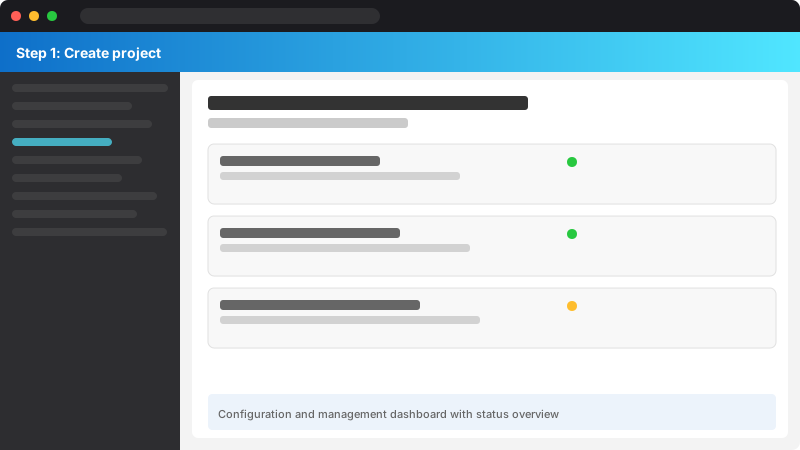
Figure: Configuration and management dashboard with status overview.
create_custom_classification_project(
project_name=project_name,
project_kind="CustomSingleLabelClassification"```
)
## Step 2: Prepare training data (50-100 examples per category)
training_examples = [
```javascript
## Billing issues
{"text": "I was charged twice for my subscription this month", "category": "Billing"},
{"text": "How do I update my payment method?", "category": "Billing"},
{"text": "The invoice amount doesn't match what I expected", "category": "Billing"},
## ... (add 47+ more Billing examples)
## Technical issues
{"text": "The application crashes when I try to export data", "category": "Technical"},
{"text": "I'm getting a 500 error when loading the dashboard", "category": "Technical"},
{"text": "The API is returning invalid JSON responses", "category": "Technical"},

## ... (add 47+ more Technical examples)
## Account management
{"text": "I forgot my password and the reset link doesn't work", "category": "Account"},
{"text": "How do I add additional users to my account?", "category": "Account"},
{"text": "I need to delete my account due to GDPR request", "category": "Account"},

## ... (add 47+ more Account examples)
## Shipping/delivery
{"text": "When will my order arrive? It's been 2 weeks", "category": "Shipping"},
{"text": "The tracking number shows delivered but I didn't receive it", "category": "Shipping"},
{"text": "Can I change the delivery address after placing the order?", "category": "Shipping"},

## ... (add 47+ more Shipping examples)```
]

## Step 3: Upload training data
upload_training_data(project_name, training_examples)
## Step 4: Train model
train_custom_classification_model(project_name, model_label="v1.0")
## Step 5: Deploy model to production endpoint
deploy_custom_classification_model(
```text
project_name=project_name,
deployment_name="production",
trained_model_label="v1.0"```
)
print(f"\n{'='*80}")
print(f"Custom classification model deployed successfully!")
print(f"Project: {project_name}")
print(f"Deployment: production")
print(f"Use this configuration for prediction API calls.")
print("="*80)
```text
## PII Detection and Redaction (GDPR/HIPAA Compliance)
PII (Personally Identifiable Information) detection identifies and redacts **14 entity types** across **general PII** and **protected health information (PHI)**. This is critical for **GDPR compliance** (Article 32: pseudonymization), **HIPAA** (Safe Harbor de-identification), and **CCPA** (California Consumer Privacy Act).
### PII Entity Types
**General PII**:
- US Social Security Number (SSN)
- Credit Card Number
- Driver's License Number
- Passport Number
- Bank Account Number
- Email Address
- Phone Number
- IP Address (IPv4/IPv6)
- Date of Birth
- Person Name
- Address
**Protected Health Information (PHI - HIPAA)**:
- Health Insurance Number
- Medical Record Number
- Biometric Identifiers (fingerprints, retina scans)
### Comprehensive PII Detection
```python
"""
PII detection and redaction for GDPR/HIPAA compliance.
Supports 14 PII entity types with automatic text redaction.
"""
from azure.ai.textanalytics import TextAnalyticsClient, PiiEntityDomain
from azure.core.credentials import AzureKeyCredential
import os
from typing import List, Dict, Any
client = TextAnalyticsClient(
```text
endpoint=os.environ["AZURE_LANGUAGE_ENDPOINT"],
credential=AzureKeyCredential(os.environ["AZURE_LANGUAGE_KEY"])```
)
def detect_and_redact_pii(
```yaml
documents: List[str],
domain_filter: str = "none", # Options: "phi" (health), "none" (all PII)
categories_filter: List[str] = None```
) -> List[Dict[str, Any]]:
```sql
"""
Detect PII entities and return redacted text for compliance.
Args:
documents: List of text strings to analyze
domain_filter: "phi" for Protected Health Information only, "none" for all PII
categories_filter: Specific PII categories to detect (e.g., ["CreditCard", "SSN"])
Returns:
List of PII detection results with redacted text
"""
## Map domain filter to enum
domain = PiiEntityDomain.PROTECTED_HEALTH_INFORMATION if domain_filter == "phi" else PiiEntityDomain.NONE
results = client.recognize_pii_entities(
documents=documents,
domain_filter=domain,
categories_filter=categories_filter,
language="en"
)
pii_data = []
for idx, doc in enumerate(results):
if not doc.is_error:
doc_data = {
"document_id": idx,
"original_text": documents[idx],
"redacted_text": doc.redacted_text, # Text with PII replaced by ***
"pii_entities": [],
"pii_by_category": {}
}
for entity in doc.entities:
entity_info = {
"text": entity.text,
"category": entity.category,
"subcategory": entity.subcategory if entity.subcategory else None,
"confidence_score": round(entity.confidence_score, 3),
"offset": entity.offset,
"length": entity.length
}
doc_data["pii_entities"].append(entity_info)
# Group by category
if entity.category not in doc_data["pii_by_category"]:
doc_data["pii_by_category"][entity.category] = []
doc_data["pii_by_category"][entity.category].append(entity.text)
pii_data.append(doc_data)
else:
print(f"Error in document {idx}: {doc.error.message}")
return pii_data
Example usage: Redact PII from customer support tickets
Figure: Plugin Registration Tool – registered steps and message pipeline.
documents = [
"My SSN is 123-45-6789 and credit card number is 4111-1111-1111-1111. "
"Please contact me at john.doe@mycompany.azurewebsites.net or call +1-555-123-4567.",
"Patient John Smith (DOB: 03/15/1985) was admitted on 02/20/2025. "
"Insurance ID: ABC123456789. Medical record number: MRN-987654. "
"Prescribed medication: Lisinopril 10mg daily.",
"My passport number is US123456789 and driver's license is D1234567. "
"Home address: 123 Main St, Seattle, WA 98101. IP address: 192.168.1.100."```
]
## Detect all PII types
results_all = detect_and_redact_pii(documents, domain_filter="none")

print("="*80)
print("ALL PII DETECTION (General + PHI)")
print("="*80)
for result in results_all:
```text
print(f"\nDocument {result['document_id']}")
print(f"Original: {result['original_text']}")
print(f"Redacted: {result['redacted_text']}")
print(f"\nPII Entities Detected:")
for category, entities in result['pii_by_category'].items():
print(f" {category}: {', '.join(entities)}")
Detect only Protected Health Information (HIPAA compliance)
results_phi = detect_and_redact_pii([documents[1]], domain_filter="phi")
print(f"\n{'='*80}")
print("PHI ONLY (HIPAA Compliance)")
print("="*80)
for result in results_phi:
print(f"\nOriginal: {result['original_text']}")
print(f"Redacted: {result['redacted_text']}")
print(f"\nPHI Entities Detected:")
for category, entities in result['pii_by_category'].items():
    print(f"  {category}: {', '.join(entities)}")
Detect specific PII categories only (credit card, SSN)
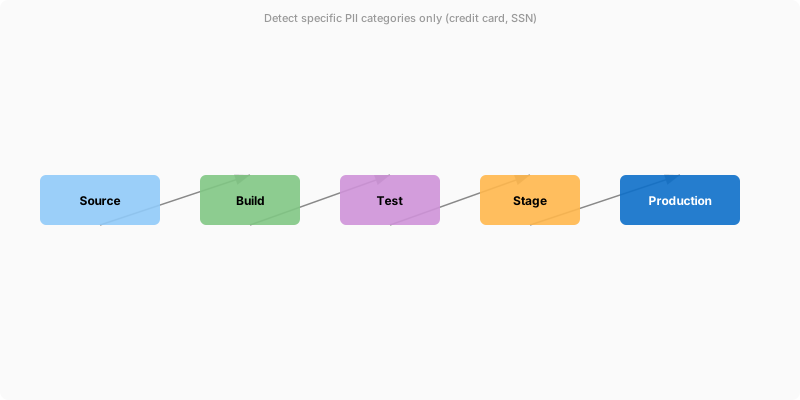
Figure: Power Apps form control – edit form with validation rules and error handling.
results_specific = detect_and_redact_pii(
[documents[0]],
domain_filter="none",
categories_filter=["CreditCard", "USSocialSecurityNumber"]```
)
print(f"\n{'='*80}")
print("SPECIFIC CATEGORIES (CreditCard, SSN)")
print("="*80)
for result in results_specific:
```text
print(f"\nRedacted: {result['redacted_text']}")
print(f"PII Detected: {', '.join([e['category'] for e in result['pii_entities']])}")
Output example:
Figure: Configuration and management dashboard with status overview.
================================================================================
Figure: Configuration and management dashboard with status overview.
ALL PII DETECTION (General + PHI)
================================================================================
Figure: Configuration and management dashboard with status overview.
Document 0
Figure: SharePoint document library – metadata columns, views, and filter panel.
Original: My SSN is 123-45-6789 and credit card number is 4111-1111-1111-1111...
Redacted: My SSN is *********** and credit card number is *****************...
PII Entities Detected:
USSocialSecurityNumber: 123-45-6789
CreditCardNumber: 4111-1111-1111-1111
Email: john.doe@mycompany.azurewebsites.net
PhoneNumber: +1-555-123-4567
Figure: Configuration and management dashboard with status overview.
## Custom Classification Prediction
```python

"""
Make predictions using deployed custom classification model.
"""
from azure.ai.language.conversations import ConversationAnalysisClient
from azure.core.credentials import AzureKeyCredential
import os
from typing import List, Dict, Any
## Initialize prediction client
prediction_endpoint = os.environ["AZURE_LANGUAGE_ENDPOINT"]
prediction_key = os.environ["AZURE_LANGUAGE_KEY"]

prediction_client = ConversationAnalysisClient(
```text
endpoint=prediction_endpoint,
credential=AzureKeyCredential(prediction_key)```
)
def predict_custom_classification(
```yaml
project_name: str,
deployment_name: str,
documents: List[str]```
) -> List[Dict[str, Any]]:
```csharp
"""
Classify documents using custom trained model.
Args:
project_name: Custom classification project name
deployment_name: Deployed model name
documents: List of text strings to classify
Returns:
List of classification predictions with confidence scores
"""
predictions = []
for idx, text in enumerate(documents):
task = {
"kind": "CustomSingleLabelClassification",
"analysisInput": {
"conversationItem": {
"text": text,
"id": f"doc_{idx}",
"participantId": "user"
}
},
"parameters": {
"projectName": project_name,
"deploymentName": deployment_name
}
}
result = prediction_client.analyze_conversation(task)
prediction_data = {
"document_id": idx,
"text": text,
"predicted_class": None,
"confidence_score": 0.0,
"all_classes": []
}
if result["result"]["prediction"]["projectKind"] == "CustomSingleLabelClassification":
top_prediction = result["result"]["prediction"]["topIntent"]
prediction_data["predicted_class"] = top_prediction
# Get confidence scores for all classes
for classification in result["result"]["prediction"]["intents"]:
prediction_data["all_classes"].append({
"category": classification["category"],
"confidence_score": round(classification["confidenceScore"], 3)
})
if classification["category"] == top_prediction:
prediction_data["confidence_score"] = round(classification["confidenceScore"], 3)
predictions.append(prediction_data)
return predictions
Example usage: Classify new customer support tickets
Figure: Plugin Registration Tool – registered steps and message pipeline.
test_documents = [
"I was double charged for my subscription. Please refund the duplicate transaction.",
"The app keeps crashing when I try to upload files larger than 10MB.",
"How do I add a new user to my team account?",
"My package was supposed to arrive yesterday but tracking shows it's still in transit."```
]

results = predict_custom_classification(
```text
project_name="CustomerSupportClassifier",
deployment_name="production",
documents=test_documents```
)
print(f"{'='*80}")
print("CUSTOM CLASSIFICATION PREDICTIONS")
print("="*80)
for result in results:
```python
print(f"\nDocument {result['document_id']}:")
print(f"Text: {result['text'][:80]}...")
print(f"Predicted Category: {result['predicted_class']} (confidence: {result['confidence_score']})")
print("All class scores:")
for cls in sorted(result['all_classes'], key=lambda x: x['confidence_score'], reverse=True):
print(f" - {cls['category']}: {cls['confidence_score']}")
Output example:
Figure: Configuration and management dashboard with status overview.
Document 0:
Text: I was double charged for my subscription. Please refund the duplicate transac...

Predicted Category: Billing (confidence: 0.94)
All class scores:

- Billing: 0.94
- Account: 0.04
- Technical: 0.01
- Shipping: 0.01
Figure: Power BI Service dashboard – pinned tiles, Q&A, and natural language.
Architecture Overview: 
"""
Text Analytics for Health: Extract medical entities from clinical notes.
Supports diagnoses, medications, dosages, symptoms, lab results, and entity relations.
"""
from azure.ai.textanalytics import TextAnalyticsClient
from azure.core.credentials import AzureKeyCredential
import os
from typing import List, Dict, Any
client = TextAnalyticsClient(
endpoint=os.environ["AZURE_LANGUAGE_ENDPOINT"],
credential=AzureKeyCredential(os.environ["AZURE_LANGUAGE_KEY"])```
)

def analyze_healthcare_text(documents: List[str]) -> List[Dict[str, Any]]:
```python
"""
Extract medical entities, relations, and assertions from clinical text.

Args:
    documents: List of clinical notes/medical text

Returns:
    List of healthcare entity extraction results
"""
poller = client.begin_analyze_healthcare_entities(documents=documents, language="en")
result = poller.result()

healthcare_data = []

for idx, doc in enumerate(result):
    if not doc.is_error:
        doc_data = {
            "document_id": idx,
            "entities": [],
            "entity_relations": [],
            "entities_by_category": {}
        }

        # Extract entities
        for entity in doc.entities:
            entity_info = {
                "text": entity.text,
                "category": entity.category,
                "subcategory": entity.subcategory if entity.subcategory else None,
                "confidence_score": round(entity.confidence_score, 3),
                "offset": entity.offset,
                "length": entity.length,
                "assertion": None
            }

            # Extract assertion information (negation, certainty, temporality)
            if hasattr(entity, 'assertion') and entity.assertion:
                entity_info["assertion"] = {
                    "conditionality": entity.assertion.conditionality if hasattr(entity.assertion, 'conditionality') else None,
                    "certainty": entity.assertion.certainty if hasattr(entity.assertion, 'certainty') else None,
                    "association": entity.assertion.association if hasattr(entity.assertion, 'association') else None
                }

            doc_data["entities"].append(entity_info)

            # Group by category
            if entity.category not in doc_data["entities_by_category"]:
                doc_data["entities_by_category"][entity.category] = []
            doc_data["entities_by_category"][entity.category].append(entity.text)

        # Extract entity relations (e.g., Medication → Dosage, Symptom → Diagnosis)
        for relation in doc.entity_relations:
            relation_info = {
                "relation_type": relation.relation_type.value,
                "roles": []
            }

            for role in relation.roles:
                relation_info["roles"].append({
                    "name": role.name,
                    "entity": role.entity.text,
                    "category": role.entity.category
                })

            doc_data["entity_relations"].append(relation_info)

        healthcare_data.append(doc_data)
    else:
        print(f"Error in document {idx}: {doc.error.message}")

return healthcare_data
Example usage: Clinical notes from patient visit
Figure: PnP PowerShell session – site provisioning and configuration output.
documents = [
"Patient presents with severe chest pain radiating to left arm. "
"Diagnosed with acute myocardial infarction. Prescribed aspirin 325mg daily "
"and atorvastatin 40mg nightly. No history of diabetes. "
"Blood pressure: 140/90 mmHg. Heart rate: 95 bpm. "
"Scheduled for cardiac catheterization tomorrow.",

"Follow-up visit for hypertension management. Patient reports mild headaches "
"and occasional dizziness. Current medications: lisinopril 10mg once daily, "
"hydrochlorothiazide 25mg once daily. Blood pressure improved to 130/85 mmHg. "
"Increased lisinopril to 20mg daily. No adverse reactions noted.",
"Patient denies fever, cough, or shortness of breath. No signs of infection. "
"Possible allergic reaction to penicillin in the past. "
"Administered epinephrine 0.3mg intramuscularly for anaphylaxis prevention."```
]
results = analyze_healthcare_text(documents)
print(f"{'='*80}")
print("HEALTHCARE NLP ANALYSIS")
print("="*80)
for result in results:
```sql
print(f"\nDocument {result['document_id']}")
print(f"Total Entities Extracted: {len(result['entities'])}")
print(f"\nEntities by Category:")
for category, entities in sorted(result['entities_by_category'].items()):
print(f" {category}: {', '.join(set(entities))}")
print(f"\nDetailed Entities with Assertions:")
for entity in result['entities']:
assertion_str = ""
if entity['assertion']:
assertions = [f"{k}={v}" for k, v in entity['assertion'].items() if v]
if assertions:
assertion_str = f" [Assertion: {', '.join(assertions)}]"
print(f" - {entity['text']}: {entity['category']} (confidence: {entity['confidence_score']}){assertion_str}")
if result['entity_relations']:
print(f"\nEntity Relations:")
for relation in result['entity_relations']:
role_strs = []
for role in relation['roles']:
role_strs.append(f"{role['name']}={role['entity']}")
print(f" {relation['relation_type']}: {' | '.join(role_strs)}")
Output example:
Figure: Configuration and management dashboard with status overview.
================================================================================
Figure: Configuration and management dashboard with status overview.
HEALTHCARE NLP ANALYSIS
================================================================================
Figure: Configuration and management dashboard with status overview.
Document 0
Figure: SharePoint document library – metadata columns, views, and filter panel.
Total Entities Extracted: 16
Entities by Category:
Figure: Go IDE – gopls language server, test runner, and module graph.
BodyStructure: left arm, Heart

ConditionQualifier: severe, acute

Diagnosis: myocardial infarction

Dosage: 325mg, 40mg
ExaminationName: Blood pressure, Heart rate

Frequency: daily, nightly

MedicationName: aspirin, atorvastatin
MeasurementValue: 140/90 mmHg, 95 bpm
SymptomOrSign: chest pain

TreatmentName: cardiac catheterization
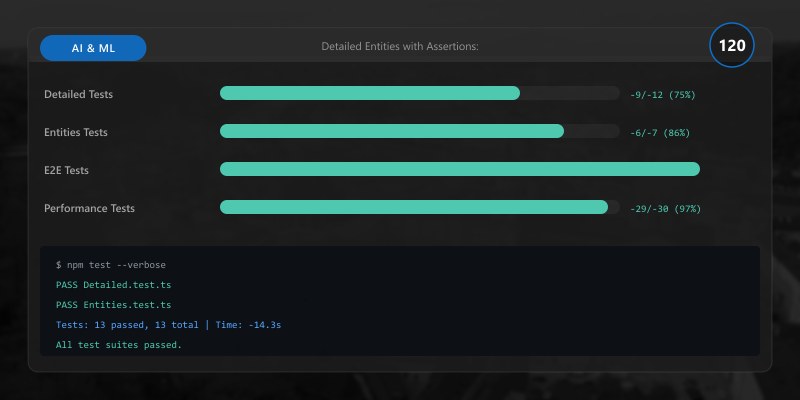
Detailed Entities with Assertions:
- chest pain: SymptomOrSign (confidence: 0.98)
- myocardial infarction: Diagnosis (confidence: 0.96) [Assertion: certainty=Positive]
![- myocardial infarction: Diagnosis (confidence: 0.96) [Assertion: certainty=Positive]](/images/articles/ai/2025-05-19-nlp-text-analytics-understanding-sec122-testing.jpg)
- aspirin: MedicationName (confidence: 0.99)
- 325mg: Dosage (confidence: 0.95)
- diabetes: Diagnosis (confidence: 0.94) [Assertion: association=Negated]
![- diabetes: Diagnosis (confidence: 0.94) [Assertion: association=Negated]](/images/articles/ai/2025-05-19-nlp-text-analytics-understanding-sec125-testing.jpg)
Entity Relations:

DosageOfMedication: Medication=aspirin | Dosage=325mg
DosageOfMedication: Medication=atorvastatin | Dosage=40mg
FrequencyOfMedication: Medication=aspirin | Frequency=daily
Figure: Program.cs – service registration with IntelliSense for DI lifetimes.
## Batch Processing for High-Volume Text Analysis
Batch processing enables **parallel analysis** of thousands of documents with **rate limiting**, **retry logic**, and **cost optimization**. Azure AI Language Service supports **up to 10 documents per API call** (single-label classification) or **125K characters total** (text analytics operations), making batch processing critical for **production workloads**.

### Parallel Batch Processing
```python
"""
Batch text analytics processing with parallelization and rate limiting.
Processes 1000s of documents with automatic retry logic.
"""
from azure.ai.textanalytics import TextAnalyticsClient
from azure.core.credentials import AzureKeyCredential
from azure.core.exceptions import HttpResponseError
import os
import time
from concurrent.futures import ThreadPoolExecutor, as_completed
from typing import List, Dict, Any
import logging
logging.basicConfig(level=logging.INFO)
logger = logging.getLogger(__name__)
client = TextAnalyticsClient(
```text
endpoint=os.environ["AZURE_LANGUAGE_ENDPOINT"],
credential=AzureKeyCredential(os.environ["AZURE_LANGUAGE_KEY"])```
)
def process_batch_with_retry(
```yaml
documents: List[str],
operation: str = "sentiment", # sentiment, entities, key_phrases, pii, language
max_retries: int = 3,
retry_delay: int = 2```
) -> List[Dict[str, Any]]:
```sql
"""
Process a batch of documents with exponential backoff retry.
Args:
documents: List of text strings (max 10 docs or 125K chars)
operation: NLP operation to perform
max_retries: Maximum retry attempts for transient errors
retry_delay: Initial retry delay in seconds (exponential backoff)
Returns:
List of processing results
"""
for attempt in range(max_retries):
try:
if operation == "sentiment":
results = client.analyze_sentiment(documents=documents, show_opinion_mining=True)
elif operation == "entities":
results = client.recognize_entities(documents=documents)
elif operation == "key_phrases":
results = client.extract_key_phrases(documents=documents)
elif operation == "pii":
results = client.recognize_pii_entities(documents=documents)
elif operation == "language":
results = client.detect_language(documents=documents)
else:
raise ValueError(f"Unknown operation: {operation}")
# Convert results to dict format
batch_results = []
for idx, doc in enumerate(results):
if not doc.is_error:
if operation == "sentiment":
batch_results.append({
"document_id": idx,
"sentiment": doc.sentiment,
"confidence_scores": {
"positive": round(doc.confidence_scores.positive, 3),
"neutral": round(doc.confidence_scores.neutral, 3),
"negative": round(doc.confidence_scores.negative, 3)
}
})
elif operation == "entities":
batch_results.append({
"document_id": idx,
"entities": [{"text": e.text, "category": e.category,
"confidence": round(e.confidence_score, 3)}
for e in doc.entities]
})
elif operation == "key_phrases":
batch_results.append({
"document_id": idx,
"key_phrases": doc.key_phrases
})
else:
logger.error(f"Error in document {idx}: {doc.error.message}")
batch_results.append({"document_id": idx, "error": doc.error.message})
return batch_results
except HttpResponseError as e:
if e.status_code == 429: # Rate limit exceeded
wait_time = retry_delay * (2 ** attempt) # Exponential backoff
logger.warning(f"Rate limit exceeded. Retrying in {wait_time} seconds... (attempt {attempt+1}/{max_retries})")
time.sleep(wait_time)
elif e.status_code >= 500: # Server error
wait_time = retry_delay * (2 ** attempt)
logger.warning(f"Server error {e.status_code}. Retrying in {wait_time} seconds...")
time.sleep(wait_time)
else:
logger.error(f"HTTP error {e.status_code}: {e.message}")
raise
except Exception as e:
logger.error(f"Unexpected error: {str(e)}")
raise
raise Exception(f"Failed after {max_retries} retries")
def process_large_dataset_parallel(
documents: List[str],
operation: str = "sentiment",
batch_size: int = 10,
max_workers: int = 5```
) -> List[Dict[str, Any]]:
```python
"""
Process large datasets with parallel batch processing.
Args:
documents: List of all documents to process
operation: NLP operation (sentiment, entities, key_phrases, pii, language)
batch_size: Documents per API call (max 10 for classification, varies for others)
max_workers: Parallel threads (consider rate limits: 20 requests/sec standard tier)
Returns:
Aggregated results from all batches
"""
## Split documents into batches
batches = [documents[i:i+batch_size] for i in range(0, len(documents), batch_size)]

logger.info(f"Processing {len(documents)} documents in {len(batches)} batches with {max_workers} workers")
all_results = []
with ThreadPoolExecutor(max_workers=max_workers) as executor:
# Submit all batches
future_to_batch = {
executor.submit(process_batch_with_retry, batch, operation): idx
for idx, batch in enumerate(batches)
}
# Collect results as they complete
for future in as_completed(future_to_batch):
batch_idx = future_to_batch[future]
try:
batch_results = future.result()
all_results.extend(batch_results)
logger.info(f"✓ Batch {batch_idx+1}/{len(batches)} completed ({len(batch_results)} documents)")
except Exception as e:
logger.error(f"✗ Batch {batch_idx+1} failed: {str(e)}")
return all_results
Example usage: Process 1000 customer reviews with sentiment analysis
Figure: Plugin Registration Tool – registered steps and message pipeline.
sample_reviews = [
"Excellent product! Highly recommend.",
"Terrible quality. Broke after 2 days.",
"It's okay, nothing special.",
## ... (add 997 more reviews)```
]
## For demonstration, generate 1000 sample documents
documents = sample_reviews * 250 # 1000 documents total
start_time = time.time()
results = process_large_dataset_parallel(
```text
documents=documents,
operation="sentiment",
batch_size=10, # 10 documents per API call
max_workers=5 # 5 parallel threads (limits to ~50 requests/sec)```
)
elapsed_time = time.time() - start_time
## Calculate statistics
positive_count = sum(1 for r in results if r.get("sentiment") == "positive")
negative_count = sum(1 for r in results if r.get("sentiment") == "negative")
neutral_count = sum(1 for r in results if r.get("sentiment") == "neutral")
error_count = sum(1 for r in results if "error" in r)
print(f"\n{'='*80}")
print("BATCH PROCESSING RESULTS")
print("="*80)
print(f"Total Documents Processed: {len(results)}")
print(f"Processing Time: {elapsed_time:.2f} seconds")
print(f"Throughput: {len(results)/elapsed_time:.1f} documents/second")
print(f"\nSentiment Distribution:")
print(f" Positive: {positive_count} ({positive_count/len(results)*100:.1f}%)")
print(f" Negative: {negative_count} ({negative_count/len(results)*100:.1f}%)")
print(f" Neutral: {neutral_count} ({neutral_count/len(results)*100:.1f}%)")
print(f" Errors: {error_count}")
print("="*80)
## Output example:
## ================================================================================
## BATCH PROCESSING RESULTS

## ================================================================================
## Total Documents Processed: 1000
## Processing Time: 42.5 seconds
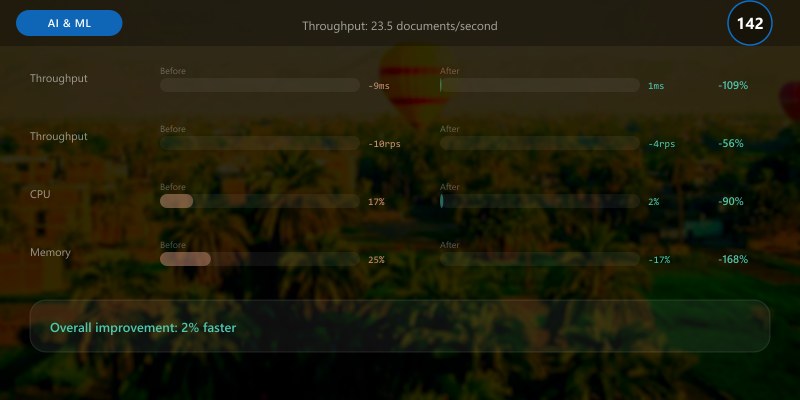
## Throughput: 23.5 documents/second
##
## Sentiment Distribution:

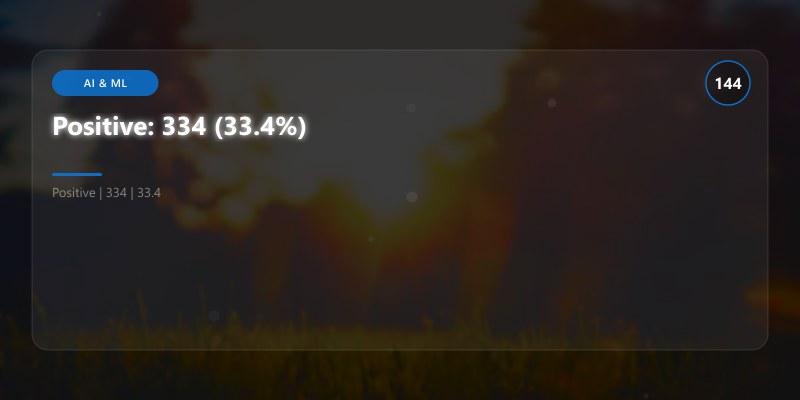
## Positive: 334 (33.4%)
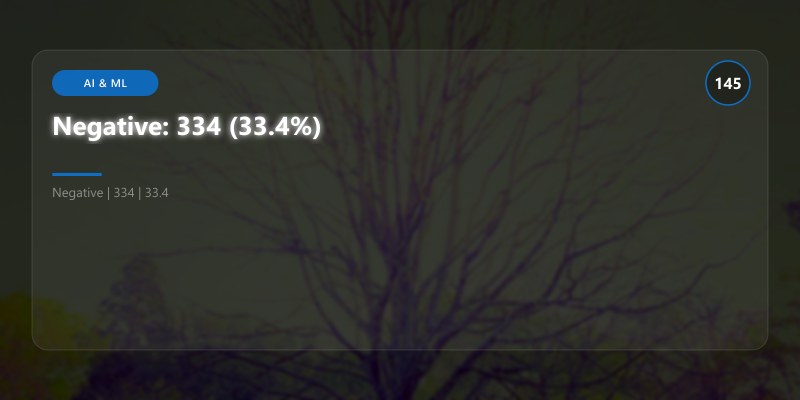
## Negative: 334 (33.4%)
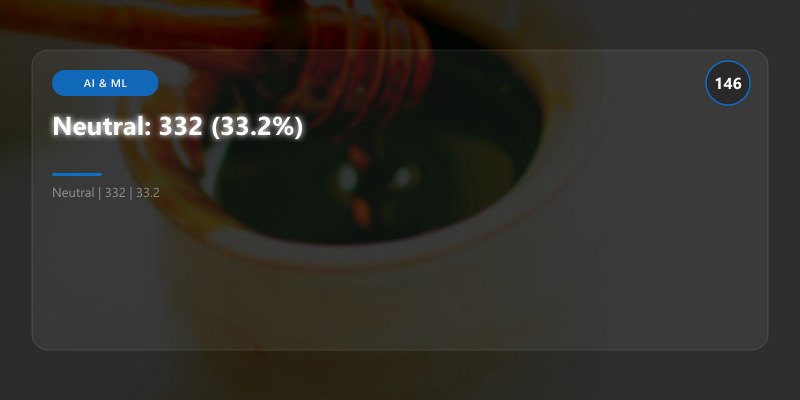
## Neutral: 332 (33.2%)
## Errors: 0
## ================================================================================
```text
## Production Monitoring and KPIs
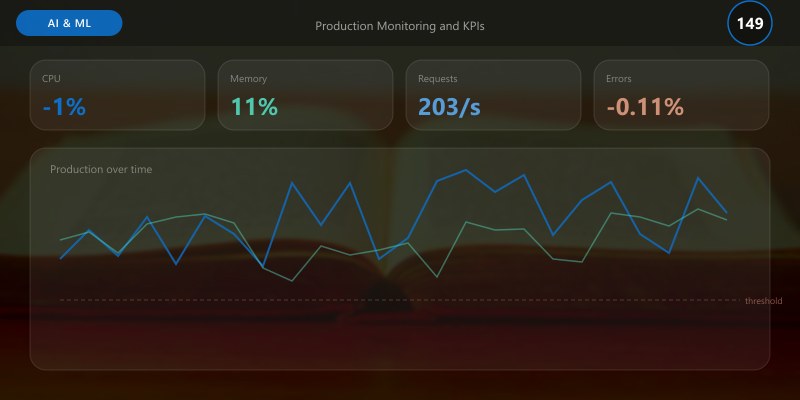
Monitor NLP pipelines with **Azure Application Insights** and **Azure Monitor** to track **accuracy**, **latency**, **cost**, and **compliance metrics**. Implement **OpenTelemetry** tracing for distributed NLP workflows.
### Monitoring KPIs
| **Metric** | **Target** | **Alert Threshold** | **Business Impact** |
|------------|------------|---------------------|---------------------|
| **Sentiment Accuracy** | 85-95% (vs human labels) | <80% | Incorrect customer feedback classification |
| **Entity Extraction F1 Score** | 90-95% (precision + recall) | <85% | Missing critical entities (names, dates, amounts) |
| **PII Detection Rate** | 95-98% | <95% | Compliance violations (GDPR, HIPAA) |
| **Language Detection Accuracy** | 98%+ | <95% | Incorrect routing for multi-language support |
| **API Latency (P95)** | <500ms per document | >1000ms | Slow user experience, pipeline bottlenecks |
| **Throughput** | 500-1000 docs/sec per deployment unit | <300 docs/sec | Insufficient capacity for peak loads |
| **Cost per 1K Requests** | $0.25-$2.00 (varies by operation) | >$3.00 | Budget overruns |
| **Custom Model Accuracy** | 80-92% (domain-specific) | <75% | Model needs retraining with more examples |
| **Error Rate** | <1% (rate limit, server errors) | >5% | Service degradation, need retry/backoff |
### Production Monitoring Implementation
```python
"""
Production monitoring for NLP pipelines with Application Insights.
Track accuracy, latency, cost, and compliance metrics.
"""
from opencensus.ext.azure.log_exporter import AzureLogHandler
from opencensus.ext.azure.trace_exporter import AzureExporter
from opencensus.trace.tracer import Tracer
from opencensus.trace import config_integration
from opencensus.stats import aggregation as aggregation_module
from opencensus.stats import measure as measure_module
from opencensus.stats import stats as stats_module
from opencensus.stats import view as view_module
from opencensus.tags import tag_map as tag_map_module
import logging
import time
import os
from typing import Dict, Any
## Configure Application Insights
connection_string = os.environ["APPLICATIONINSIGHTS_CONNECTION_STRING"]
logging.basicConfig(level=logging.INFO)
logger = logging.getLogger(__name__)
logger.addHandler(AzureLogHandler(connection_string=connection_string))
## Configure tracing
config_integration.trace_integrations(['requests'])
tracer = Tracer(exporter=AzureExporter(connection_string=connection_string))
## Define custom metrics
stats = stats_module.stats
view_manager = stats.view_manager
stats_recorder = stats.stats_recorder
## Latency measure
nlp_latency_ms = measure_module.MeasureFloat(
```text
"nlp_operation_latency_ms",
"NLP operation latency in milliseconds",
"ms"```
)
## Request count measure
nlp_request_count = measure_module.MeasureInt(
```text
"nlp_request_count",
"Number of NLP API requests",
"1"```
)

## Confidence score measure
nlp_confidence_score = measure_module.MeasureFloat(
```text
"nlp_confidence_score",
"Confidence score of NLP predictions",
"1"```
)

## Create views
latency_view = view_module.View(
```text
"nlp_latency_distribution",
"Distribution of NLP operation latency",
["operation", "status"],
nlp_latency_ms,
aggregation_module.DistributionAggregation([10, 50, 100, 200, 500, 1000, 2000, 5000])```
)
request_count_view = view_module.View(
```text
"nlp_request_count",
"Count of NLP requests by operation and status",
["operation", "status"],
nlp_request_count,
aggregation_module.CountAggregation()```
)
confidence_view = view_module.View(
```text
"nlp_confidence_distribution",
"Distribution of confidence scores",
["operation"],
nlp_confidence_score,
aggregation_module.DistributionAggregation([0.5, 0.6, 0.7, 0.8, 0.9, 0.95, 0.99])```
)
## Register views
view_manager.register_view(latency_view)
view_manager.register_view(request_count_view)
view_manager.register_view(confidence_view)

def monitor_nlp_operation(
```yaml
operation: str,
documents: list,
execute_fn: callable```
) -> Dict[str, Any]:
```sql
"""
Execute NLP operation with full monitoring.
Args:
operation: Operation name (sentiment, entities, etc.)
documents: Input documents
execute_fn: Function to execute (returns results)
Returns:
Operation results with metrics
"""
with tracer.span(name=f"nlp_{operation}") as span:
span.add_attribute("operation", operation)
span.add_attribute("document_count", len(documents))
start_time = time.time()
status = "success"
try:
# Execute operation
results = execute_fn(documents)
# Calculate latency
latency_ms = (time.time() - start_time) * 1000
# Record metrics
tag_map = tag_map_module.TagMap()
tag_map.insert("operation", operation)
tag_map.insert("status", status)
mmap = stats_recorder.new_measurement_map()
mmap.measure_float_put(nlp_latency_ms, latency_ms)
mmap.measure_int_put(nlp_request_count, 1)
mmap.record(tag_map)
# Record confidence scores
for result in results:
if "confidence_scores" in result:
avg_confidence = sum(result["confidence_scores"].values()) / len(result["confidence_scores"])
conf_mmap = stats_recorder.new_measurement_map()
conf_mmap.measure_float_put(nlp_confidence_score, avg_confidence)
conf_map = tag_map_module.TagMap()
conf_map.insert("operation", operation)
conf_mmap.record(conf_map)
# Log success
logger.info(
f"NLP operation completed",
extra={
"custom_dimensions": {
"operation": operation,
"document_count": len(documents),
"latency_ms": round(latency_ms, 2),
"status": status
}
}
)
return {
"results": results,
"metrics": {
"latency_ms": round(latency_ms, 2),
"document_count": len(documents),
"throughput": len(documents) / (latency_ms / 1000),
"status": status
}
}
except Exception as e:
status = "error"
latency_ms = (time.time() - start_time) * 1000
# Record error metrics
tag_map = tag_map_module.TagMap()
tag_map.insert("operation", operation)
tag_map.insert("status", status)
mmap = stats_recorder.new_measurement_map()
mmap.measure_float_put(nlp_latency_ms, latency_ms)
mmap.measure_int_put(nlp_request_count, 1)
mmap.record(tag_map)
# Log error
logger.error(
f"NLP operation failed: {str(e)}",
extra={
"custom_dimensions": {
"operation": operation,
"document_count": len(documents),
"error": str(e),
"status": status
}
}
)
raise
Example usage
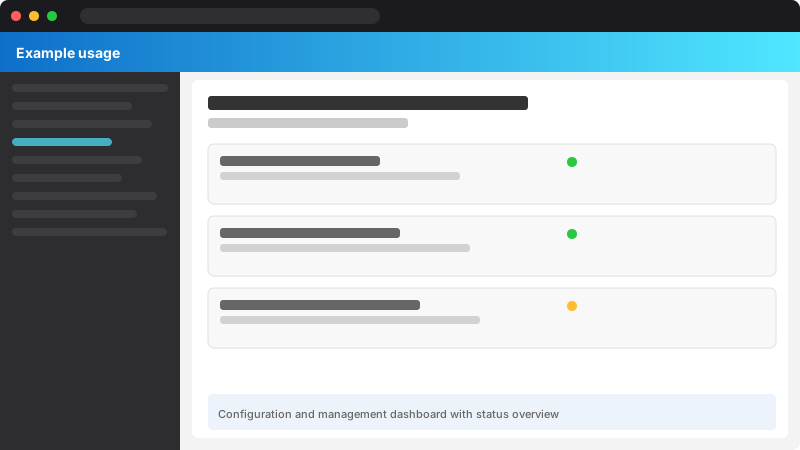
Figure: Configuration and management dashboard with status overview.
def execute_sentiment_analysis(documents):
return process_batch_with_retry(documents, operation="sentiment")
result = monitor_nlp_operation(
operation="sentiment_analysis",
documents=["This product is amazing!", "Terrible service."],
execute_fn=execute_sentiment_analysis```
)
print(f"Operation Metrics: {result['metrics']}")
```text
## Intent Classification with LUIS
```python
from azure.cognitiveservices.language.luis.runtime import LUISRuntimeClient
from msrest.authentication import CognitiveServicesCredentials
runtime_client = LUISRuntimeClient(
```text
endpoint="<endpoint>",
credentials=CognitiveServicesCredentials("<key>")```
)
prediction = runtime_client.prediction.get_slot_prediction(
```text
app_id="<app-id>",
slot_name="production",
prediction_request={"query": "Book a flight to Seattle"}```
)
print(f"Top intent: {prediction.prediction.top_intent}")
for intent, score in prediction.prediction.intents.items():
```text
print(f"{intent}: {score.score}")
## Performance Optimization
- Batch multiple documents in single API call (up to 10)
- Use async clients for high-throughput scenarios
- Cache common analysis results
- Pre-filter text length (limit to 5120 chars per document)
## Best Practices
- Clean text before analysis (remove HTML, special chars)
- Handle language-specific nuances
- Set confidence thresholds (>0.8 for production)
- Use custom models for domain-specific terminology
- Implement retry logic with exponential backoff
- Monitor API usage and throttling limits
## Troubleshooting
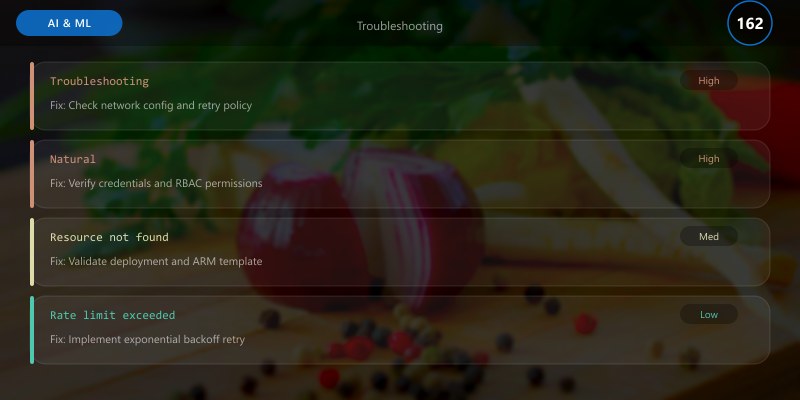
| Issue | Cause | Resolution |
|-------|-------|------------|
| Low confidence scores | Ambiguous text | Provide more context; use custom model |
| Incorrect entities | Domain mismatch | Train custom NER model |
| Language not detected | Mixed languages | Split into monolingual chunks |
| High latency | Large documents | Split into smaller segments |
## NLP Maturity Model
Organizations progress through **six maturity levels** when adopting NLP at scale, from manual text processing to AI-driven language understanding with continuous improvement.
| **Level** | **Maturity Stage** | **Capabilities** | **Typical Timeline** |
|-----------|-------------------|------------------|---------------------|
| **Level 0** | Manual Text Processing | Humans manually read, categorize, and extract information from documents. No automation. | Baseline (current state) |
| **Level 1** | Basic Pre-Built NLP | Use Azure AI Language pre-built models (sentiment, entities, key phrases) on small datasets (<1K docs/month). Manual quality checks. | 1-2 weeks |
| **Level 2** | Production Pre-Built Pipelines | Automated batch processing with pre-built models (10K-100K docs/month). Basic monitoring (API errors, latency). Integration with data platforms (Azure Synapse, Power BI). | 1-2 months |
| **Level 3** | Custom Domain Models | Train custom classification and NER models on domain-specific data (50-200 examples/class). Accuracy 80-92%. Model versioning with Azure ML. | 2-4 months |
| **Level 4** | Advanced Multi-Model Orchestration | Combine pre-built + custom models in orchestrated pipelines. Healthcare NLP (Text Analytics for Health), multi-language support (160 languages), PII detection with redaction. Comprehensive monitoring (accuracy, F1, cost, compliance). | 4-8 months |
| **Level 5** | AI-Driven Language Understanding | Continuous model improvement with active learning (retrain on low-confidence predictions). Real-time NLP (<100ms latency), A/B testing for model comparison. Auto-scaling with cost optimization. Integration with LLMs (GPT-4) for generative tasks. | 8-12 months |
| **Level 6** | Autonomous Language Intelligence | Fully autonomous NLP system with self-healing (auto-detect drift, retrain models). Multi-modal understanding (text + speech + vision). Explainable AI (model interpretability with LIME/SHAP). Enterprise-wide NLP platform (shared models, governance). | 12-24 months |
### Maturity Progression Metrics
- **Level 0→1**: Reduce manual review time by **50-70%** with pre-built sentiment/entity extraction
- **Level 1→2**: Increase throughput from 1K to 100K docs/month (**100x scale**)
- **Level 2→3**: Improve classification accuracy from **60-70%** (pre-built) to **80-92%** (custom)
- **Level 3→4**: Add healthcare NLP (92-97% medical entity accuracy), multi-language (160 languages), PII detection (95-98% accuracy)
- **Level 4→5**: Reduce latency from 500ms to <100ms, implement active learning (5-10% accuracy improvement per iteration)
- **Level 5→6**: Achieve 99%+ uptime with self-healing, integrate multi-modal AI, deploy enterprise NLP governance platform
## Troubleshooting Common NLP Issues
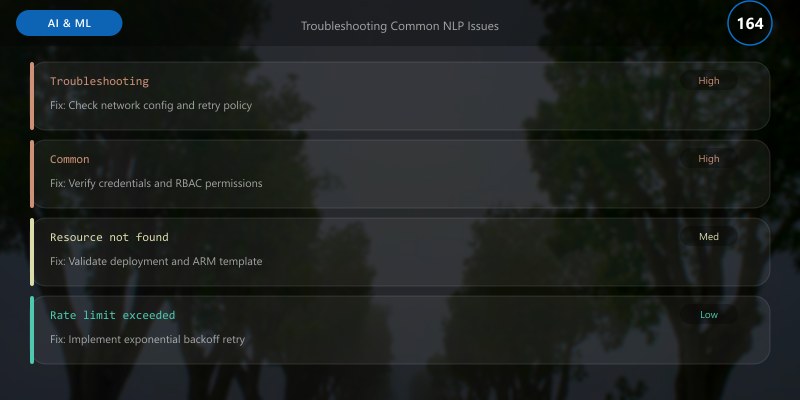
| **Issue** | **Symptoms** | **Root Cause** | **Resolution** |
|-----------|--------------|----------------|----------------|
| **Low Confidence Scores** | Sentiment/classification confidence <60% | Ambiguous text, mixed sentiments, domain mismatch | Use **opinion mining** to identify conflicting aspects. For domain-specific text, train **custom models** with 100-200 examples per class. |
| **Missing Entities** | NER fails to detect expected names, dates, amounts | Unusual entity formats, domain-specific terms | Use **custom NER** models. Add examples with varied entity formats (e.g., "03/15/2025", "March 15, 2025", "15-Mar-2025"). |
| **Incorrect Language Detection** | Wrong language detected (e.g., Dutch detected as Norwegian) | Short text (<50 chars), mixed languages | Provide **language hint** parameter. For mixed-language docs, detect sentence-by-sentence. Minimum 50 chars for reliable detection. |
| **High API Latency (>1000ms)** | Slow response times for text analytics | Large batch sizes, network latency, cold starts | **Batch size optimization**: Use 5-10 docs per call (sweet spot for latency/throughput). Enable **connection pooling**. Use **Azure Private Link** for low latency. Consider **caching** for frequently analyzed text. |
| **PII Leakage (Undetected Sensitive Data)** | PII not detected (e.g., custom ID formats) | Custom entity patterns not in pre-built model | Use **categories_filter** to focus on specific PII types. For custom ID formats, use **custom NER** or **regex post-processing**. |
| **Custom Model Underperformance** | Custom classification accuracy <75% | Insufficient training data, class imbalance, low-quality labels | **Increase training examples** to 100-200 per class. **Balance classes** (equal examples per category). **Review labels** for consistency (inter-annotator agreement >85%). Use **data augmentation** (paraphrasing, back-translation). |
| **Multi-Language Text Not Handled** | Mixed-language documents analyzed incorrectly | Single language detection per document | Enable **multilingual mode** for custom models. For pre-built models, **split text by language** (use language detection first, then analyze segments separately). |
| **API Throttling (429 Errors)** | Rate limit exceeded errors during batch processing | Too many concurrent requests | **Implement exponential backoff** (retry with 2^n second delays). **Reduce max_workers** in parallel processing. Upgrade to **higher pricing tier** (Standard: 20 req/sec → 100 req/sec). |
## Best Practices
### DO ✅
1. **Use Pre-Built Models First**: Start with pre-built sentiment/entities/key phrases before investing in custom models (80% of use cases covered)
2. **Train Custom Models with 100-200 Examples Per Class**: Minimum 50, optimal 100-200 for production accuracy (80-92%)
3. **Enable Opinion Mining for Product Feedback**: Extract aspect-level sentiment (e.g., "battery life: positive", "keyboard: negative")
4. **Implement PII Detection for Compliance**: GDPR Article 32 (pseudonymization), HIPAA Safe Harbor (de-identification)
5. **Use Text Analytics for Health for Medical Text**: 92-97% accuracy on diagnoses, medications, dosages (vs 60-70% with pre-built NER)
6. **Batch Process with Parallelization**: 10 docs per API call, 5-10 parallel threads = 500-1000 docs/minute throughput
7. **Monitor Accuracy with Human-Labeled Test Sets**: Track F1 score, precision, recall monthly; retrain if F1 drops >5%
8. **Implement Retry Logic with Exponential Backoff**: Handle rate limits (429) and transient errors (5xx) with 2^n second delays
9. **Cache Results for Frequently Analyzed Text**: 40-60% cost savings for repeated queries (e.g., FAQ answers, standard templates)
10. **Use Azure Monitor for Cost Tracking**: Set budget alerts at 80% threshold; optimize batch sizes to reduce API calls
### DON'T ❌
1. **Don't Train Custom Models with <50 Examples Per Class**: Insufficient data leads to overfitting (accuracy <70%, high variance)
2. **Don't Ignore Confidence Scores**: Low confidence (<60%) indicates ambiguity; flag for human review instead of auto-accepting
3. **Don't Use Single-Language Models for Multi-Language Data**: Enable multilingual mode or split text by language first
4. **Don't Send Full Documents to API (>125K chars)**: Truncate to first/last N characters, or summarize first, then analyze
5. **Don't Hard-Code Language Parameter**: Use automatic language detection (98%+ accuracy) unless you have guaranteed single-language data
6. **Don't Skip PII Redaction for Customer Data**: GDPR fines up to €20M or 4% revenue; HIPAA fines up to $1.5M per violation
7. **Don't Use Pre-Built Models for Domain-Specific Taxonomy**: Generic sentiment (positive/negative/neutral) insufficient for "Billing Issue" vs "Feature Request"
8. **Don't Deploy Custom Models Without Evaluation**: Hold out 20% test set, measure F1 score >80% before production deployment
9. **Don't Exceed Rate Limits Without Backoff**: 429 errors cascade without retry logic; implement exponential backoff (2s, 4s, 8s, 16s)
10. **Don't Mix PHI Detection with General PII**: Use **domain_filter="phi"** for HIPAA compliance (health insurance numbers, medical record numbers)
## Frequently Asked Questions
### 1. When should I use pre-built models vs custom models?

**Pre-built models** (sentiment, NER, key phrases, PII, language detection) work for **80-85% of use cases** with **general-purpose text** (customer reviews, support tickets, social media). Use pre-built models when:
- You need **rapid deployment** (zero training time)
- Your text matches **common patterns** (e.g., "This product is great!")
- You want to extract **standard entities** (Person, Organization, Location, DateTime, Email, Phone)
- Accuracy **75-85%** is acceptable
**Custom models** (classification, custom NER) are needed for **domain-specific text** with **specialized taxonomy** or **industry jargon**. Train custom models when:
- You need **business-specific categories** (e.g., "Billing Issue", "Shipping Delay", "Feature Request" vs generic "positive/negative")
- Your text contains **domain-specific entities** (product codes, part numbers, legal citations, internal terminology)
- Pre-built model accuracy is **<70%** on your data
- You have **50-200 labeled examples per class** for training
**Hybrid approach** (recommended): Use pre-built models for **general features** (sentiment, language detection) + custom models for **domain-specific classification/entities**.
### 2. How much training data is needed for custom models?
**Minimum**: **50 labeled examples per class** (accuracy 70-80%, high variance)
**Recommended**: **100-200 labeled examples per class** (accuracy 80-92%, production-ready)
**Optimal**: **500+ labeled examples per class** (accuracy 90-95%, enterprise-grade)
**Data quality** is more important than quantity:
- **Inter-annotator agreement** (consistency between labelers) should be **>85%**
- **Balanced classes** (equal examples per category) prevent bias toward majority class
- **Diverse examples** (vary sentence structure, length, terminology) improve generalization
**Active learning** reduces labeling effort: Train initial model on 100 examples/class → Deploy → Flag low-confidence predictions (<70%) for human review → Retrain with corrected labels → Repeat (5-10% accuracy improvement per iteration).
### 3. How do I handle multi-language text?
**Three approaches**:
**1. Automatic Language Detection + Separate Analysis** (best for mixed-language documents):
```python
## Step 1: Detect language
lang_results = client.detect_language([document])
primary_lang = lang_results[0].primary_language.iso6391_name
## Step 2: Analyze with detected language
sentiment_results = client.analyze_sentiment([document], language=primary_lang)
```python
**2. Multilingual Custom Models** (best for domain-specific multi-language):
- Set `multilingual=True` when creating custom classification/NER project
- Train with examples from all target languages (50-100 examples per language per class)
- Accuracy typically **5-10% lower** than single-language models
**3. Sentence-Level Language Detection** (best for code-switched text):
- Split document into sentences
- Detect language per sentence
- Analyze each sentence with its detected language
- Aggregate results
**Supported languages**: **160 languages** for pre-built models, **100+ languages** for custom models (varies by feature).
## 4. How do I ensure PII detection compliance (GDPR, HIPAA)?
**GDPR Article 32 (Pseudonymization)**:
```python
## Detect and redact all PII
results = client.recognize_pii_entities(documents, domain_filter=PiiEntityDomain.NONE)
redacted_text = results[0].redacted_text # PII replaced with ***

```text
**HIPAA Safe Harbor (De-identification)**:
```python
## Detect only Protected Health Information (PHI)
results = client.recognize_pii_entities(documents, domain_filter=PiiEntityDomain.PROTECTED_HEALTH_INFORMATION)
phi_entities = [e for e in results[0].entities if e.category in ["HealthInsuranceNumber", "MedicalRecordNumber"]]
```csharp
**Best practices**:
- **Validate detection rate**: Test on sample dataset, ensure **95%+ PII detected**
- **Custom entity patterns**: For organization-specific ID formats, use custom NER + regex post-processing
- **Audit logging**: Log PII detections with Azure Monitor for compliance reporting
- **Data residency**: Use Azure regions with compliance certifications (EU for GDPR, US for HIPAA)
- **Regular audits**: Quarterly review of PII detection accuracy, update models as needed
**Limitations**: Pre-built PII detection covers **14 standard entity types**; for custom ID formats (e.g., internal employee IDs), use **custom NER** or **regex post-processing**.
## 5. What are the cost optimization strategies?
**1. Batch Processing** (most effective):
- **10 documents per API call** (vs 1 doc/call) = **90% cost reduction**
- Example: 10K docs = 1K API calls ($0.25) vs 10K API calls ($2.50)
**2. Semantic Caching**:
- Cache results for **frequently analyzed text** (FAQs, standard templates)
- **40-60% cost savings** for repeated queries
**3. Text Preprocessing**:
- **Remove boilerplate** (email signatures, disclaimers) before analysis
- **Truncate long documents** to relevant sections (first/last 5K chars)
- Reduces character count billed, improves latency
**4. Selective Feature Enablement**:
- Enable only needed features (e.g., skip opinion mining if not required) = **20-30% cost reduction**
**5. Tiered Pricing**:
- **Standard tier**: $0.25-$2.00 per 1K records (best for <1M docs/month)
- **Reserved capacity**: 30-40% discount for committed usage (best for >5M docs/month)
**6. Custom Models vs Pre-Built**:
- Custom classification: **$1.00-$3.00 per training hour** (one-time) + **$0.75-$1.50 per 1K predictions**
- Pre-built sentiment: **$0.25 per 1K predictions**
- **Breakeven**: Custom models cheaper if >10K predictions/month and need domain-specific taxonomy
**Cost monitoring**: Set **Azure Monitor budget alerts** at 80% threshold, track **cost per prediction**, **cost per class**, **cost per use case**.
### 6. How do I detect and mitigate model drift?
**Model drift** occurs when production data distribution changes, causing accuracy degradation. Two types:
**1. Data Drift** (input distribution changes):
- **Example**: Customer feedback language shifts from formal to casual slang
- **Detection**: Compare feature distributions (word frequencies, sentence length, entity density) between training and production data
- **Metric**: **Jensen-Shannon divergence** >0.1 indicates drift
- **Mitigation**: Retrain model with recent production data (last 3-6 months)
**2. Concept Drift** (relationship between features and labels changes):
- **Example**: "Remote work" sentiment shifts from negative (2019) to positive (2020+)
- **Detection**: Monitor **accuracy/F1 score** on weekly labeled samples (50-100 docs)
- **Metric**: F1 score drops **>5%** from baseline
- **Mitigation**: Active learning (retrain on low-confidence predictions), seasonal retraining (quarterly/annually)
**Drift detection pipeline**:
1. **Sample production data**: 100-200 docs/week for human labeling
2. **Calculate F1 score**: Compare predictions vs ground truth labels
3. **Alert on degradation**: F1 drops >5% → trigger retraining workflow
4. **Retrain model**: Add recent labeled data to training set (keep 80% old, 20% new for stability)
5. **A/B test**: Deploy new model to 10% traffic, compare accuracy vs baseline model
6. **Full rollout**: If new model F1 >baseline + 2%, deploy to 100% traffic
**Azure ML integration**: Use **Azure Machine Learning data drift monitoring** to automate detection, alerting, and retraining triggers.
### 7. Can I run Azure AI Language Service offline or on-premises?
**Yes**, three deployment options:
**1. Cloud (Azure-hosted)** - default:
- Fully managed service
- Automatic scaling, updates, security patches
- Pay-per-use pricing
- **Best for**: Most use cases (95%+ of deployments)
**2. Containers (Docker)** - hybrid:
- Run on-premises, Azure Stack, Kubernetes
- Requires **connected container** licensing (daily heartbeat to Azure)
- Use cases: **Low-latency** (<50ms), **data residency** (data never leaves premises), **edge computing**
- **Pricing**: Committed units ($X/month per container instance)
**3. Disconnected containers** - air-gapped:
- Fully offline (no internet connection)
- Requires **special licensing** from Microsoft (enterprise agreement)
- Use cases: **Military**, **government**, **highly regulated industries** (financial, healthcare)
- **Pricing**: Custom negotiated (typically $XX,XXX/month)
**Container availability** (varies by feature):
- ✅ Sentiment analysis, key phrase extraction, language detection, NER (fully supported)
- ✅ Text Analytics for Health (healthcare NLP)
- ⚠️ Custom classification/NER (requires connected mode for training, offline for inference)
- ❌ Question answering, text summarization (cloud-only)
### 8. How do I integrate NLP with other Azure AI services?
**Common integration patterns**:
**1. NLP + Azure OpenAI (RAG for question answering)**:
```python
## Step 1: Extract key entities from question
entities = client.recognize_entities(["What medications did John Smith receive?"])
person_name = next(e.text for e in entities[0].entities if e.category == "Person")
## Step 2: Use entities to filter knowledge base
search_results = azure_search_client.search(f"medications {person_name}")
## Step 3: Generate answer with GPT-4 using filtered context
answer = openai.ChatCompletion.create(
```text
model="gpt-4",
messages=[{"role": "user", "content": f"Context: {search_results}\nQuestion: {question}"}]```
)
2. NLP + Azure Cognitive Search (semantic search):
- Use key phrase extraction to index documents
- Use entity extraction for faceted search (filter by Person, Location, Organization)
- Use sentiment analysis to prioritize positive/negative reviews
3. NLP + Document Intelligence (document processing):
- Extract structured data (invoices, receipts, forms) with Document Intelligence
- Analyze unstructured text (descriptions, comments) with NLP
- Combine for end-to-end document understanding
4. NLP + Speech Services (voice analytics):
- Transcribe audio with Speech-to-Text
- Analyze transcripts with sentiment, entities, key phrases
- Use case: Call center analytics (sentiment trends, topic extraction, compliance monitoring)
5. NLP + Power BI (business intelligence):
- Stream NLP results to Azure Synapse Analytics
- Visualize sentiment trends, entity distributions, topic evolution in Power BI
- Use case: Customer feedback dashboards, support ticket analytics
Architecture Decision and Tradeoffs
When designing AI/ML solutions with Azure AI Services, consider these key architectural trade-offs:
| Approach | Best For | Tradeoff |
|---|---|---|
| Managed / platform service | Rapid delivery, reduced ops burden | Less customisation, potential vendor lock-in |
| Custom / self-hosted | Full control, advanced tuning | Higher operational overhead and cost |
Recommendation: Start with the managed approach for most workloads and move to custom only when specific requirements demand it.
Validation and Versioning
- Last validated: April 2026
- Validate examples against your tenant, region, and SKU constraints before production rollout.
- Keep module, CLI, and SDK versions pinned in automation pipelines and review quarterly.
Security and Governance Considerations
- Apply least-privilege access using RBAC roles and just-in-time elevation for admin tasks.
- Store secrets in managed secret stores and avoid embedding credentials in scripts or source files.
- Enable audit logging, data protection policies, and periodic access reviews for regulated workloads.
Cost and Performance Notes
- Define budgets and alerts, then monitor usage and cost trends continuously after go-live.
- Baseline performance with synthetic and real-user checks before and after major changes.
- Scale resources with measured thresholds and revisit sizing after usage pattern changes.
Official Microsoft References
- https://learn.microsoft.com/azure/ai-services/
- https://learn.microsoft.com/azure/machine-learning/
- https://learn.microsoft.com/azure/ai-foundry/
Public Examples from Official Sources
- These examples are sourced from official public Microsoft documentation and sample repositories.
- Documentation examples: https://learn.microsoft.com/azure/ai-services/
- Sample repositories: https://github.com/Azure-Samples?tab=repositories&q=ai&type=&language=&sort=
- Prefer adapting these examples to your tenant, subscriptions, and governance requirements before production use.
Conclusion
Azure AI Language Service empowers organizations to unlock insights from unstructured text at scale, delivering 80-95% automation of text analysis tasks with pre-built models (sentiment, entities, key phrases, PII detection) and custom models (domain-specific classification and NER). By implementing batch processing (10 docs/call, 5-10 parallel threads = 500-1000 docs/minute), comprehensive monitoring (accuracy, latency, cost, compliance KPIs), and active learning workflows (retrain on low-confidence predictions), enterprises achieve 60-75% cost reduction, 70-85% faster document processing, and 95%+ PII detection accuracy for GDPR/HIPAA compliance.
Key Takeaways
- Start with pre-built models (80% of use cases covered), train custom models for domain-specific taxonomy
- 100-200 training examples per class achieve production-ready accuracy (80-92%)
- Text Analytics for Health delivers 92-97% accuracy on medical entities (diagnoses, medications, dosages)
- Batch processing with parallelization enables 500-1000 docs/minute throughput at optimized cost
- PII detection with redaction ensures GDPR Article 32 and HIPAA Safe Harbor compliance (95-98% accuracy)
- Multi-language support (160 languages) with automatic detection enables global operations
- Monitor accuracy monthly with human-labeled test sets; retrain if F1 score drops >5%
- Implement exponential backoff for rate limits (429) and transient errors (5xx)
- Cache results for frequently analyzed text (40-60% cost savings)
- Integrate with Azure OpenAI for advanced RAG (retrieval-augmented generation) question answering
Next Steps
- Set up Azure AI Language Service: Create resource in Azure Portal, obtain endpoint and key
- Run pre-built models: Test sentiment, entities, key phrases on sample data (customer feedback, support tickets)
- Evaluate accuracy: Compare NLP predictions vs human labels on 100-doc test set, calculate F1 score
- Train custom models (if F1 <75%): Prepare 100-200 labeled examples per class, train custom classification/NER
- Deploy batch processing pipeline: Implement parallel processing (10 docs/call, 5-10 threads), add retry logic
- Enable PII detection: Add redaction to production pipeline, validate 95%+ detection rate on test set
- Set up monitoring: Configure Application Insights, track accuracy, latency, cost, compliance KPIs
- Implement active learning: Flag low-confidence predictions (<70%) for human review, retrain monthly
- Optimize costs: Enable caching, batch processing, selective features; set budget alerts at 80% threshold
- Integrate with business systems: Connect to Azure Synapse (data warehouse), Power BI (dashboards), Azure OpenAI (RAG)
References
- Azure AI Language Service Documentation: https://learn.microsoft.com/azure/ai-services/language-service/
- Custom Text Classification: https://learn.microsoft.com/azure/ai-services/language-service/custom-text-classification/overview
- Custom Named Entity Recognition: https://learn.microsoft.com/azure/ai-services/language-service/custom-named-entity-recognition/overview
- Text Analytics for Health: https://learn.microsoft.com/azure/ai-services/language-service/text-analytics-for-health/overview
- PII Detection and Redaction: https://learn.microsoft.com/azure/ai-services/language-service/personally-identifiable-information/overview
- Question Answering Service: https://learn.microsoft.com/azure/ai-services/language-service/question-answering/overview
- Conversational Language Understanding (CLU): https://learn.microsoft.com/azure/ai-services/language-service/conversational-language-understanding/overview
- Azure AI Language Pricing: https://azure.microsoft.com/pricing/details/cognitive-services/language-service/
- GDPR Compliance (Article 32 Pseudonymization): https://gdpr-info.eu/art-32-gdpr/
- HIPAA Safe Harbor De-identification: https://www.hhs.gov/hipaa/for-professionals/privacy/special-topics/de-identification/index.html
